AQ-2 spec book LR - 第29页
Options 27 of 44 T he standard language on the AQ-2 is English. However the operating system makes on-line language switching possible. This means that with a simple keyboard instruction the operator or engineer can swit…
Options
26 of 44
A reject module is available for components, which fail inspection because of pick-up
errors or vision alignment. Two reject possibilities can be configured, one for
inexpensive components which can be discarded, another for expensive components
which need inspection and possible re-use. The required reject position can be
programmed by the user and specified per feeder or tray component.
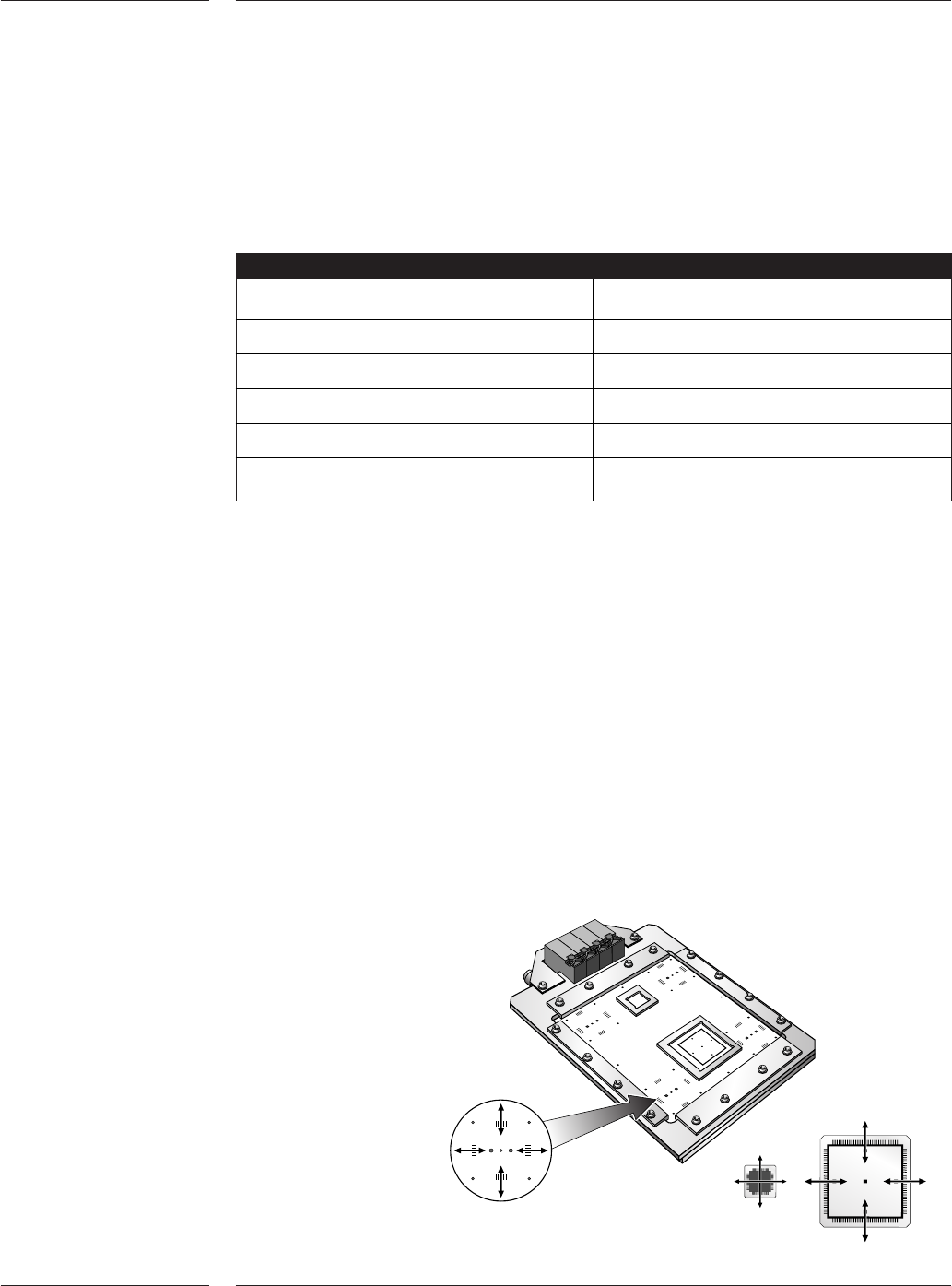
The accuracy verification set can be used to verify the accuracy of the placement
system by means of a glass board and glass components. The AQ-2 places the glass
components and measures the accuracy using the fiducial camera. The components are
placed under 4 different angles, and the user can define how many placements should
be done. Offset measurements are automatically calculated and can be used to
improve the calibration file of the AQ-2. This verification set is required to reach the
best possible accuracy of the AQ-2.
3.4 Reject
module
3.5 Accuracy
verification
set
Figure 25
Accuracy verification set
Mechanical grippers are available to pick and place components which cannot be
picked using vacuum nozzles. Depending on the application, outside in, or inside out
gripping can be selected. The standard gripper set contains a basic gripper with 3 jaw
sets that can be adapted by the user to comply with the specific shape of the
component being placed. The odd SMD gripper can be exchanged manually or
automatically, using the toolbit exchange unit.
Gripper
Max. component size 165 x 45mm
Max. component height 50mm
Max. weight 35 gram
Clamp force 6.5 ± 0.5N
Placement force 4 - 40N
Variable through hole check 4-14N
Table 21
3.3.2 Odd SMD
Grippers
Options
27 of 44
The standard language on the AQ-2 is English. However the operating system makes
on-line language switching possible. This means that with a simple keyboard
instruction the operator or engineer can switch between English and a local language,
including Asian languages. A wide range of languages is available, please contact
Assembléon for your specific language requirements. A software key will enable this
option.
All elementary production data is reported real-time:
•error occurrence (with detailed error information like feeder position, and measured
process variables like vacuum levels leading to the error)
•error solve information (operator actions)
• numbers of components picked and placed
All changes in machine processing mode are reported real-time. The machine uptime,
downtime, idletime etc. can be calculated by the host. All information can be reported
in listings or in graphs (optional). A software key will enable this option.
3.6 Multi
language
support
3.7 Real time
MIS data
3.8 Setup
Verification
System
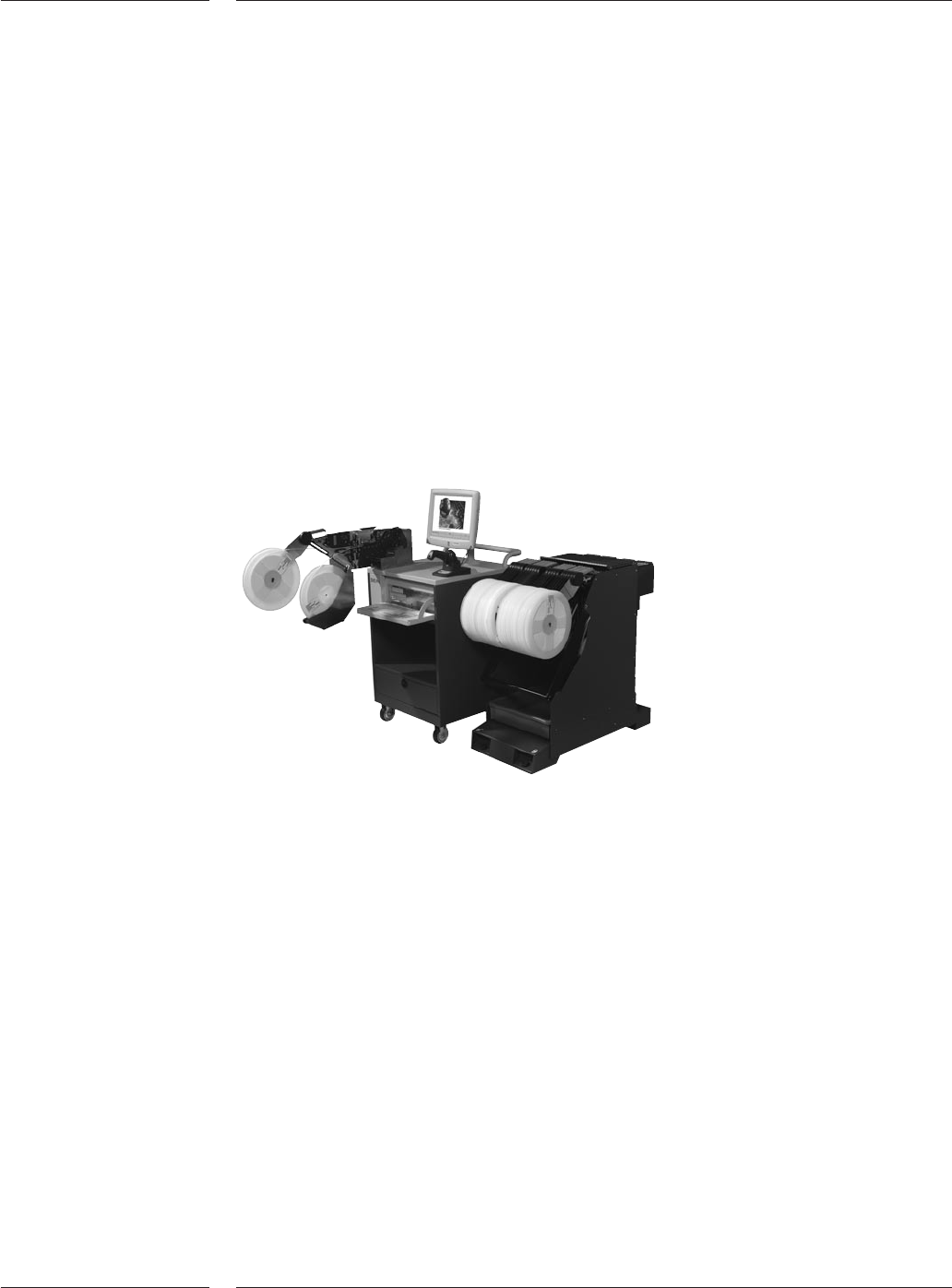
Figure 26
SVS-Pro offline programming station
The optional Setup Verification System (SVS-Pro) enables offline preparation and
verification of the feeder set-up on the feeder trolleys for FCM-Multiflex, AX-3, AX-5,
AQ-2, ACM Micro (NT version) and the GEM-Xi2 systems.
SVS-Pro takes advantage of the intelligence in the ITF-II feeders. Only one time reel-scan
is required, even if you move a feeder to a different position on the same or other
placement machine, plus even after ‘power down’.
Any possible set-up error can be corrected prior to the actual changeover using SVS-Pro.
The software helps to minimize the online changeover time from one to the other
production batch. It is also designed for ease-of-use in a frequent changeover
environment. In such cases SVS-Pro provides helps in offline set-up, the prevention of
set-up errors, pro-active pre-empty tape warnings and real-time set-up verifications.
SVS-Pro consists of two elements, an Offline Loading unit for the Feeder and Trolley
setup and verification, and the Machine specific part running on the placement
system(s). The Offline Loading Unit is a small trolley that conveniently can be moved
around the factory floor, for instance to be placed near the trolleys that needs to be
prepared for a next production batch. The Offline loading unit can be used for set-up
and verification of feeders and trolleys for FCM-Multiflex, AX-3, AX-5, AQ-2, ACM
Micro(NT version) and the GEM- Xi2 systems.

Options
28 of 44
When a trolley set-up is docked, the machine specific part of SVS-Pro will verify the
feeder set-up once again. At any improper set-up for the order to be produced, it is
impossible to start the production. Error messages will be provided on the Graphical
User Interface as well as on the wireless barcode scanner. The ITF-II feeder where an
improper set-up is detected will also be indicated with a blinking LED on the ITF-II
feeder. The operator can select the error on the wireless barcode scanner to correct the
fault. When there are no more errors left, the machine will be enabled to start
production. During production, SVS-Pro will verify the feeder set-up real-time. When a
feeder is exchanged or when splicing is executed and an error is detected, the machine
will be stopped directly to ensure that only the right components will be placed on
PCBs in accordance to the placement program.
SVS-Pro provides the basis for lot-traceability, it will log the following items:
•Partnumber
• Quantity
•Vendor ID
•Lotcode
• Operator ID
•Date & Time stamp
• Set-up changes
SVS-Pro Off-line Loading Unit
The Offline Loading Unit guides the operator, as to which reel needs to be on which
trolley position. When a reel is scanned with the wireless scanner, the GUI of the
Loading Unit indicates if this reel that is required to be used for the set-up. It also
indicates on which Trolley position this reel needs to be located. When a trolley is
connected to the Loading Unit and a feeder is inserted in the trolley, the Loading Unit
will verify the information stored on the feeder and inform the operator whether the
feeder is in its correct position. If the feeder location is correct, it will be removed from
the set-up list. If the location is incorrect, advice will be given on where the feeder
needs to be located.
On the Off-line loading unit a barcode or text printer can be connected. New barcode
label can be printed on unloading the feeder. Various reports can be printed via a text
printer. The unit can be network connected to download placement programs.
The Trolley is connected to the Loading Unit via a cable at the rear side of the trolley
unit.
Trolley contains:
•All operating actions can be done with the touch screen.
• Others can be done with the keyboard, eg when barcode can’t be recognized by
scanner.
•Floppy & CD-rom drive.
•Ethernet card for networking.
• Space for (optional) printer to print Reel label with actual remaining quantity.
•Cabinet for reels and/or documentation.
Note: For SVS-Pro minimum one(1) Off-line loading unit is required.
For details see specification book SVS Pro