00197543-01_SM_JTF-S_ JTF-M_en - 第61页
Service Works 2.6.6 Lift Cylinder Shock Absorber Adjustment SIPLACE JTF-S Setu p and Adjustments Base Unit Service Manual SIPLACE JEDEC Tray Feeder 61 Manual activation buttons 1. Lift cylinder „UP“ m anual activation bu…
Service Works
Setup and Adjustments Base Unit 2.6.6 Lift Cylinder Shock Absorber Adjustment SIPLACE JTF-S
60 Service Manual SIPLACE JEDEC Tray Feeder
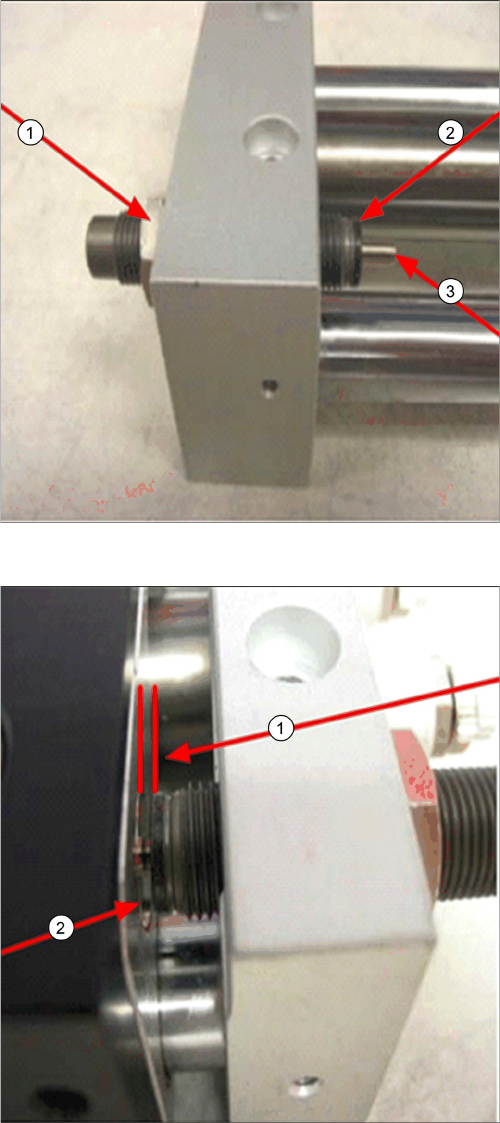
Details of shock absorber
1. Shock absorber lock nut
2. Shock absorber body
3. Shock absorber plunger
Shock absorber gap setting
► Do not allow the lift cylinder body to touch the shock
absorber body (2).
► Set gap (1) to approx. 3/32”.
Service Works
2.6.6 Lift Cylinder Shock Absorber Adjustment SIPLACE JTF-S Setup and Adjustments Base Unit
Service Manual SIPLACE JEDEC Tray Feeder 61
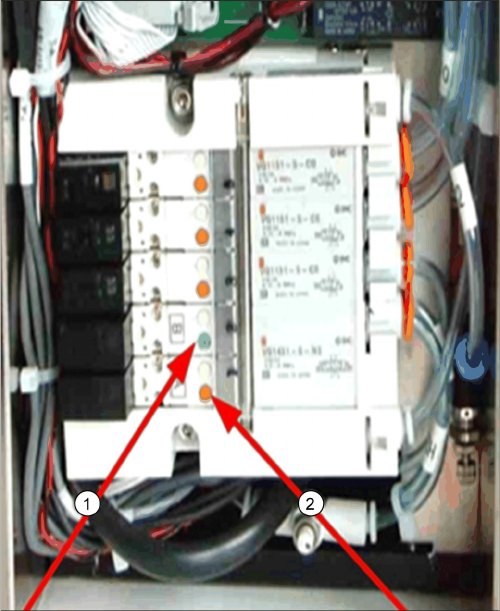
Manual activation buttons
1. Lift cylinder „UP“ manual activation button
2. Lift cylinder „DOWN“ manual activation button
Service Works
Troubleshooting SIPLACE JTF-M 2.7.1 Control Panel LED Status
62 Service Manual SIPLACE JEDEC Tray Feeder
2.7
2.7 Troubleshooting SIPLACE JTF-M
Troubleshooting SIPLACE JTF-M
2.7.1
2.7.1 Control Panel LED Status
Control Panel LED Status
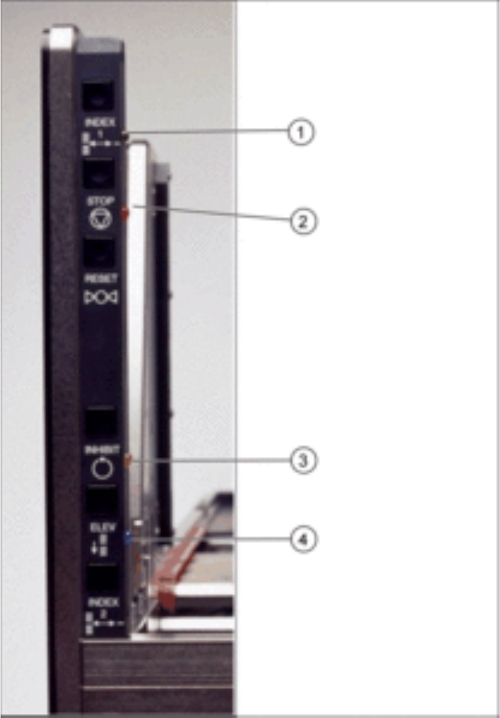
Also important and helpful are the LED status on the operator panel as shown in figure "Control panel"
for troubleshooting:
Control panel
1. Green LED = Tray ready
2. Orange LED on = Stop button, flash = error
3. Yellow LED = Inhibit (pause)
4. Blue LED on = Magazine empty