Specification SIPLACE CA-Series2011版 - 第43页
43 Technical data Siemens Signal Interface - Connector Assignment Signal interface (14-p ole connecting socket , interface standard 1.2) Upstream station X1 Downstream station X2 Pin 1 NOT READY + Pin 1 NOT READY + Pin 2…

42
Vision Sensor Technology
Bad Board Recognition
Position Recognition of Feeder Modules
Ink Spot Criteria
Methods • Synthetic fiducial recognition
method
• Mean grayscale value
• Histogram method
• Template matching
Shapes and sizes of fidu-
cials/structures for
synthetic fiducials
other methods
For dimensions of synthetic fidu-
cials, see page 41
min. 0.3 mm
max. 5 mm
Masking material good coverage
Recognition time depends on the method: 20 ms -
0.2s
Description
In the cluster technology
each subpanel is assigned
an ink spot. If this is present
during the measurement via
the PCB vision module, the
corresponding subpanel is
populated.
It is also possible to accom-
plish the population of the
subpanel when the ink spot
is missing. With this function
it is possible to eliminate
costs due to unnecessary
population of faulty subpan-
els.
Inkspot files can be imported
with the optional software
module "iSkip".
Global Ink Spot
Each GOOD/SCRAP scan
takes some time, and the
time required is even greater
if there are a large number of
panels on a PCB. The global
inkspot helps to significantly
reduce these secondary pro-
cessing times.
The PCB vision module
searches at positions taught
before for the defined fidu-
cial. In case of recognition
there is no following evalua-
tion of subpanels. The sys-
tem allows the operator to
also choose the reverse in-
terpretation.
Position recognition of
feeder modules
Position recognition helps to
precisely pinpoint the exact
pickup position of the compo-
nents. The offset in position
relative to the stored ideal
position is determined on the
basis of fiducials on the feed-
er modules using the PCB vi-
sion module. With 0201
components, the position de-
viation is determined by the
component pocket detection.
This ensures a very high
pickup reliability from the
very first component.

43
Technical data
Siemens Signal Interface - Connector Assignment
Signal interface (14-pole connecting socket, interface standard 1.2)
Upstream station X1 Downstream station X2
Pin 1 NOT READY + Pin 1 NOT READY +
Pin 2 NOT READY – Pin 2 NOT READY –
Pin 3 BOARD AVAILABLE + Pin 3 BOARD AVAILABLE +
Pin 4 BOARD AVAILABLE – Pin 4 BOARD AVAILABLE –
Pin 5 Not used Pin 5 Not used
Pin 6 Not used Pin 6 Not used
Pin 7 Not used Pin 7 Not used
Pin 8 Reserved Pin 8 Reserved
Pin 9 Reserved Pin 9 Reserved
Pin 10 Reserved Pin 10 Reserved
Pin 11 Reserved Pin 11 Reserved
Pin 12 Reserved Pin 12 Reserved
Pin 13 Reserved Pin 13 Reserved
Pin 14 Reserved Pin 14 Reserved
44
Technical data
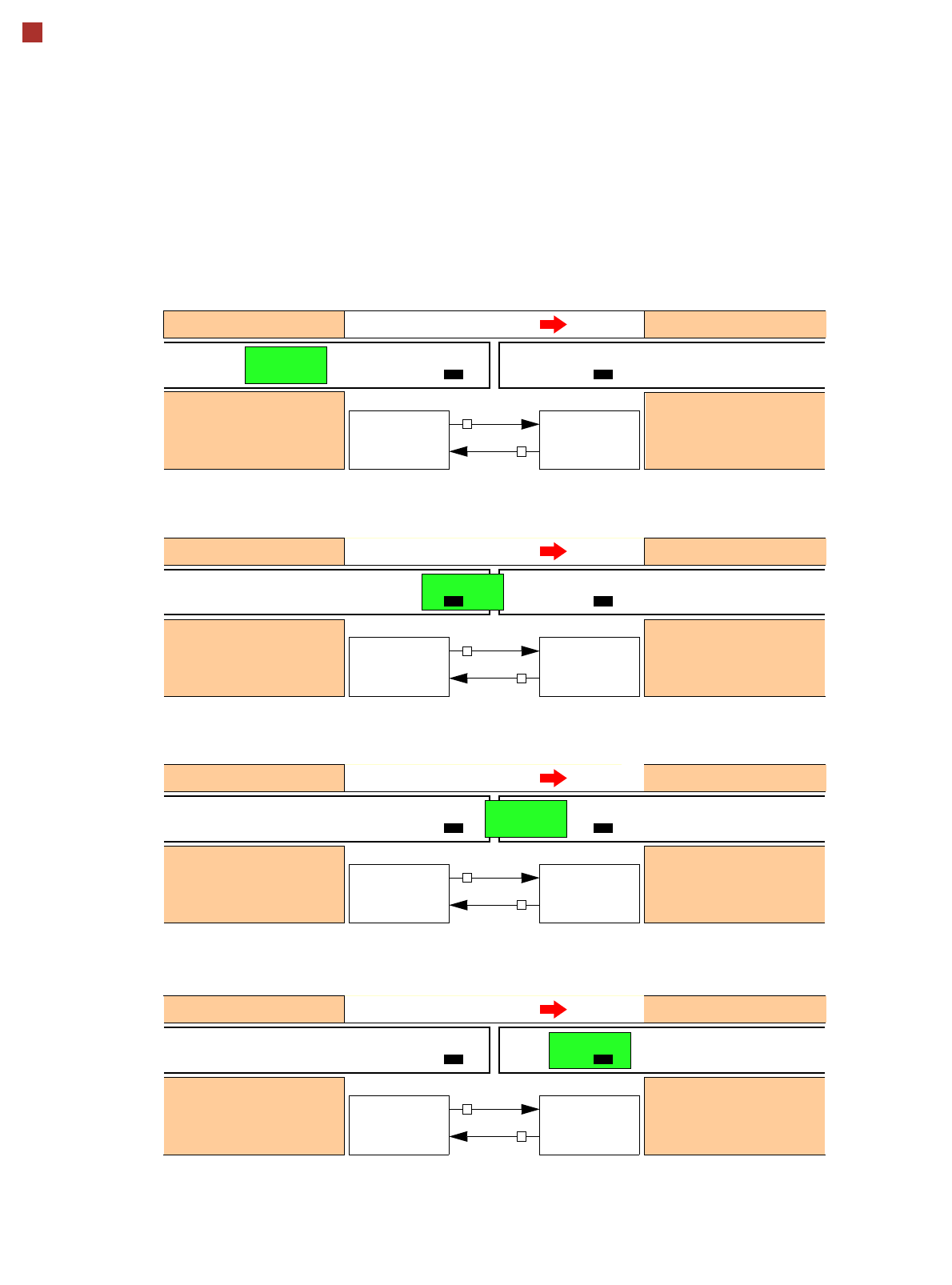
Siemens Signal Interface - Signal Sequence
1. After switching on the station
Transport direction
Belt n Belt n+1
PCB sensor PCB sensor
Station n transports PCB
to the transfer position
Belt n running Belt n+1 stopped
BOARD AVAIL-
ABLE
Permission
1
0
2. The PCB transfer has started
Transport direction
Belt n Belt n+1
PCB sensor
Station n transfers
PCB to Station n+1
Belt n running Belt n+1 running
Station n+1 expects
PCB from station n
3. PCB is transferred
Transport direction
Belt n Belt n+1
PCB sensor PCB sensor
Station n has
just transferred the PCB
Belt n stopped Belt n+1 running
Station n+1 expects PCB
from station n, but PCB
has not yet arrived.
PCB sensor
4. PCB transfer is complete
Transport direction
Belt n Belt n+1
PCB sensor PCB sensor
Station n
Belt n stopped Belt n+1 running
Station n+1
PCB arrived
Request
NOT READY
BOARD AVAIL-
ABLE
Permission
1
1
Request
NOT READY
BOARD AVAIL-
ABLE
Permission
0
1
Request
NOT READY
BOARD AVAIL-
ABLE
Permission
0
0
Request
NOT READY
To start a new PCB transfer, both signals must be "0" for at least 50 ms.
Station n+1
is not ready