YSM10安装调整(eng).pdf - 第107页
For Ser v ice E n gineer Service Information SI1610004E -000= YSM10_Proced ures for the adjustmen ts required after installing a machine 107/107 3. Make Head 1 suck a 16-pi n QFP. 4. [Execute] to start the adjustm e…
For Service Engineer
Service Information
SI1610004E-000= YSM10_Procedures for the adjustments required after installing a machine
105/107
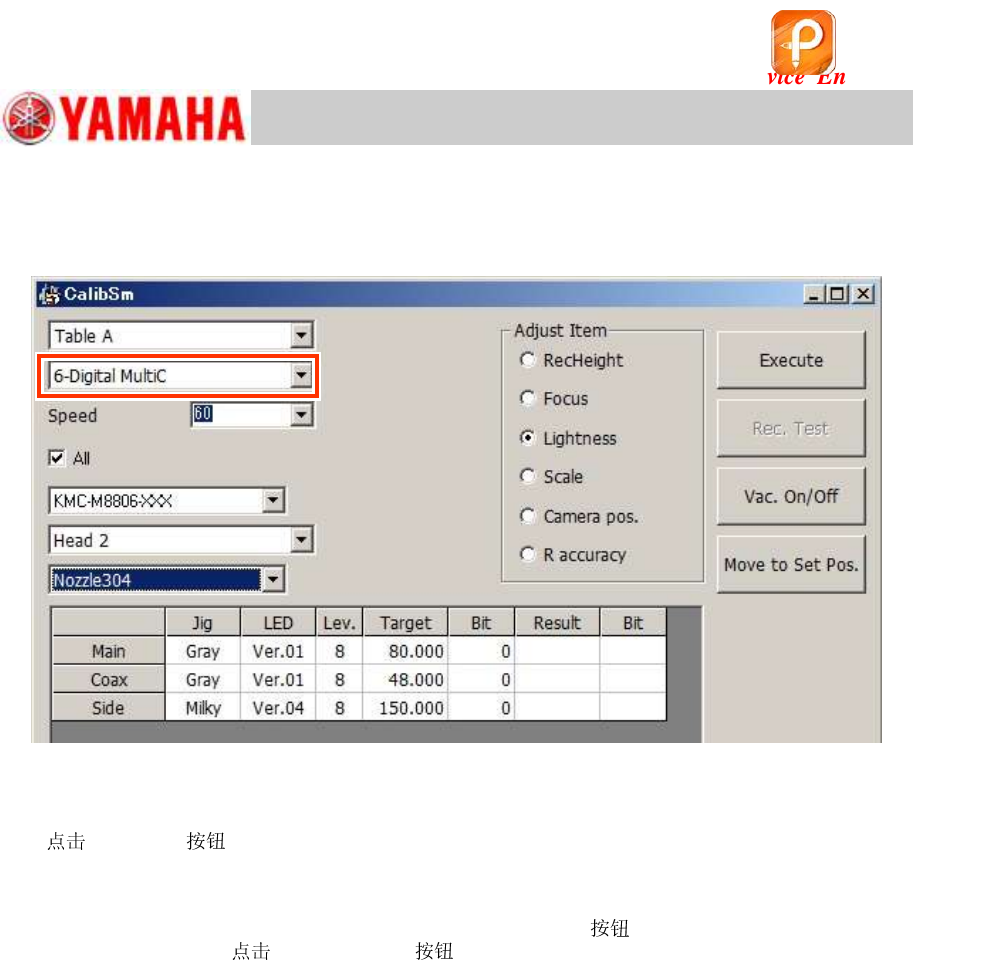
When the machine is equipped with a “6-Digital MultiC”
11. Select “6-Digital MultiC”.
Figure 158
12. Make the head suck the light adjuster with its light gray surface facing down.
13.
[Execute] .
Attach the light adjuster to the head according to the message and perform the adjustment.
14. Remove the light adjuster.
After completing the adjustment, press the [Emergency Stop]
and remove the light adjuster
from the head. Then [Vac. ON/OFF] to turn off the vacuum operation.
If the 304A (315A) (that the machine is not equipped with) was attached manually for the
adjustment, remove it and put the original back to the head.
该文档是极速PDF编辑器生成,
如果想去掉该提示,请访问并下载:
http://www.jisupdfeditor.com/
For Service Engineer
Service Information
SI1610004E-000= YSM10_Procedures for the adjustments required after installing a machine
106/107
11.3.8 Multi camera – “” adjustment (Option)
If the machine is equipped with an optional multi camera, perform the “” adjustment for the
camera.
・ Required : Type 303A (314A) (For SOP)
・ Required component: Use either of the following.
16-pin QFP
Part No. (MCH_SETUP)
WITHOUT a sticker
(KW8-M880A-00 / QFP 16P)
No.10 (QFP16_P0.8)
Use either of the
QFPs.
WITH a sticker
(KHY-M880A-00 / QFP 16P ASSY)
No.34
(QFP16_P0.8_WHITE)
Table 48
:
When a 16-pin QFP with a sticker is used, select the Part No. 34 and tick the “Negative Rec.”
checkbox.
1.
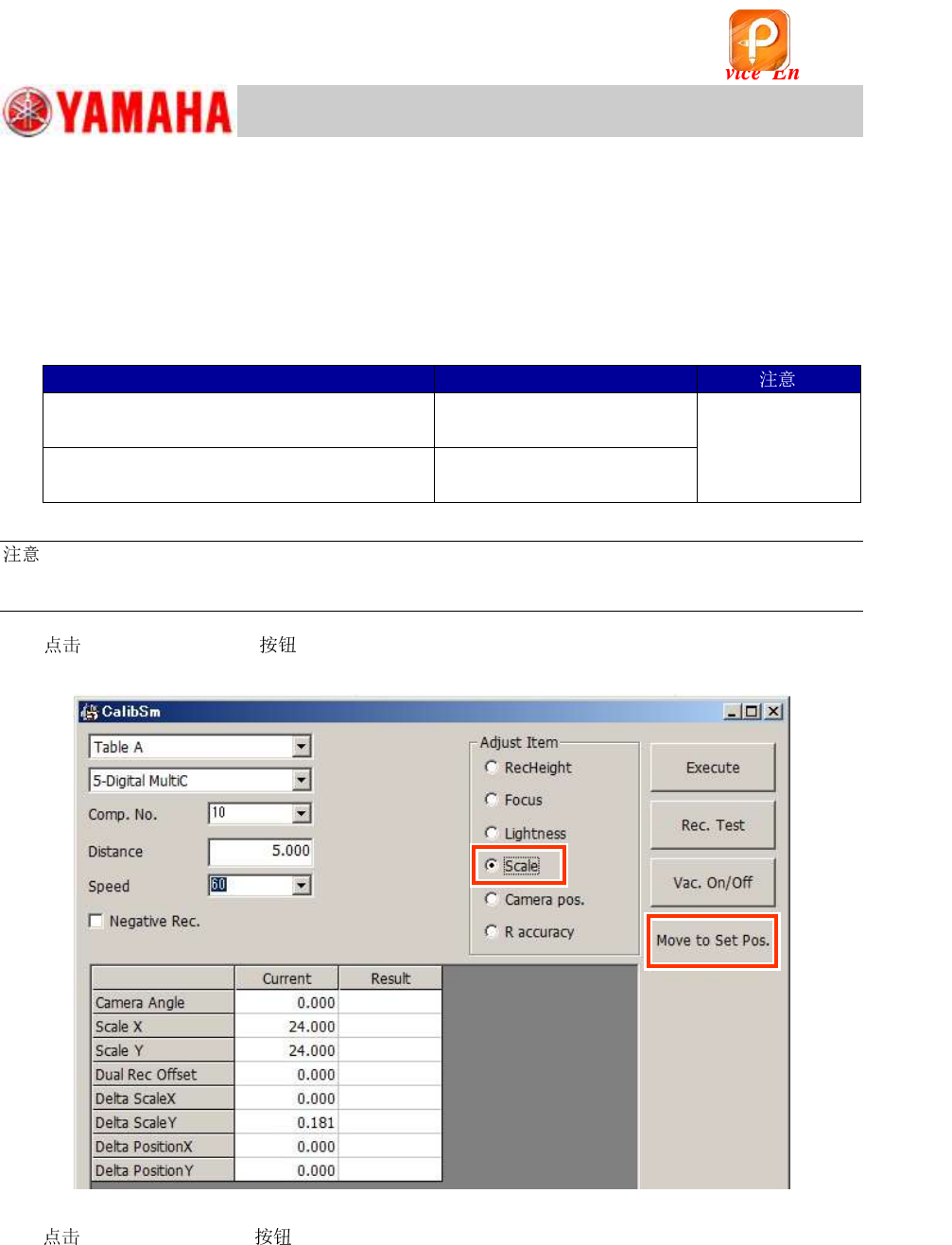
[011 Multi Camera] on the CalibSm main menu and select “” from
“Adjust Item”.
Figure 159
2.
[Move to Set Pos.] and change the to the 303A (314A) .
If the machine is equipped with an ANC:
The of the head to be adjusted is changed to 303A (314A) automatically and the
head moves to above the front-side feeder bank.
If the machine is NOT equipped with an ANC:
The head moves to above the front-side feeder bank. Put the machine into the “Emergency
Stop” state and attach the 303A (314A) to the head by hand.
该文档是极速PDF编辑器生成,
如果想去掉该提示,请访问并下载:
http://www.jisupdfeditor.com/
For Service Engineer
Service Information
SI1610004E-000= YSM10_Procedures for the adjustments required after installing a machine
107/107
3. Make Head 1 suck a 16-pin QFP.
4.
[Execute] to start the adjustment.
5. Save the measured data.
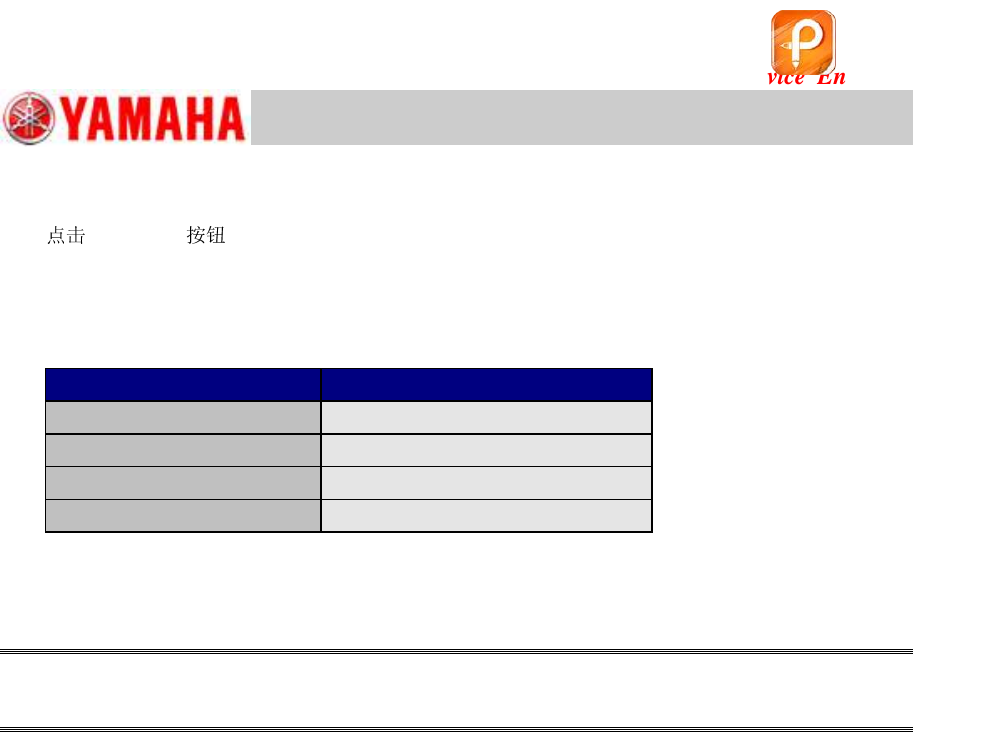
Make sure that the measured values fall within the specification and save the data.
<Specified value>
Item
Specified value
Camera Angle
0.000 +/- 0.100 degrees
X
25.635
m (Fixed)
Y
23.814 ~ 25.014
m
Dual Rec Offset
-0.050 ~ +0.050mm
Table 49
6. When the machine is equipped with two (2) multi cameras, change the setting of the camera
to “6-Digital MultiC” and perform the adjustment continuously.
Caution:
When the was manually attached to the head, make sure to remove the after the
adjustment.
该文档是极速PDF编辑器生成,
如果想去掉该提示,请访问并下载:
http://www.jisupdfeditor.com/