YSM10安装调整(eng).pdf - 第32页
For Ser v ice E n gineer Service Information SI1610004E -000= YSM10_Proced ures for the adjustmen ts required after installing a machine 32/107 4.12 Multi camera – “ C amera Pos. ” adjustment (Option) : @ ョッココャ・ H 1.…
For Service Engineer
Service Information
SI1610004E-000= YSM10_Procedures for the adjustments required after installing a machine
31/107
4.11 :
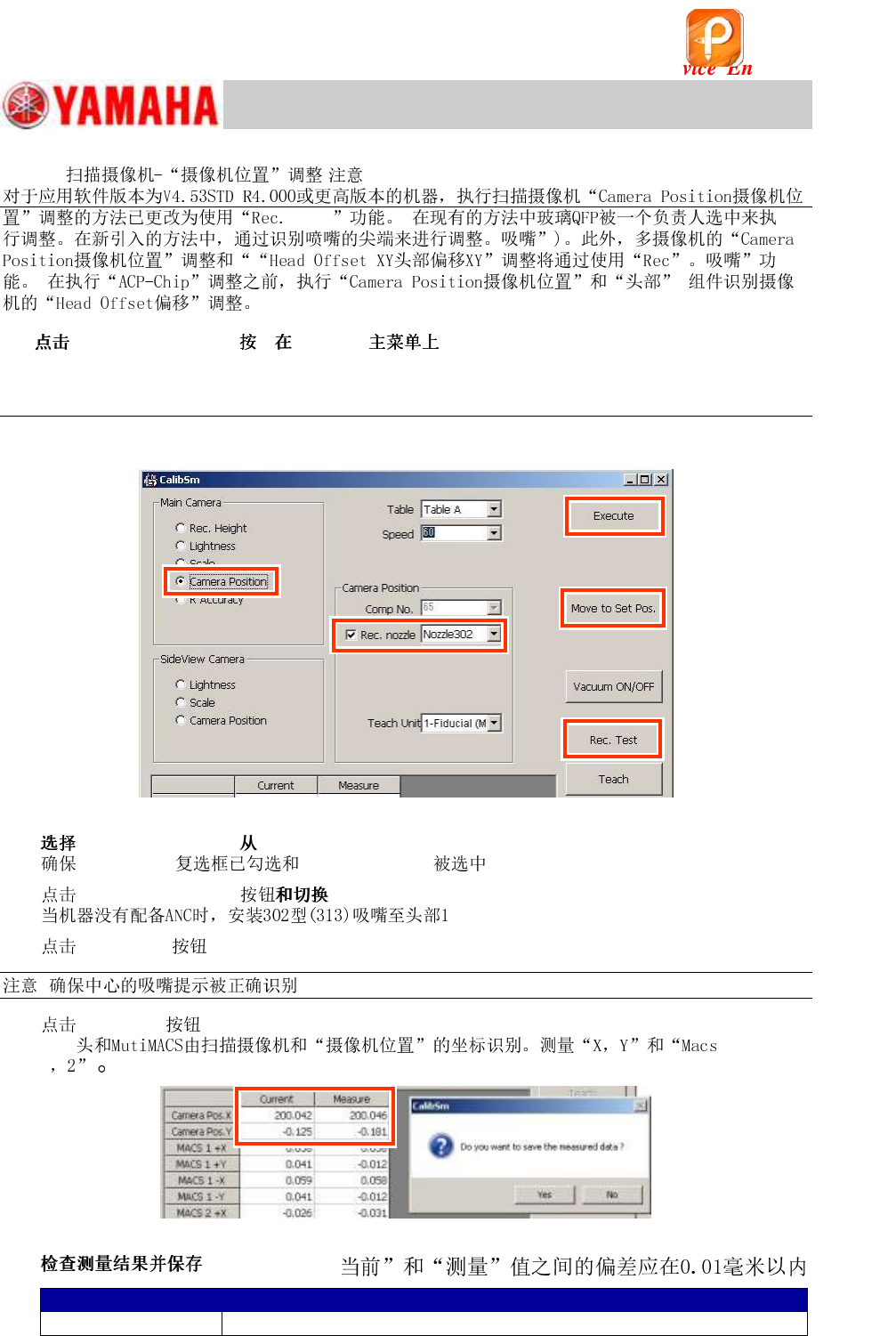
1. [010 Scan Camera] CalibSm .
Figure 35
2. “Camera Position” “Main Camera”.
“Rec. ” “ 302 (313)” .
3.
[Move to Set Pos.] .
.
4.
[Rec.Test] .
: .
5. [Execute] .
Q
Figure 36
6. .
Item
Specified value
Camera Pos. X, Y
Variation between “Current” and “Measure” values should fall within 0.01mm
Table 19
モ
该文档是极速PDF编辑器生成,
如果想去掉该提示,请访问并下载:
http://www.jisupdfeditor.com/
For Service Engineer
Service Information
SI1610004E-000= YSM10_Procedures for the adjustments required after installing a machine
32/107
4.12 Multi camera – “Camera Pos.” adjustment (Option)
:
@ョッココャ・ H
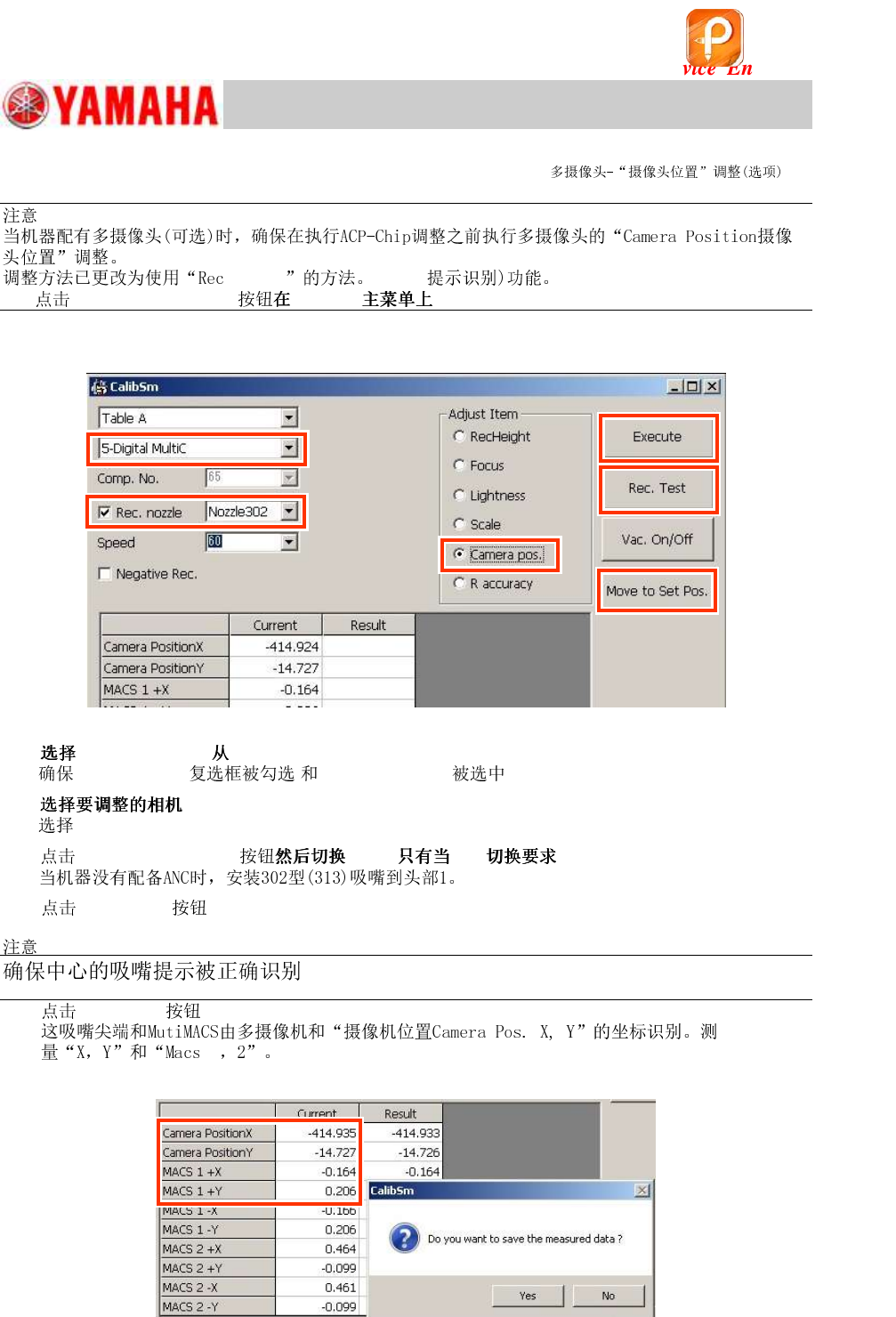
1. [011 Multi Camera] CalibSm
Figure 37
2. “Camera Pos.” “Adjust Item”.
“Rec. ョッココャ・” “ 302 (313)”
3. .
“5-Digital MultiC”.
4.
[Move to Set Pos.] . ( .)
5. [Rec.Test] .
:
6. [Execute] .
Q
Figure 38
该文档是极速PDF编辑器生成,
如果想去掉该提示,请访问并下载:
http://www.jisupdfeditor.com/
For Service Engineer
Service Information
SI1610004E-000= YSM10_Procedures for the adjustments required after installing a machine
33/107
7.
Item
Specified value
Camera Pos. X, Y
Variation between “Current” and “Measure” values should fall within 0.01mm
Table 20
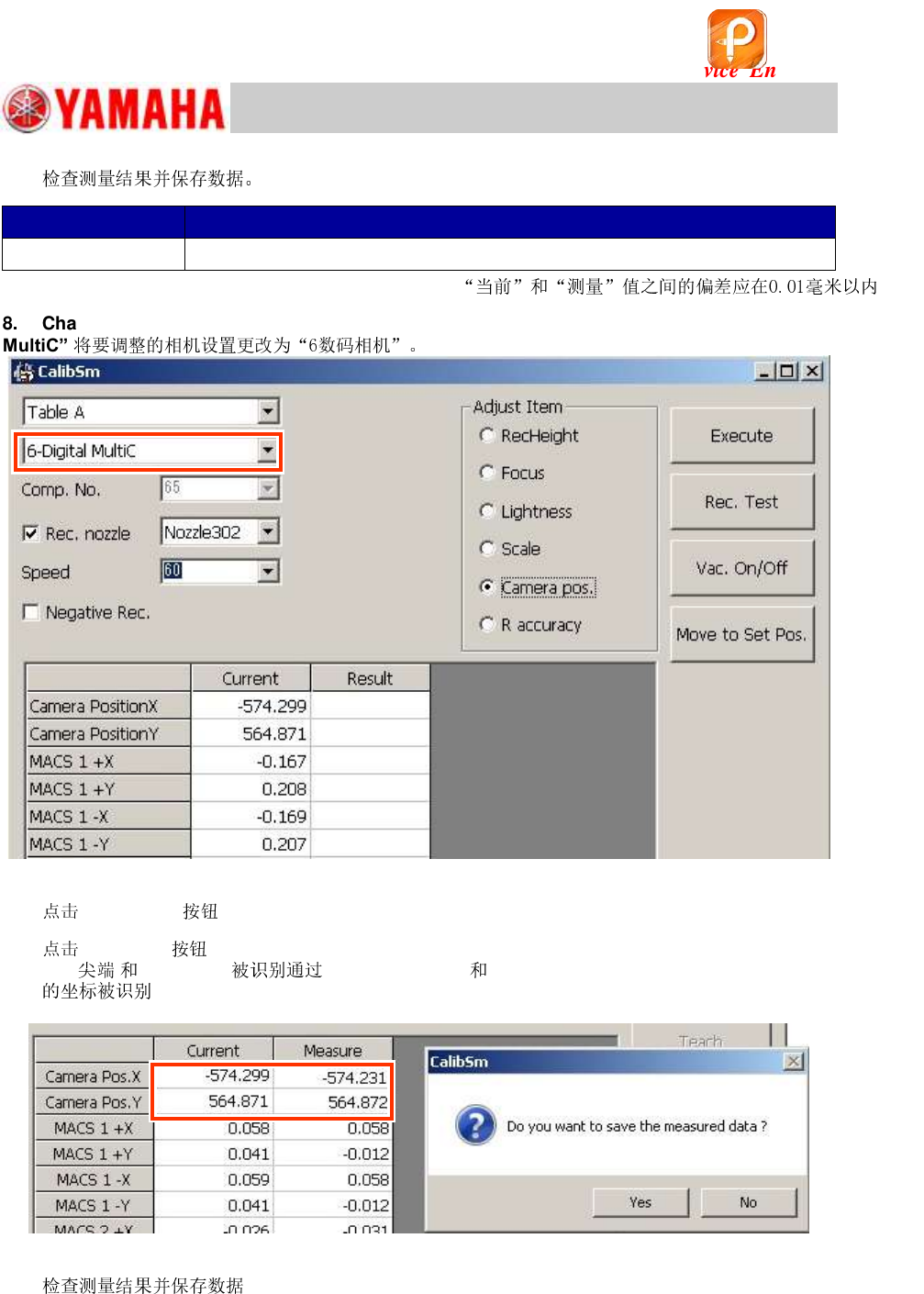
8. Change the setting of the camera to be adjusted to “6-Digital
MultiC”.
Figure 39
9.
[Rec. Test] .
10.
[Execute] .
MutiMACS “6-Digital MultiC” “Camera Pos. X, Y” and “Macs 1, 2”
.
Figure 40
8.
该文档是极速PDF编辑器生成,
如果想去掉该提示,请访问并下载:
http://www.jisupdfeditor.com/