YSM10安装调整(eng).pdf - 第57页
For Ser v ice E n gineer Service Information SI1610004E -000= YSM10_Proced ures for the adjustmen ts required after installing a machine 57/107 6.3 Flow of the adjustmen t Perform initial setup for using the FAMF station…
For Service Engineer
Service Information
SI1610004E-000= YSM10_Procedures for the adjustments required after installing a machine
56/107
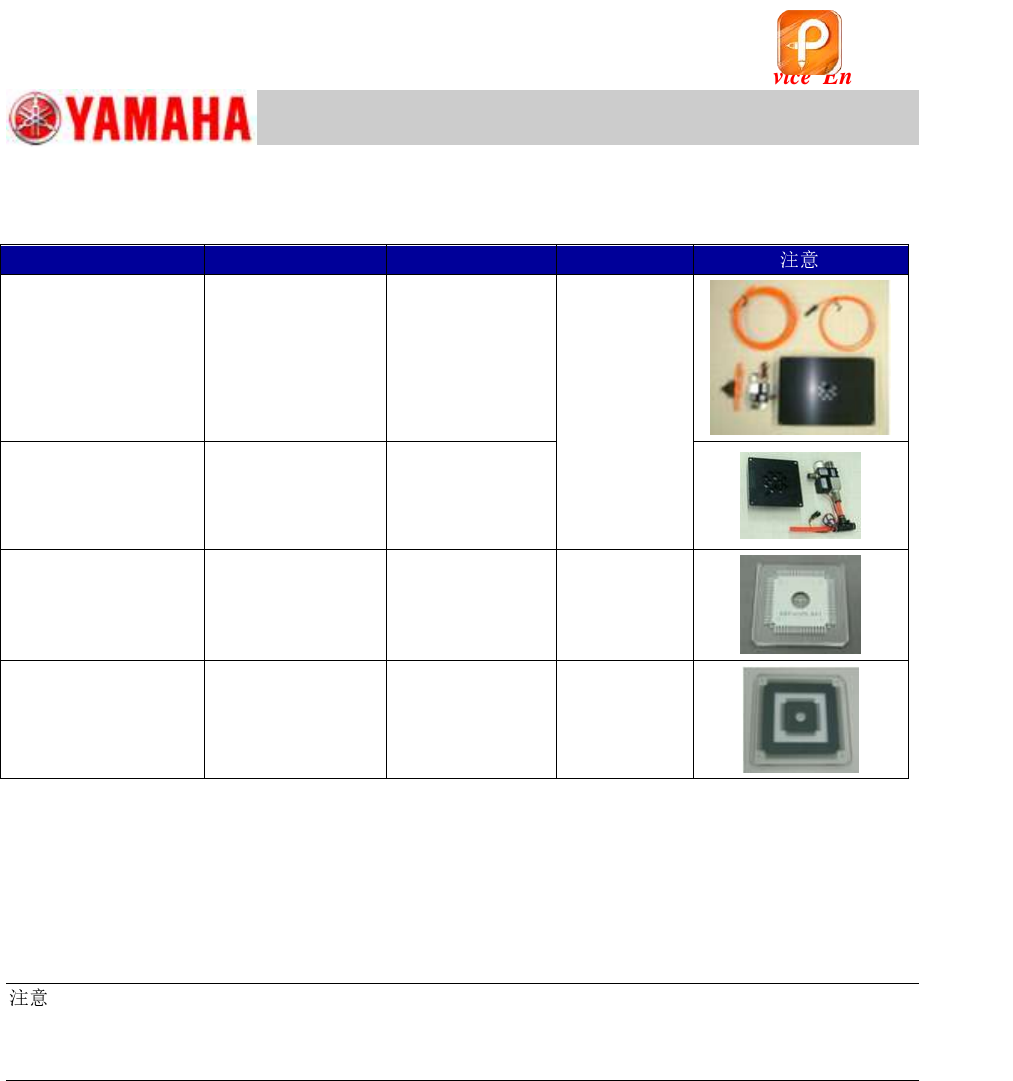
6.2 Required jigs
Table 28
Board data
Read the board data (MCH_SETUP.ygx) and check the version of the data in the “Board
Comment” field on the [Board]–[Board] window.
Required version: Ver.1.058 or later
:
Make sure to read the board data before the adjustment as the “Mark Information”, “Part Information”
and the “Board Information (Board size X, Y and Z) of the board data “MCH_SETUP” will be used for
the ACP-Station adjustment.
Item
Part Name
Part No.
Qty
FAMF Station
(Plate size: 240x170)
FAMF STATION
ASSY.
KGA-M88F0-A0
1
(Use either of
the stations.)
Small FAMF Station
(Plate size: 100x100)
FAMF STATION
S.ASSY.
KGA-M88F0-B0
68-pin QFP
QFP 68P
KW8-M880A-10
1
208-pin QFP
(With the sticker)
QFP 2S
KM0-M880A-20
1
该文档是极速PDF编辑器生成,
如果想去掉该提示,请访问并下载:
http://www.jisupdfeditor.com/
For Service Engineer
Service Information
SI1610004E-000= YSM10_Procedures for the adjustments required after installing a machine
57/107
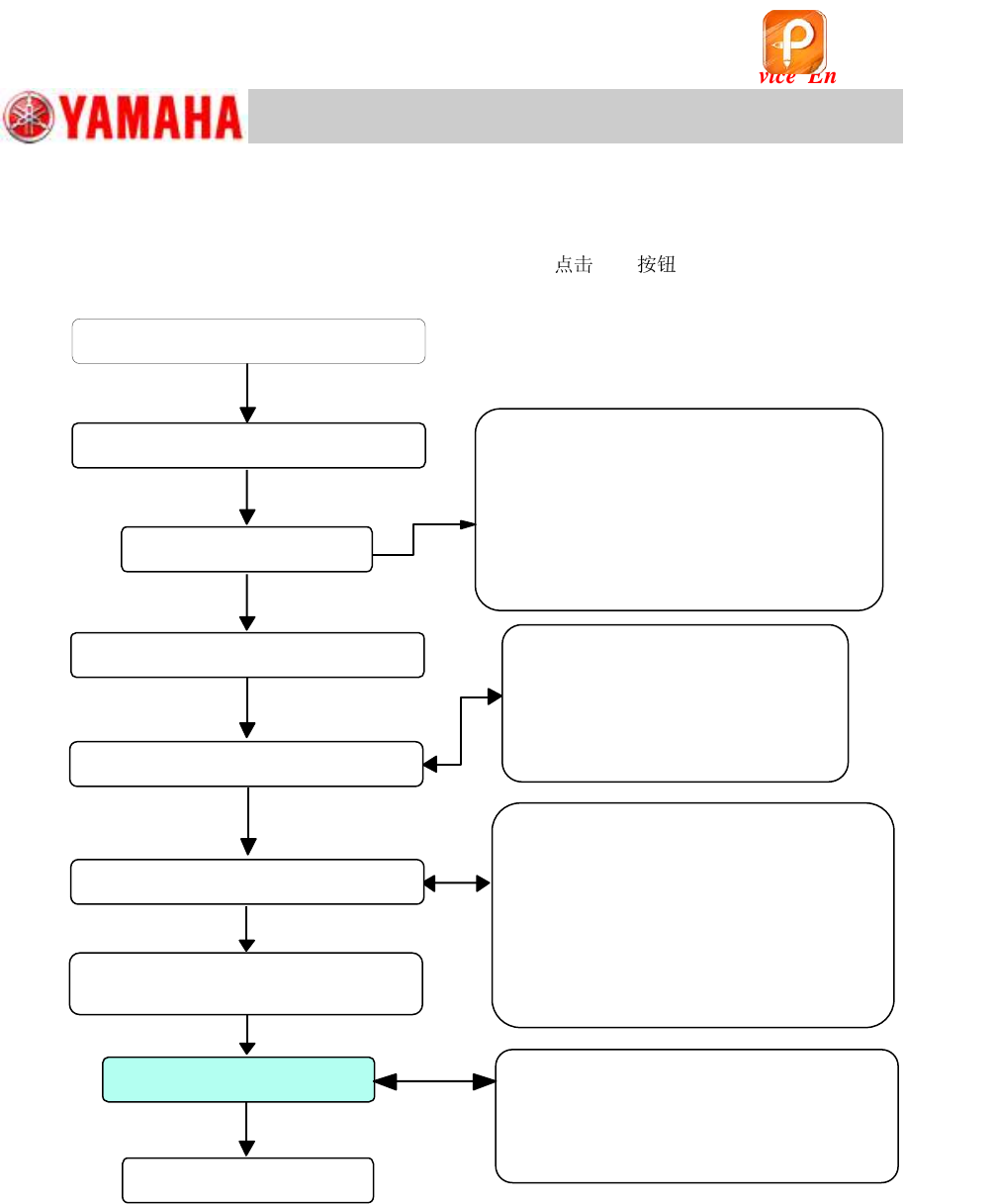
6.3 Flow of the adjustment
Perform initial setup for using the FAMF station (Connect the air supply and wirings for the ejector),
check the settings for the “ACP-Station” adjustment and
[All] to start the adjustment.
Figure 73
Initial setup for the FAMF station
Check the board data
• Block fiducial
• Mounting coordinate
• Mark recognition (Fiducial mark,
QFP mark)
• Part recognition (68-pin QFP)
Start up CalibSm – “ACP-Station”
Run the program
<When the adjustment cannot be
completed properly>
Identify the cause and take appropriate
measures, and perform the adjustment again.
Read the board data (MCH_SETUP)
Check the Total Index
Setting on the right side of the window
Check the Board data
Setting on the left side of the window
Check the setting on the left
side
Main camera
Adjust camera
Adj. Setting and Head
Check the setting on the right
side
Speed
Mark
UtclXY
Storage Pos XY
Block No.
Set the QFP on the storage
position
该文档是极速PDF编辑器生成,
如果想去掉该提示,请访问并下载:
http://www.jisupdfeditor.com/
For Service Engineer
Service Information
SI1610004E-000= YSM10_Procedures for the adjustments required after installing a machine
58/107
6.4 Read the board data “MCH_SETUP”
The coordinate data in the board data “MCH_SETUP” is used to perform the “ACP-Station”
adjustment in CalibSm.
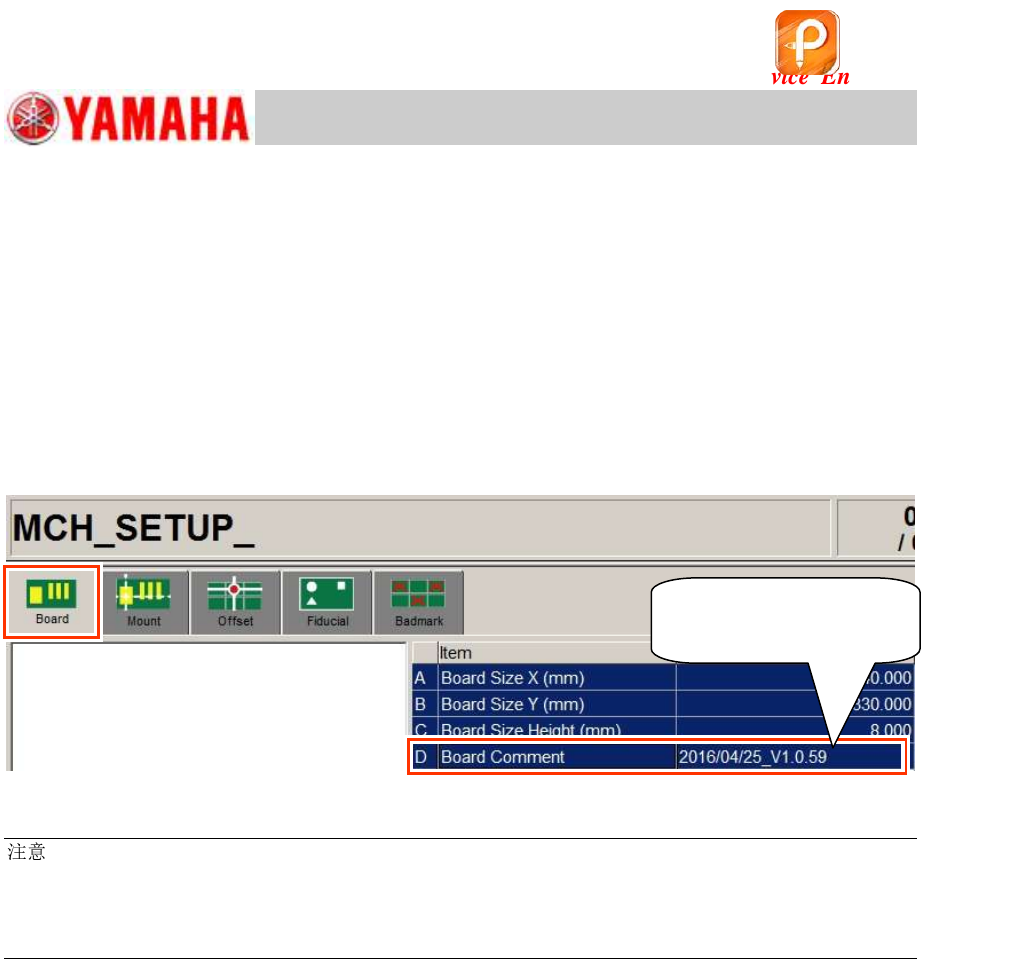
Check the board data version
Read the board data “MCH_SETUP”.
After reading the data, make sure that the board data version in the “Board Comment” field (on the
[Board]-[Board] window) corresponds to the “ACP-Station” utility.
Required version: V1.058 or later
Figure 74
:
If the version of the read board data is old, copy the data from the folder of the corresponding model in
“PCBDATA” folder in the application installation CD.
(The “MCH_SETUP.ygx” data is shared by all the models.)
Copy the board data for the ACP-Chip adjustment from the same location.
Make sure that the
version is V1.058 or later.
该文档是极速PDF编辑器生成,
如果想去掉该提示,请访问并下载:
http://www.jisupdfeditor.com/