YSi-V_Ope_E - 第32页
xxix Safety instructions W arning/caution labels Rear side ■ Rear panels ■ CZ-axis motor (Option) ■ OPT -CL board ■ Behind rear door ■ XY -axis ball screw cover Capacitor for R/CZ-axis (Option) ■ Laser unit (Option) 9320…
xxviii
Safety instructions
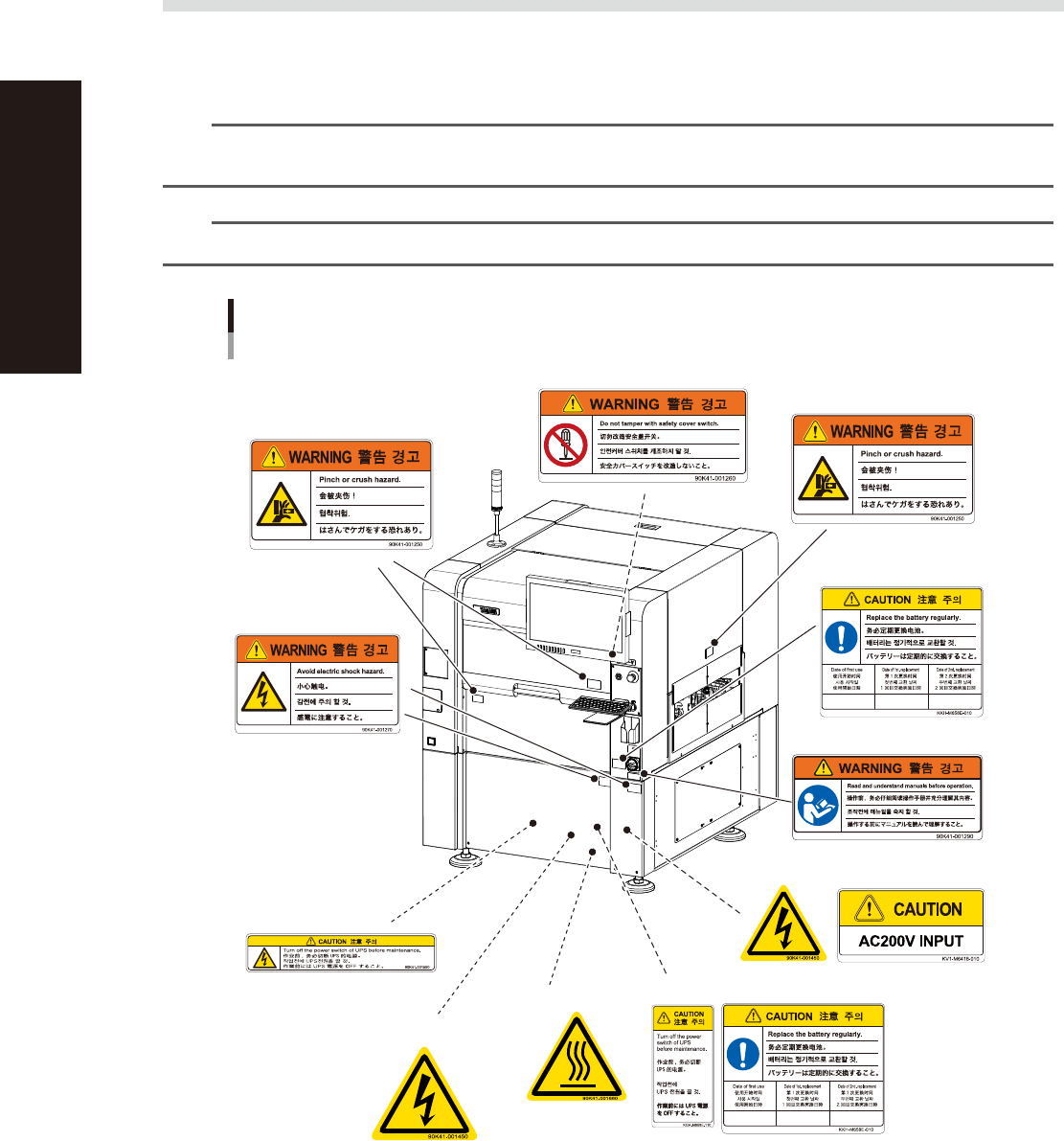
3.4 Label positions
The following warning/caution labels are attached to the YAMAHA products to ensure safe and correct use.
Check that the information on each label is clearly legible and comply with the instructions.
For safety precautions other than those on the labels shown in this section, see the instructions in "1. Safety".
n
NOTE
Basically, labels are attached to the positions shown below, although they may differ slightly depending on the
machine model.
n
NOTE
When connecting power to this equipment, refer to "Power connection terminals" described in the appendix.
Warning/caution labels
Front side
■ Open/close cover inner side
■ Lower panels
■ Panels inner side
■ Top of controller
■ Servo controller
■ Left of main switch
■ Conveyor opening
(right and left sides)
■ Open/close cover
■ Main switch
■ Panels inner side
■ UPS unit inside rear cover
93201-M9-00
xxix
Safety instructions
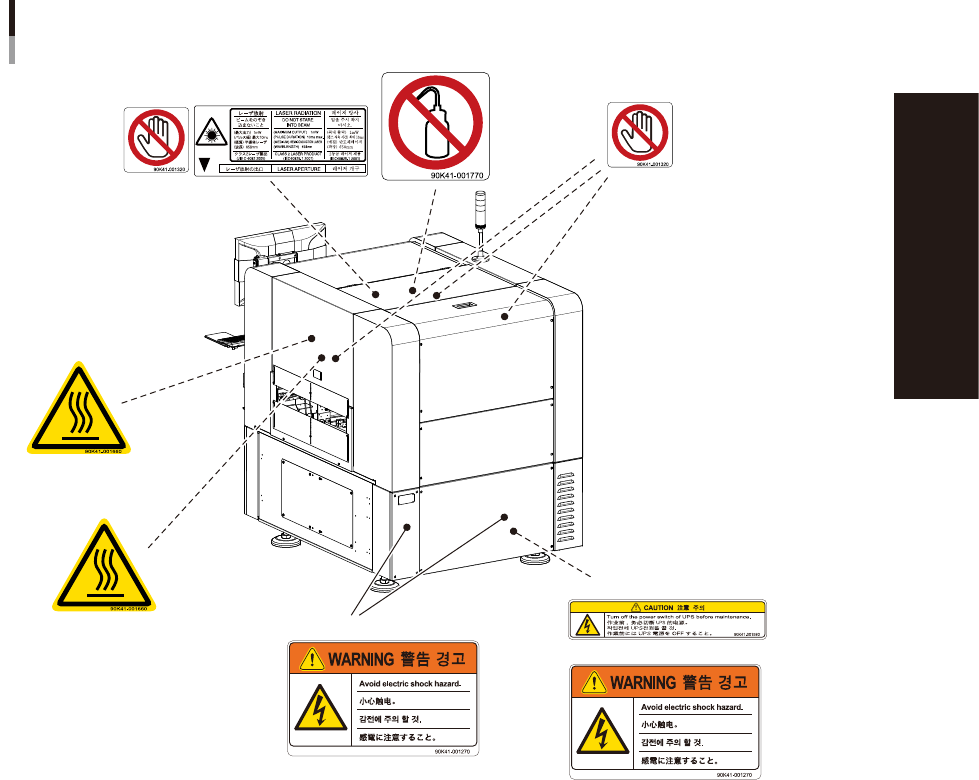
Warning/caution labels
Rear side
■ Rear panels
■ CZ-axis motor
(Option)
■ OPT-CL board
■ Behind rear door
■ XY-axis ball screw cover
Capacitor for R/CZ-axis (Option)
■ Laser unit (Option)
93202-M9-00

General Contents
Before using the YSi-V
1. Using this manual i
1.1 Available manuals i
1.2 Manual contents i
2. Contents of each chapter ii
3. Page layout iii
Chapter 1 Part names and functions
1. YSi-V main unit 1-1
2. Conveyor unit 1-4
3. Axis configuration 1-5
4. Option units 1-7
4.1 Marking unit 1-7
4.2 Laser height sensor 1-8
4.3 3D projector 1-9
4.4 4D angular camera 1-10
4.5 High-speed dual lane 1-11
Chapter 2 Basic operation
1. Before operation 2-1
1.1 Canceling emergency stop 2-1
1.2 Clearing an error 2-1
2
. Starting and ending the YSi-V and software operation
2-2
2.1 Starting 2-2
2.2 Ending 2-3
Chapter 3 Daily operation
1. Overview 3-1
2. Warm-up operation 3-2
3. Selecting a board 3-3
4. Conveyor unit setup 3-4
EPM920A220