YSi-V_Ope_E - 第52页
Chapter 2 Basic operation Contents 1. Before operation 2-1 1.1 Canceling emergency stop 2-1 1.2 Clearing an error 2-1 2. Starting and ending the YSi-V and software operation 2-2 2.1 Starting 2-2 2.2 Ending 2-3
1-11
1
Part names and functions
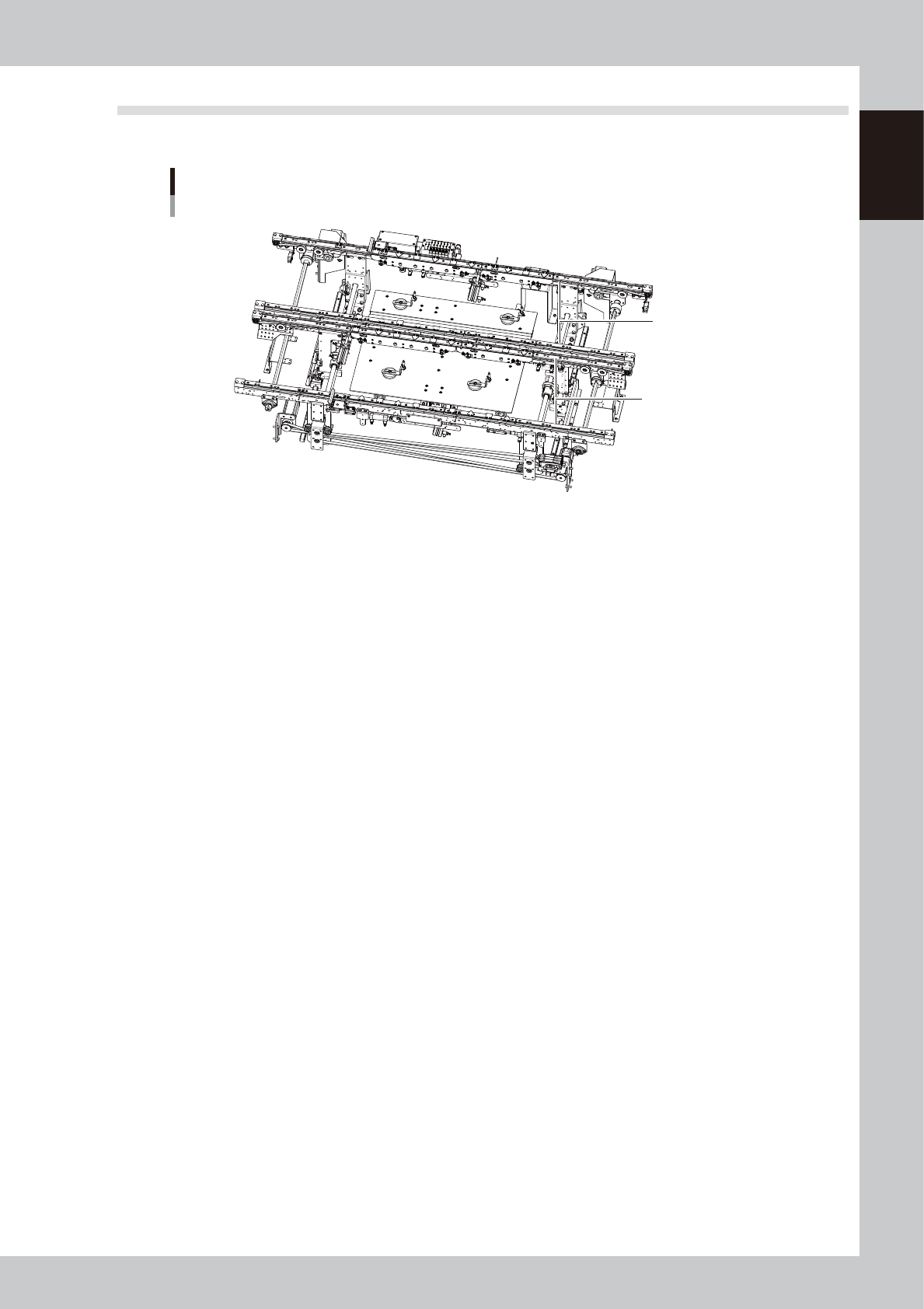
4.5 High-speed dual lane
The YSi-V can be optionally equipped with a high-speed dual lane that transfers two boards simultaneously.
High-speed dual lane
YSi-V
Lane 1
Lane 2
23107-M9-00
n
High-speed dual lane
This high-speed dual lane can transfer two boards simultaneously to increase the production volume per hour.

2-1
2
Basic operation
1. Before operation
This section describes how to reset an emergency stop status and clear an error that the YSi-V experiences.
Be sure to read thoroughly before operating the YSi-V.
1.1 Canceling emergency stop
Follow these steps to cancel emergency stop.
1
Check safety.
Before continuing the procedure, check the surrounding area for safety.
2
Release the emergency stop button.
When the emergency stop button is pressed, turn it clockwise to release it
3
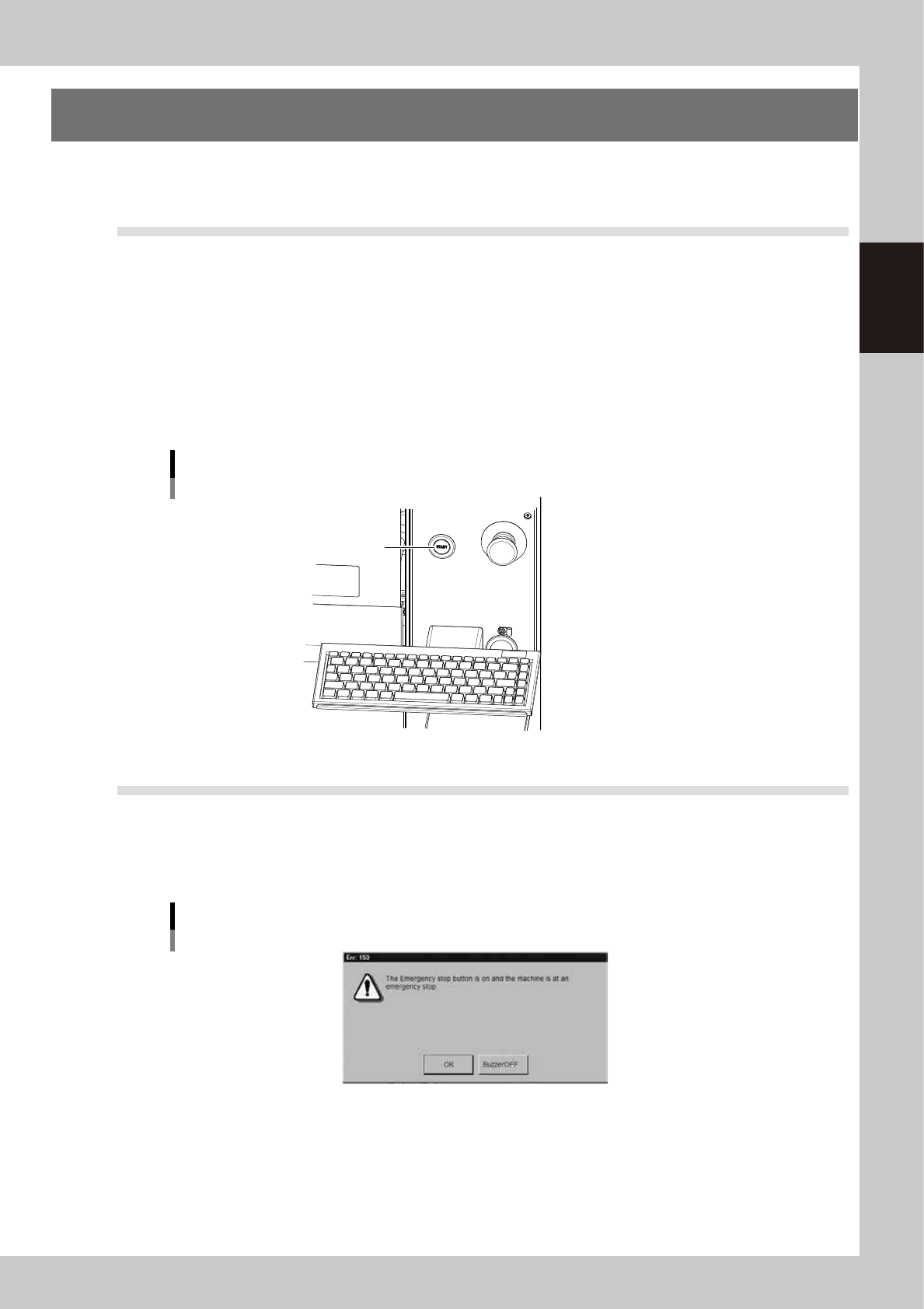
Press the [READY] button.
Pressing the [READY] button on the operation panel turns on the servomotors.
[READY] button
[READY] button
23200-M9-00
1.2 Clearing an error
If an error occurs a buzzer sounds and a warning screen appears. To clear the error, use the following steps.
1
Turn off the buzzer.
Press the [BUZZER OFF] button on the error screen to turn off the buzzer.
Error screen
24200-M9-00
2
Check the cause of the error.
Possible causes are displayed on the lower part in the error screen, so check or make a note of the
description.
3
Clear the error screen.
After removing the cause of the error, press the [OK] button on the error screen to clear the error screen.