YSi-V_Ope_E - 第57页
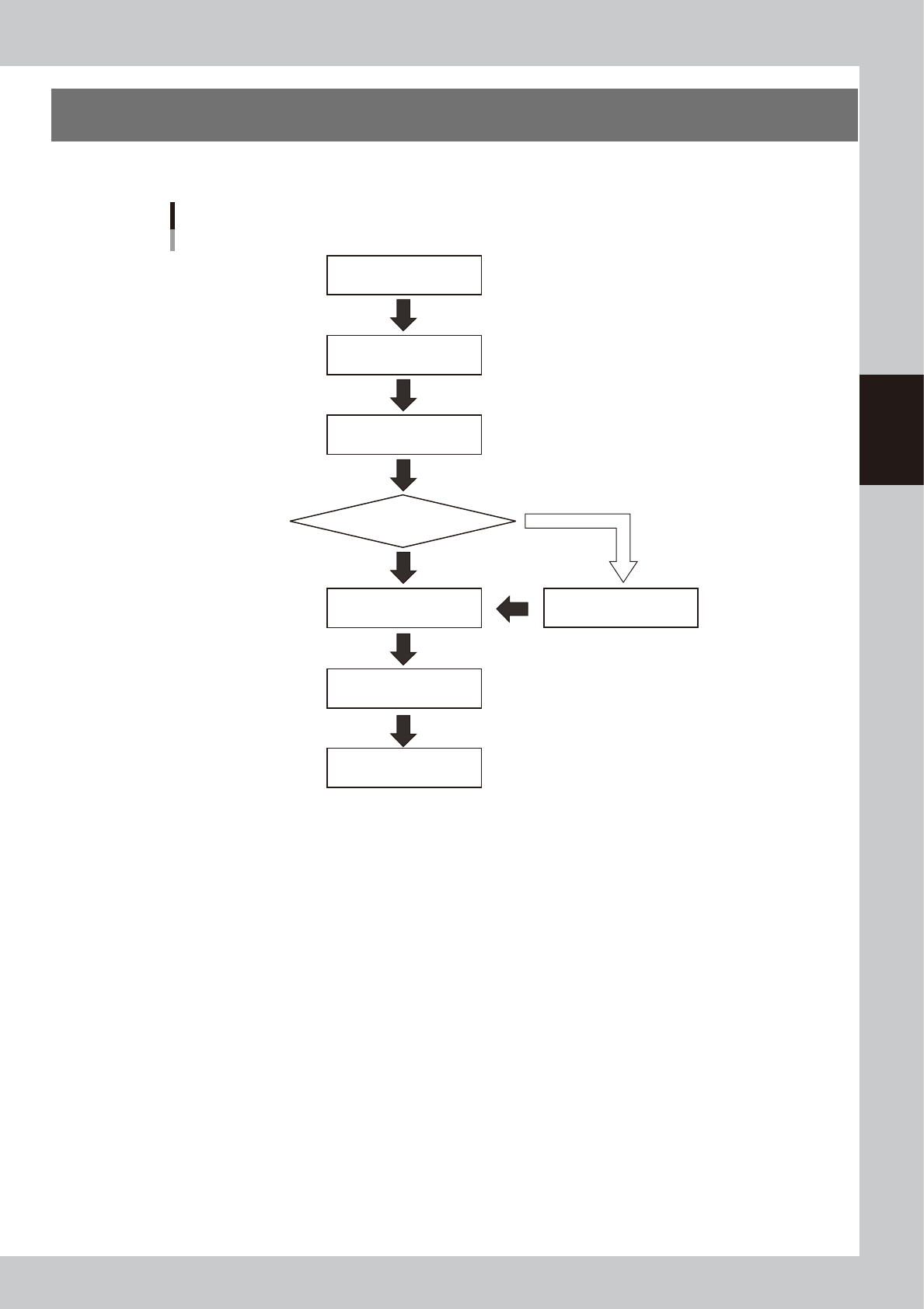
3-1 3 Daily operation 1. Over view This chapter explains typical daily operation per the flow chart shown below . Start YSi-V Pre-operation inspection Warm-up operation Change inspection program Change conveyor unit setu…

Chapter 3 Daily operation
This chapter explains the routine operations which an operator performs, using an inspection program which
has already been created. Before reading this chapter, make sure that you understand the basic procedures
and key points explained in "Chapter 2 Basic operation". For instructions on how to create a new inspection
program and/or change the existing data, see Chapter 2, "Creating an inspection program", in the separate
"Programming Manual".
Contents
1. Overview 3-1
2. Warm-up operation 3-2
3. Selecting a board 3-3
4. Conveyor unit setup 3-4
3-1
3
Daily operation
1. Overview
This chapter explains typical daily operation per the flow chart shown below.
Start YSi-V
Pre-operation inspection
Warm-up operation
Change inspection program
Change conveyor unit setup
Inspect same board as previous time?
End inspection
Start inspection
(automatic inspection)
Turn power off
Daily operation flow
YES
NO
Select board
23300-M9-00
3-2
3
Daily operation
2. Warm-up operation
After starting the YSi-V, perform warm-up (aging operation) of servo motor axes.
n
NOTE
A warm-up period of 15 minutes is sufficient.
Note that no warm-up operation is necessary if less than 2 hours have elapsed since the last operation.
1
Carry out the pre-operation check before starting the YSi-V.
For pre-operation checks and starting up the YSi-V, see "Chapter 2 Basic operation".
2
Start warm-up operation.
c
CAUTION
Check that there are no boards on the conveyor before beginning warm-up. If push-up pins are used, remove them.
If a problem occurs during warm-up, press the [Stop] button to stop the operation. Then check the cause of the
problem and eliminate it.
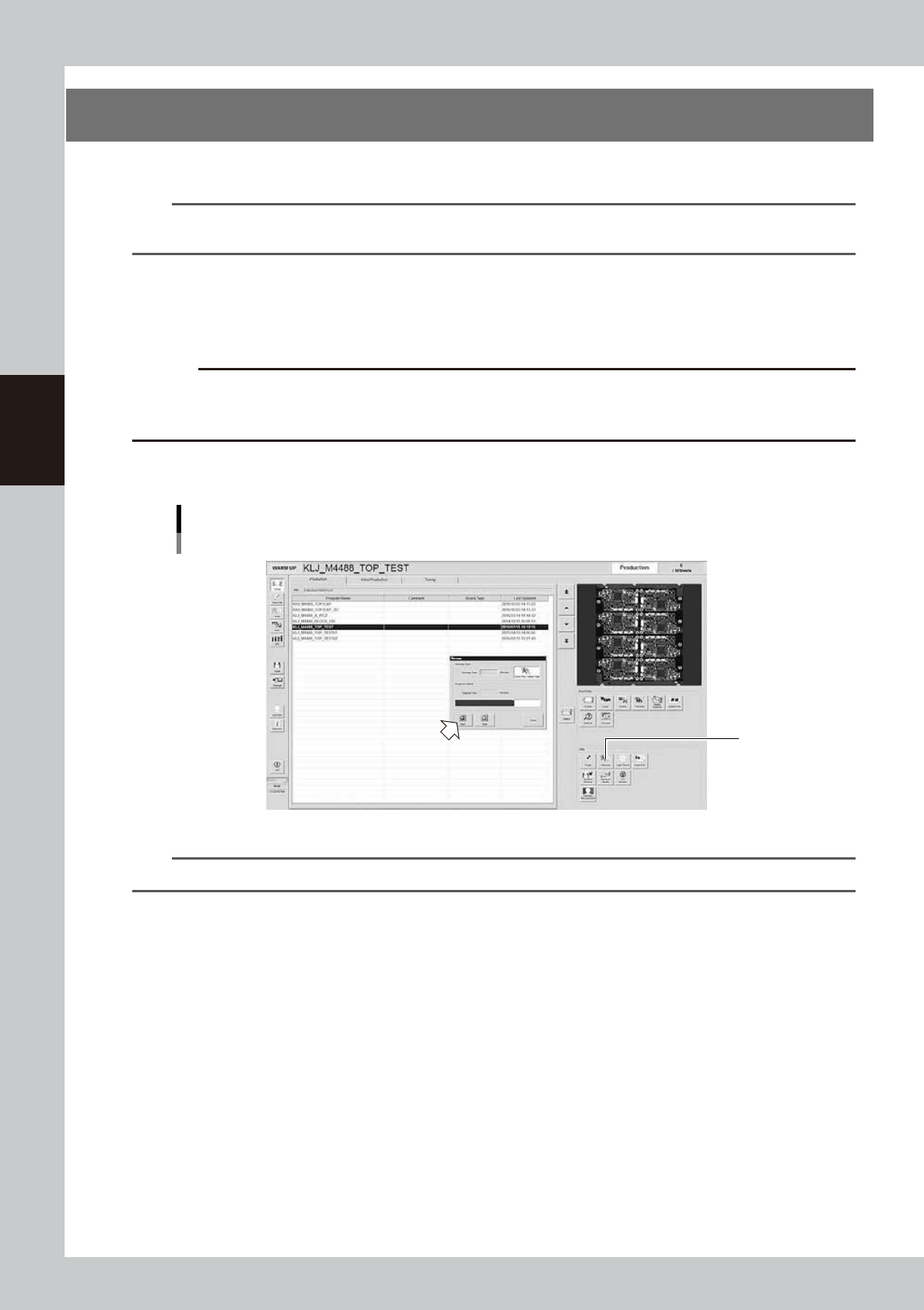
1. Press the [Warm-up] button to open the warm-up screen.
2. Press the [Start] button to start warm-up operation.
"Setup" screen
Warm-up
2
24300-M9-10
n
NOTE
If you want to specify the warm-up time, press the [Stop after time-over] button and enter the desired warm-up time.
3
End the warm-up operation.
Press the [Stop] button to end the warm-up operation. In most cases, a warm-up period of 15 minutes is
sufficient.
4
Press the [Close] button to return to the operation screen.