YSi-V_Ope_E - 第78页
4-14 4 Maintenance 5.2.3 Cleaning and greasing the Y axis ball screws n Required tools • Phillips screwdriver • Hex wrench • Lent-free cleaning wipe • Grease gun • Specified grease (NSL) • Protective glasses • Protective…
4-13
4
Maintenance
5.2.2 Cleaning and lubricating the X axis guides
n
Required tools
• Lint-free paper wipe
• Grease gun
• Specified grease (NSL)
• Protective glasses
• Protective gloves
c
CAUTION
Wear protective glasses and gloves when handling grease.
e
1
Press the emergency stop button.
The YSi-V must be in emergency stop to
ensure safety during work.
2
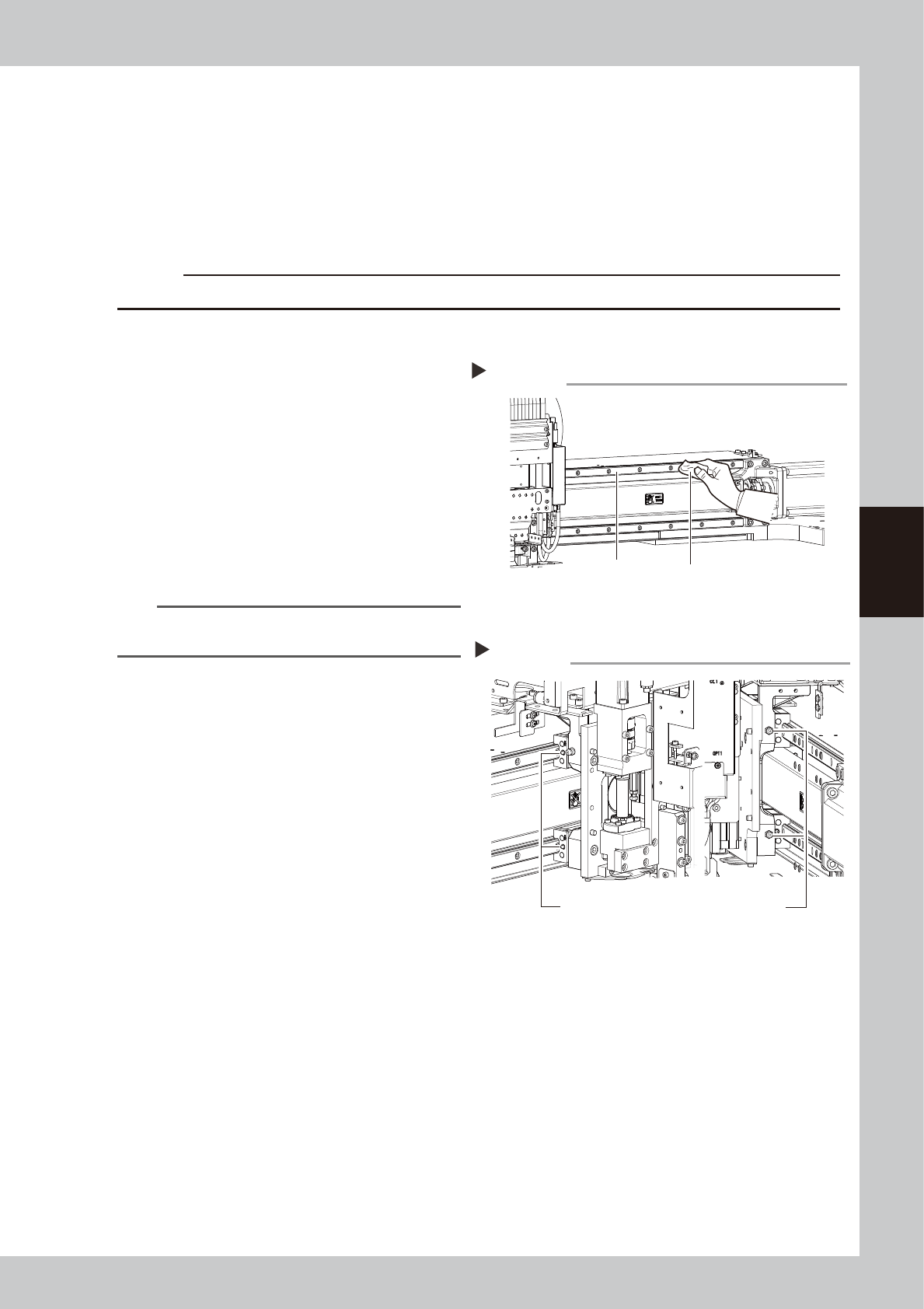
Clean the guides.
1. Move the head (or conveyor rails) to one
end of its axis, and wipe away the old
grease and dirt from the guides with a
lint-free cloth or paper towel.
2. Move the head (or conveyor rails) to the
opposite side of its axis and wipe the
guides.
53404-M9-00
n
NOTE
Wipe away thoroughly the old grease in the grooves of
the guide rails.
3
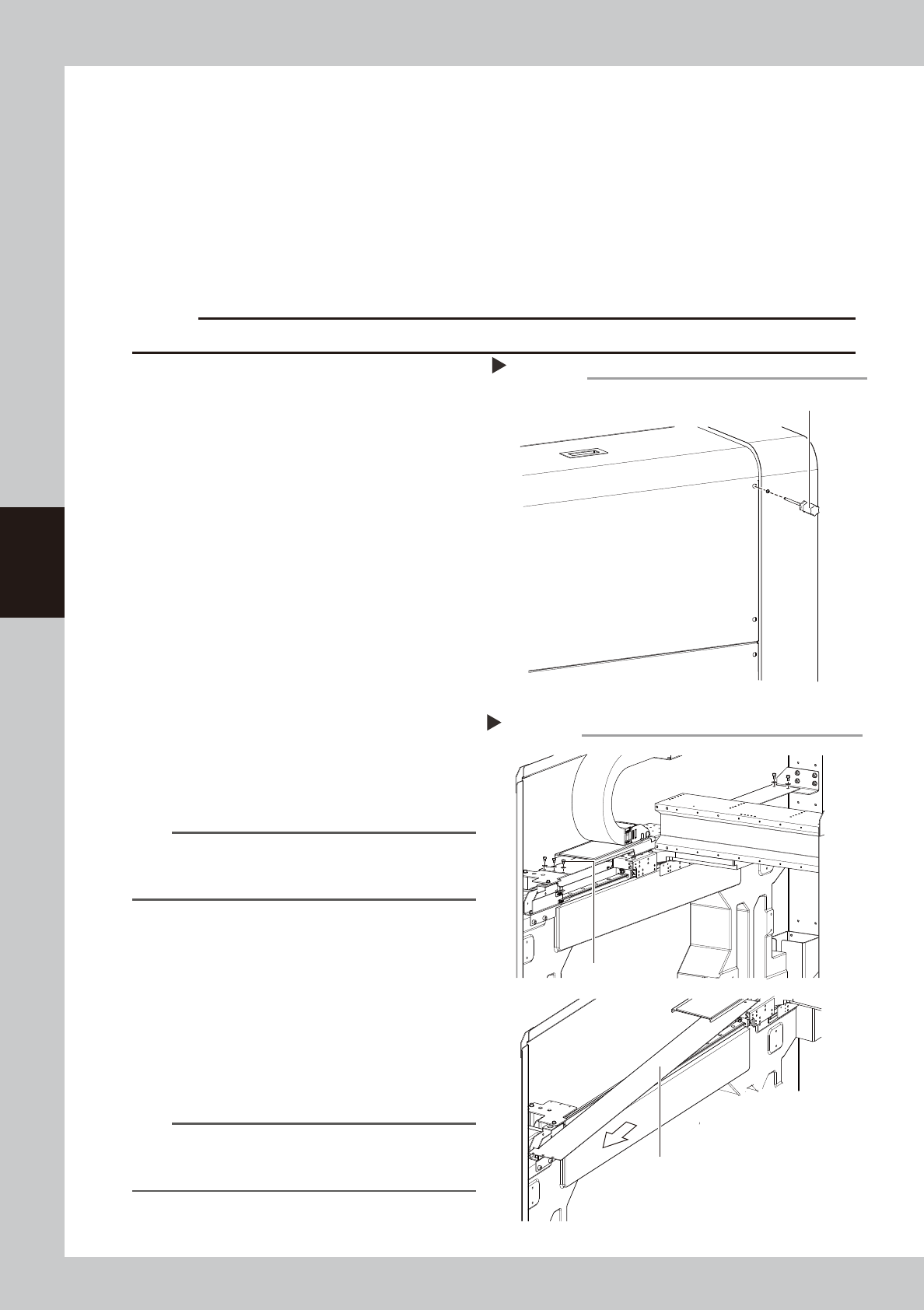
Apply new grease to the guide rails.
Use the grease gun to supply the specified
grease (NSL) to the X-axis guide grease
nipples.
The grease nipples are located behind the
head unit, two each on the right and left at
the positions (heights) of the upper and
lower guides (total of 4 places).
53405-M9-00
4
Remove excess grease.
After moving the axis back and forth a few
times manually, wipe away excess grease.
Cleaning the X-axis guides
Step 2
X-axis guides
Cleaning cloth
Greasing the X-axis guide
Step 3
X-axis guide Grease nipple (Total of 4 places)
4-14
4
Maintenance
5.2.3 Cleaning and greasing the Y axis ball screws
n
Required tools
• Phillips screwdriver
• Hex wrench
• Lent-free cleaning wipe
• Grease gun
• Specified grease (NSL)
• Protective glasses
• Protective gloves
c
CAUTION
Wear protective glasses and gloves when handling grease.
e
1
Press the emergency stop button.
The YSi-V must be in emergency stop to
ensure safety during work.
2
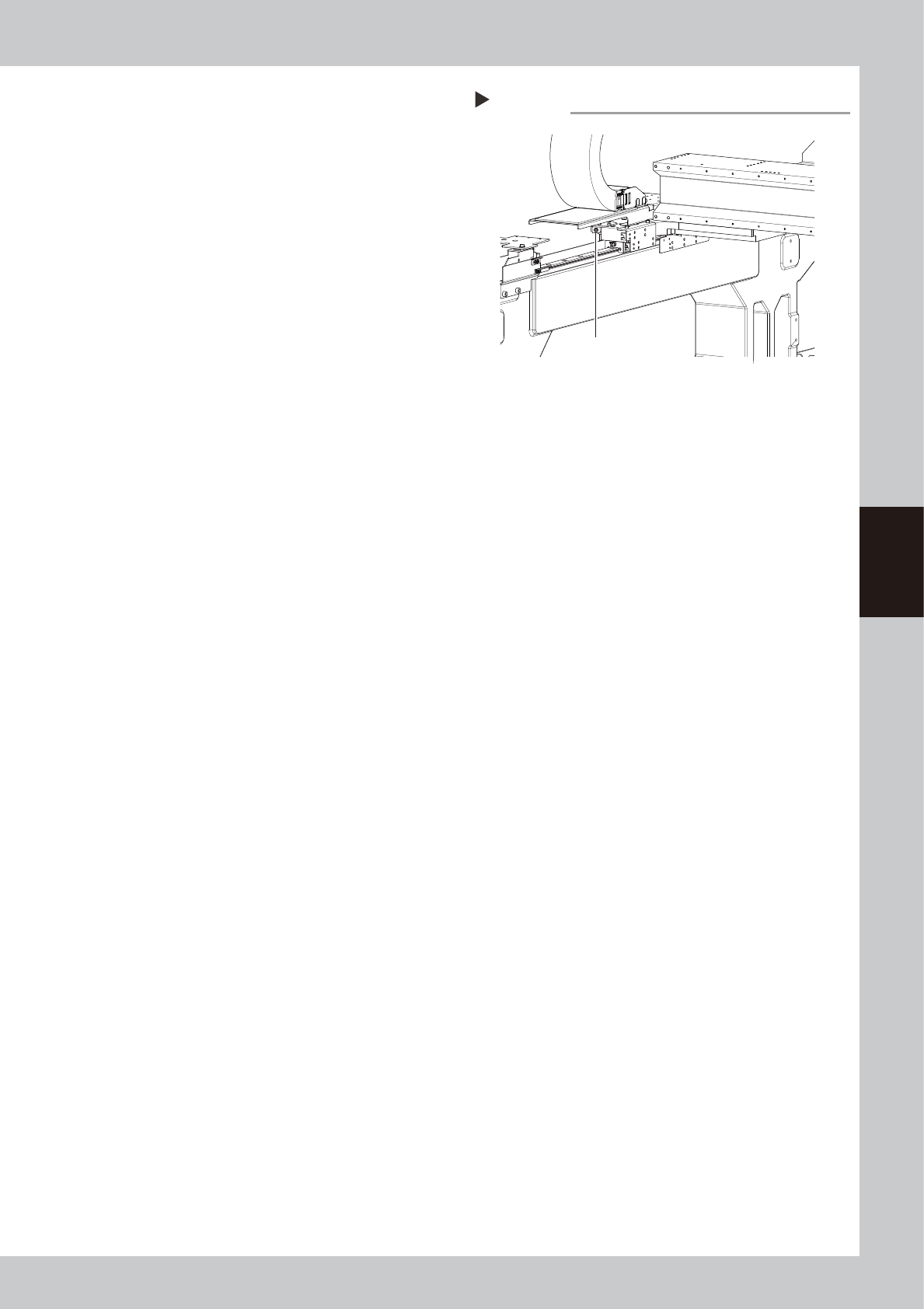
Remove the rear cover.
Use a Phillips screwdriver to remove the four
screws and then remove the rear cover.
53411-M9-00
3
Remove the grease spattering
prevention covers.
Remove the Y-axis grease spattering
prevention covers as follows:
1. Using the hex wrench, remove the bolts
(3 pcs.) that secure the Y-axis front
grease spattering prevention cover.
2. In the same way, remove the bolts
(2 pcs.) that secure the rear grease
spattering prevention cover.
3. Remove the grease spattering prevention
cover by pulling it toward you (YSi-V front
side).
53412-M9-00
TIP
When reattaching the Y-axis grease spattering
prevention covers, use the reverse order of the above
procedure.
4
Clean the ball screws.
1. Using the handle, move the head unit to
the rear side of the Y-axis.
2. Wipe away the old grease and dirt from
the entire ball screws with a lint-free
cloth or paper towel (for clean room).
3. Move the head unit to the opposite side
of the Y-axis and wipe the ball screws on
the opposite side.
n
NOTE
Wipe away thoroughly the old grease in the lead
grooves of the ball screws. Also check that no debris or
residue remains in the lead grooves.
Remove the rear cover.
Phillips screwdriver
Step 2
Removing the Y-axis grease spattering prevention cover
Cover mounting bolt
Grease spattering prevention cover
Step 3
4-15
4
Maintenance
5
Apply grease to the ball screws.
Use the grease gun to supply the specified
grease (NSL) through the grease nipples
shown in the figure at right. Then move the
head unit back and forth by hand along the
Y-axis and wipe away excess grease.
53414-M9-00
6
Reattach the cover.
Reattach the grease spattering prevention
covers in the reverse order of the removal
procedure.
Greasing the Y-axis ball screws
Step 5
Grease nipple for
Y-axis ball screws