F4000N_revD.pdf - 第13页
F4000N Series Operating Manual Section 3: T eaching Overview Part # 562187N - 1 Rev . D Sep 2012 12 © 20 12 Fisnar Inc. SECTION 3: T eachin g Overview
F4000N Series Operating Manual
Section 2: Setup
Part # 562187N-1
Rev. D Sep 2012
11
© 2012 Fisnar Inc.
1. Unpacking the Robot
Always lift the robot from its base. Never lift the robot from the cross member.
Remove all accessories from the shipping package before attempting to remove the
robot.
Place the robot on a stable workbench before operating.
If possible, do not discard the packing material as these items may be needed if the
robot is shipped or moved in the future.
2. Setup
F4000N robots are available with different configurations. The setup of each machine with
its accessories will depend on the customer‟s application.
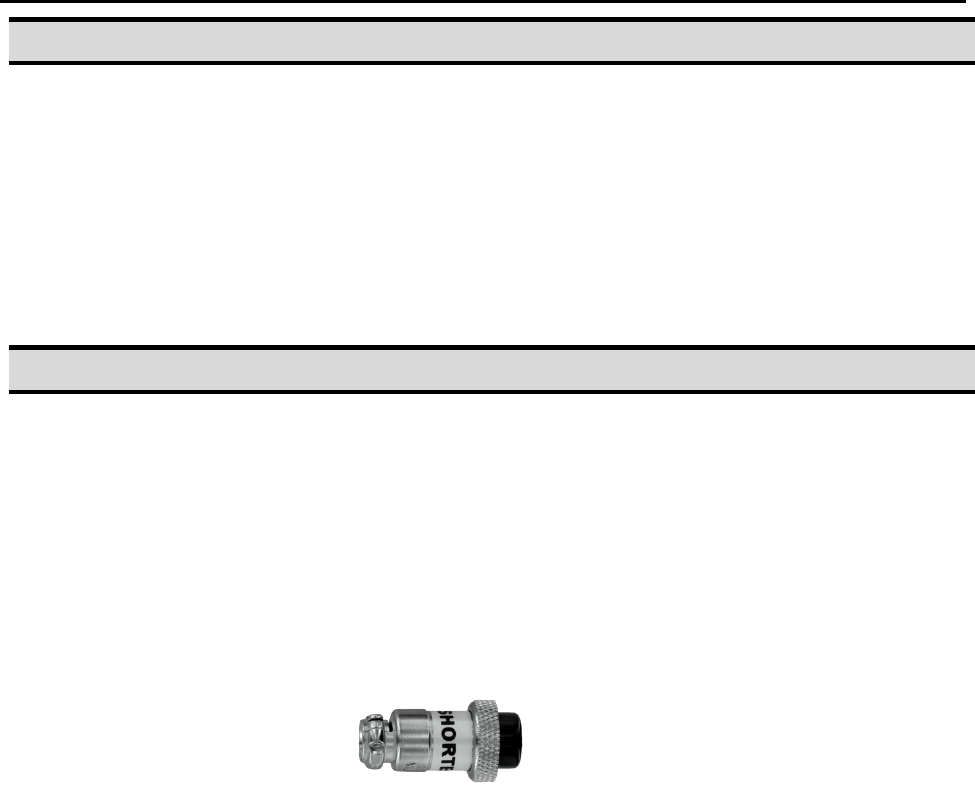
If an enclosure is NOT being used, the enclosure door switch may be bypassed by
connecting the plug labeled SHORTED (included in the robot accessories box) to
the External Control Connector. If a long beep (3-4 seconds) sounds upon start up,
ensure that the SHORTED plug is firmly in place.
2.1. When using an enclosure or light curtain connect the external start / stop box and
enclosure door switch or light curtain to the External Control Connector on the main
unit. For further information, see SECTION 7:2.2 Ext. Control Connector:
2.2. Remove the shipping bracket by removing the screws that secure it. Keep the
shipping bracket and screws in a safe place for future use.
2.3. Connect one end of the Teach Pendant cable to the Teach Pendant and the other
end to the Teach Pendant connection on the robot.
2.4. Connect the power cord to the robots power inlet. Be sure to use the correct power
cord and power source for the robot model you are using (110V or 220V).
2.5. Tie back all cables and air lines so that they will not interfere with the robot‟s motion
when the robot is operating. Be sure that the cables and air lines do not restrict the
motion of the robot‟s head and the robot‟s table and make sure that they can not
become jammed as the robot moves through the work area.

F4000N Series Operating Manual
Section 3: Teaching Overview
Part # 562187N-1
Rev. D Sep 2012
12
© 2012 Fisnar Inc.
SECTION 3: Teaching Overview
F4000N Series Operating Manual
Section 3: Teaching Overview
Part # 562187N-1
Rev. D Sep 2012
13
© 2012 Fisnar Inc.
1. Teaching Overview
A program consists of a series of instructions stored in the main memory unit. Each
instruction is stored in a numbered memory address. A memory address may record a
point location with an X, Y, and Z-axis value and point type or it may store an instruction,
which sets a parameter, such as a dispensing time or line speed.
When the program is executed, the robot will go through each memory address in
sequence and execute the instruction found there. If the memory address contains a point
location, the robot will move the X, Y, and Z axes to that location. Depending on the type
of point registered at that location, the robot may also perform other functions, such as
turning the dispenser on or off.
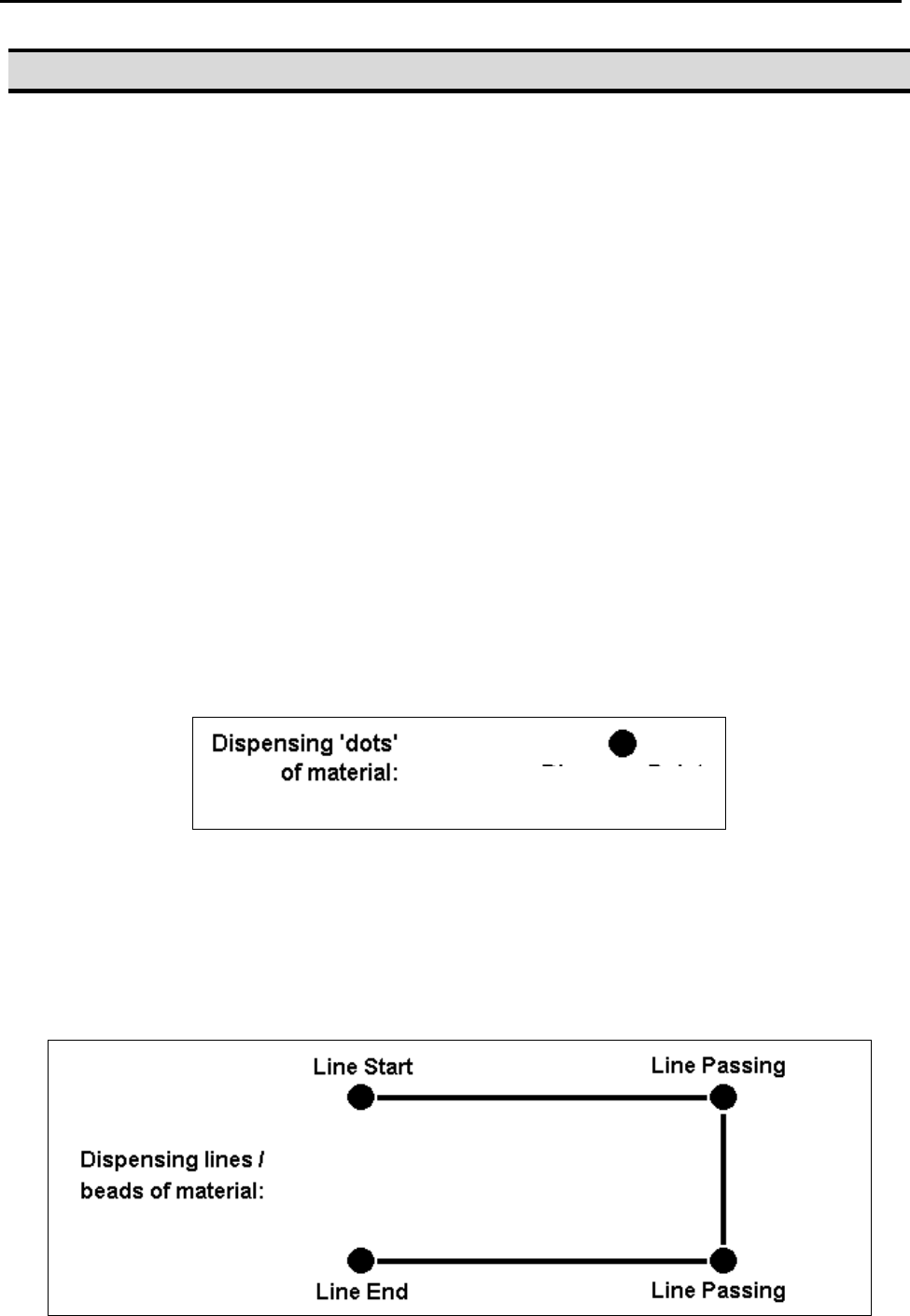
The most commonly used point types are Dispense Dot, Line Start, Line Passing, Arc
Point, and Line End.
To program the robot to dispense a „dot‟ of material, the dispensing tip must be jogged to
the desired XYZ location, then that location is registered as a DISPENSE DOT point type
by pressing the appropriate keys on the Teach Pendant.
To program the robot to dispense a bead of material along a linear path, the XYZ location
of the start of the line is registered as a LINE START point type. The locations where the
tip changes direction are registered as LINE PASSING points. The end of the line is
registered as a LINE END point:
Dispense Dot