F4000N_revD.pdf - 第90页
F4000N Series Operating Manual Section 6: Sample Programs Part # 562187N - 1 Rev . D Sep 201 2 89 © 20 12 Fisnar Inc. SECTION 6: Sample Programs
F4000N Series Operating Manual
Section 5: Point Type & Function Reference
Part # 562187N-1
Rev. D Sep 2012
88
© 2012 Fisnar Inc.
Updating Robot Software
Instructions:
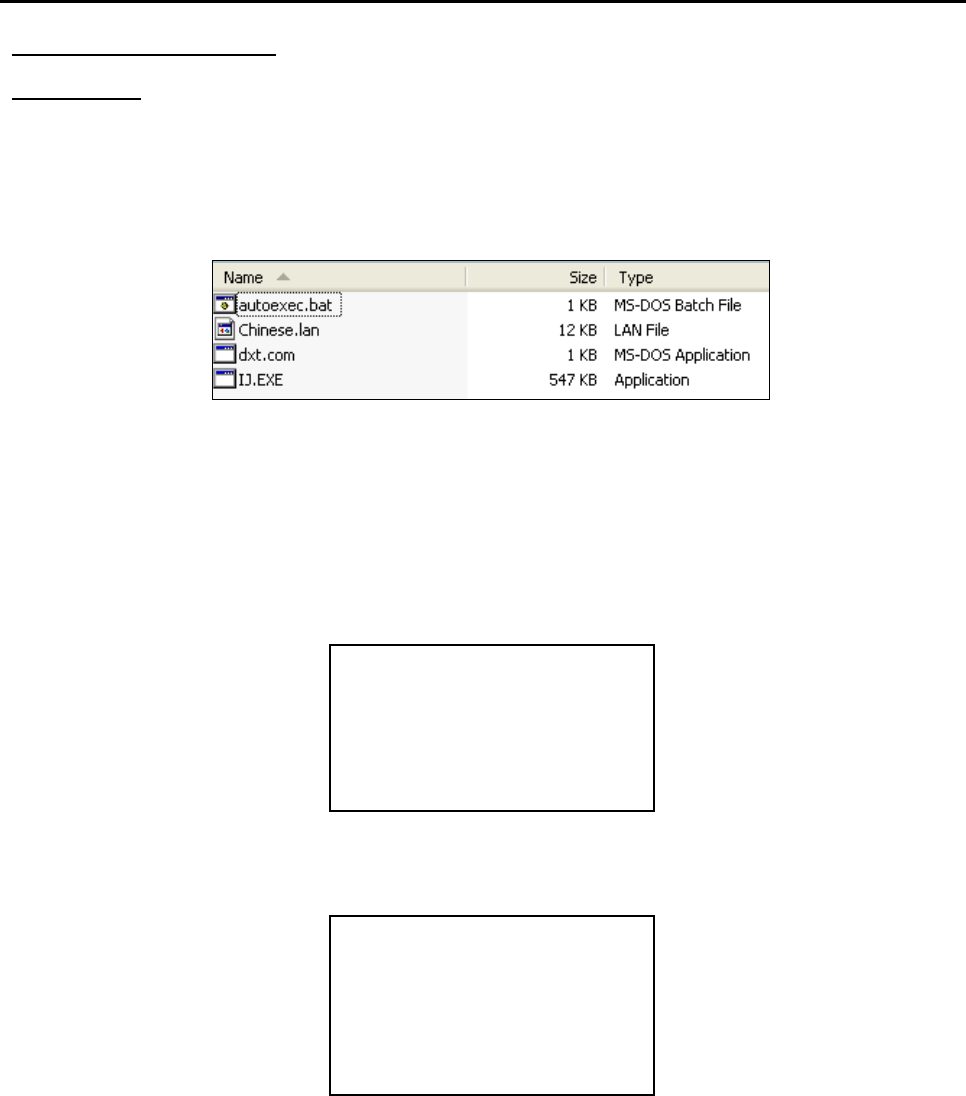
6) On the USB drive, create an “updata” folder and copy the software files. The
software folder should include the batch (.bat), MS-DOS (.com) and executable
(.exe) files.
*Language files (.lan) may or may not be included.
7) Turn the robot OFF and insert the USB drive into the port.
8) Turn the robot ON.
9) The robot will automatically locate the “updata” folder in the drive and run the batch
file to update the software. You should see the Machine Home screen after the
update.
10) Verify the software by pressing F3 (Menu 2) System Information.
11) Turn the robot OFF and remove the USB drive.
Note: The robot will keep updating the software upon system start up whenever it sees an
“updata” folder. Remove the USB drive, or change the filename in order to avoid
this.
[Machine Home]
-----------------
| Start/Home |
System Information
-------------------------
Software :
Work Area :

F4000N Series Operating Manual
Section 6: Sample Programs
Part # 562187N-1
Rev. D Sep 2012
89
© 2012 Fisnar Inc.
SECTION 6: Sample Programs

F4000N Series Operating Manual
Section 6: Sample Programs
Part # 562187N-1
Rev. D Sep 2012
90
© 2012 Fisnar Inc.
1. Dots, Lines and Arcs – Sample Program
At typical program, containing dots, lines, and arcs, would appear as follows:
Addr.
Command
Notes
0001
Line Speed ( 50 mm/s )
Sets the line speed to 50 mm/sec.
0002
Line Dispense Setup
- Head Time: 0.30 sec
- Tail Time: 0.25 sec
- Node Time: 0.10 sec
- Tail Length: 5 mm
Sets a wait time of 0.30 seconds at the
start of all lines to give the material time
to flow before moving along the line.
Sets a wait time of 0.25 seconds at the
end of all lines to give the material time to
stop flowing before raising the tip.
Sets a wait time of 0.10 sec at line
passing point with the dispenser on.
Sets a length of 5mm before the end of
the line where the dispenser will be off.
0003
Point Dispense Setup
- Dispense Time: 0.50 sec
- Tail Time: 0.25 sec
Sets the dispensing time for all dots to
0.5 seconds.
Sets the waiting time, after dispensing a
dot, to 0.25 seconds.
0004
Dispense End Setup
- H. Speed: 75 mm/sec
- L. Speed: 15 mm/sec
- L. Length: 10 mm
Programs the robot to rise, after
dispensing dots and at the end of line
dispensing.
The tip will rise 10 mm (L. Length) at 15
mm/sec (L. Speed) then continues rising
at 75 mm/sec (H. Speed) to the Z
Clearance height.
0005
Z Clearance
- 20 mm
- Relative
Sets the Z Clearance value to 20 mm
relative to the point location.
The maximum height the tip will rise after
dispensing is 20 mm above the Dot or
Line End point.