fx3r.pdf - 第105页
FX-3R Maintenance Guide 8-23 8-4-2. Replacing the Outer Ba nk PCB and Connector Cable The bank PCB and connector cable are replaced in the same manner as described for the replacement table for ETF. To do so, see the sec…
FX-3R Maintenance Guide
8-22
40095349
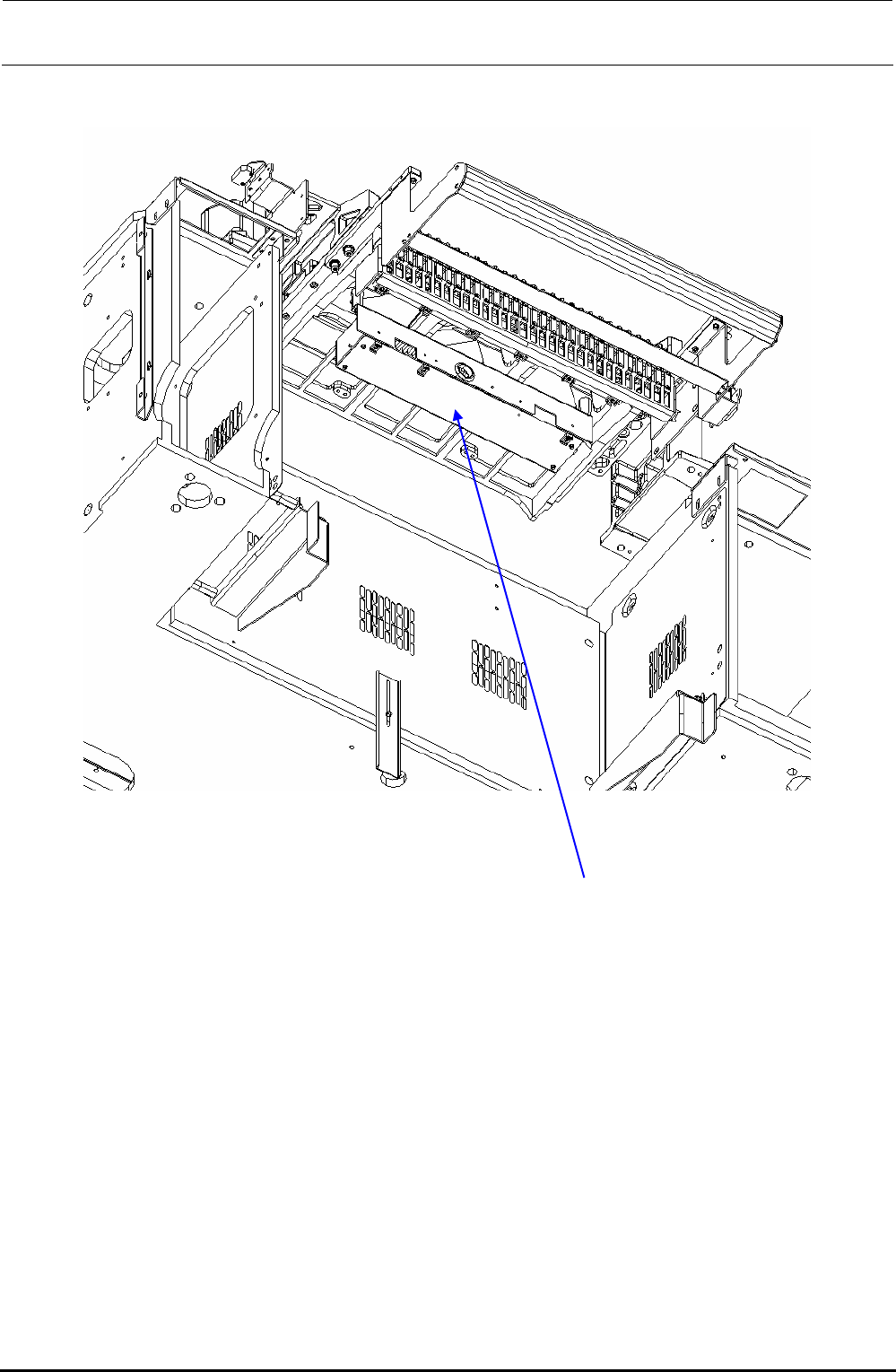
Bank PCB box assembly (EO)
Figure 8-4-1-2 Overall Drawing (From Obliquely downward View Field)
Rev. 1.00
FX-3R Maintenance Guide
8-23
8-4-2. Replacing the Outer Bank PCB and Connector Cable
The bank PCB and connector cable are replaced in the same manner as described for the
replacement table for ETF. To do so, see the sections below.
1) Replacing the bank PCB → 8-3-3
2) Replacing the connector cable → 8-3-4
8-4-3. Replacing the Connector for Off-line Setup
1) Disconnect the connector for the off-line setup from the E trolley cover R.
2) Disconnect the connector connecting the cable of the connector for the off-line setup and the
relay cable to the electric bank PCB (right side surface of FDC bracket). After that, replace the
connector for the off-line setup.
3) Reassemble the components in the reverse order of disassembly.
4009
Rev. 1.00
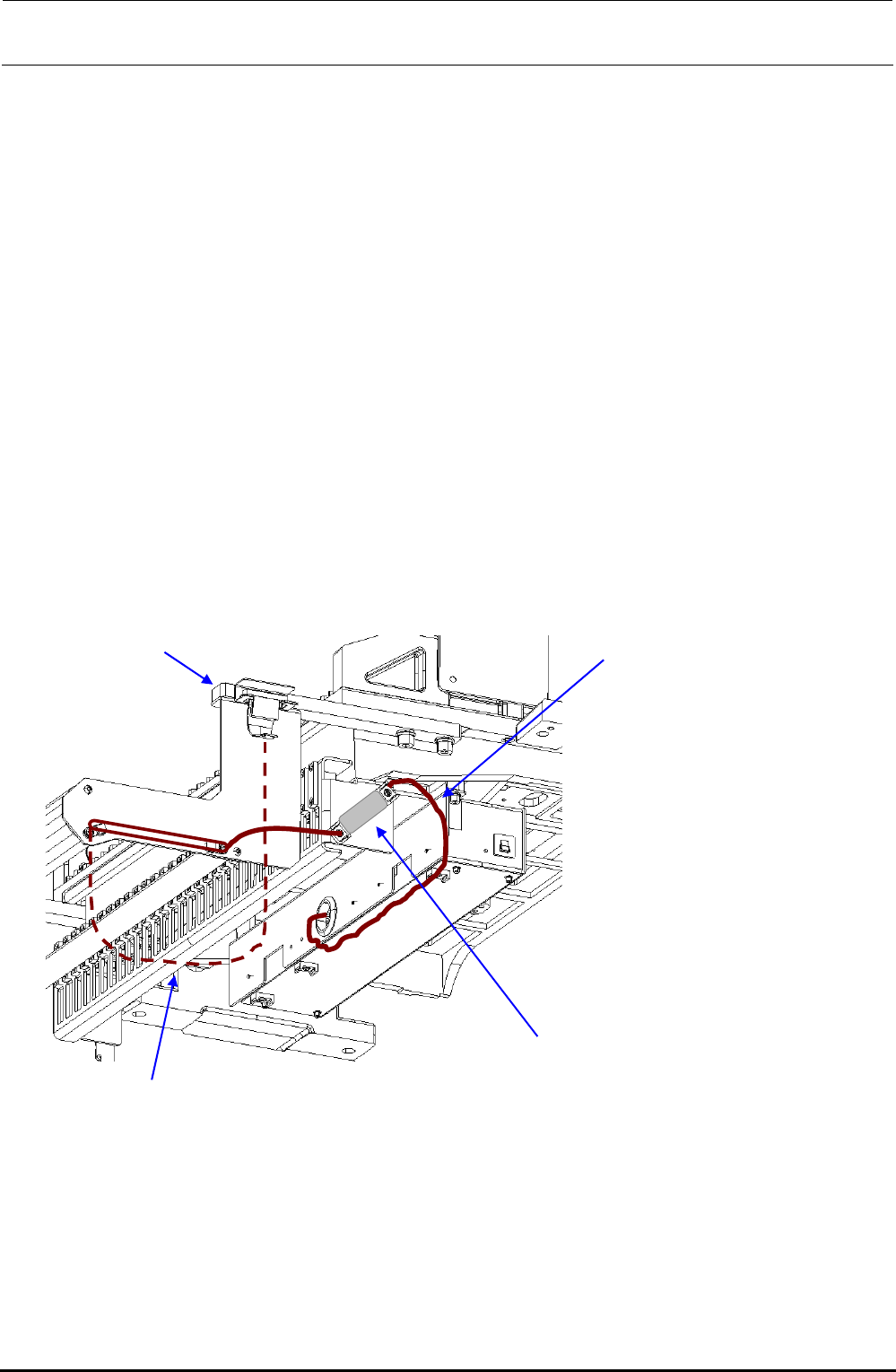
40084837
EF setup cable 2 assembly
Connect the connector on the side
surface of the FDC bracket.
5351
e stay
40084841
EF setup cable 1 bracket assembly
∗ Adjust the length of the dotted portion to 650 mm.
Tape guid
8-4-4. Replacing the ETF Incorrect Insertion Detection Sensor
For details, see section 8-3-6, Replacing the ETF Incorrect Insertion Detection Sensor
(Replacement Table for Electric Feeder).
FX-3R Maintenance Guide
9-1
DANGER
To prevent any trouble caused by accidental machine start, always
shut-down the power before starting the maintenance and
adjustment work.
[9] PNEUMATIC UNITS
9-1. Replacing the Digital Pressure Switch (Positive Pressure)
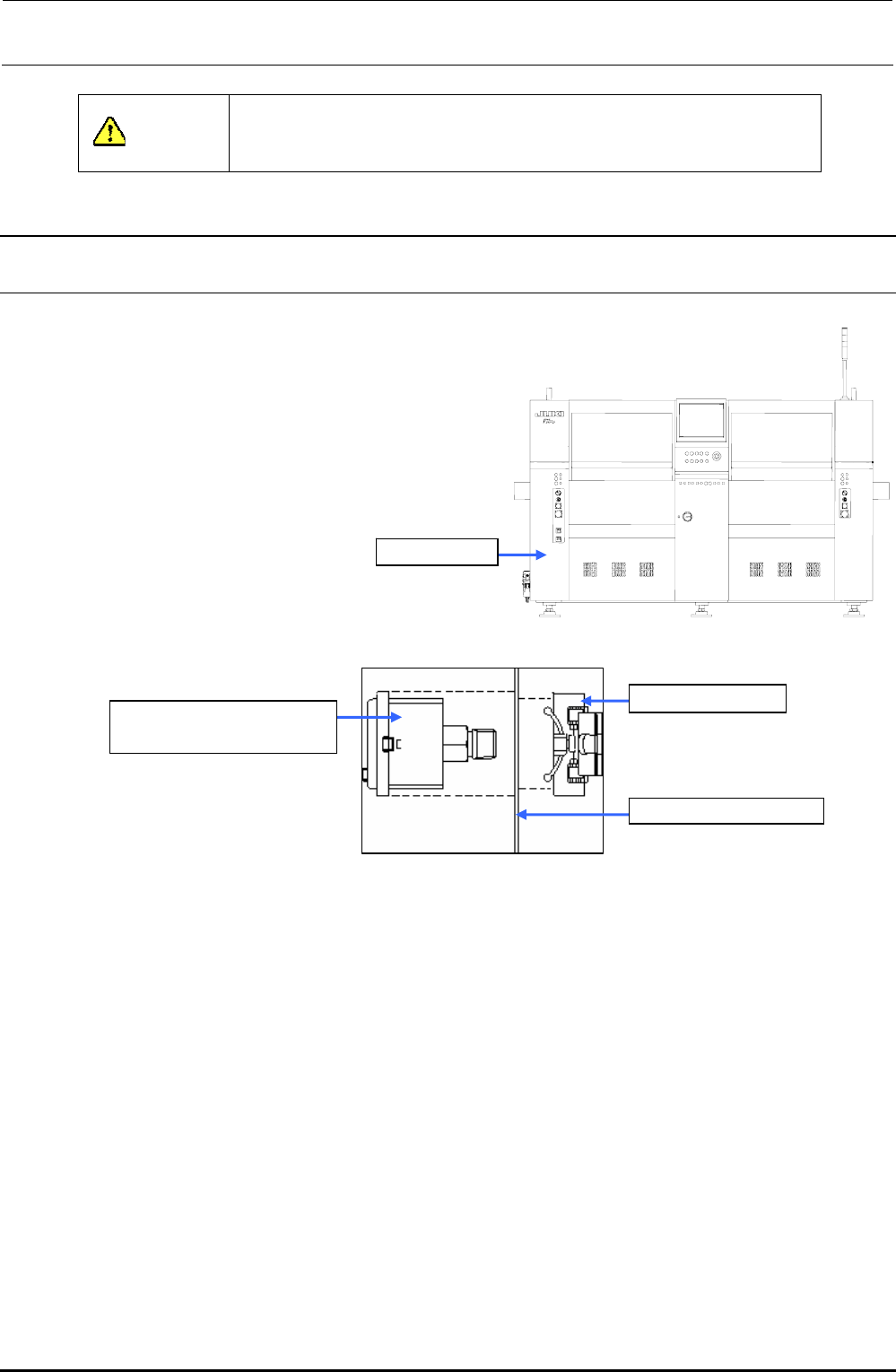
1) Close the hand valve at the lower left portion
of the main unit.
2) Remove the screws (2 locations) to open the
cover SB_A (open/close cover).
3) Disconnect the φ6 air tube and connector
from the digital pressure switch.
4) Detach the digital pressure switch with the
fixing resin on the back of the bank pressure
bracket C kept pushed.
Cover SB_A
5) Reassemble the components in
the reverse order of disassembly.
Figure 9-1-1 Cover SB_A (Front Side)
40045958
DIGITAL PRESSURE SW
Resin fixing part
Bank switch bracket C
Figure 9-1-2 Digital Pressure Switch
9-1-1. Adjusting the Digital Pressure Switch (Positive Pressure)
After the digital pressure switch has been replaced, make the setting as shown below.
Threshold value of pressure switch: 0.400MPa
Hysteresis: 0.050MPa
Display color mode: Green when the pressure switch is turned ON.
Operation mode: Hysteresis mode
Pressure switch output form: Normally open
(Turned ON when the value is the threshold value or more.)
Response time: 2.5ms or less
Auto preset setting: Manual setting
Follow the steps to make the setting.
Rev. 1.00