fx3r.pdf - 第143页
FX-3R Maintenance Guide 12-14 12-2-3-2. Setting Up a Shared Folder You may set up a shared folder for the network communication. Create a folder named “D:¥ machine¥Prg ” under the D drive and make this Prg folder shared.…
FX-3R Maintenance Guide
12-13
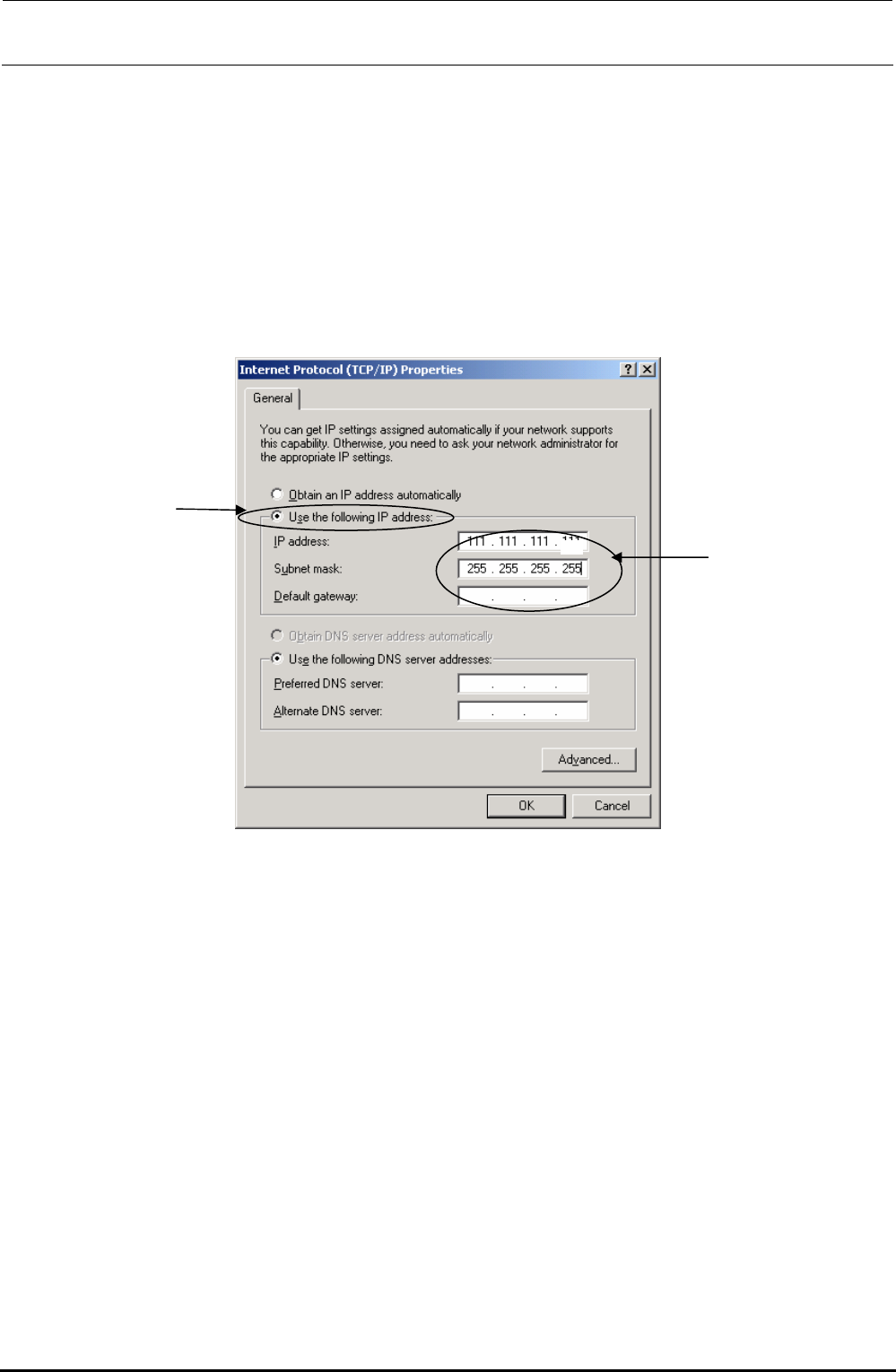
6) The “Internet Protocol (TCP/IP) (Properties)” dialog appears on the screen.
Check the “Use the following IP address” radio button.
Set the “IP address,” “Subnet mask”.
If your company determines the rules about IP address setup, you must follow the instructions
given by the network administrator of your company.
If no rules are specified, set an IP address, which has not been set in other FX-3 connected to
the HLC. In this description, set [ 111.111.111.111 ].
Additionally, input [ 255.255.255. 0 ] to [Subnet Mask].
If necessary, set the "Default gateway", "DNS", "WINS address", and other items following the
instructions given by the network administrator of your company.
0
After setting, select the [OK] button.
Rev. 1.00
FX-3R Maintenance Guide
12-14
12-2-3-2. Setting Up a Shared Folder
You may set up a shared folder for the network communication.
Create a folder named “D:¥
machine¥Prg” under the D drive and make this Prg folder shared.
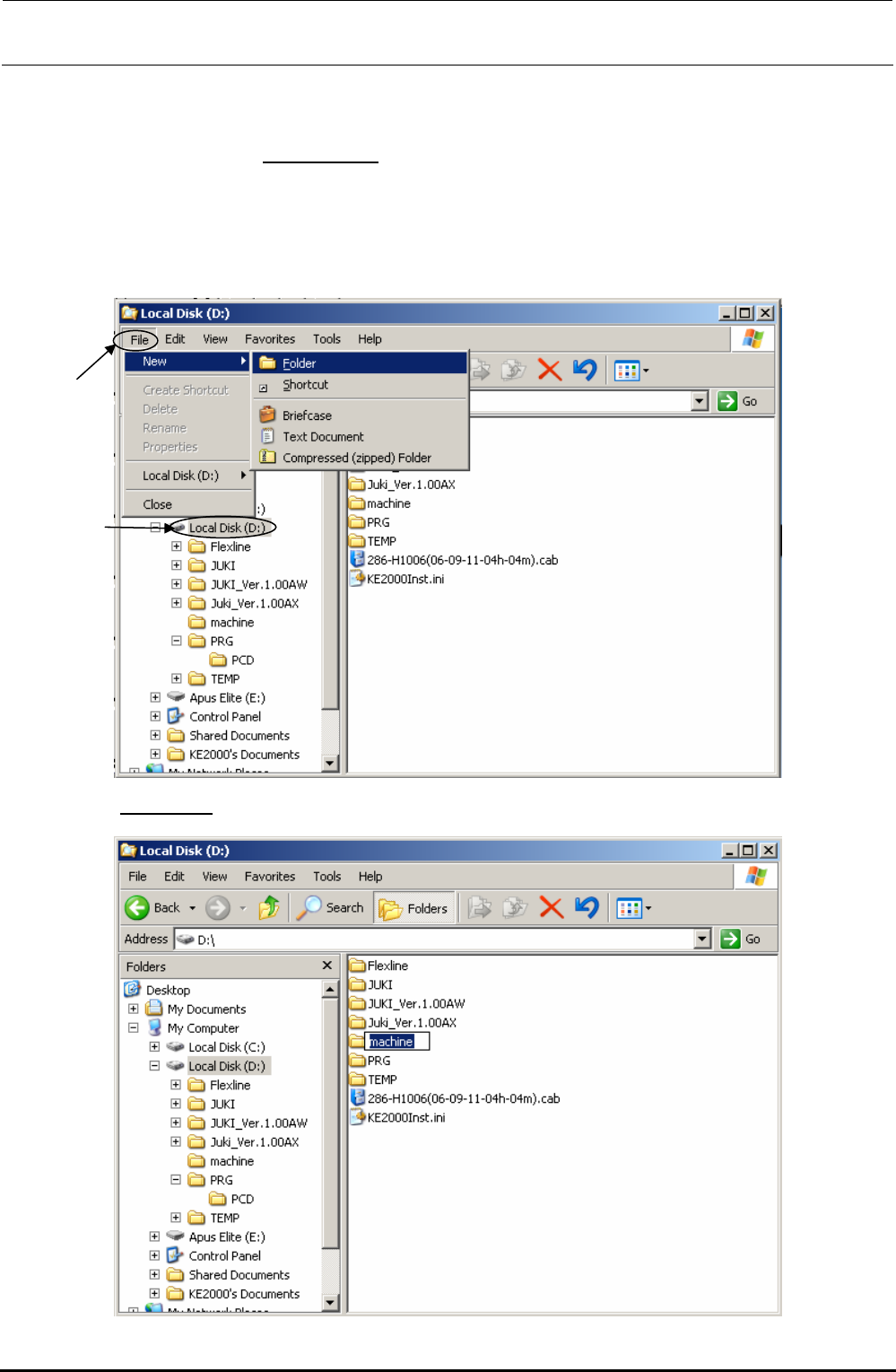
1) Start up Explorer.
2) Select the [drive D], and select the commands from the menu bar; [File], [New] and
[Folder] commands.
3) Enter “machine” as the folder name.
Rev. 1.00
FX-3R Maintenance Guide
12-15
4) The folder named “machine” is then created under the D drive. In the same manner as
described above, create “prg” folder under the machine folder.
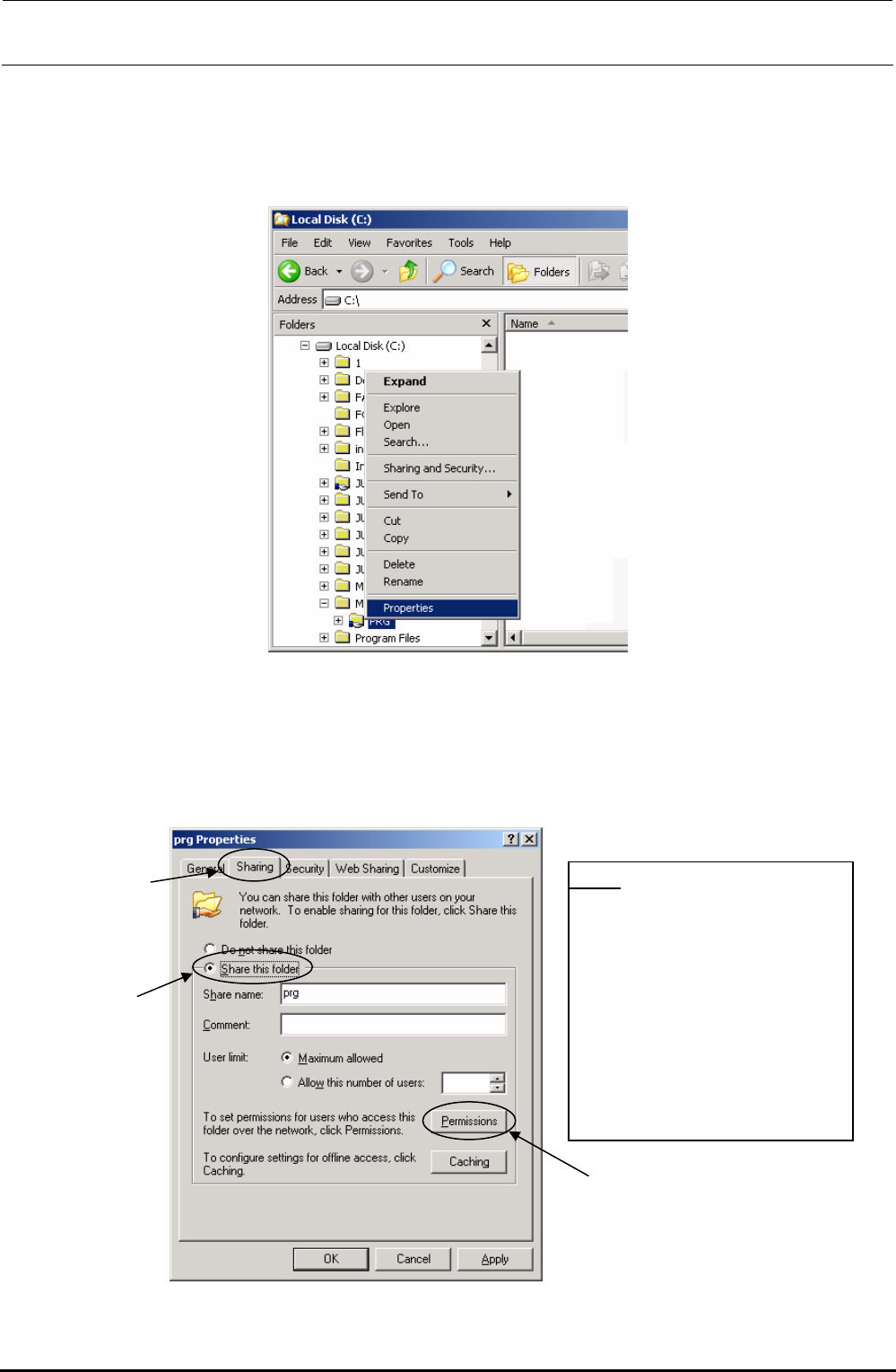
5) Click the created “Prg” folder with the right button, and select the [Sharing and Security] or
[Properties] command.
6) The “Prg Properties” dialog box appears on the screen. Click the “Sharing” tab from this
dialog box, and select the “Share this folder” radio button to check to see if “Prg” is entered
as the “Share Name.”
• If “Prg” is not entered in the “Shared Name” field, change the entered name to “Prg.”
• If any name is not entered, select the “Maximum Allowed” radio button for the “User Limit”
item.
*Note
Set up a shared folder so
that the shared folder name
“prg” is not duplicated in the
computer.
If a shared folder named
“prg” already exists, change
the name of the previously
existing folder name to that
other than “prg”.
Rev. 1.00