fx3r.pdf - 第226页
FX-3R Maintenance Guide 13-57 (2) Maintenance key switch Swi tch key suppl ied wit h th e m ach ine Beze l for key sw itch Beze l Key sw itch actuator • Parts used Key cover (HA00535003A), Key switch actuator (HA00535002…
FX-3R Maintenance Guide
13-56
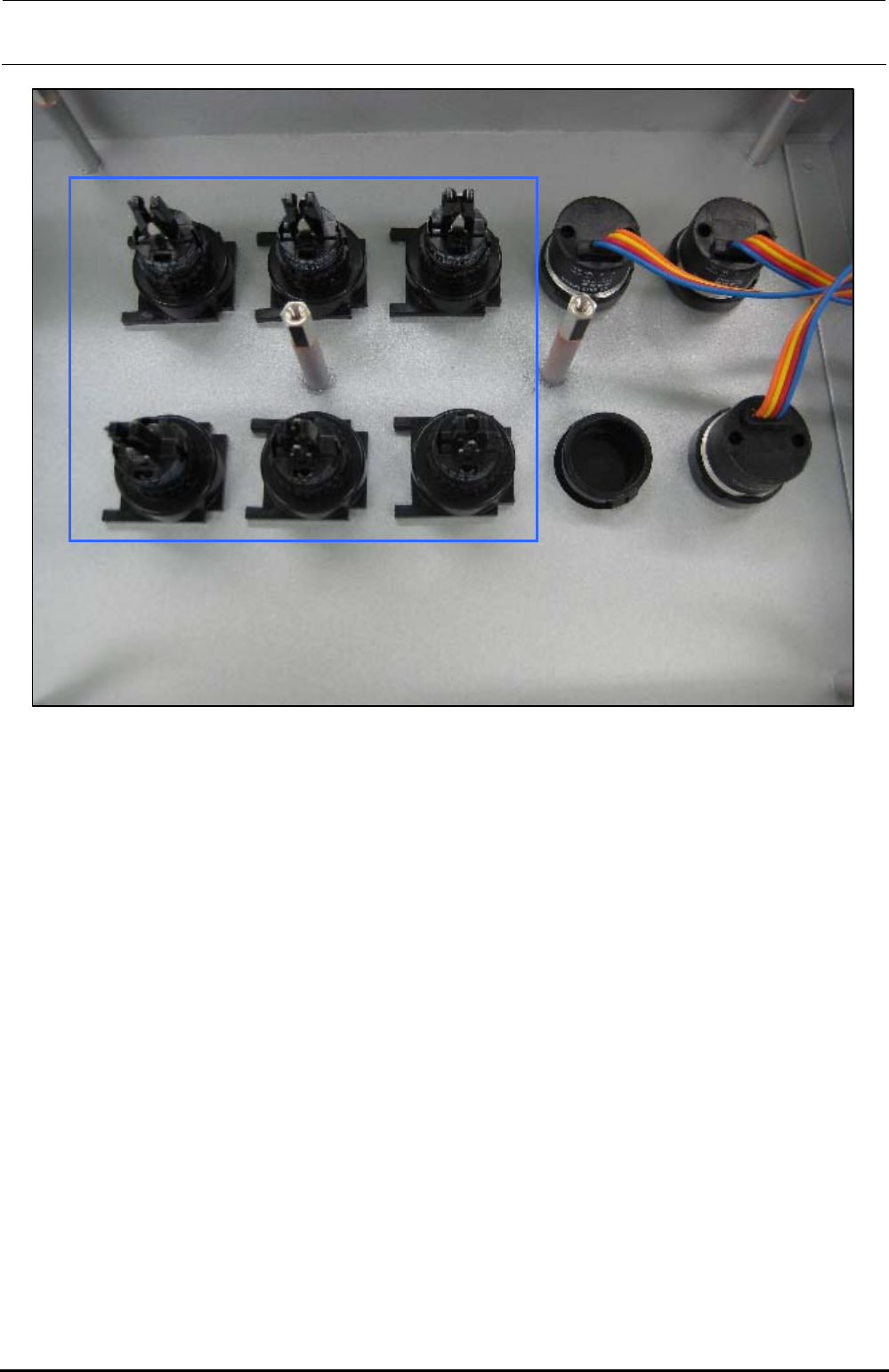
The above Photo shows the back side of the operation panel of the machine with the ST
specifications. When assembling the operation switches (1) and (2), make the convex part of the
switch faced rightward when viewed from the back side of the operation panel as shown in the
Photo.
∗ The Photo shows the back side of the operation panel on the front of the machine with the ST
specifications. Regardless of the front and rear operation panels for the ST and EN
specifications, and bezel shapes (pushbutton type and key type, etc.), always make the convex
part of the switch faced rightward when viewed from the back side of the operation panel.
Rev. 1.00
FX-3R Maintenance Guide
13-57
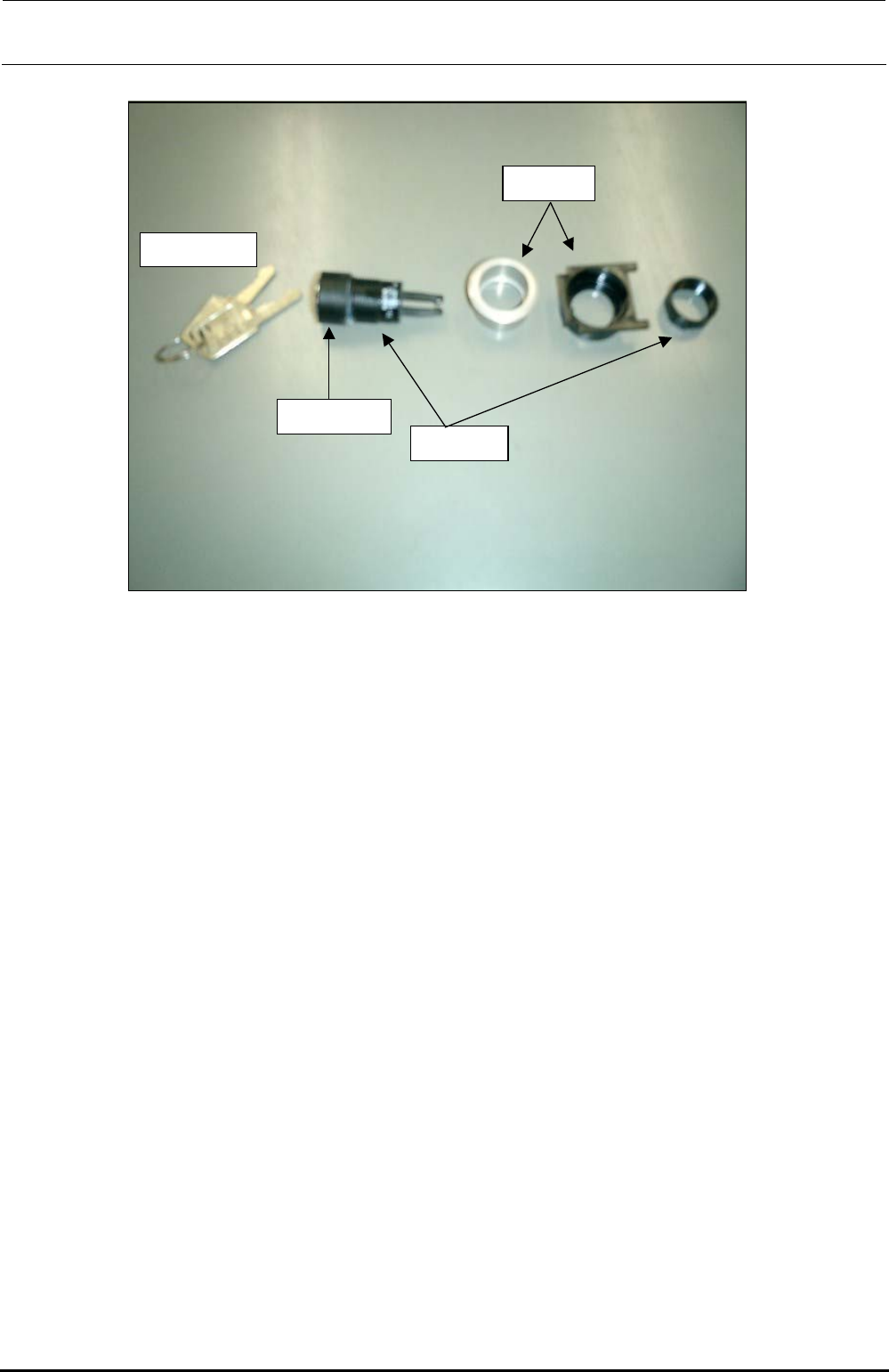
(2) Maintenance key switch
Switch key supplied
with the machine
Bezel for key
switch
Bezel
Key switch
actuator
• Parts used
Key cover (HA00535003A), Key switch actuator (HA005350020), Bezel (HA005520020)
<Assembly procedure>
c Fit the bezel (black) into the cover panel.
d Push the key cover into the key switch actuator until a click is heard.
e Insert the actuator (assembled at 3) into the black bezel, insert the bezel (silver) from the
back of the panel and secure it with the fixing nut.
(3) CONSOLE CHANGE
• Parts used
Use the CONSOLE SW ASM (40048036).
Bezel (white) with a lens: bezel (HA005530010), lens (HA00553002A); to be used for the
CONSOLE CHANGE.
<Assembly procedure>
c Remove the fixing nut of the bezel and fit the bezel. Then tighten the fixing nut.
d Finally, fit the switch element (with a cable) from the back of the panel. Direction of the
switch element is not important. It can be assembled in either direction.
Rev. 1.00
FX-3R Maintenance Guide
13-58
13-10. Replacing the Fuse of the AC Input Unit
(Note) Before starting the fuse replacement work, always turn OFF the main power of
the machine completely.
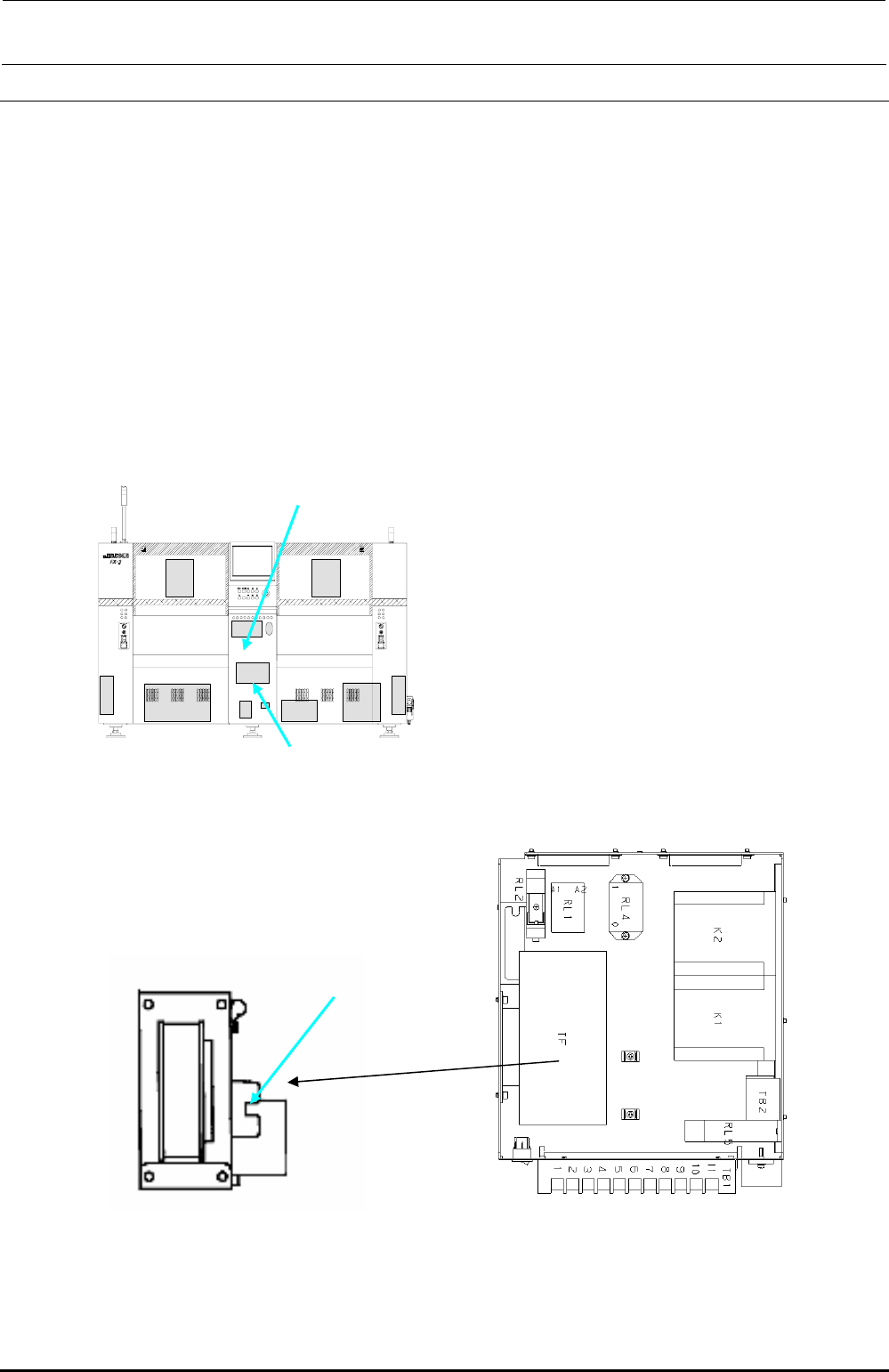
If the fuse of the AC input unit is blown up, follow the steps below to replace the fuse.
Fuse part No.: HF0013005P0
(Time-lag fuse, 500mA. Three fuses are supplied with the machine as accessory parts.)
<Procedure>
(1) Open the bottom cover on the rear at the center c.
(2) The fuse is mounted at the front left portion of the AC input unit (Figure 13-10-2). Replace
this fuse.
c
AC input unit
Figure 13-10-1 Rear View of Machine
Figure 13-10-3 Top View of AC
Input Unit_L
Figure 13-10-2 Side View of AC
Transformer
Fuse
Rev. 1.00