fx3r.pdf - 第77页
FX-3R Maintenance Guide 5-24 Rev. 1.00 (3) Replacement procedure The barcode reader (HX006100000) has been assembled to the PWB transport inle t as shown in the Figure below. (This Figure shows the left → right transport…
FX-3R Maintenance Guide
5-23
Rev. 1.00
5-15. Replacing the Barcode Reader
(On-Demand Production, Option for SCS)
(1) Functions
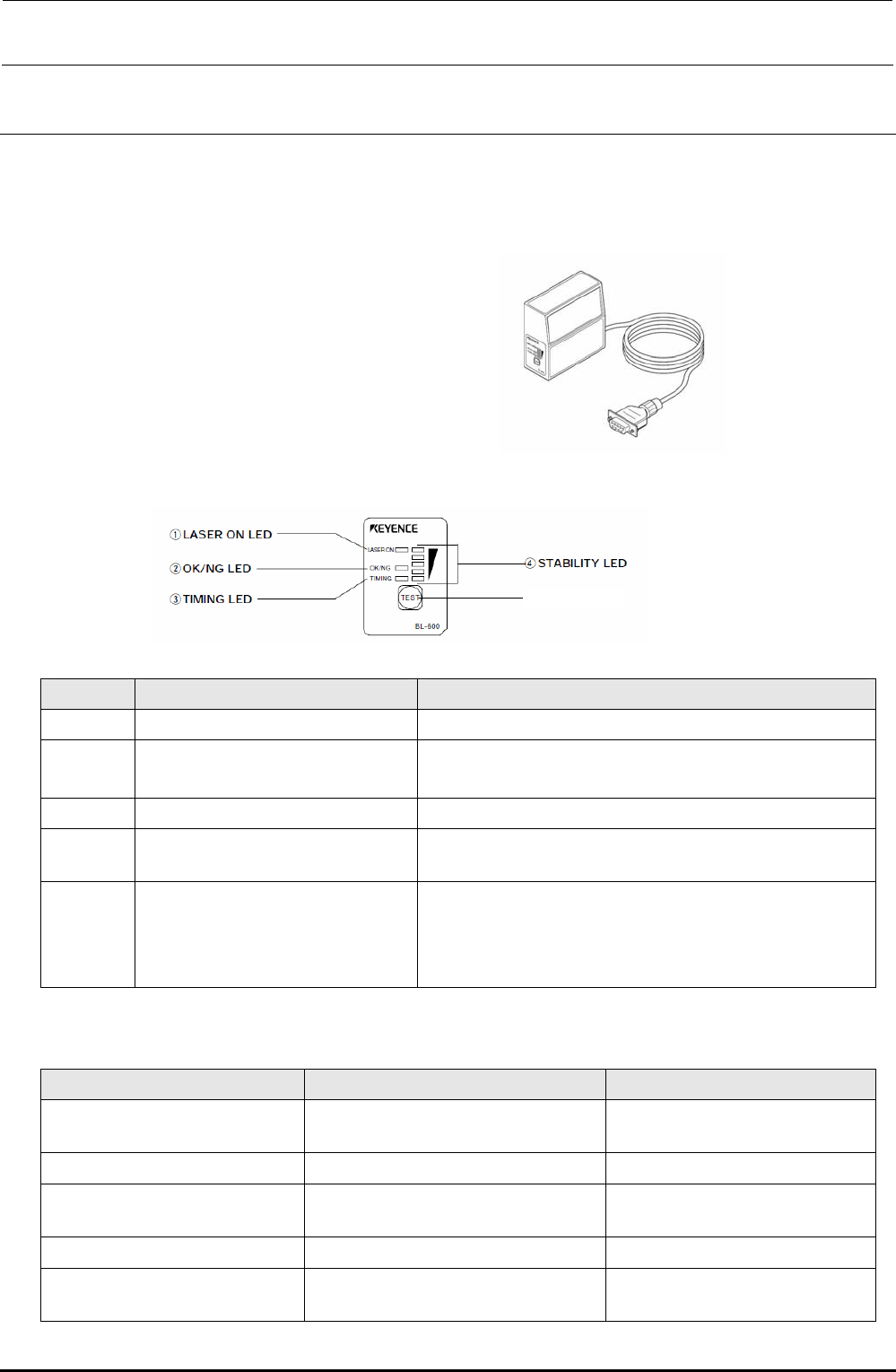
The barcode reader of the transport unit reads the 1D-barcode of the PWB and transmits the
results to the cPCI-8994 PCB through the RS232C.
(2) Meaning of LED
No. Name Function
c
LASER ON LED Lit when the laser is output.
d
OK/NG LED
• Lit in green when the OK signal is output.
• Lit in red when the NG signal is output.
e
TIMING LED Lit when the timing input is ON.
f
STABILITY LED
Indicates the reading stability and operation status of the main
unit. (See also the Table below.)
g
TEST switch The following operations can be performed with this switch.
• Test mode is started.
• When this switch is pressed instantaneously (2 sec. or less),
the BL-600-series reads the barcode only once.
STABILITY LED indications in accordance with barcode reader operation status
Barcode reader operation status STABILITY LED indication Remedy
Power is turned ON.
STABILITY LEDs are lit sequentially from
the bottom.
⎯
Setup mode All STABILITY LEDs flash.
⎯
Setting send/receive standby status
The 1st, 3rd, and 5th STABILITY LEDs
from the top flash at the same time.
⎯
Laser forced OFF The bottom STABILITY LED flashes.
⎯
Barcode reader error
Any of the 2nd, 3rd, and 4th STABILITY
LEDs from the top flashes.
The main unit error or power voltage
drop may occur.
g TEST switch
FX-3R Maintenance Guide
5-24
Rev. 1.00
(3) Replacement procedure
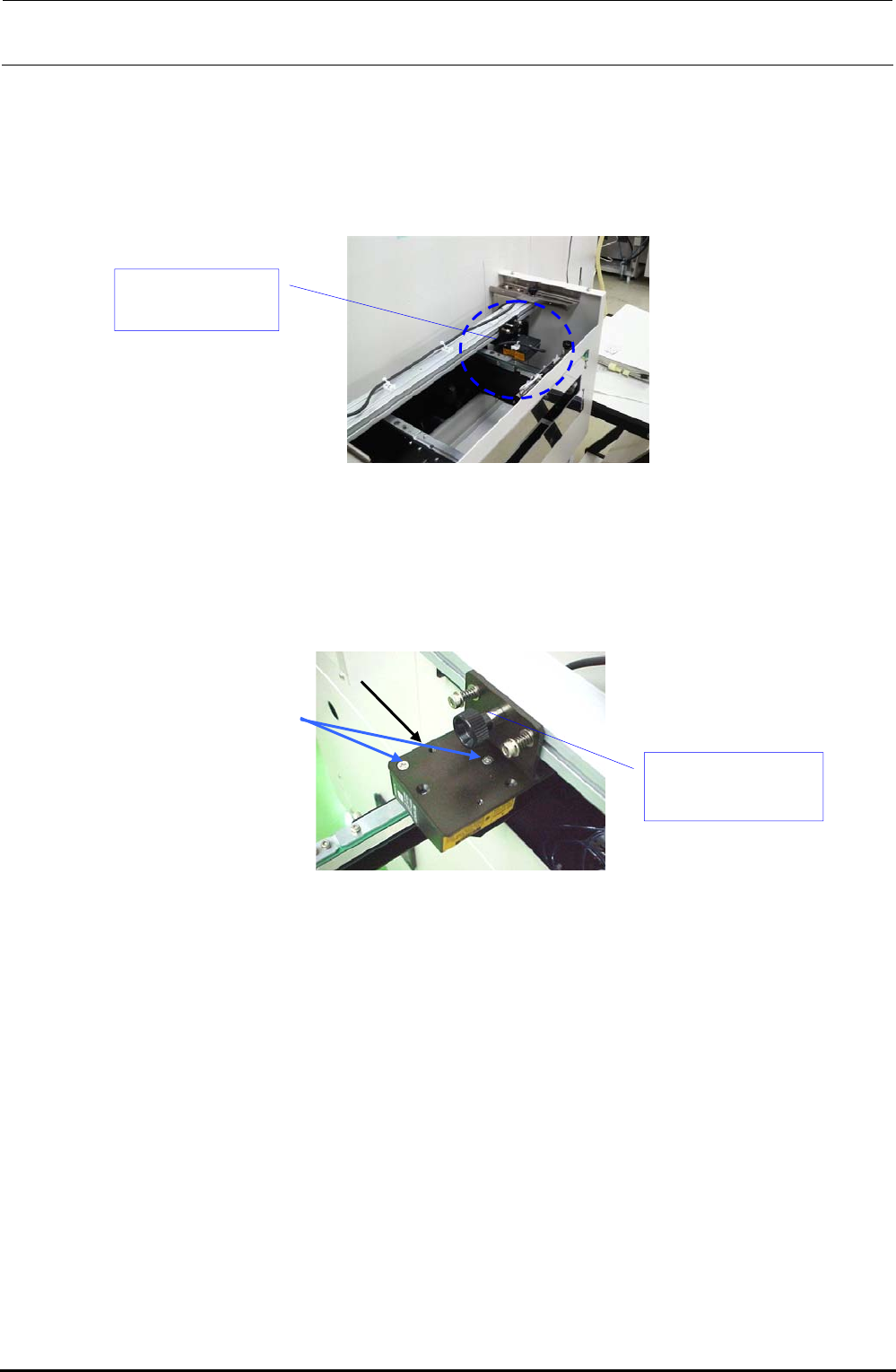
The barcode reader (HX006100000) has been assembled to the PWB transport inlet as shown in
the Figure below.
(This Figure shows the left → right transport machine. For the right → left transport machine,
the barcode reader is assembled to a position opposite to that shown in this Figure.)
Figure 5-15-1
1) Remove the flat head screws e (2 pcs.) to detach the BARCODE READER d from the
ROTARY PLATE c.
Figure 5-15-2
2) Cut the tie-up band bundling the barcode reader cables.
Barcode reader
(HX006100000)
e
c
d Barcode reader
(HX006100000)
FX-3R Maintenance Guide
5-25
Rev. 1.00
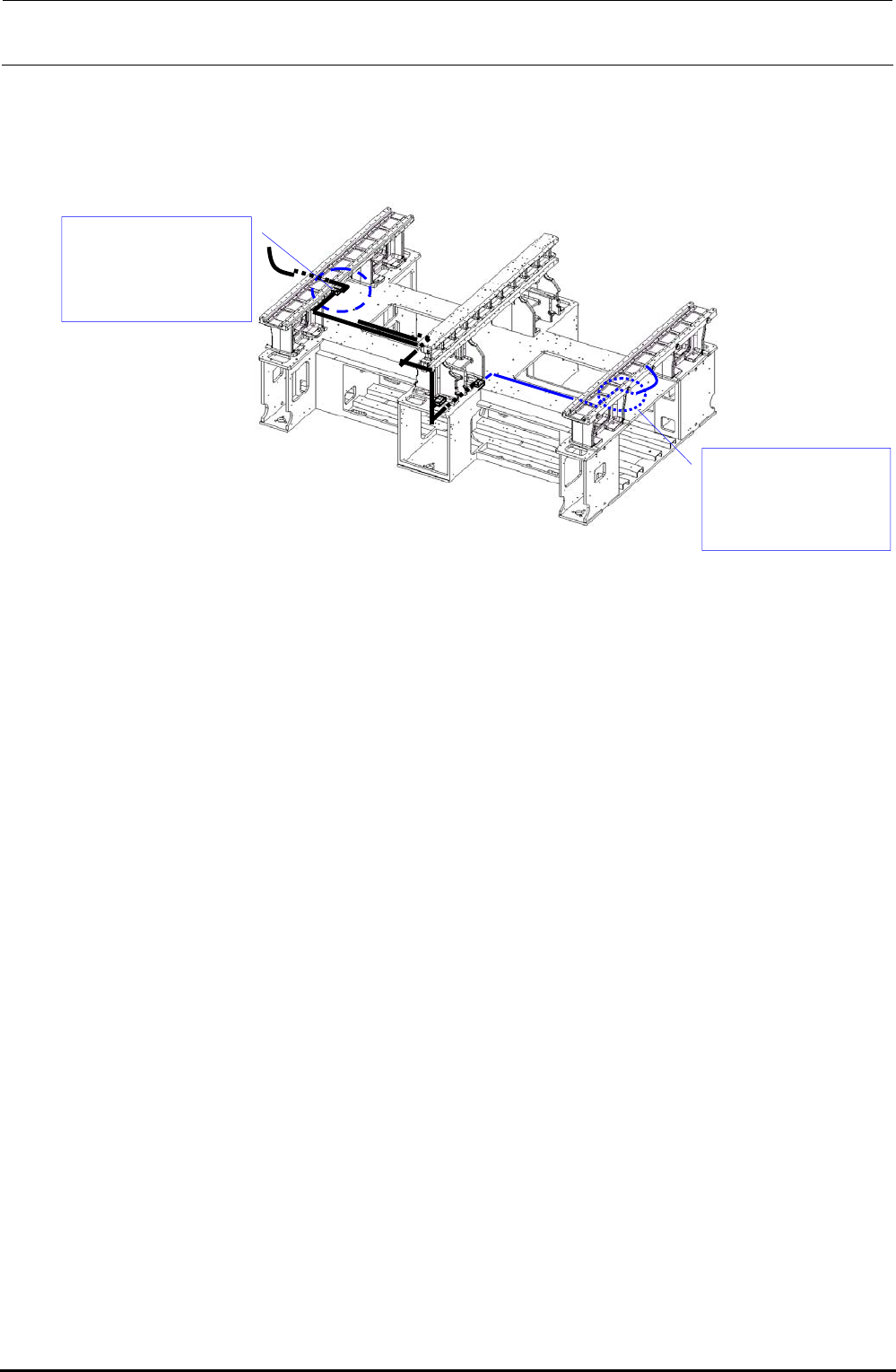
3) Disconnect the BARCODE READER relay connector. (The relay connector is connected to
the relay cable at a position close to that shown in the Figure below.)
The black line shows the cable route for the left → right transport while the blue line shows
that for the right → left transport.
Figure 5-15-3
4) Mount a new BARCODE READER with the flat head screws e while referring to its
orientation.
Connect the relay connector. Bundle the cables, and then run them through the original route.
Relay connector
connection position
(For left → right
transport)
Relay connector
connection position
(For right → left
transport)