fx3r.pdf - 第86页
FX-3R Maintenance Guide 8-4 8-1-6. Replacing the Cables and Conn ectors of Replacement Table (For Intelli trolley) 1) Replacing the connector (HK065120060) c Before replacing the connector, disconnect the cable connected…
FX-3R Maintenance Guide
8-3
Rev. 1.00
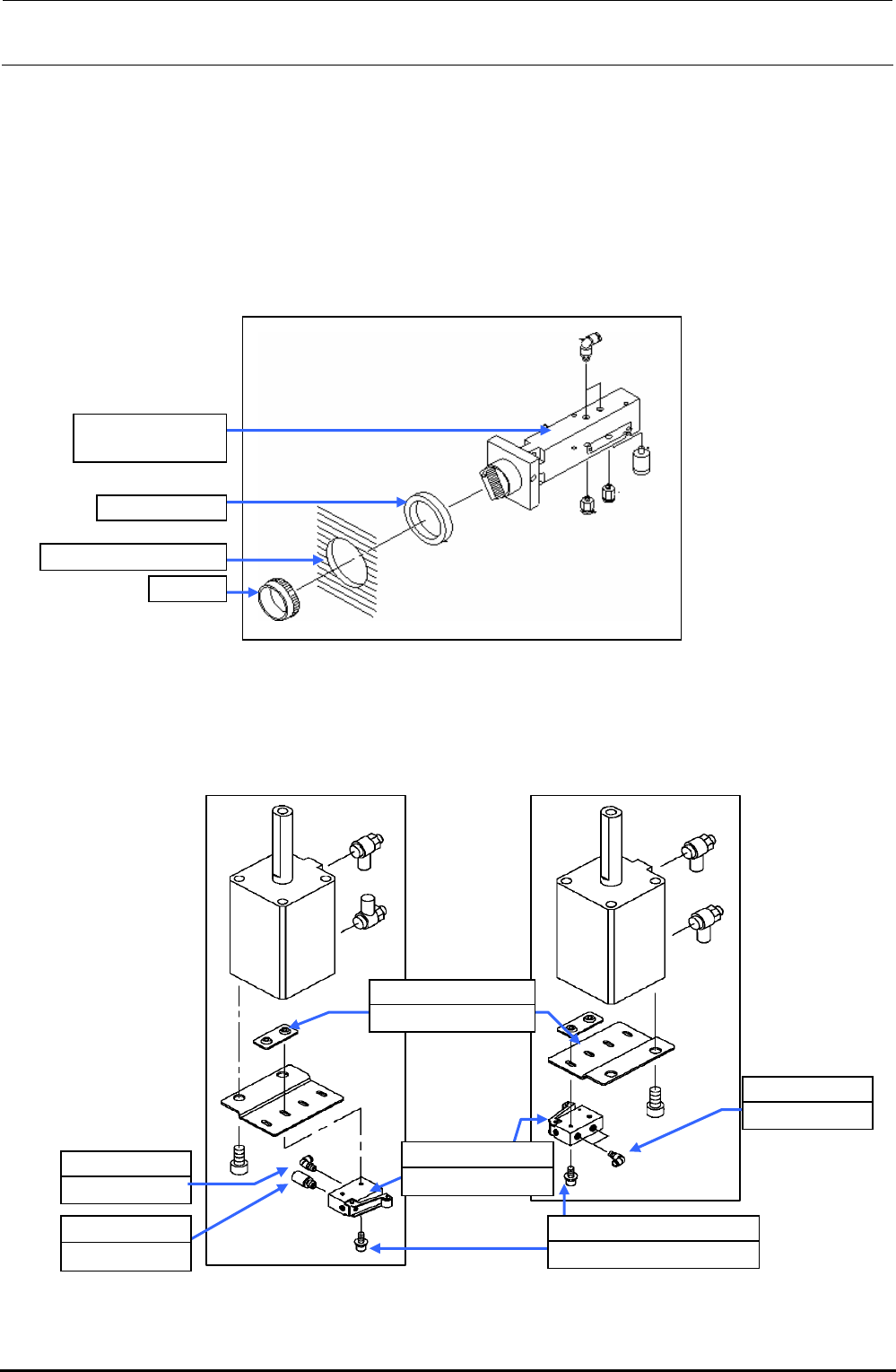
8-1-4. Replacing the Selector Switch (Optional Replacement Table)
1) Shut-down the main compressed air to the main unit (with the hand valve).
2) Turn the selector switch cap counterclockwise to detach the selector switch from the cover.
3) Mount the half-union and silencer on a new selector switch and secure the selector switch to
the cover with the cap.
4) Supply the main compressed air to the main unit.
Figure 8-1-4-1 Selector Switch Assembly (40000585)
8-1-5. Replacing the Roller Lever (Optional Replacement Table)
Before replacing the roller lever, always shut-down the main compressed air.
Cap
Cover mounting hole
Rubber, 3 pcs.
PV0151170A0
Selector switch
PJ304040505
Elbow union
E2811729000
Valve nut plate
PV010505000
Mechanical valve
PJ304040505
Elbow union
PX050501000
Silencer
Roller lever assembly
with silencer
Roller lever assembly
with elbows at both ends
SL6042592TN
SEMS cap bolt M4×25
Figure 8-1-5-1 Roller Lever
FX-3R Maintenance Guide
8-4
8-1-6. Replacing the Cables and Connectors of Replacement Table (For Intelli trolley)
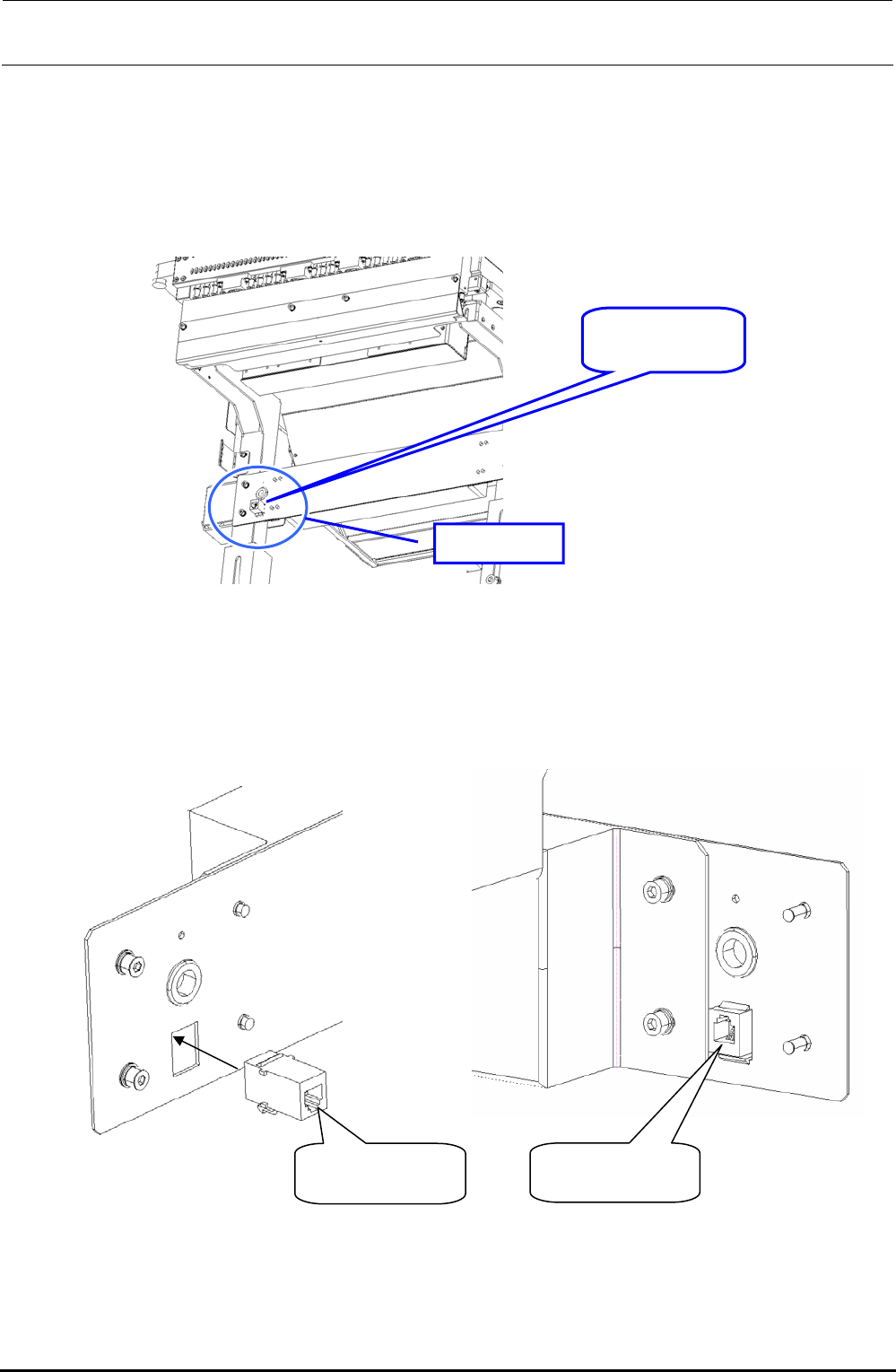
1) Replacing the connector (HK065120060)
c Before replacing the connector, disconnect the cable connected to both ends of the
connector.
Connector
HK065120060
Portion A
Figure 8-1-6-1 Replacement Table when Viewed from Mounter
(From Obliquely downward View Field)
d When mounting the connector, pay special attention to its orientation as shown in the Figure
below.
Mounter side
Lock part faces
downwa
r
d.
Rear side
Lock part faces
u
p
ward.
Figure 8-1-6-2 Enlarged Drawing of Portion A
e Connect the cable to both ends of the connector. (The connector on the mounter side is
located on the OUT side.)
Rev. 1.00
FX-3R Maintenance Guide
8-5
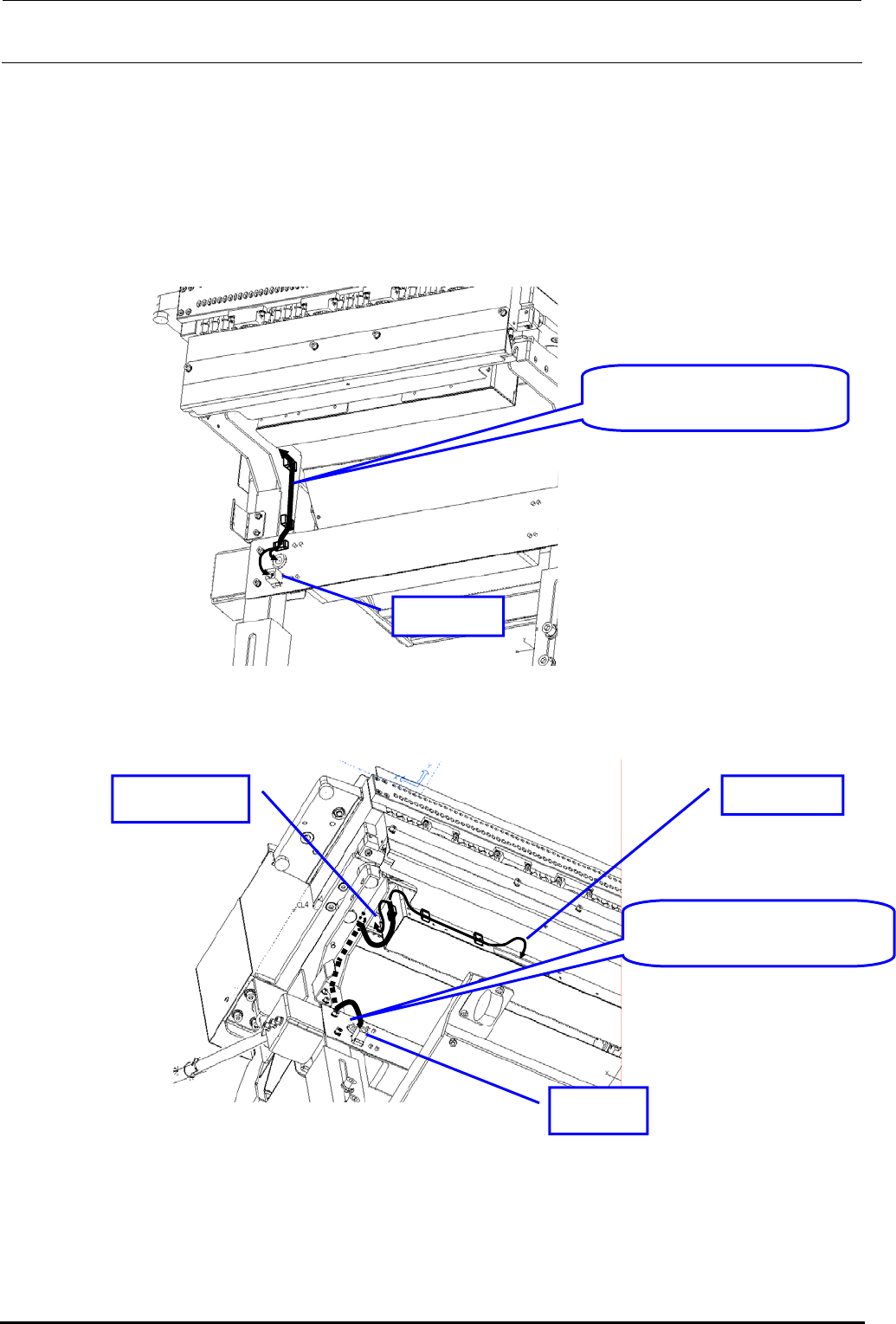
2) Replacing the cable (RFID JOINT CABLE ASM: 40079659)
c Before replacing the cable, disconnect the cable connection from the antenna and relay
connector.
d Disconnect the cable from the cable securing materials (cable band and cable clamp).
e After the cable has been replaced, secure the cable and connect it to the connector in the
original manner.
RFID JOINT CABLE ASM:
40079659
OUT side
Figure 8-1-6-3 Cable Wiring Diagram 1
RFID JOINT CABLE ASM:
40079659
IN side
RFID side Antenna side
Figure 8-1-6-4 Cable Wiring Diagram 2
Rev. 1.00