00191332-01.pdf - 第30页
0 Introduction to the User Interface of the Test Program User Manual Test Program SITEST 0.3 User Interface - Displays Software Version 405.xx Issue 01/99 0 - 20 Fig. 0.3.2 Main Vie w SIPLACE 80F 5 Legend pert aining to …
User Manual Test Program SITEST 0 Introduction to the User Interface of the Test Program
Software Version 405.xx Issue 01/99 0.3 User Interface - Displays
0 - 19
0.3 User Interface - Displays
0.3.1 Main Views of 80S-20/S-23 and SIPLACE 80F
4
/F
5
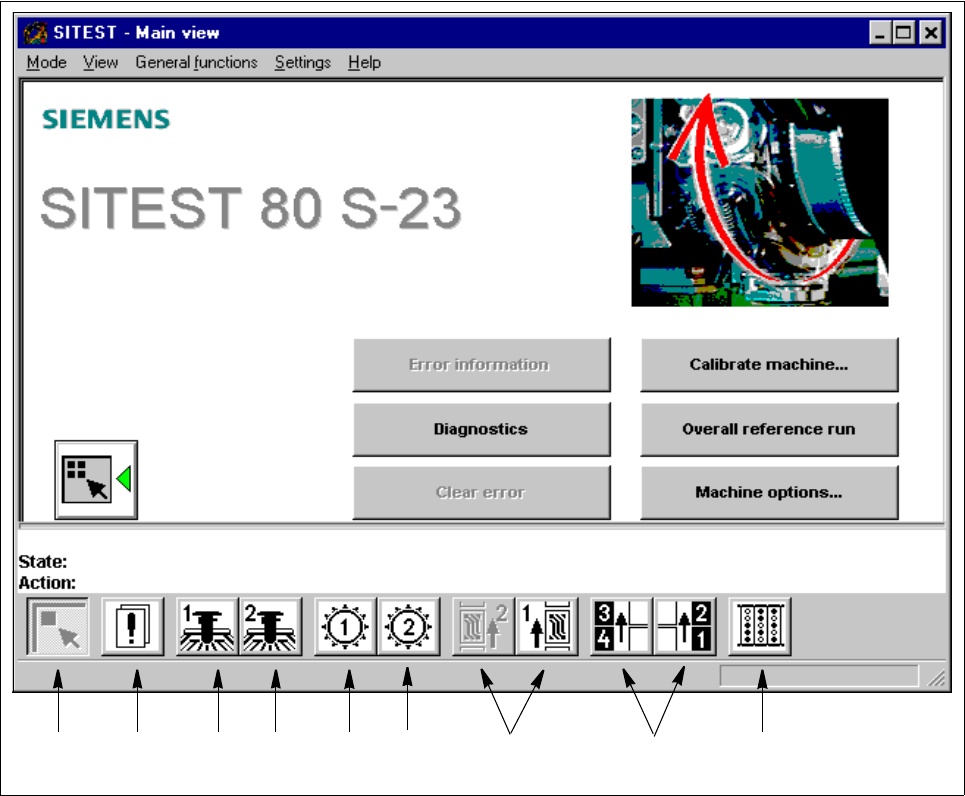
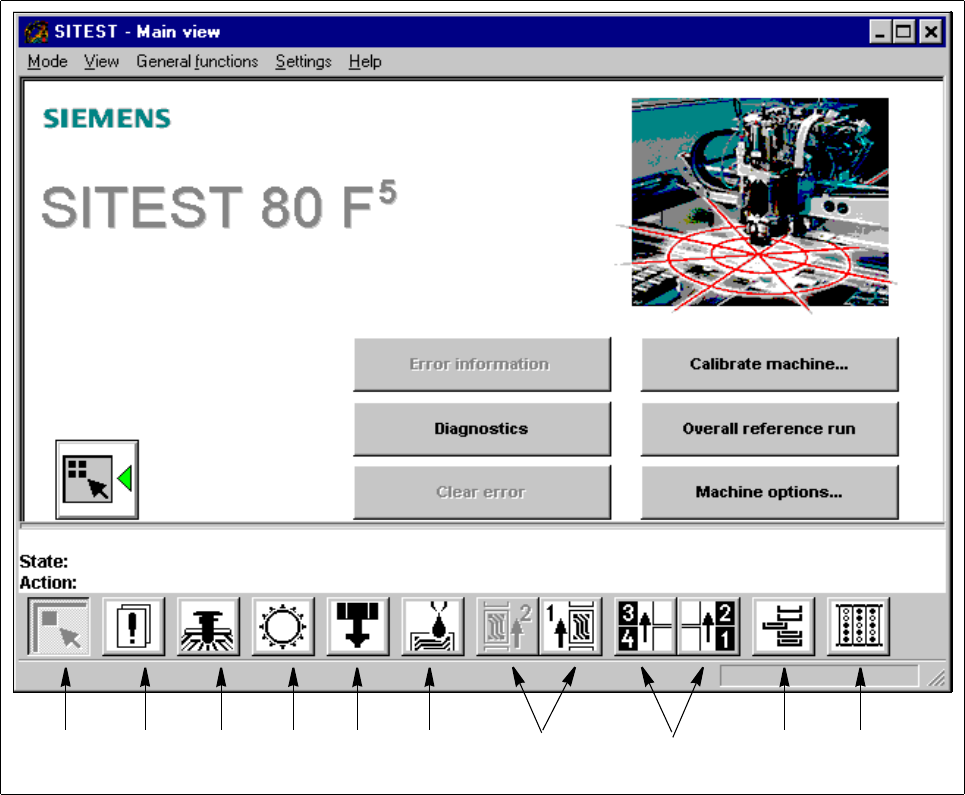
Each icon on the toolbar in the main view (see Fig. 0.3.1 and Fig. 0.3.2) can be used to switch the user inter-
face to a different display. The functions required to perform the various activities can be triggered or set by
means of the buttons, radio buttons and check boxes available in the respective displays.
An explanation of the individual display screens is contained in the respective sections.
Fig. 0.3.1 Main View SIPLACE 80S-23
Legend pertaining to Fig. 0.3.1
➀ Main view ➅ Revolver head 2
➁ Errors ➆ PCB conveyors 2 and 1
➂ Gantry 1 ➇ Left and right component tables
➃ Gantry 2 ➈ Inputs/outputs
➄ Revolver head 1
➀➁➂➃➄➅ ➆ ➇➈
0 Introduction to the User Interface of the Test Program User Manual Test Program SITEST
0.3 User Interface - Displays Software Version 405.xx Issue 01/99
0 - 20
Fig. 0.3.2 Main View SIPLACE 80F
5
Legend pertaining to Fig. 0.3.2
➀
Main view
➁
Errors
➂
Gantry
➃
RV head
➄ IC head
➅ Flux dispenser
➆ PCB conveyors 2 and 1
➇ Left and right component tables
➈ Wafflepack changer
➉ Inputs / outputs
➉➀➁➂➃➄ ➆ ➇➈➅
User Manual Test Program SITEST 0 Introduction to the User Interface of the Test Program
Software Version 405.xx Issue 01/99 0.3 User Interface - Displays
0 - 21
0.3.2 "Errors" Display
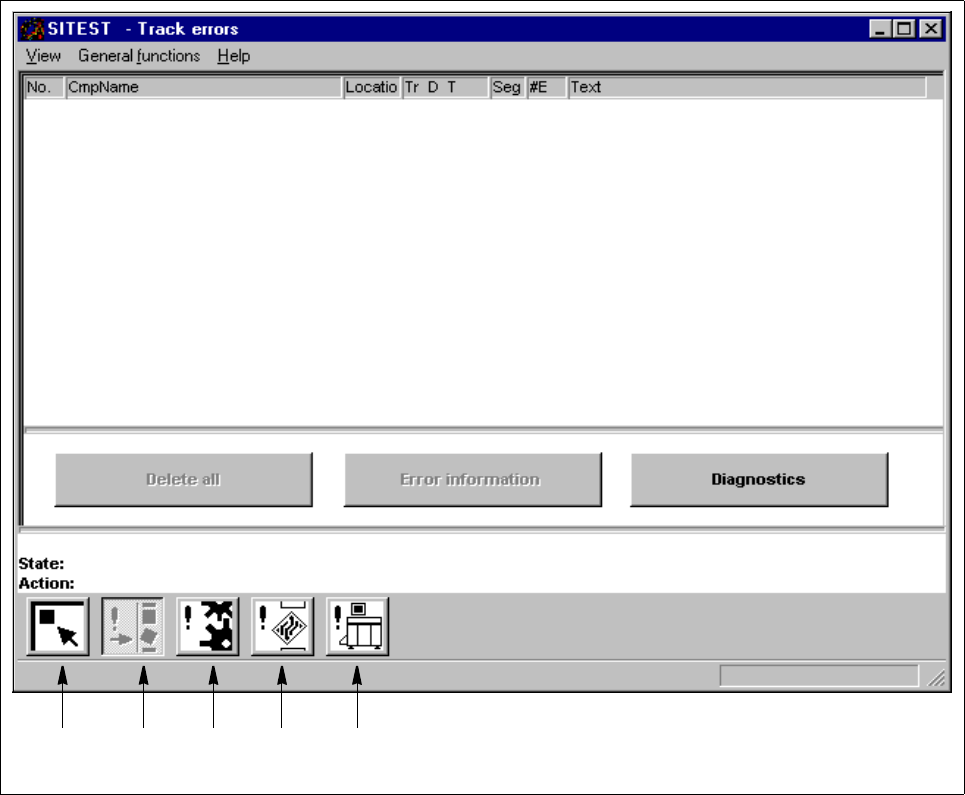
By means of the icons contained in the "Errors" display, all types of errors occurring in and on the machine
can be displayed.
Fig. 0.3.3 "Errors" Display (Example "Track Errors")
Legend pertaining to Fig. 0.3.3
➀ Main view
➁ Track errors
➂ Machine errors
➃ Transport errors
➄ General errors
➀➁➂➃➄