00191332-01.pdf - 第32页
0 Introduction to the User Interface of the Test Program User Manual Test Program SITEST 0.3 User Interface - Displays Software Version 405.xx Issue 01/99 0 - 22 0.3.3 "Gantry " Displa y The "Gant r y"…
User Manual Test Program SITEST 0 Introduction to the User Interface of the Test Program
Software Version 405.xx Issue 01/99 0.3 User Interface - Displays
0 - 21
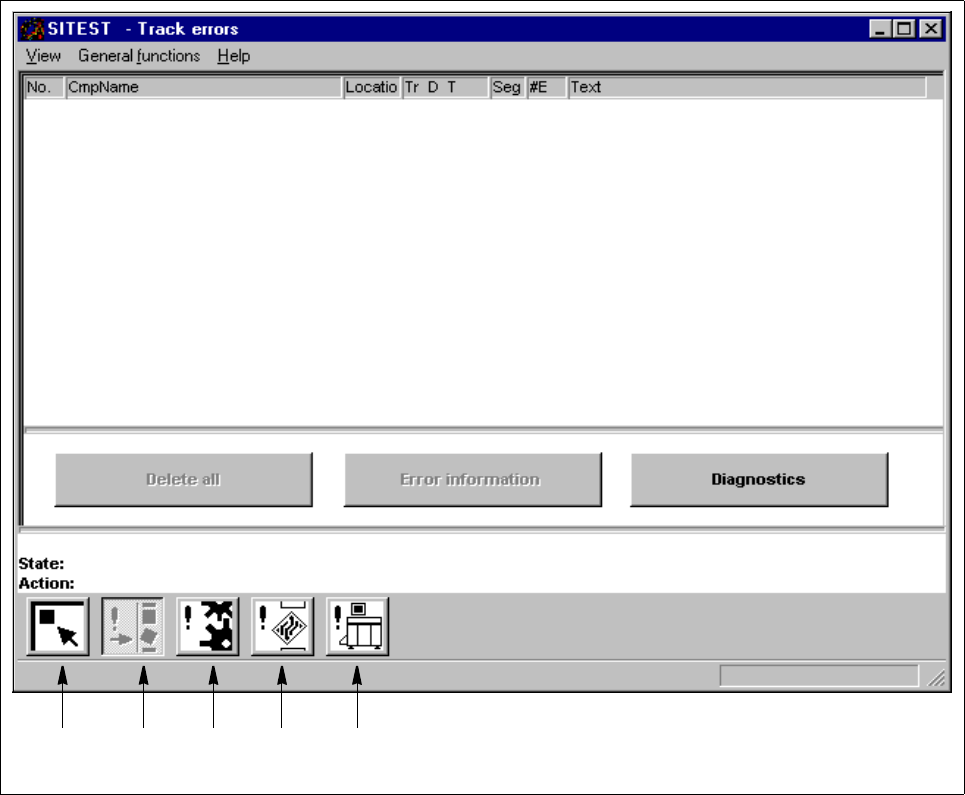
0.3.2 "Errors" Display
By means of the icons contained in the "Errors" display, all types of errors occurring in and on the machine
can be displayed.
Fig. 0.3.3 "Errors" Display (Example "Track Errors")
Legend pertaining to Fig. 0.3.3
➀ Main view
➁ Track errors
➂ Machine errors
➃ Transport errors
➄ General errors
➀➁➂➃➄
0 Introduction to the User Interface of the Test Program User Manual Test Program SITEST
0.3 User Interface - Displays Software Version 405.xx Issue 01/99
0 - 22
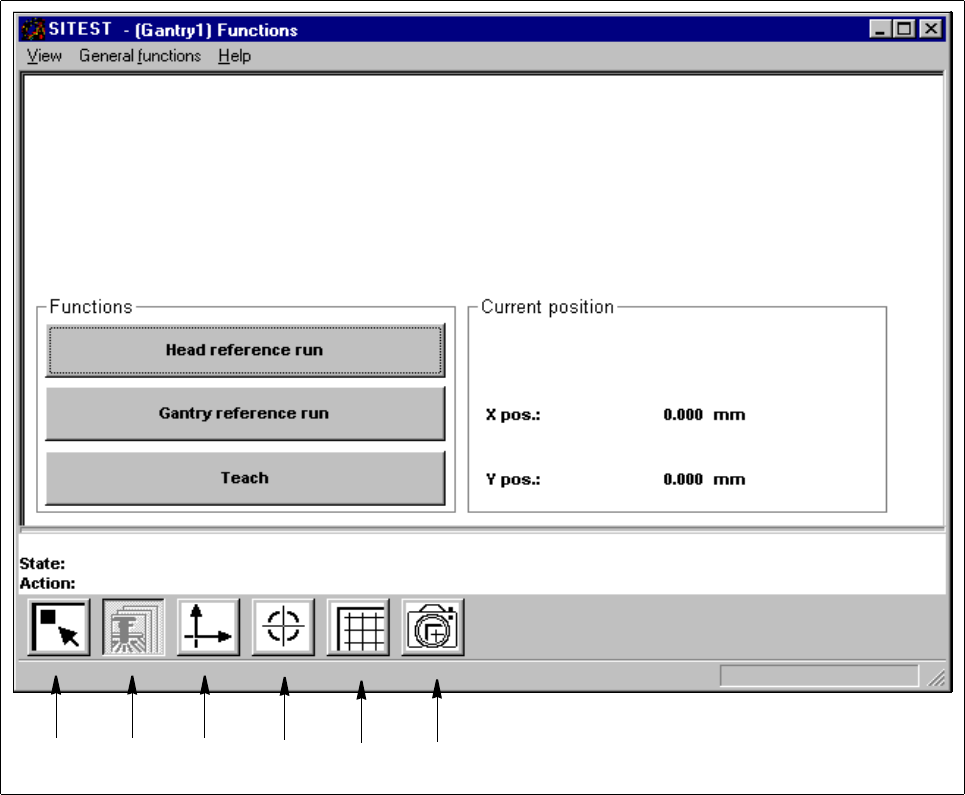
0.3.3 "Gantry" Display
The "Gantry" display contains all buttons and icons by means of which the functions for the currently active
gantry can be called up.
Fig. 0.3.4 "Gantry" Display (Example "Gantry Functions")
Legend pertaining to Fig. 0.3.4
➀ Main view
➁ Gantry functions
➂ Axis functions
➃ Calibrate positions
➄ PCB mapping
➅ PCB camera functions
➀➁➂
➃➄
➅
User Manual Test Program SITEST 0 Introduction to the User Interface of the Test Program
Software Version 405.xx Issue 01/99 0.3 User Interface - Displays
0 - 23
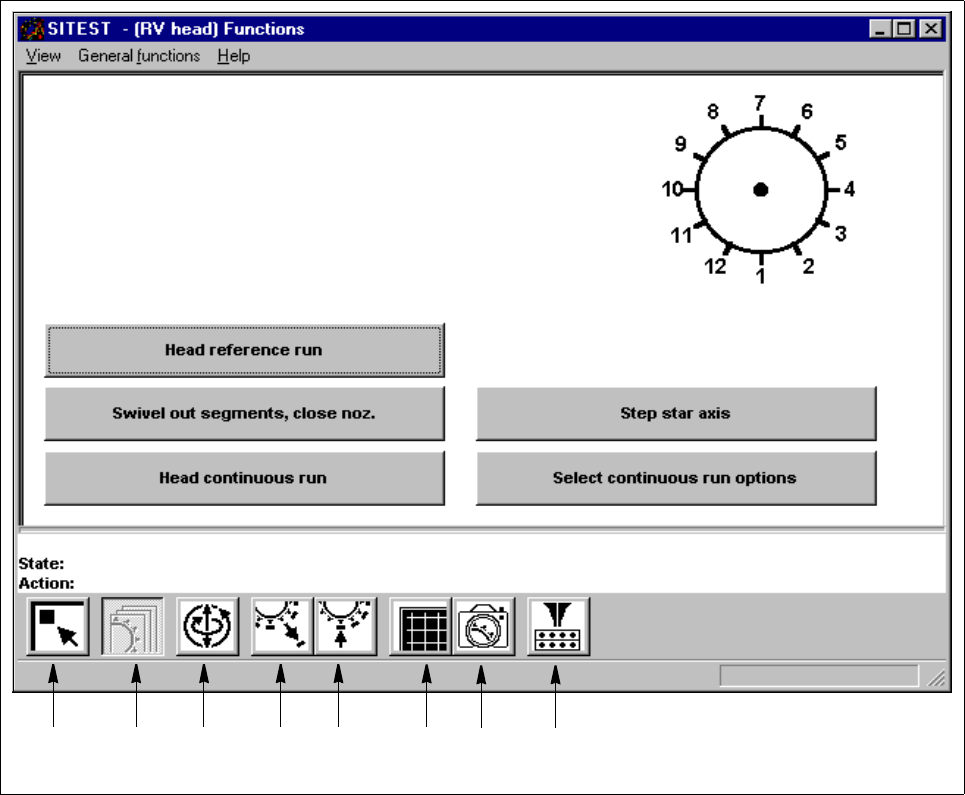
0.3.4 "RV Head" Display
From the "RV head" display, all functions concerning the respective revolver head can be called up.
Fig. 0.3.5 "RV Head" Display (Example "RV head functions")
Legend pertaining to Fig. 0.3.5
➀
Main view
➁ RV head functions
➂ Axis functions
➃ Holding and reject circuit
➄ Placement and pick-up circuit
➅ RV mapping
➆ RV head / camera
➇ Nozzle changer
➀➁➂➃➄
➅
➆ ➇