00191332-01.pdf - 第36页
0 Introduction to the User Interface of the Test Program User Manual Test Program SITEST 0.3 User Interface - Displays Software Version 405.xx Issue 01/99 0 - 26 0.3.7 "PC B Con vey or" Display F rom the "…
User Manual Test Program SITEST 0 Introduction to the User Interface of the Test Program
Software Version 405.xx Issue 01/99 0.3 User Interface - Displays
0 - 25
0.3.6 "Flux Dispenser" Display, SIPLACE 80F
4
/F
5
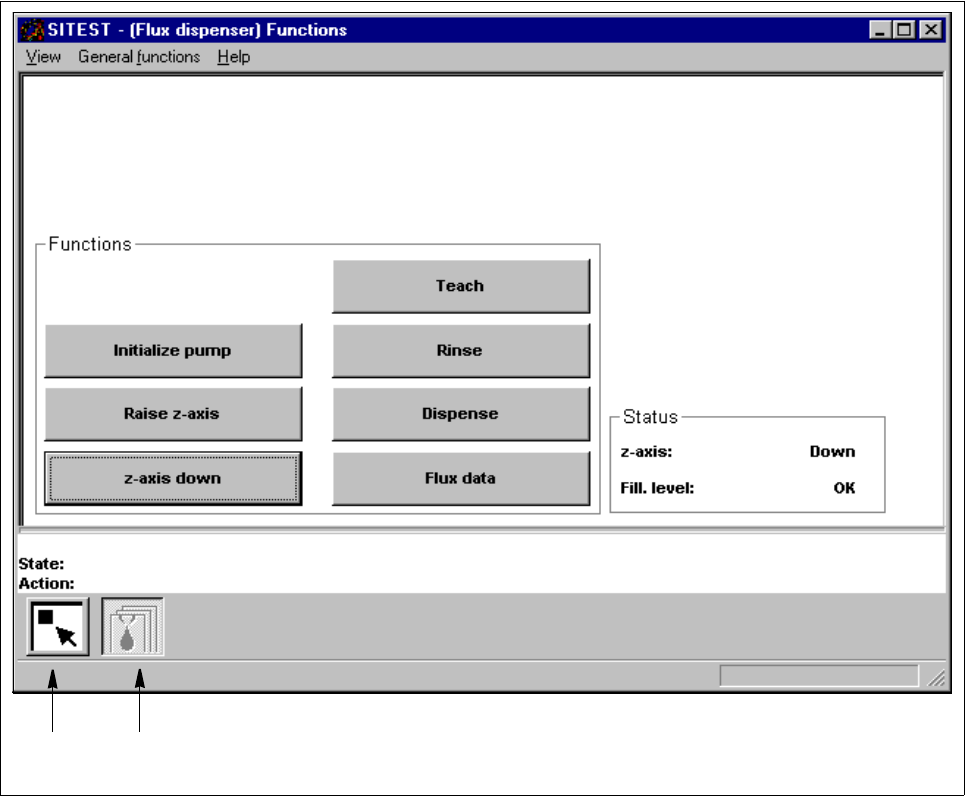
The "Flux dispenser" display contains all buttons required for testing the functions of the flux dispenser.
Fig. 0.3.7 "Flux dispenser" Display (Example "Flux dispenser functions")
Legend pertaining to Fig. 0.3.7
➀
Main view
➁ Flux dispenser functions
➀
➁
0 Introduction to the User Interface of the Test Program User Manual Test Program SITEST
0.3 User Interface - Displays Software Version 405.xx Issue 01/99
0 - 26
0.3.7 "PCB Conveyor" Display
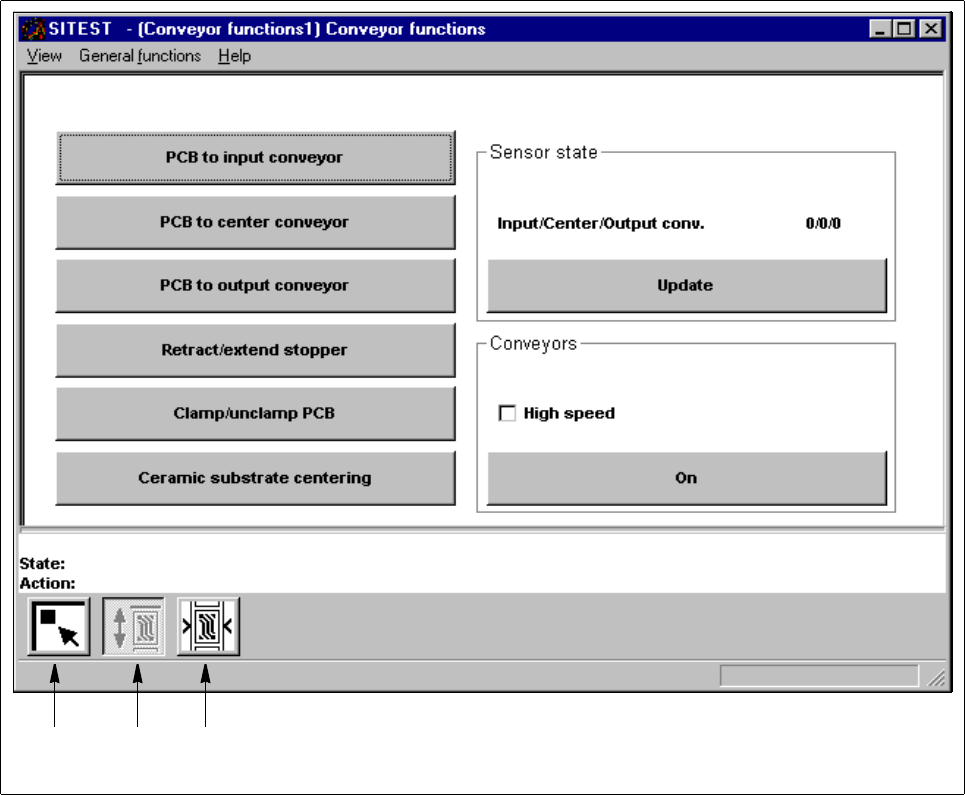
From the "PCB conveyor" display, all functions concerning the selected PCB conveyor can be called up.
Fig. 0.3.8 "PCB Conveyor" Display (Example "PCB conveyor functions")
Legend pertaining to Fig. 0.3.8
➀
Main view
➁ PCB conveyor functions
➂ Conveyor width
➀➁➂
User Manual Test Program SITEST 0 Introduction to the User Interface of the Test Program
Software Version 405.xx Issue 01/99 0.3 User Interface - Displays
0 - 27
0.3.8 "Component Table" Display
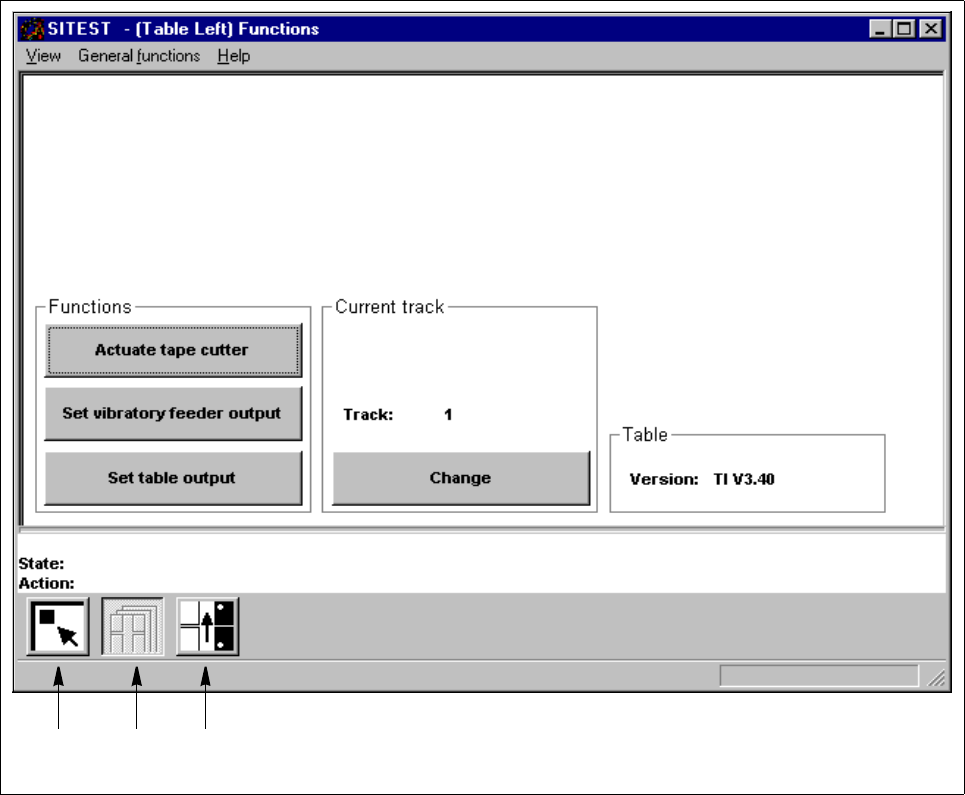
From the "Component table" display, all functions concerning the respective component table can be called up.
Fig. 0.3.9 "Component table" Display (Example "Component table functions")
Legend pertaining to Fig. 0.3.9
➀
Main view
➁ Component table functions
➂ Pick-up positions (tracks 1 and 120)
➀➁➂