00191332-01.pdf - 第47页
User Manual Test Program SITEST 1 General Functions Software Version 405.xx Issue 01/99 1.2 Setting the Access Level 1 - 5 1.2 Setti ng the Ac cess Le vel Some fu nctions of the te st program can be p rotected from unqu …

1 General Functions User Manual Test Program SITEST
1.1 Setting the Language Software Version 405.xx Issue 01/99
1 - 4
User Manual Test Program SITEST 1 General Functions
Software Version 405.xx Issue 01/99 1.2 Setting the Access Level
1 - 5
1.2 Setting the Access Level
Some functions of the test program can be protected from unqualified operation by setting the access level
and assigning a password.
Functions that are not accessible in an access level cannot be carried out since the associated buttons, radio
buttons or menu commands are inactive or blanked.
● Click on the
Settings
menu and select the
Access level
option.
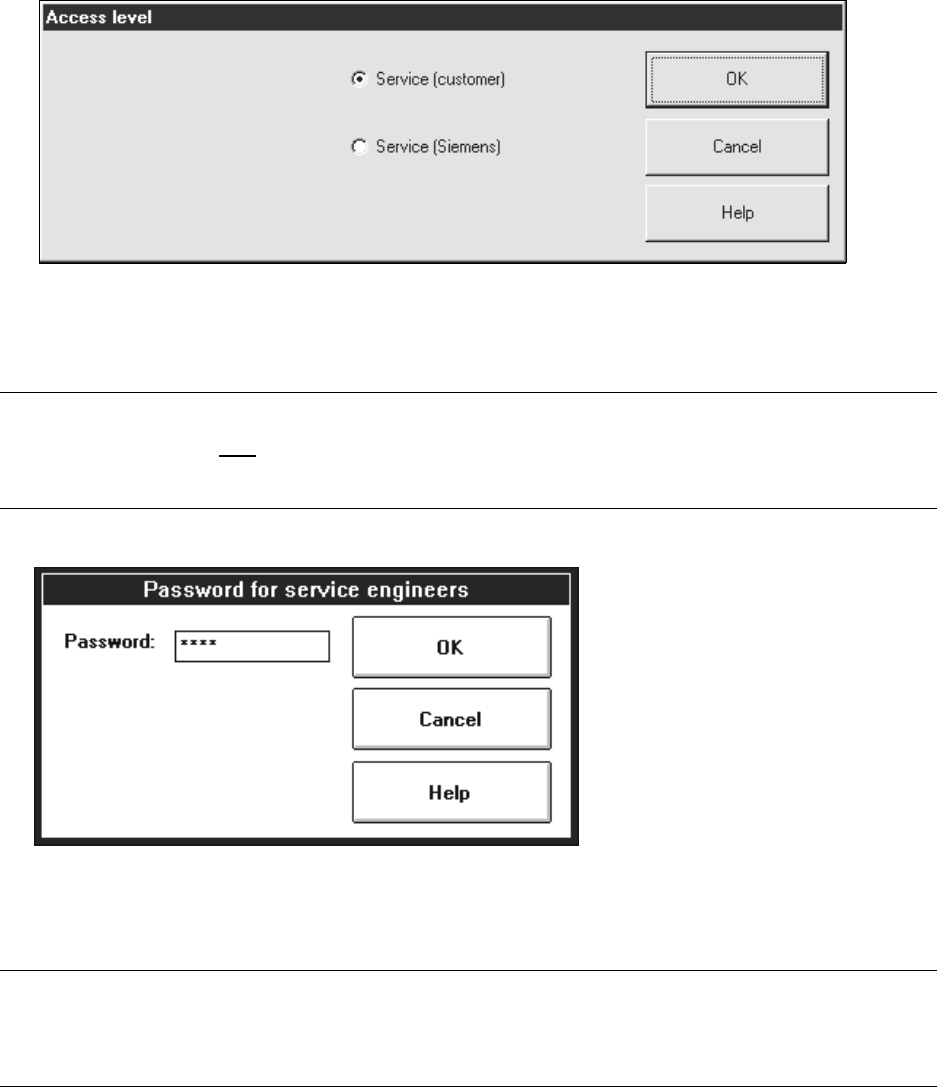
The "Access level" settings box opens.
The "Service (customer)" access level is preset by default.
● Activate the radio button for the appropriate access level.
NOTE
The input box below is only
displayed if the radio button for the "Service (Siemens)" access level is
activated.
1
● Click on the "Password" editing field and enter the password assigned by "SIEMENS PL EA".
● Click on the OK button to confirm the password.
NOTE
At present, no particular functions exist for whose execution it is necessary that the service technician’s
password be entered. 1
1 General Functions User Manual Test Program SITEST
1.2 Setting the Access Level Software Version 405.xx Issue 01/99
1 - 6