00191332-01.pdf - 第59页
User Manual Test Program SITEST 1 General Functions Software Version 405.xx Issue 01/99 1.7 Saving Machine Data 1 - 17 1.7 Sa ving M achine Data 1.7.1 Saving Calibration Data and/or Axis Data Newly dete r mined c alibrat…

1 General Functions User Manual Test Program SITEST
1.6 Gantry Teaching Software Version 405.xx Issue 01/99
1 - 16
NOTE
The x and y values shown for the current position in the "Current position" field do not
correspond to the
values for the position of the object taught with the PCB camera (e.g. the position of the PCB reference
corner), but rather the x and y values of the current position of the RV head.
1
● Click on the
Quit
button in the setting box.
User Manual Test Program SITEST 1 General Functions
Software Version 405.xx Issue 01/99 1.7 Saving Machine Data
1 - 17
1.7 Saving Machine Data
1.7.1 Saving Calibration Data and/or Axis Data
Newly determined calibration data or modified MA data can be saved using the "Save machine data" menu com-
mand on the "Settings" menu.
● Click on
Settings
-->
Save machine data
.
The data is saved to the corresponding files (e.g. REAL.MA).
NOTE
The menu command can only be executed if data was newly determined or modified.
1.7.2 Copying Machine Data to Diskette or Hard Disk
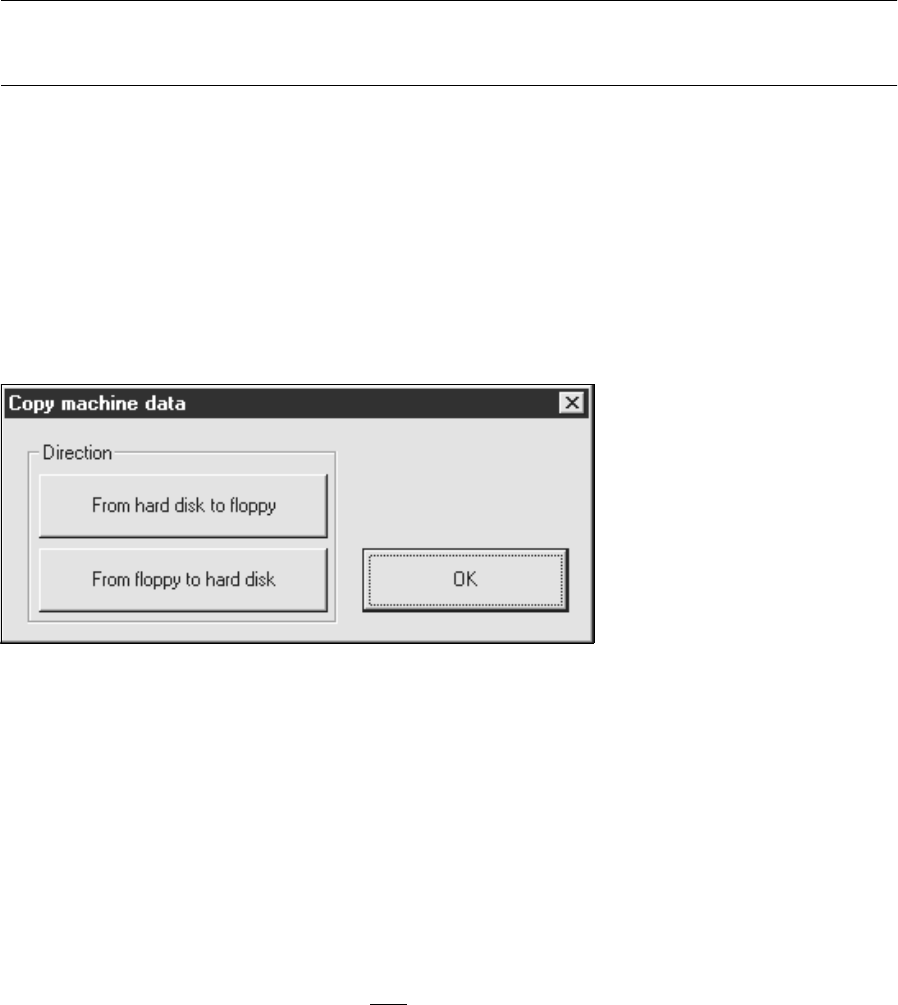
MA data can be copied from the hard disk to diskette or from diskette to the hard disk using the "Copy
machine data" menu command on the "Settings" menu.
● Click on
Settings
-->
Copy machine data
.
The setting box below opens.
Copying MA data to diskette:
● Insert a blank, formatted diskette into the floppy drive.
● Click on the From hard disk to floppy button.
● Click on the OK button. The MA data will be copied to diskette.
Copying MA data to the hard disk:
● Insert the diskette containing the MA data (only version 405.xx) into the floppy drive.
● Click on the From floppy to hard disk button.
1 General Functions User Manual Test Program SITEST
1.7 Saving Machine Data Software Version 405.xx Issue 01/99
1 - 18
● Click on the
OK
button. The MA data will be copied to the hard disk.
● Restart the machine to activate the copied MA data.