00191332-01.pdf - 第94页
2 Functions for the Adjustment of the Machine User Manual Test Program SITEST 2.2 Head Board Software Version 405.xx Issue 01/99 2 - 22
User Manual Test Program SITEST 2 Functions for the Adjustment of the Machine
Software Version 405.xx Issue 01/99 2.2 Head Board
2 - 21
2.2.3 Functions of the IC Head in the Placement Circuit
(SIPLACE 80F
4
/80F
5
)
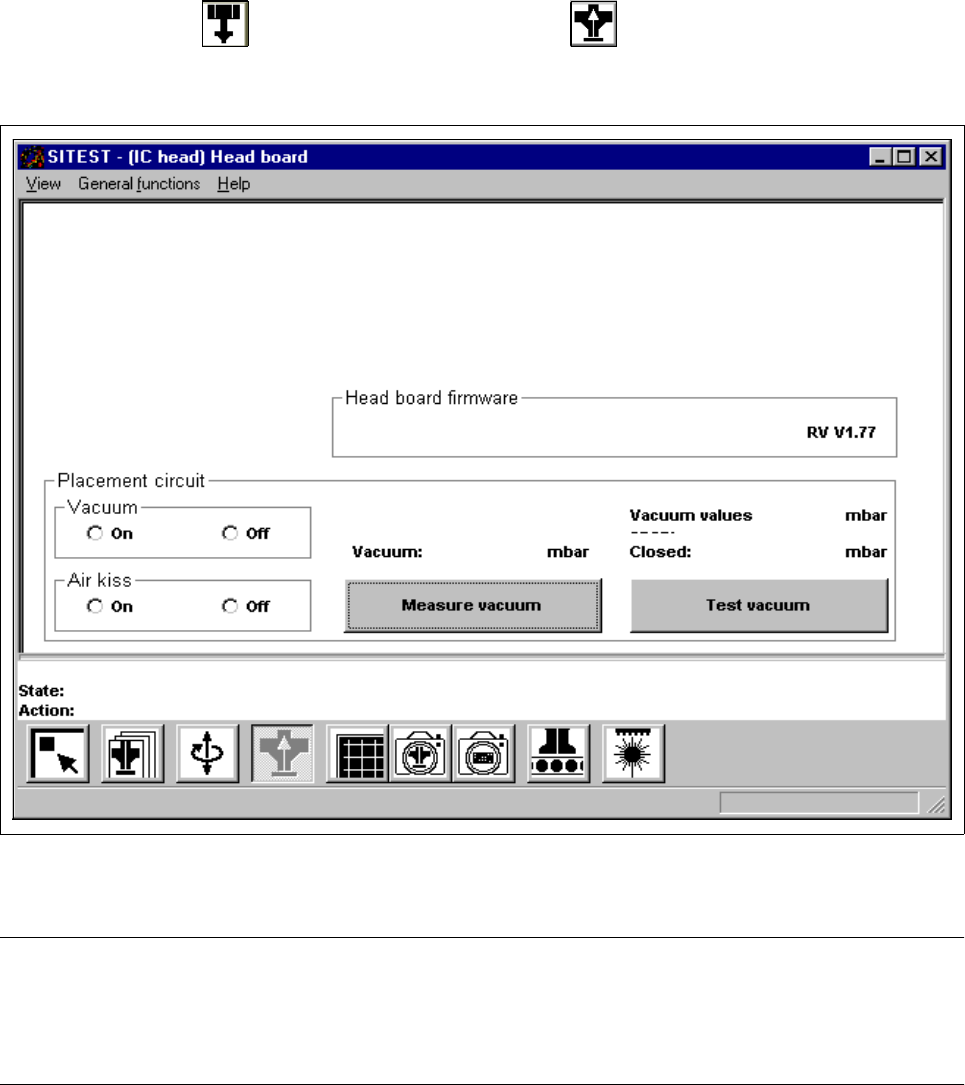
● In the "IC head" display (see Fig. 0.3.6), click on the icon to switch to the "Head board IC
head" display.
Fig. 2.2.3 "Head board IC head" Display
NOTE
Since the buttons and radio buttons in the "Head board IC head" have the same functions as the identically
labeled buttons and radio buttons in the "Head board RV head, placement and pick-up circuit" display (see sec-
tion 2.2.1, Fig. 2.2.1), they will not be described again in this section. 2
2 Functions for the Adjustment of the Machine User Manual Test Program SITEST
2.2 Head Board Software Version 405.xx Issue 01/99
2 - 22
User Manual Test Program SITEST 2 Functions for the Adjustment of the Machine
Software Version 405.xx Issue 01/99 2.3 Functions of the Flux Dispenser (SIPLACE 80F4/80F5)
2 - 23
2.3 Functions of the Flux Dispenser
(SIPLACE 80F
4
/80F
5
)
● If you wish to test the flux dispenser functions, click on the icon in the main view "SIPLACE
80F
4
/80F
5
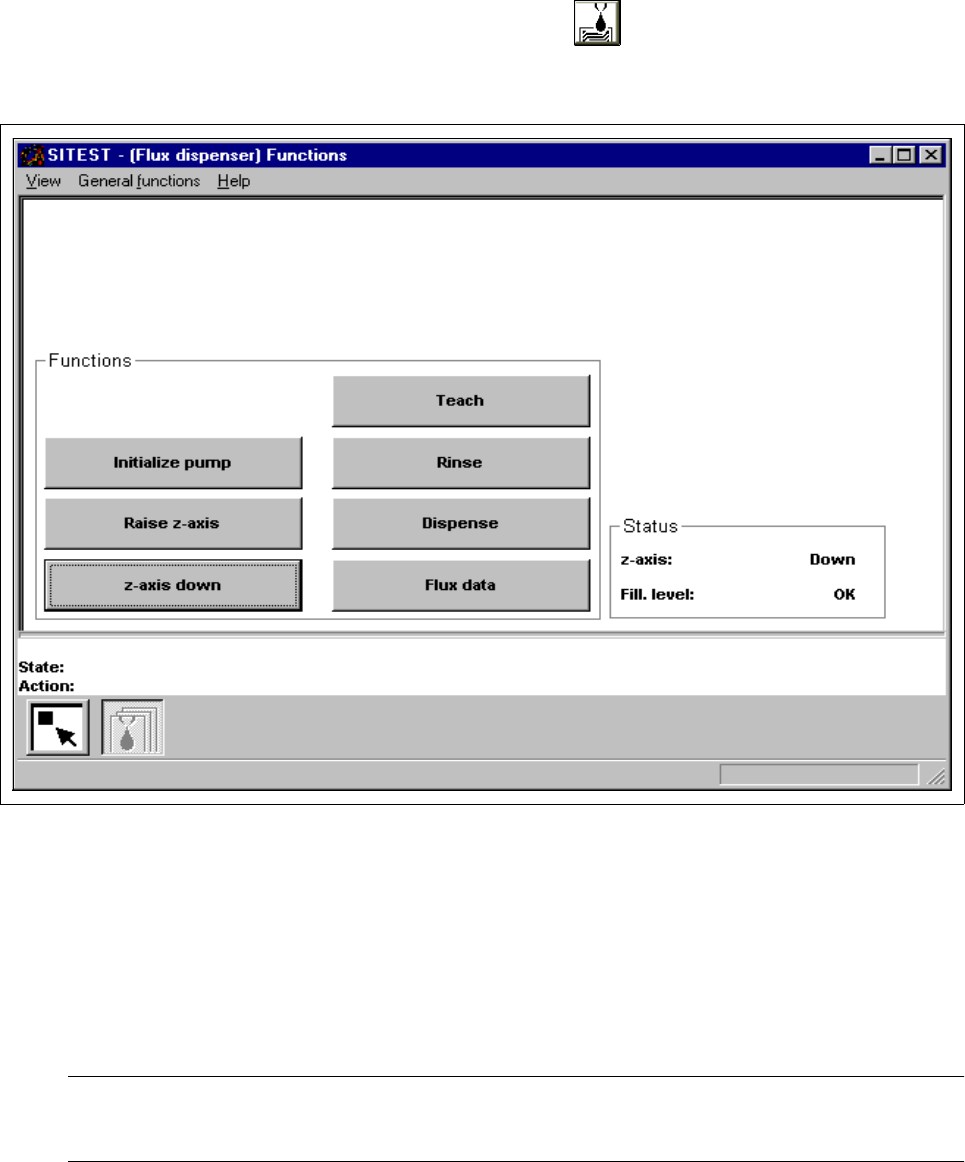
" (see Fig. 0.3.2) to switch to the "Flux dispenser" display.
Fig. 2.3.1 "Flux dispenser" Display
● Click on the
Initialize pump
button to move the stepper motor of the pumps to the pre-defined
position.
● Click on the Raise z-axis or z-axis down button to position the z-axis of the flux dispenser.
NOTE
The current state of the z-axis and the flux filling level are displayed in the "Status" field.
● Click on the Teach button if you wish to move the flux dispenser to any specific position for applying the
flux.