Service Manual HS60.pdf - 第187页
Se rv ice M a nu al HS-6 0 6 Mo du la r P CB con ve y or s yst em 03/ 200 3 U S Iss ue 6.11 Li ftin g table 185 Æ Un do the screws fastening t he lifting table plate a nd rem ove the lifting table plate from the lift- in…
6 Modular PCB conveyor system Service Manual HS-60
6.11 Lifting table 03/2003 US Issue
184
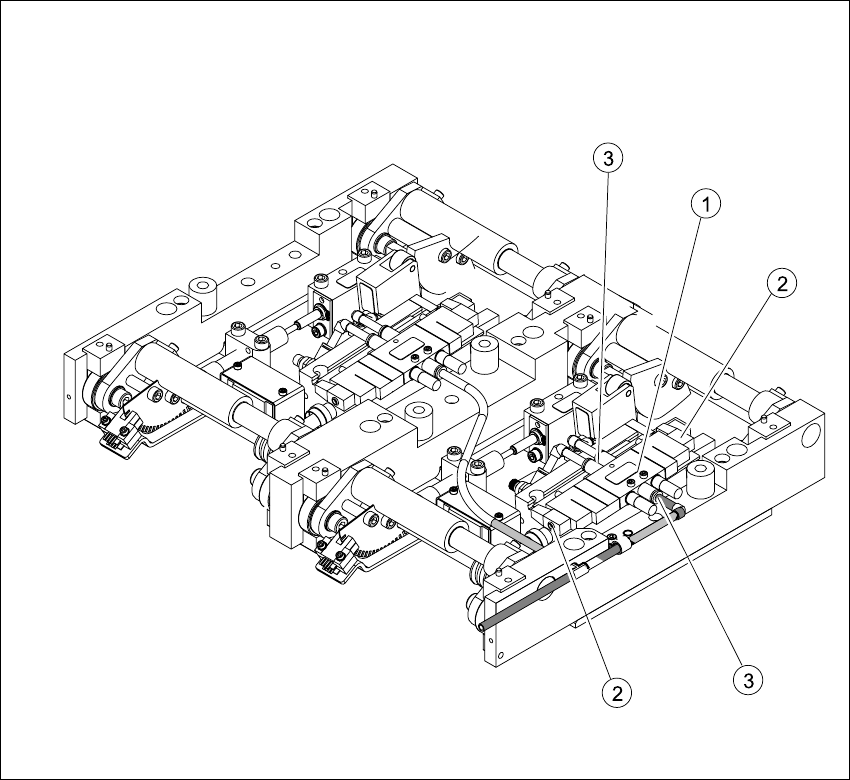
6.11.4 Replacing the solenoid valve (00358663-02)
Fig. 6.11.11 Replacing the 5/3 solenoid valve
Key
Æ Move the PCB conveyor to the position which gives you the best access to the lifting table unit.
Æ Move the Y-gantries into the area outside the PCB conveyor.
Æ Turn the machine off at the main switch and disconnect the machine from the mains voltage.
Æ Make sure the machine has been properly secured to prevent it being switched on again during
servicing.
(1) Solenoid valve with 2 fastening screws (3) Pneumatic connections
(2) Connection plug

Service Manual HS-60 6 Modular PCB conveyor system
03/2003 US Issue 6.11 Lifting table
185
Æ Undo the screws fastening the lifting table plate and remove the lifting table plate from the lift-
ing table unit.See also Fig. 6.11.9
Æ Switch off the compressed air supply and release the air at the filter of the pneumatic unit.
Æ Undo the screws fastening the connection plug and unplug.
Æ Remove the pneumatic connections.
Æ Install the new solenoid valve and reconnect the electrical and pneumatic systems.
Æ Check the speed of the lifting table and correct where necessary (see also Section 6.11.7.2).
6 Modular PCB conveyor system Service Manual HS-60
6.11 Lifting table 03/2003 US Issue
186
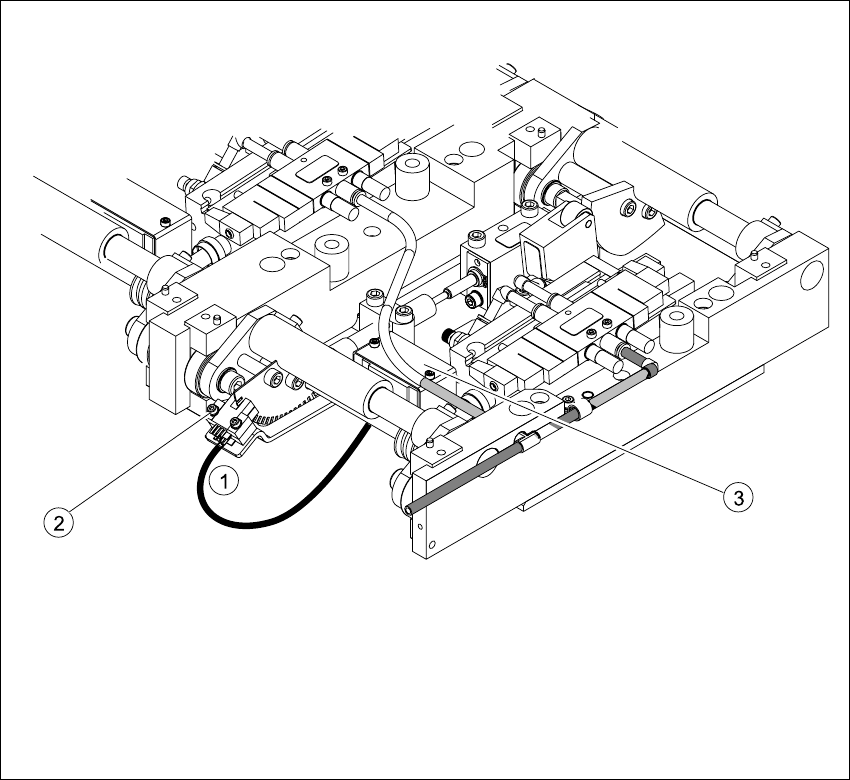
6.11.5 Replacing the fork light barrier (00363079-01)
Fig. 6.11.12 Replacing the fork light barrier
Key
(1) Connection cable for the conversion board
of the lifting table
(3) Conversion board of the lifting table (under
the
cover)
(2) 2 x fork light barrier (position measuring
system tracks A + B)