Service Manual HS60.pdf - 第41页
Se rv ice M a nu al HS-6 0 2 Ope rati on al saf et y 03/ 200 3 U S Iss ue 2.4 Safe ty eq uipme nt 39 2.4 Safety equipme nt 2.4. 1 Protect ive cover s 2 Fig. 2.4 - 1 prot ectiv e covers 2 The t ravelling range of the gant…
2 Operational safety Service Manual HS-60
2.3 Laser classification 03/2003 US Issue
38
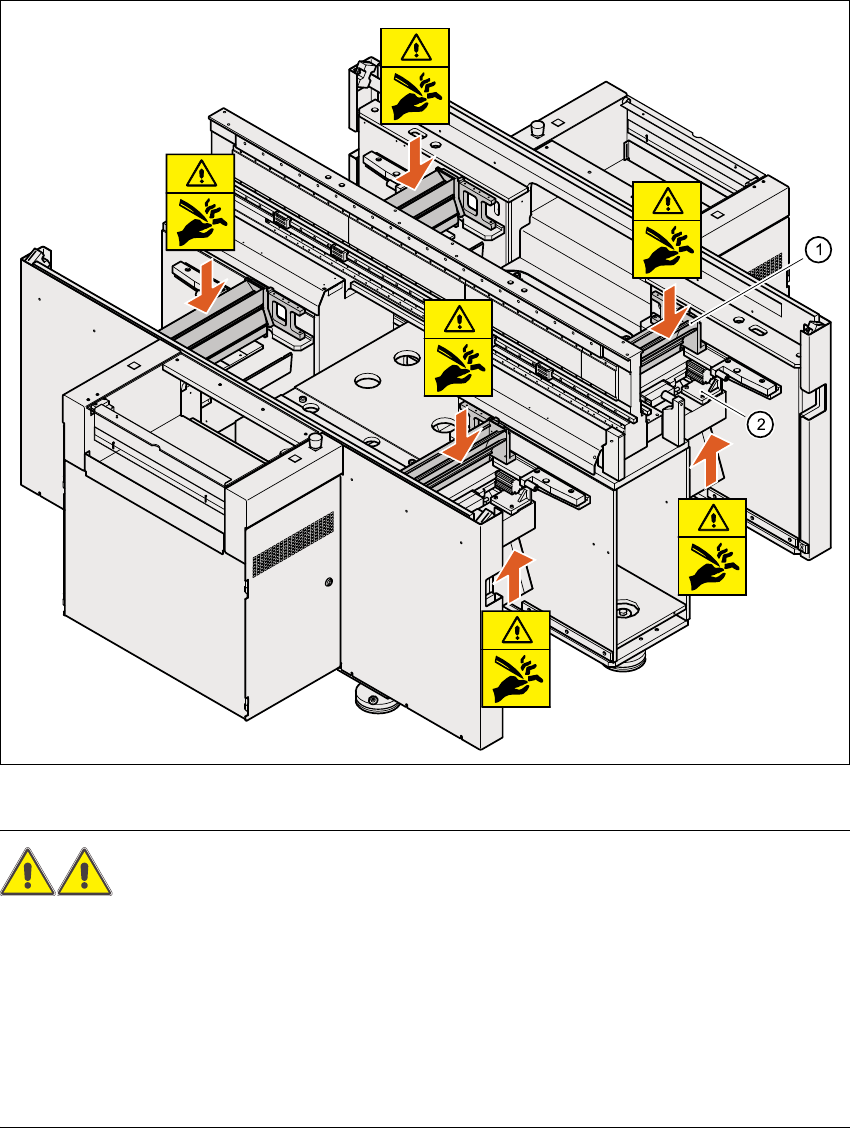
2.3.8 Safety instructions for the tape cutter
Fig. 2.3 - 3 Safety instructions for the tape cutter
WARNING RISK OF CUTTING! 2
Æ Never reach down into the used tape channel (Pos. (1)) from above with bare hands, even if
the machine is switched off.
Æ Similarly, even when the machine is switched off, do not reach up from below with bare hands
into the ejection opening of the tape cutter (Pos. 2), e.g. to remove waste used tape.
Æ To remove waste used tape, it is essential to switch the machine off first and put on very sub-
stantial protective gloves, as the tape cutter bars are extremely sharp.
Service Manual HS-60 2 Operational safety
03/2003 US Issue 2.4 Safety equipment
39
2.4 Safety equipment
2.4.1 Protective covers
2
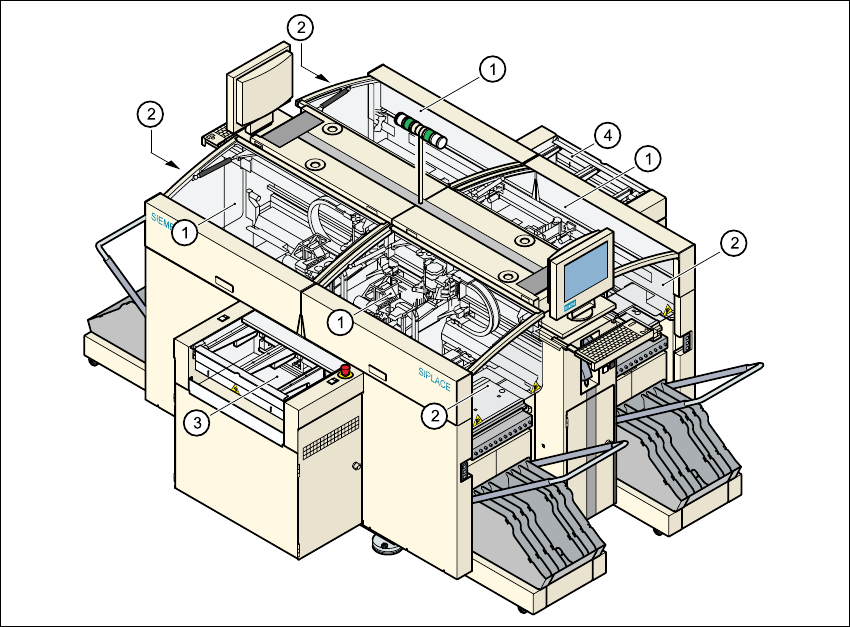
Fig. 2.4 - 1 protective covers
2
The travelling range of the gantries has four protective covers that can be swung upwards. There
are side screens to prevent access to the inside of the machine from the side. Access to the PCB
conveyor is protected by coversby covers, which can be pivoted upwards, over the input and out-
put belts and guards on both belts. 2
(1) Protective covers
(2) Safety panels
(3) Cover and guard on the input belt
(4) Cover and guard on the output belt
2 Operational safety Service Manual HS-60
2.4 Safety equipment 03/2003 US Issue
40
Function 2
If one of the protective covers has been swung upwards or one of the covers on the PCB conveyor
has been lifted, the power supply to the gantry axes is cut off immediately. The gantry axes stop
moving. The message "Close cover" is displayed on the screen. 2
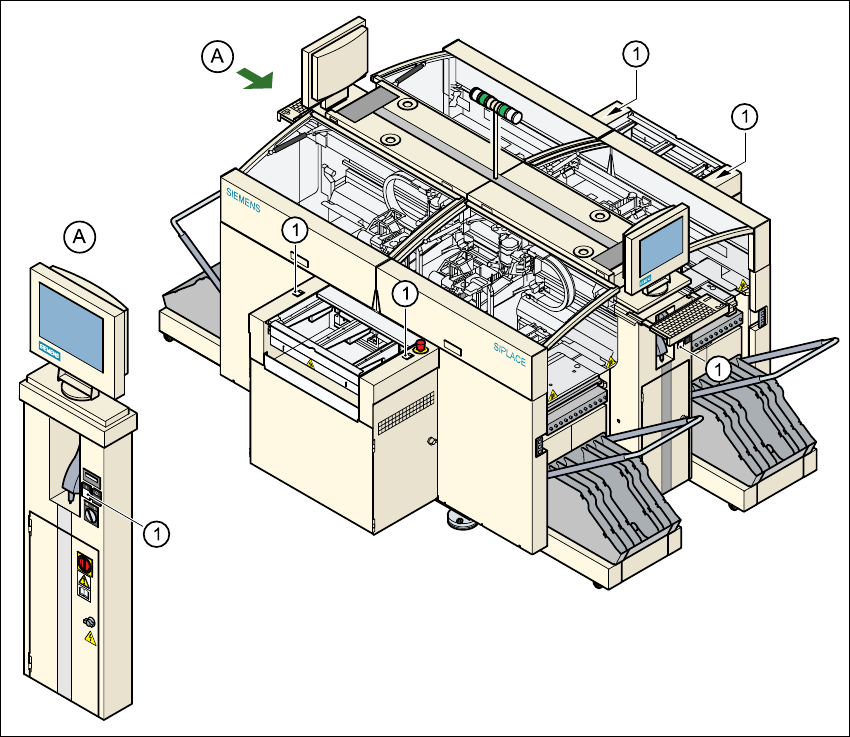
Æ Close the protective covers and press one of the start buttons to continue placement.
2
Fig. 2.4 - 2 Position of the Start button (white) on the machine
(1) Start button (white) on the machine
2