VI User Manual.pdf - 第132页
.TST file edition 5 - 24 Vision 2007 4.10 User Manual Re v 01 5.8.3.2 Report tabs Selecting one of following tabs ( A ): Components , Pads , Connectors , Connectors groups or Text objects , you can display in forma tion …
.TST file edition
Vision 2007 4.10 User Manual Rev 01 5 - 23
5.8.3 The menu section
5.8.3.1 Summary tab
In this part the operator can find information concerning the panel inspected and the total
number of tests performed.
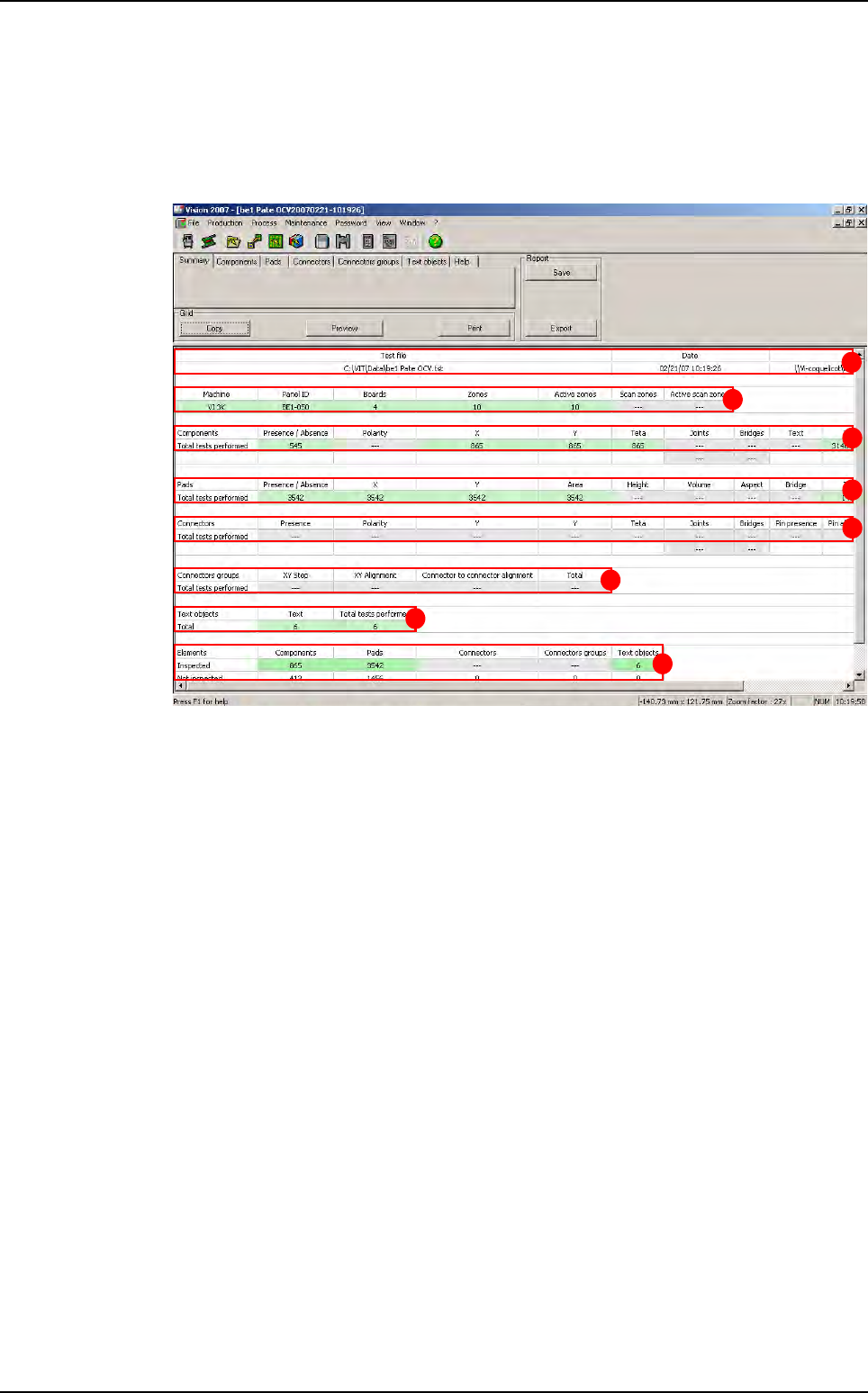
The part (A) contains general informations:
Location of test file
Date
Location of the library
The part (B) contains informations concerning the panel
Machine,
Panel ID,
Number of boards on the panel,
Number of inspection zone and activated zone
Number of scan zone and activate scan zone
The part (C) contains informations about Components,
The part (D) contains informations about Pads,
The part (E) contains informations about Connectors,
The part (F) contains informations about Connectors groups,
The part (G) contains informations about Text objects.
The part (H) is the summary of all these informations.
A
B
C
D
E
F
G
H
Test coverage report
.TST file edition
5 - 24 Vision 2007 4.10 User Manual Rev 01
5.8.3.2 Report tabs
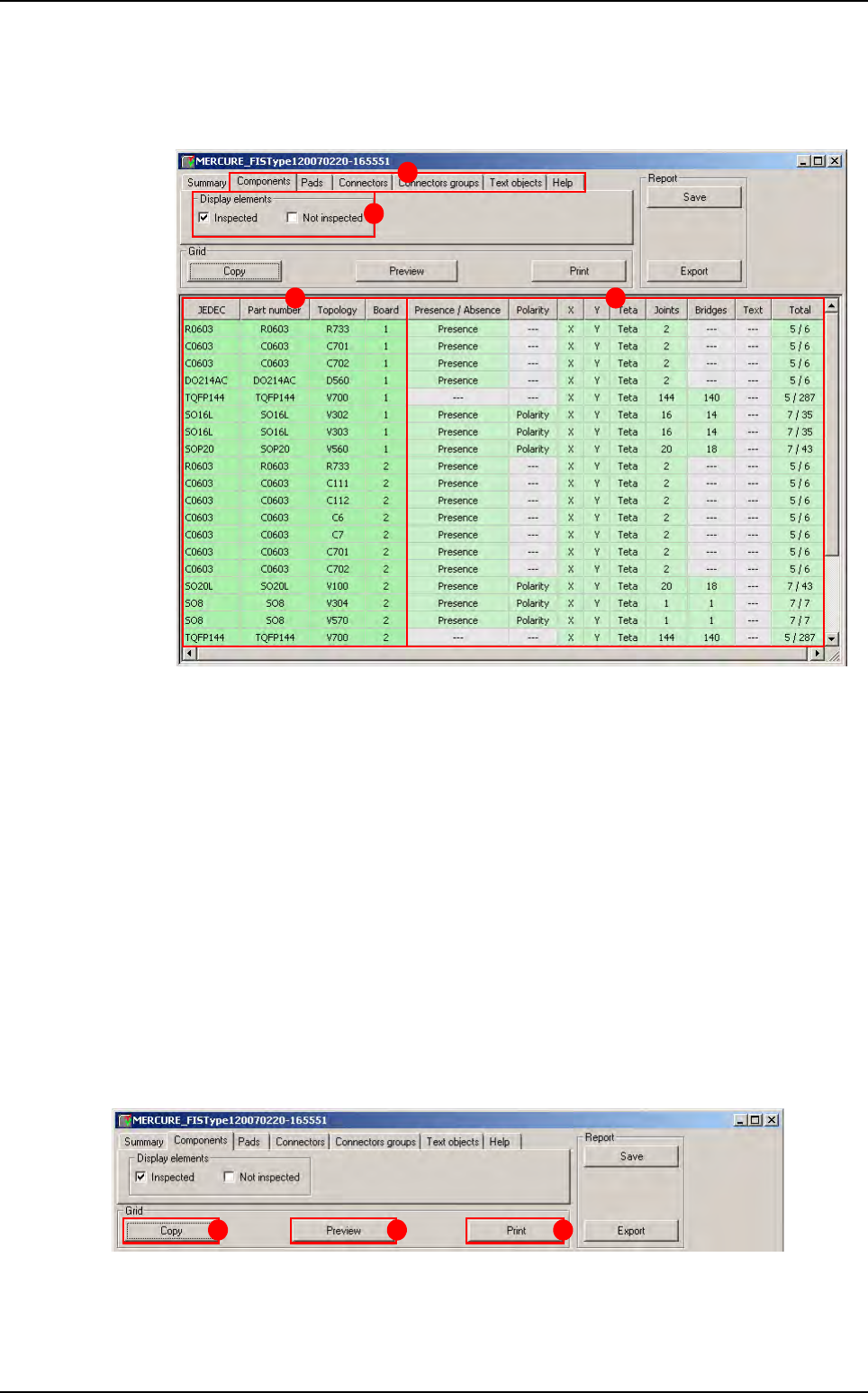
Selecting one of following tabs (A): Components, Pads, Connectors, Connectors
groups or Text objects, you can display information sorted by type objects.
In Display elements (B) section the options Inspected and not inspected enable to
view all the components inspected and / or all the components not inspected. The oper-
ator can choose to display result by component, pads, connectors, connectors group or
text objects (A).
In the (C) section, the user can find informations concerning elements (Jedec, part num-
ber, topology and number of board). Pads do not have any part number and the option
sorted by Jedec is inactive for text object. In this part the element in green are the tested
elements. (The element which are not tested are in gray).
In the (D) section, the user can see performed test on each element. In light green ap-
pears test performed. The column on the right end displays:
The number of tests per component: each cell in a row counts for 1,
The number of sub-tests: each cell in a row counts for 1, except for joints and bridges
that return the number of joints and bridges to be tested.
5.8.4 Grid section
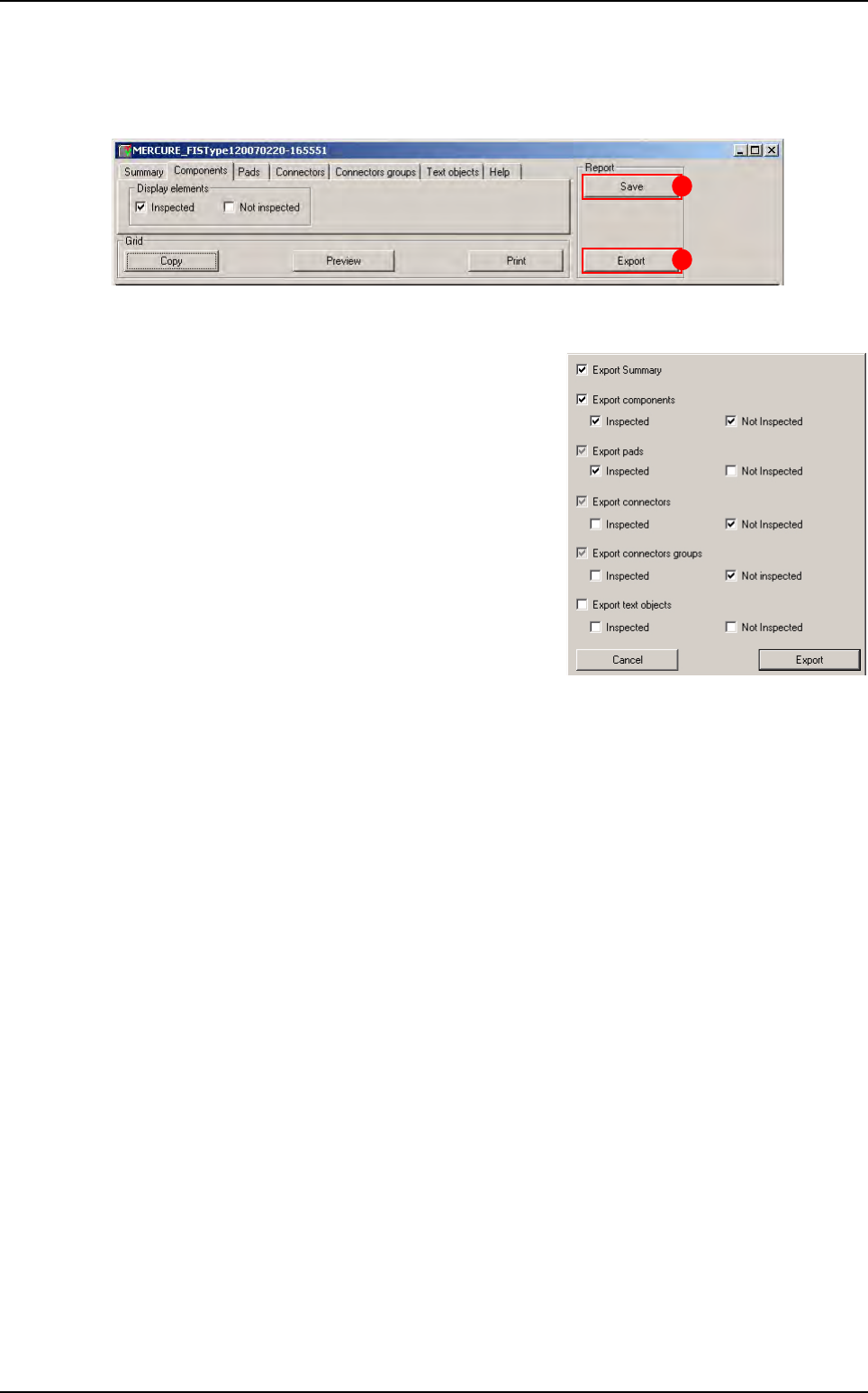
This section allows to the user to copy the report.
Click on Copy button (A), all the report is selected, and paste it on an Excel file for example.
The user can also print this report by clicking on Print button (C) and Preview button (B) the
report before printing.
A
B
C D
A B C
Test coverage report
.TST file edition
Vision 2007 4.10 User Manual Rev 01 5 - 25
5.8.5 Report section
In this part the operator can save the report by clicking on Save button (A).
To open a report previously saved, go in Vision 2007 and select Open in file menu and choose
Test coverage report.
The user can also export this report with export control
(B).
To export the report the user has the choice to export
some element or all elements, he has just to select the
element he wants in the window below.
After export the test coverage report can be open with
severals formats.
B
A
Test coverage report