VI User Manual.pdf - 第142页
Match Maker 6 - 8 Vision 2007 4.10 User Manu al Rev 01 6.4.1 T op part 6.4.1.1 Part Number field The field indic ates the Part Number o f components existing in the VIS file. 6.4.1.2 «unlink» Part Number to Packa ge type…
Match Maker
Vision 2007 4.10 User Manual Rev 01 6 - 7
6.4 Match Maker graphical user interface
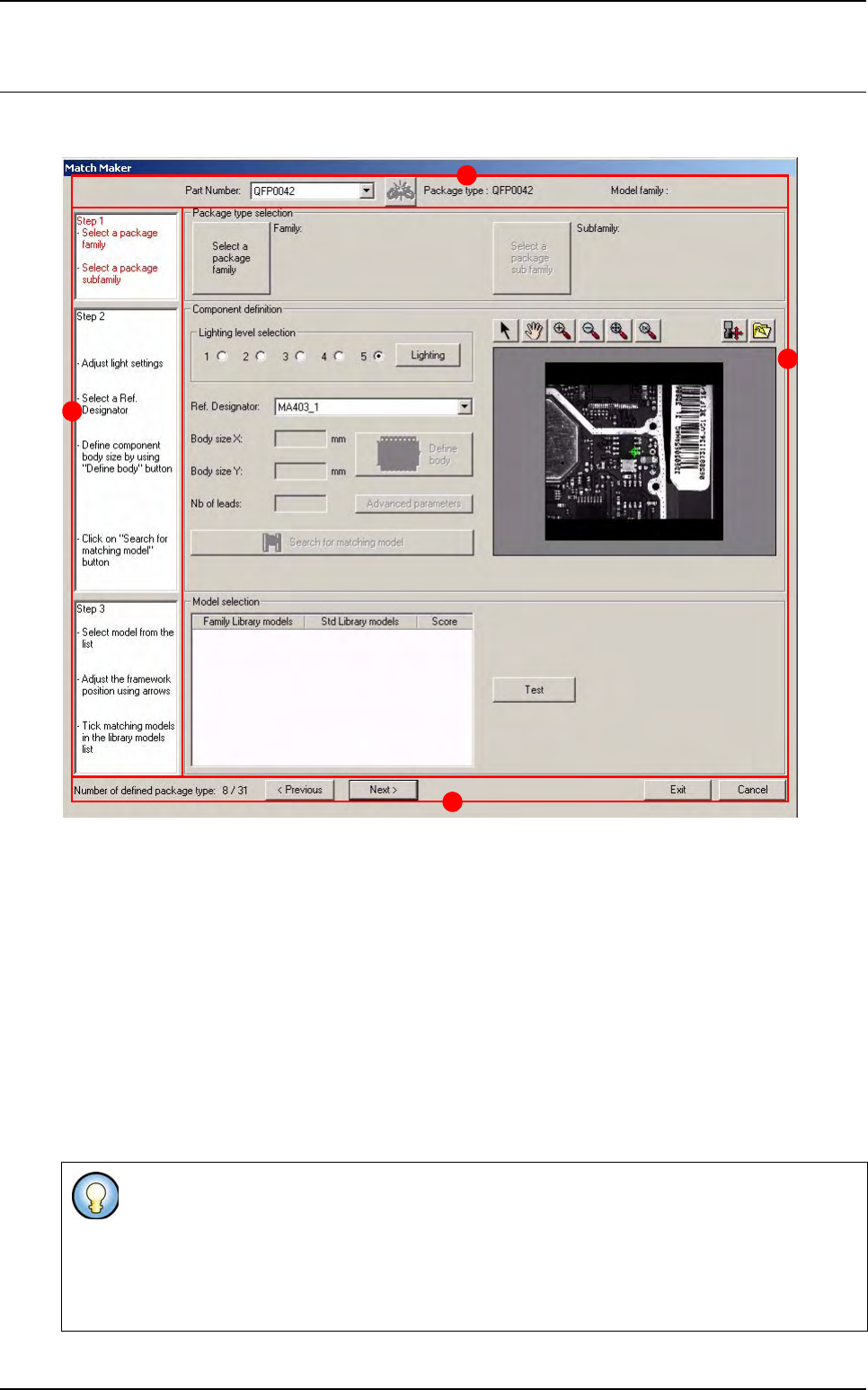
The Graphical User Interface (GUI) is organized in several steps in order to guide the user.
In the Top part of the window three informations and one button are displayed (A):
Part Number
«unlink» Part Number to Package type button
Package type
Model family.
On the left part a white bar contains the three steps (B) to be followed.
Step 1 Package type selection
Step 2 Component definition
Step 3 Model selection
Next to each step, a frame (C) enables to realize the actions.
In the Bottom part of the window one information and four buttons are displayed (D).
Each step contains several informations indicating the actions to realize. The status of the step
is defined with a color:
- Black: step on standby
- Red: step to be realized in first
- Green: step realized and validated
D
B
A
C
Match Maker
6 - 8 Vision 2007 4.10 User Manual Rev 01
6.4.1 Top part
6.4.1.1 Part Number field
The field indicates the Part Number of components existing in the VIS file.
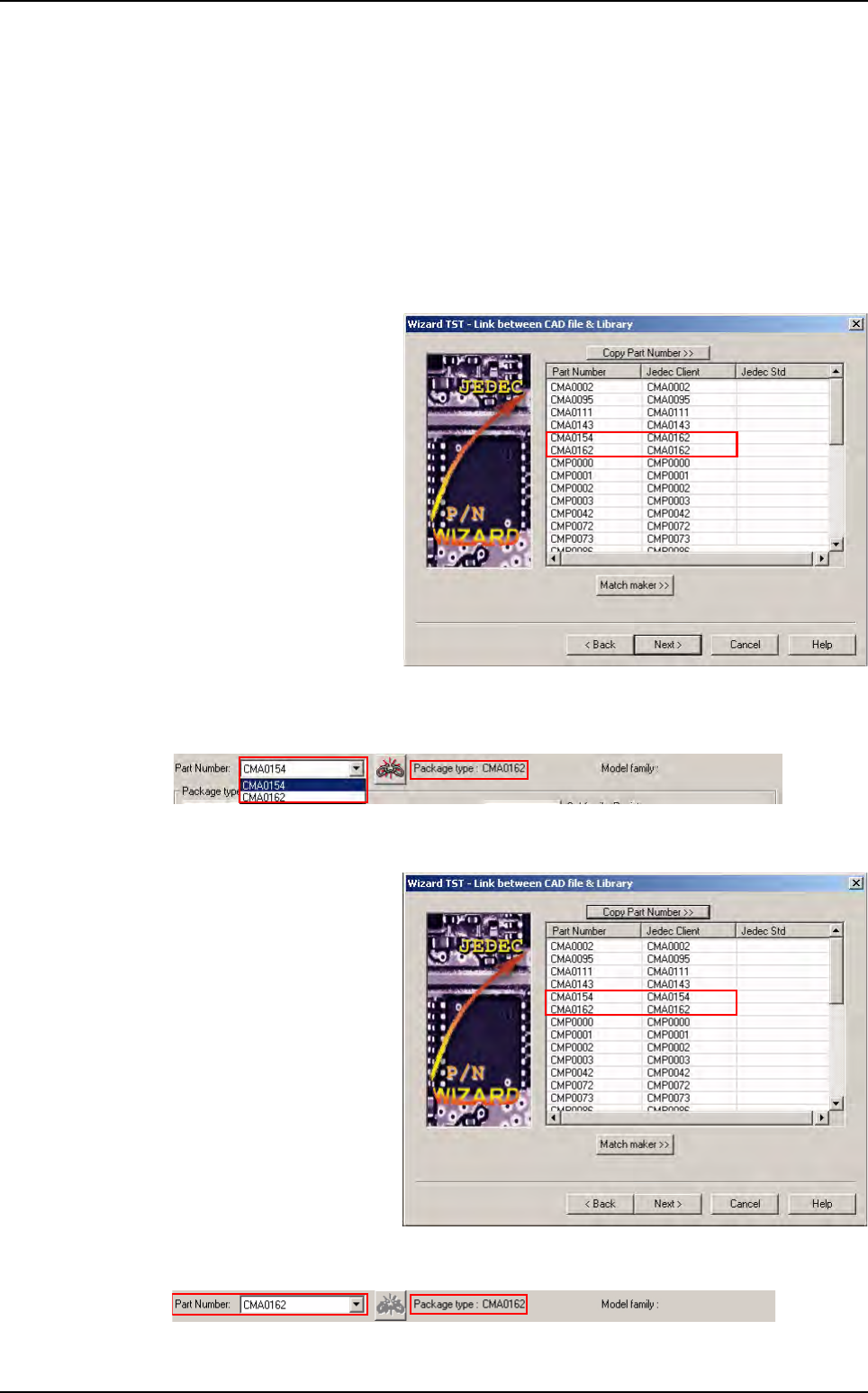
6.4.1.2 «unlink» Part Number to Package type
The button can be active or inactive:
The button is active (red)
In Wizard TST
two
Part
Number
have the same
Je-
dec Client
.
In Match Maker the button is active (red) and a Package type is linked to several Part
Number.
The button is inactive (grey)
In Wizard TST each Part
Number have a Jedec Cli-
ent.
In
Match Maker
the button is inactive and a
Package type
is only linked to a
Part Number
.
Match Maker graphical user interface
Match Maker
Vision 2007 4.10 User Manual Rev 01 6 - 9
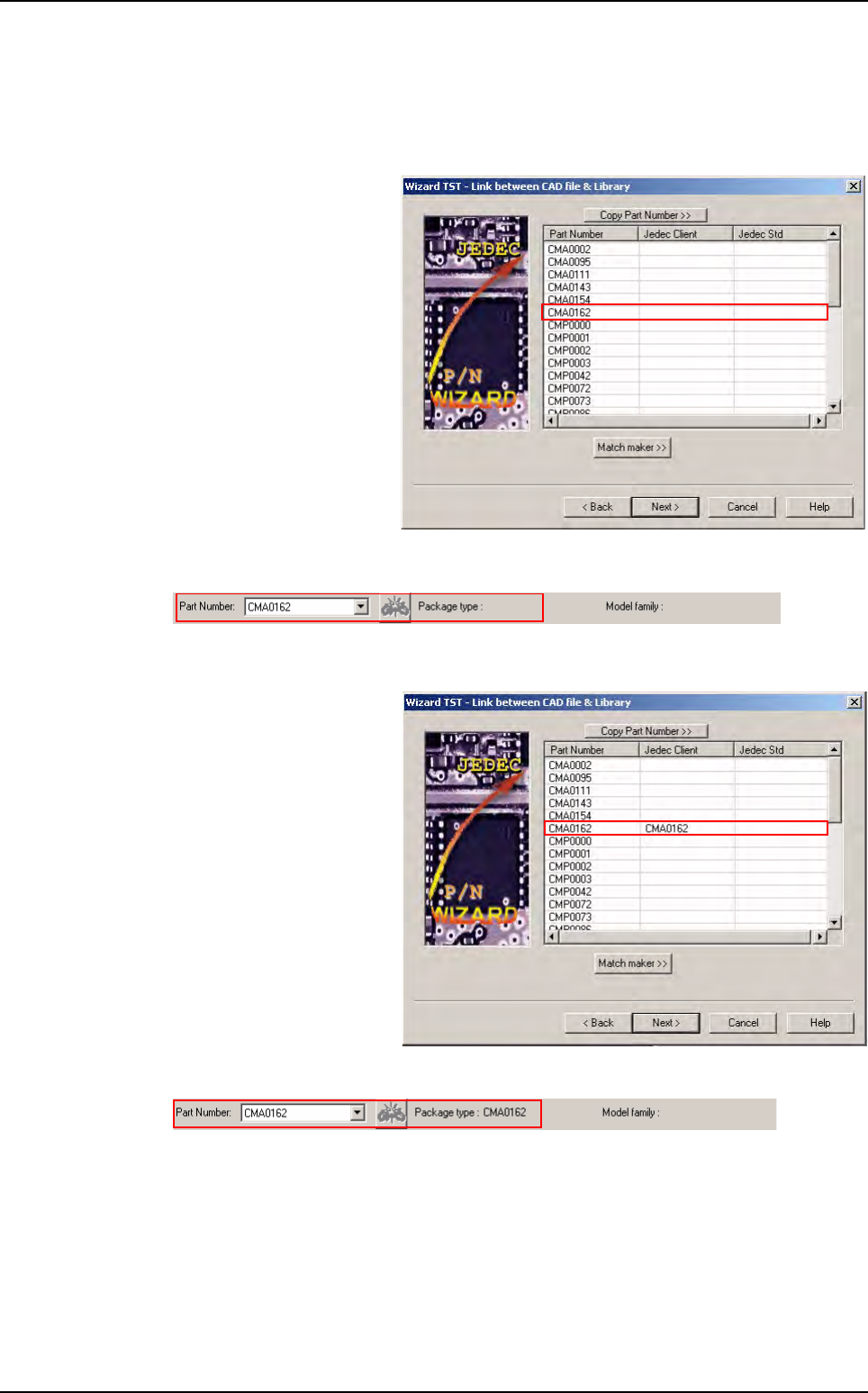
6.4.1.3 Package type
The field can be empty or indicate a reference:
The field is empty
In Wizard TST the Jedec
Client is not present in the
VIS file.
In Match Maker:
The field is not empty
In Wizard TST the Jedec
Client is present in the VIS
file.
In Match Maker:
Match Maker graphical user interface