VI User Manual.pdf - 第157页
Match Maker Vision 2007 4.10 User Manua l Rev 01 6 - 23 3. The Select file window appears. Select the save files of the process. Two fields can be sele cted: A Customer Library field B LK file field Click on Next > bu…
Match Maker
6 - 22 Vision 2007 4.10 User Manual Rev 01
6.5 Wizard TST after use of Match Maker
After having chosen models which match to the unknown components, if the totality of Jedec Client
are not linked to a Jedec Standard the user can enter the size, then an empty model with those width
and height will be created in the customer library for this Jedec name.
Several actions are necessary since the Wizard TST window:
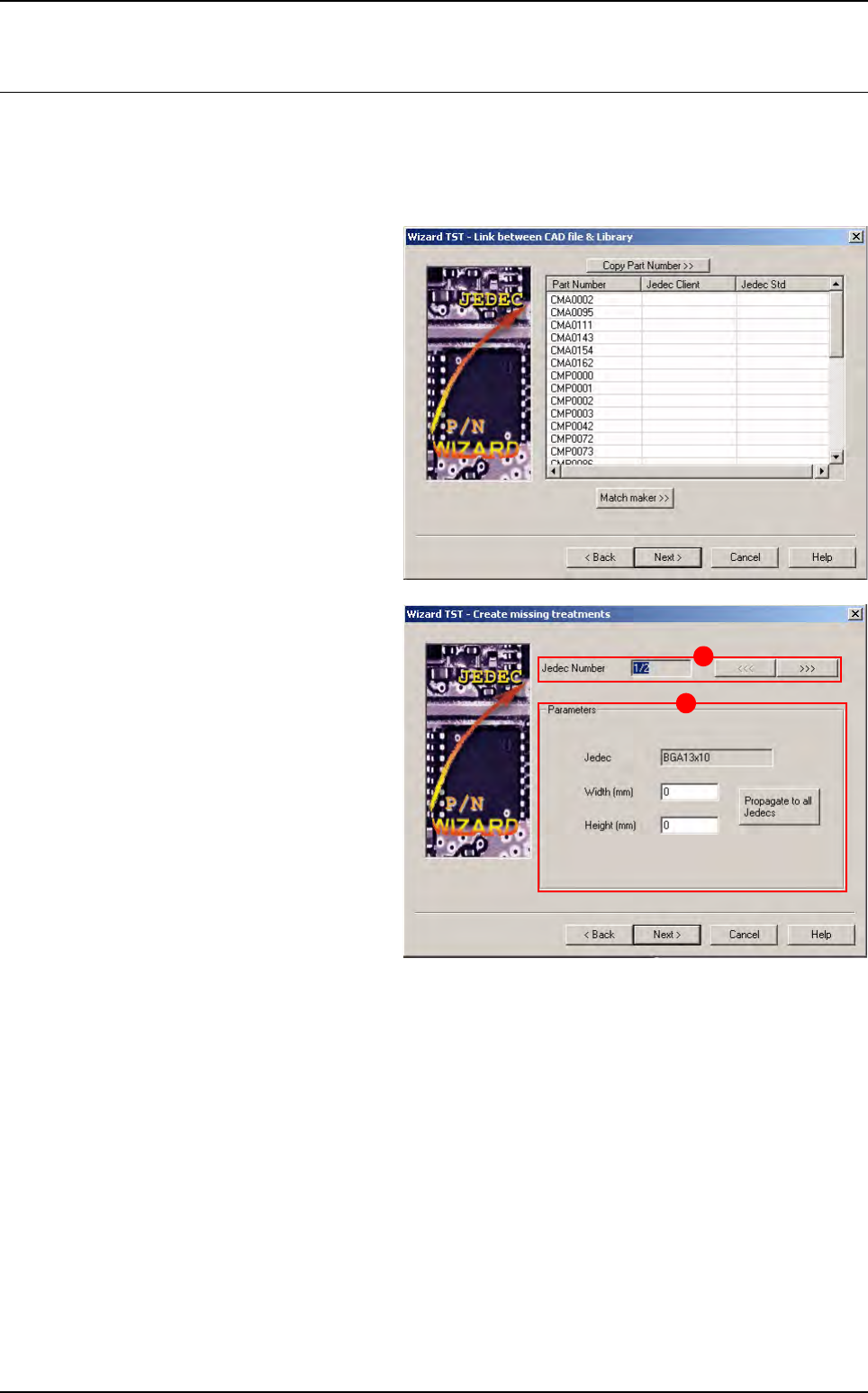
1. In Link between CAD file & Library
window, click on Next > button.
2. The Create missing treatments win-
dow appears.
Two parts compose this window:
A The Number of the Jedec Client
which is not associated to a Jedec
Standard.
The arrows <<< and >>> enable to
go to the previous or next Jedec
Number.
B The Parameters of the Jedec not de-
fined:
Jedec (Jedec Standard or Jedec
Client)
Width (to fill in)
Height (to fill in)
Click on Propagate to all Jedec to propagate the values (width and height) to all Jedec not defined.
Realize all the treatments.
Click on Next > button.
B
A
Match Maker
Vision 2007 4.10 User Manual Rev 01 6 - 23
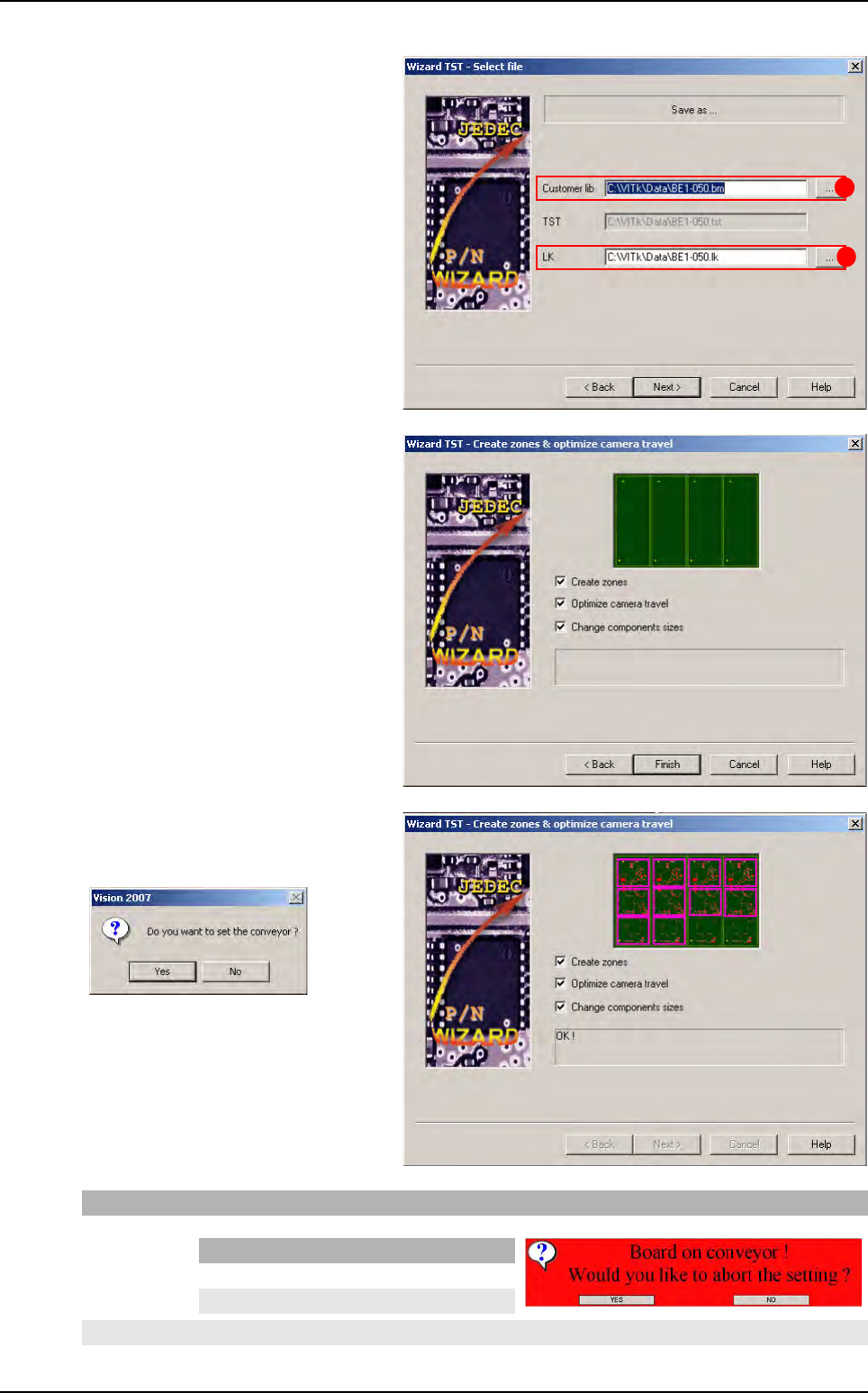
3. The Select file window appears.
Select the save files of the process.
Two fields can be selected:
A Customer Library field
B LK file field
Click on Next > button.
4. The Create zones and optimize cam-
era travel window appears.
Click on the Finish button.
A new message appears.
If you click on Then
Yes The board is ejected and an information is displayed
No The TST file displays (Step 4)
A
B
If Then
Yes The TST file displays (Step 4)
No The information stays displayed
Wizard TST after use of Match Maker
Match Maker
6 - 24 Vision 2007 4.10 User Manual Rev 01
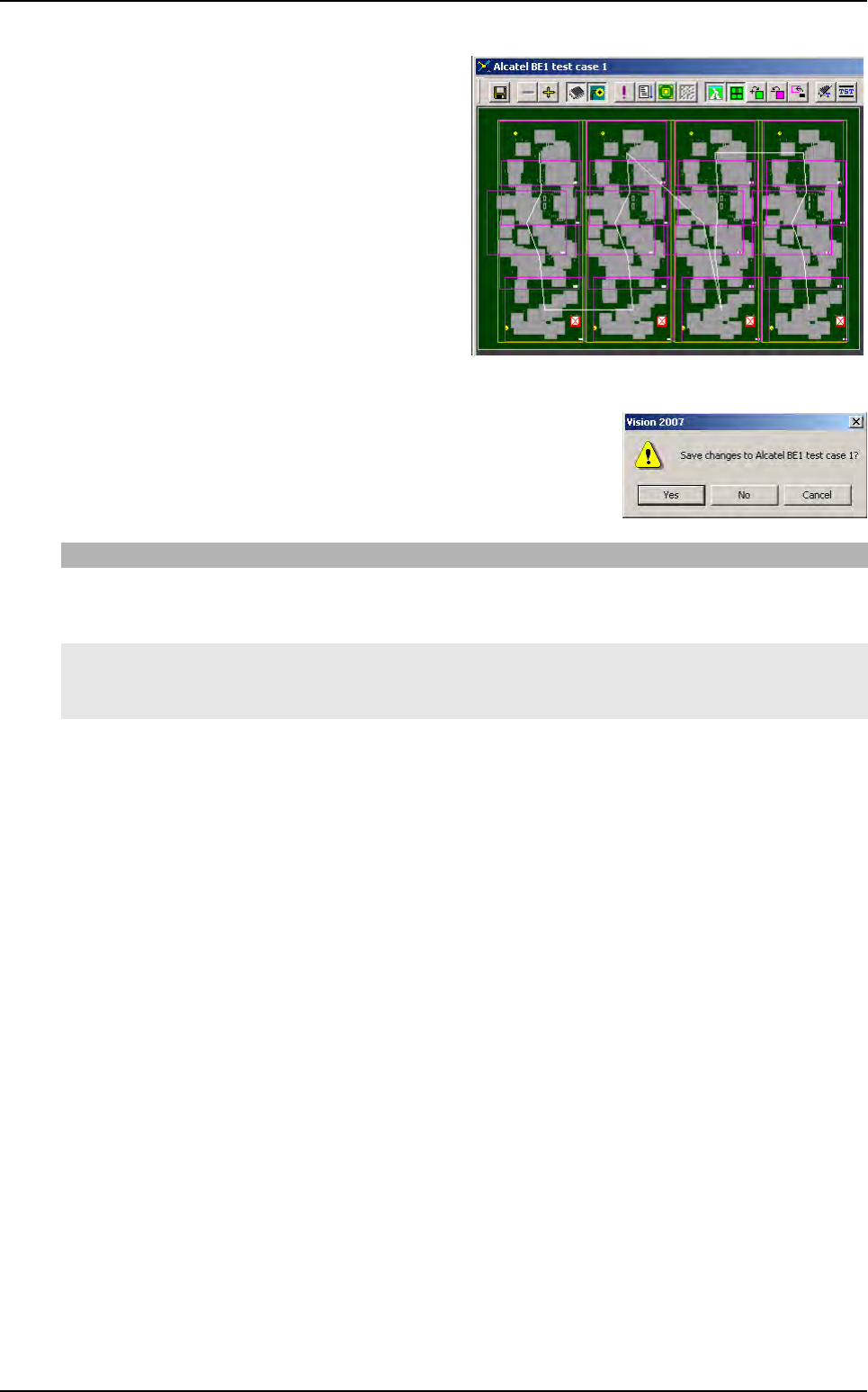
5. The TST file appears.
6. Close TST file.
An information displays.
If you click on Then
Yes - The TST file is saved (choose a directory)
- The library is saved
- The link Part Number_Jedec Standard is stored in the database BuildModel database.
No - The TST file is not saved and the process is finished
- The library is saved
- The link Part Number_Jedec Standard is stored in the database BuildModel database.
Cancel The request is cancelled.
Wizard TST after use of Match Maker