VI User Manual.pdf - 第210页
Tools library 7 - 48 Vision 2007 4.10 User Manual Re v 01 C Profiler™ adjustment with le ad and end of lead , or just with lead or just with end of lead or on CAD position. D Definition of the status of profile not found…
Tools library
Vision 2007 4.10 User Manual Rev 01 7 - 47
7.9.2.1 Profiler
™
tool window description
Global adjustment tool
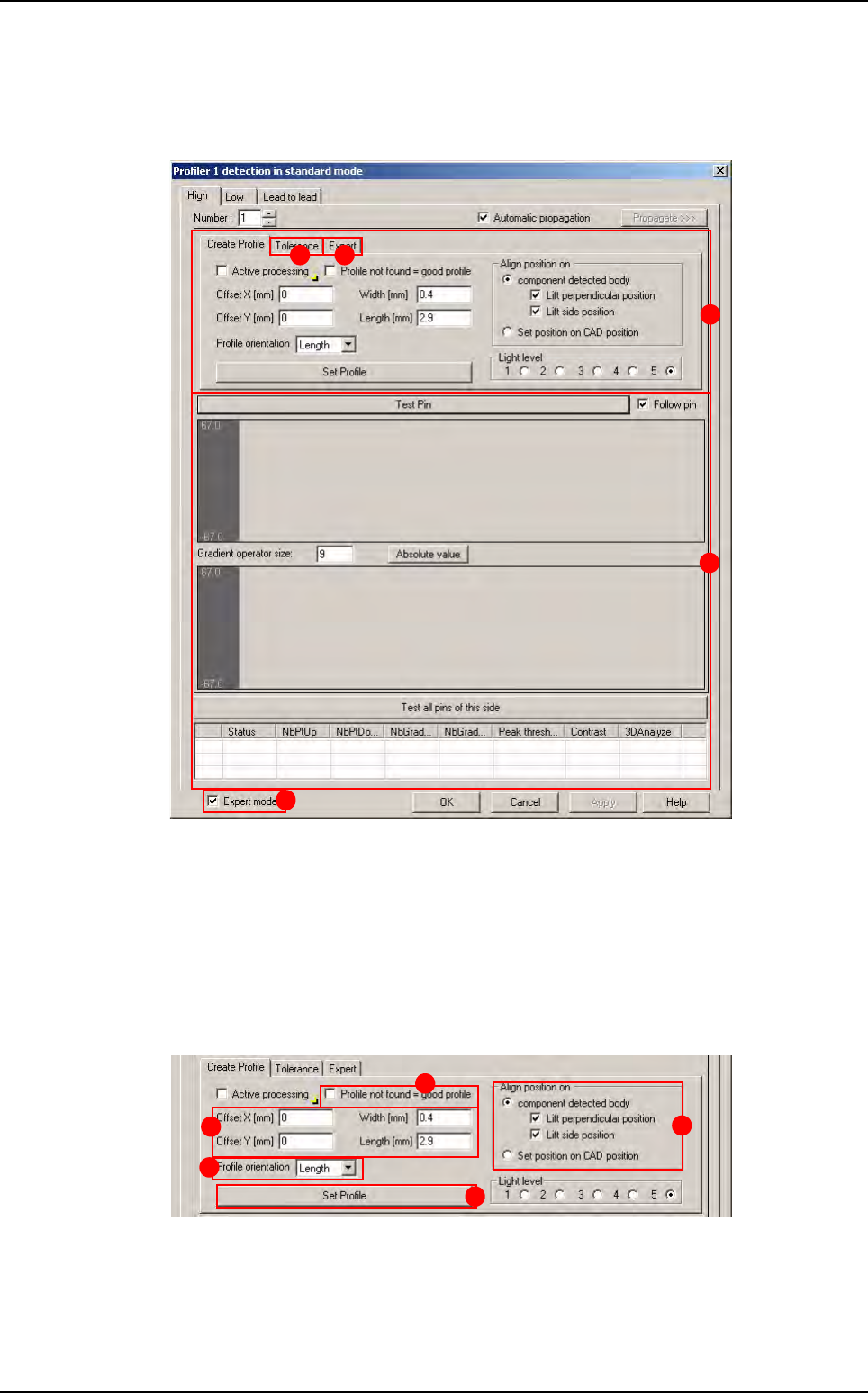
Click on Profile 1/2 detection button, the window below appears.
The window is divided in 4 parts:
A Creation
B Global adjustment tool profile and result display (Standard mode):
Gradient operator size: level of gradient smoothing
C Global adjustment tool algorithm (Advanced mode)
D The expert mode is only available with Fixed mode
Creation part
A Definition of the Profiler™ size and position.
B Definition of the orientation of the Profiler™.
C D
B
A
D
A
E
D
B
C
Profiler
™
in Custom
Tools library
7 - 48 Vision 2007 4.10 User Manual Rev 01
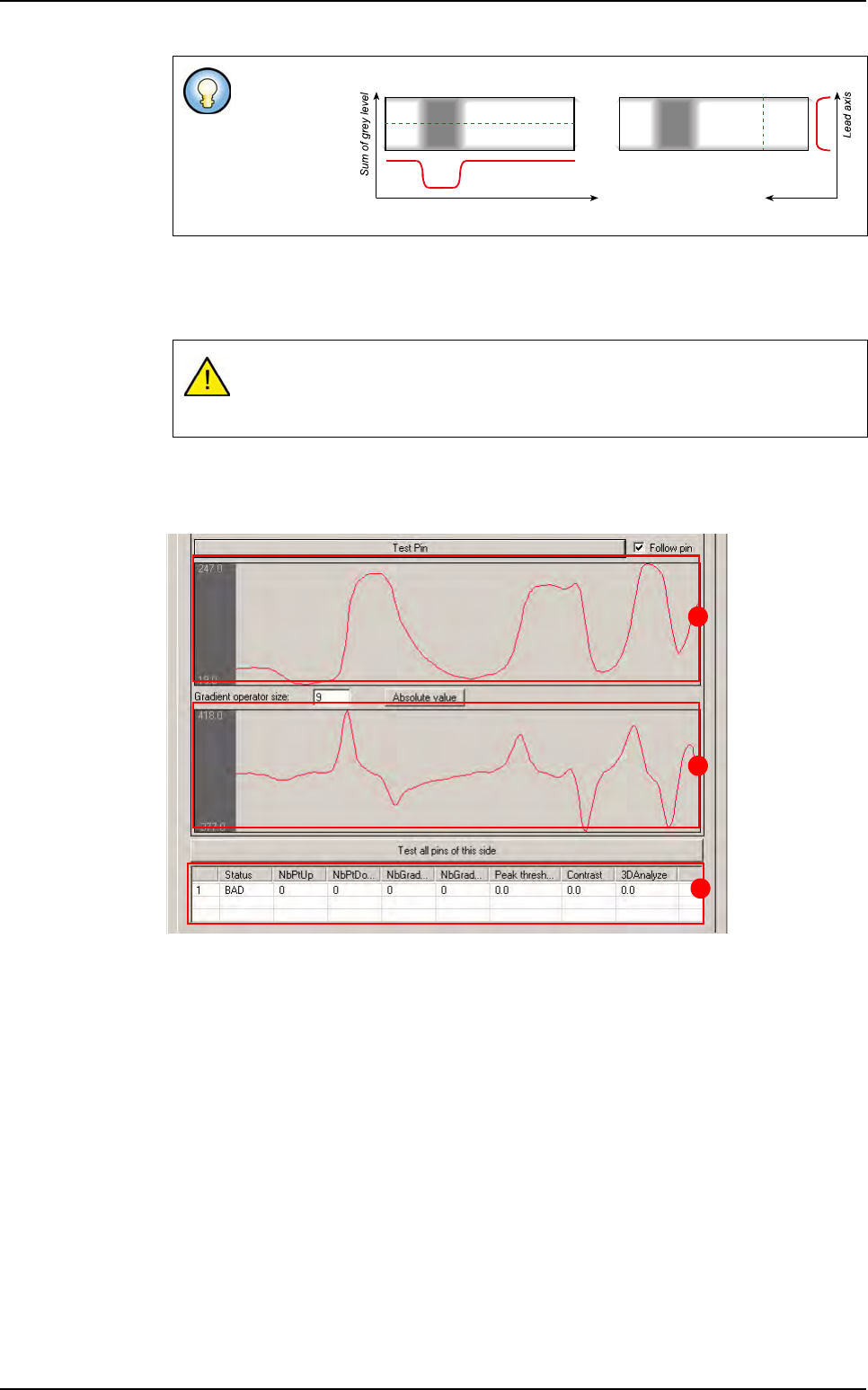
C Profiler™ adjustment with lead and end of lead, or just with lead or just with end of lead
or on CAD position.
D Definition of the status of profile not found.
E Training and saving of the profile reference.
Global adjustment tool profile and result display
A Area for profiles display.
B Area for gradient display.
C Test all leads result chart:
Lead number
Status: status of lead (good/bad)
NbPtUp/Down
: number of point out of tolerances up/down for profile (
Standard mode
)
NbGradientUp/Down: number of point out of tolerances up/down for gradient
(
Standard mode)
Peak threshold: result of peak threshold algorithm (Expert mode)
Contrast: result of contrast algorithm (Expert mode)
3DAnalysis: result of 3D analysis (Expert mode)
Profiler™ can
be defined in
the length-
ways or width-
ways of the
leads
To measure a profile, a transition on the Profiler
™
area must be detected.
If there are no transition in the profile area, the Profiler
™
is not found. You can
determine if a profile not found is good or not.
Profile in lead lengthways Profile in lead widthways
Lead
Lead axis Sum of grey level
A
B
C
Profiler
™
in Custom
Tools library
Vision 2007 4.10 User Manual Rev 01 7 - 49
Lead to lead tool
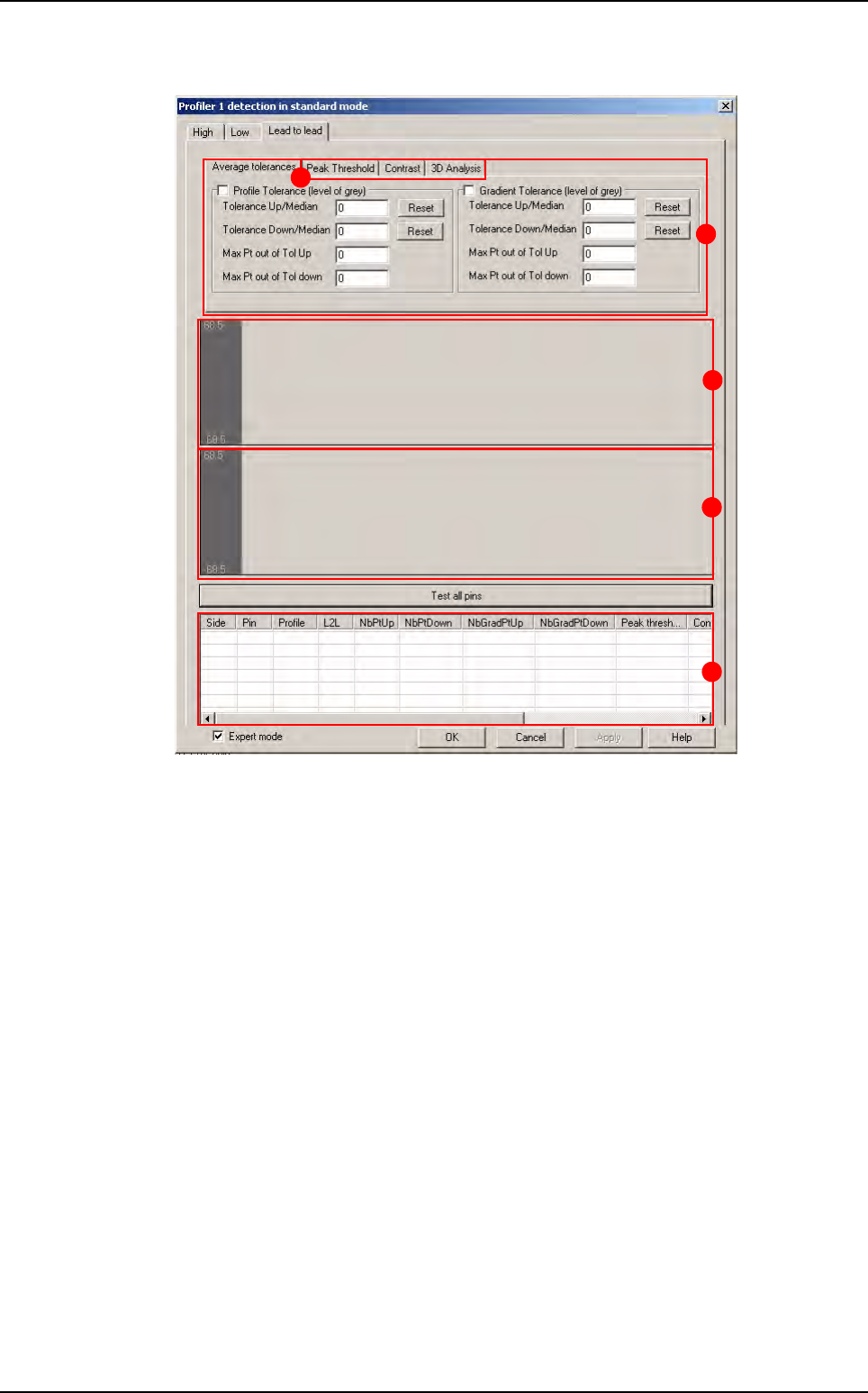
A Lead to lead tolerance setting.
B Area for profiles display.
C Area for gradient display.
D Results chart:
Side: side of component
Pin: number of lead
Profile: status of the lead in the global adjustment tool
L2L: status of the lead in the Lead to lead tool
NbPtUp/Down
: number of point out of tolerances up/down for profile (
Standard mode
)
NbGradientUp/Down: number of point out of tolerances up/down for gradient
(
Standard mode)
Peak threshold: result of peak threshold algorithm (Expert mode)
Contrast: result of contrast algorithm (Expert mode)
3DAnalysis: result of 3D analysis (Expert mode)
Difference: result of the Difference to Average algorithm for the Expert mode al-
gorithm selected (
Peak threshold, Contrast, 3D Analysis) (Expert mode).
E Lead to lead advanced algorithms (only available with fixed mode).
B
A
C
D
E
Profiler
™
in Custom