VI User Manual.pdf - 第276页
Optical Character Verification 8 - 14 Vision 2007 4.10 User Manual Re v 01 8.4 Text in production mode In production mod e, in the case of a .tst fi le with te xt object joined to a component and with text object alone, …
Optical Character Verification
Vision 2007 4.10 User Manual Rev 01 8 - 13
8.3 Text in debug mode
8.3.1 Ctrl + E
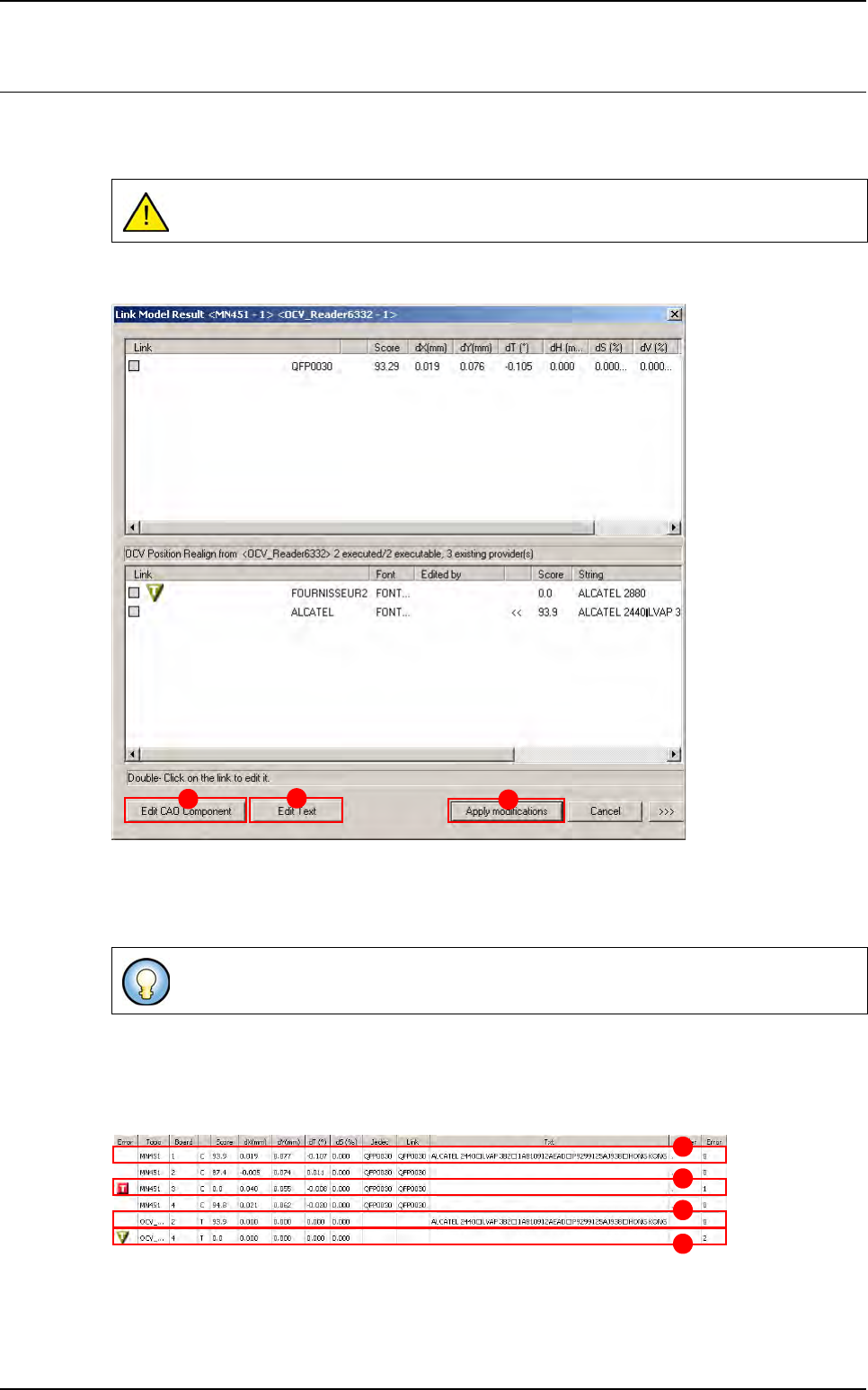
Use Ctrl + E shortcut to display the window below
If the text is joined to the component:
The Edit CAO Component button (A) allows to edit the component parameters.
The Edit Text button (B) allows to edit the text parameters.
8.3.2 Execution
The results of the execution of the panel are shown in the result table.
A The text is joined to the component.
B The text is joined to the component but it is in error.
C The text is not joined to the component and it executed alone.
D The text is not joined to the component, it executed alone but it is in error.
If a component is in error, the joined text is not executed.
To apply all your modifications in the file tst or in the library (on the CAD component,
text object, Model font), you can use the Apply modification button (C).
A
B
C
A
B
C
D
Optical Character Verification
8 - 14 Vision 2007 4.10 User Manual Rev 01
8.4 Text in production mode
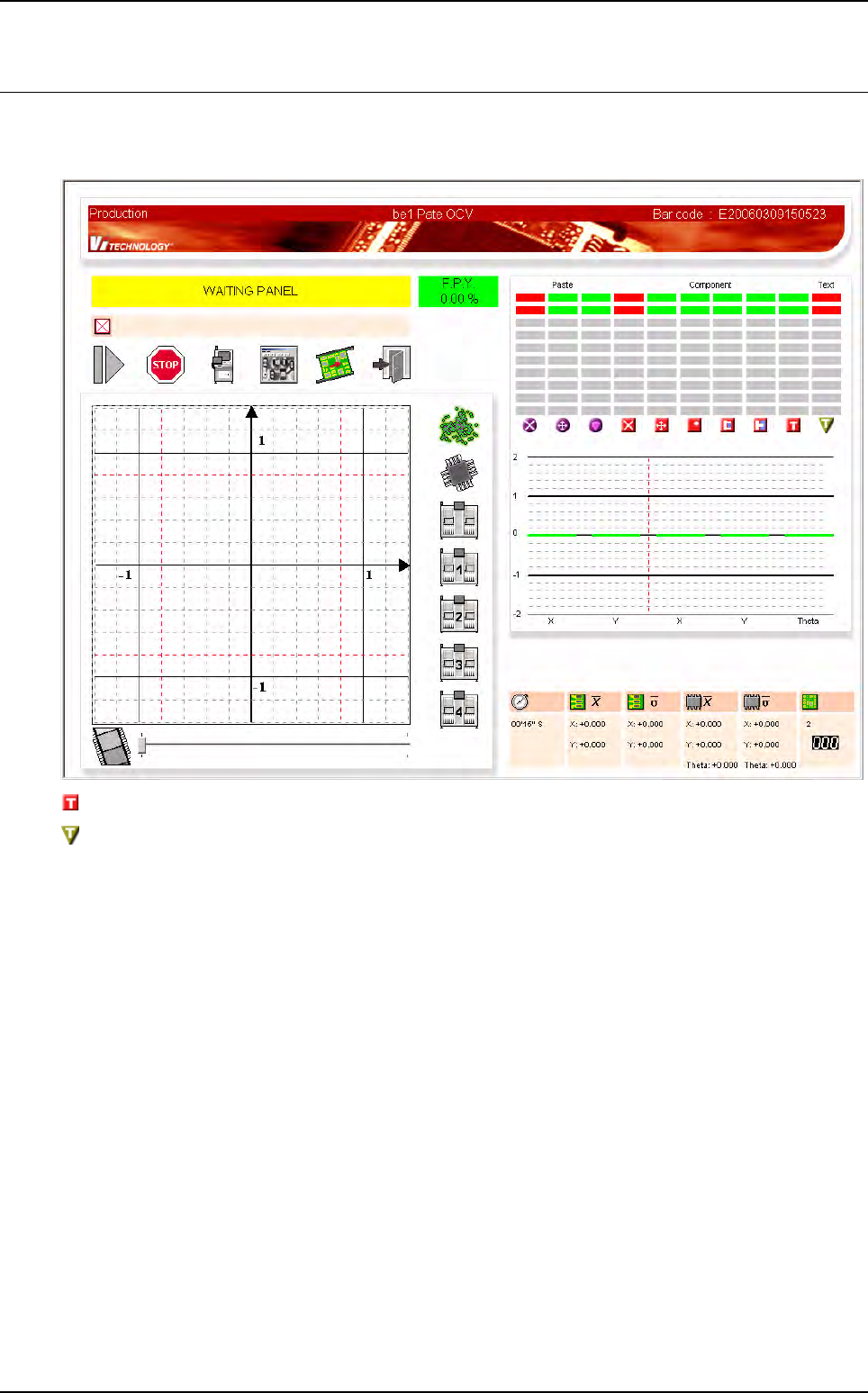
In production mode, in the case of a .tst file with text object joined to a component and with text object
alone, you can have the following screen:
This column gathers the result of the text joined to a component.
This column gathers the result of the text alone (it is not joined to the component).

Optical Character Verification
Vision 2007 4.10 User Manual Rev 01 8 - 15
8.5 Definitions
8.5.1 OCV versus OCR ?
8.5.1.1 OCV is for Optical Character Verification
We already know the string. We only perform a verification of each character in the string.
8.5.1.2 OCR is for Optical Character Recognition
We don’t know what to read. OCR is to recognize characters inside a string.
8.5.2 Confusion characters
Characters returning a similar score when performing a PatMax with the same model such has
B and 8.
8.5.3 Overlap
An amount by which model areas can overlap. If models overlap more than this amount, they are
considered to be the same model, and only 1 of them will be returned from a search operation.
8.5.4 Clutter
Extraneous features in a runtime image that are not part of the trained model.