VI User Manual.pdf - 第300页
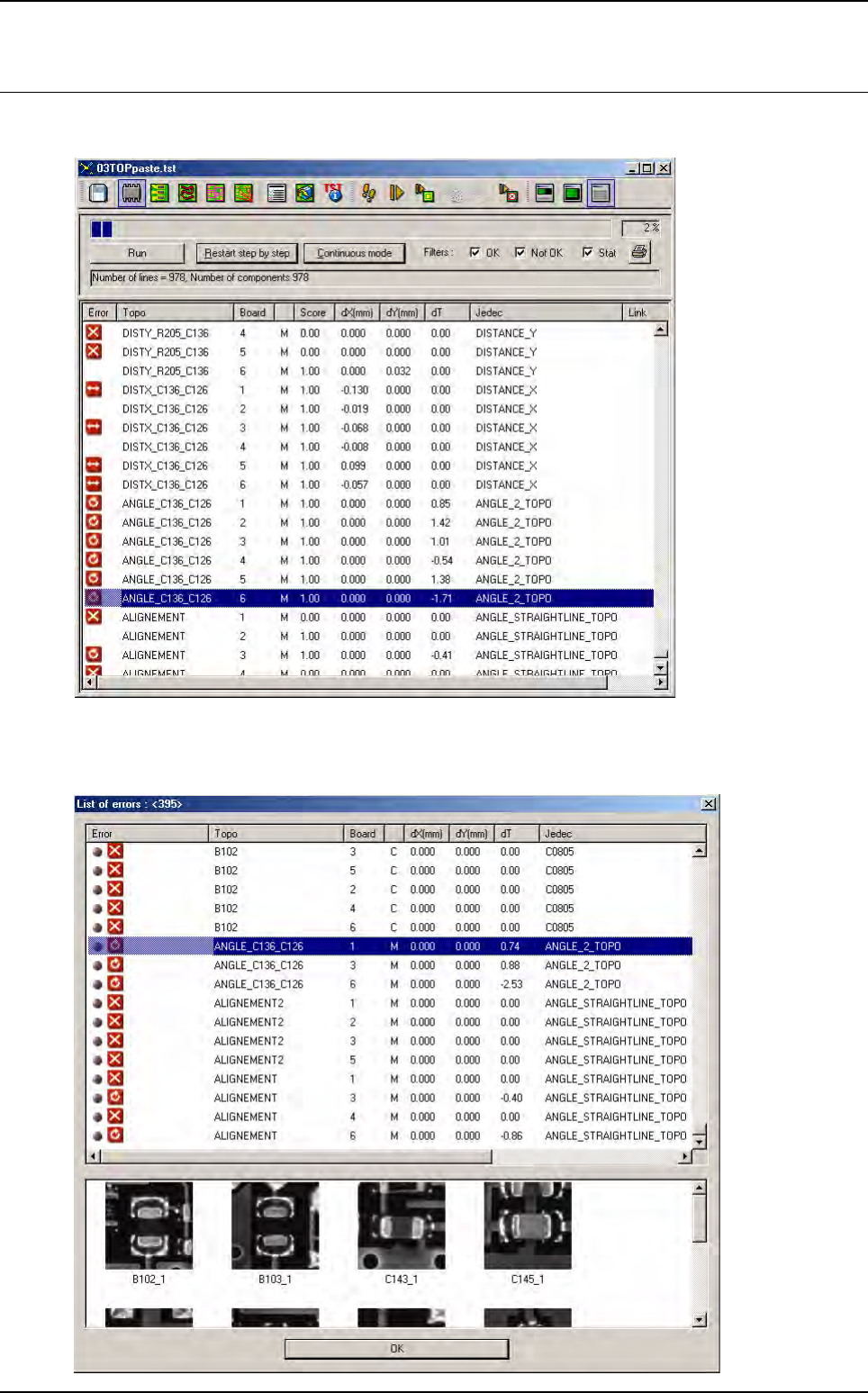
Angle and distance calculation 10 - 6 Vision 2007 4.10 User Manual Rev 01 10.3 Results In Debug mode, the resu lts are displayed after all components have been inspected. In Production mode, you can also see the re sults…
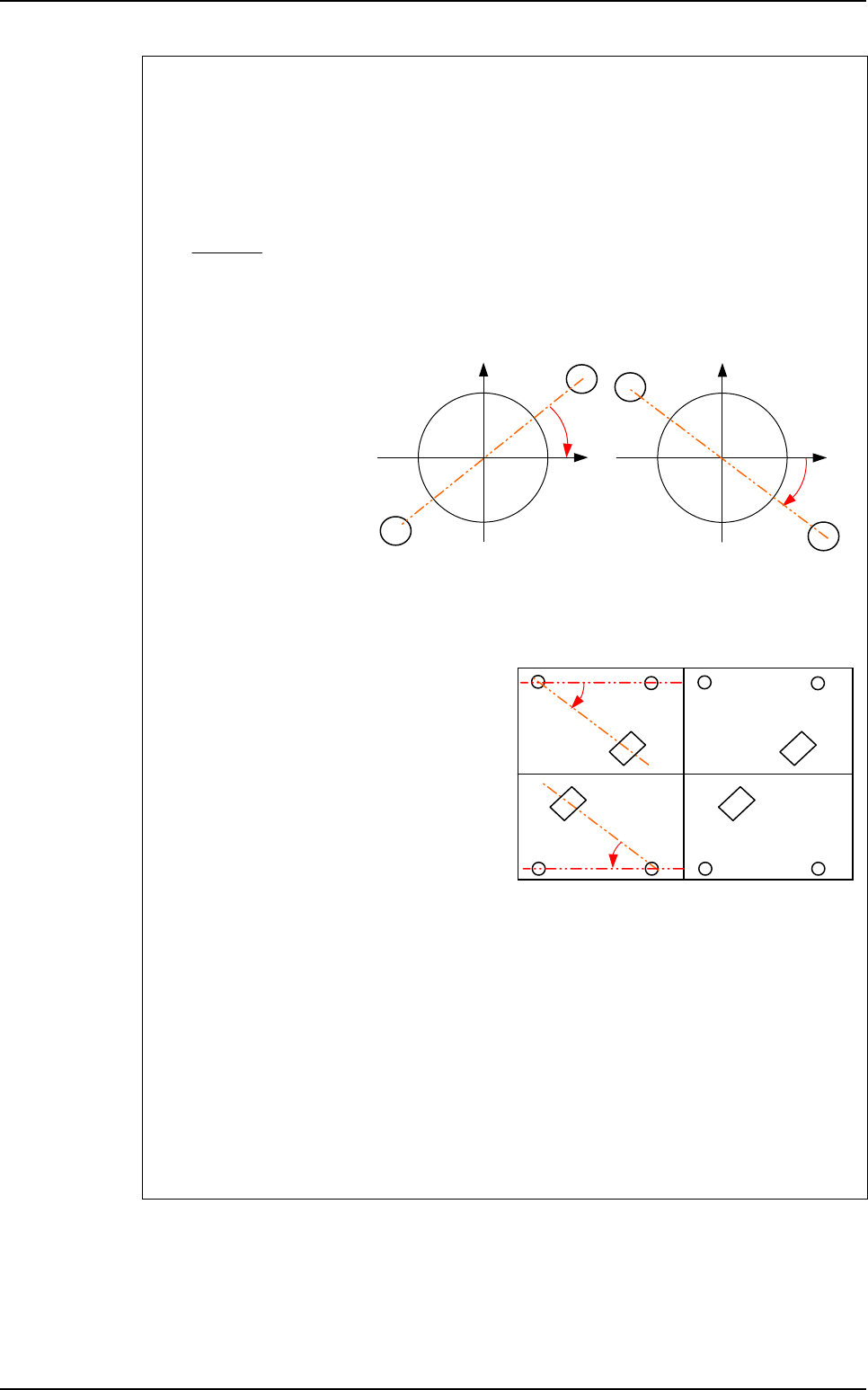
Angle and distance calculation
Vision 2007 4.10 User Manual Rev 01 10 - 5
To know the expected value to enter in the .mod file
To calculate the expected angle between a component and a straight line, you need to
know the orientation of this line in the orthonormal referential (fiducials referencial).
The variable a is the slope of the straight line made by Topo1 and Topo2 in the
orthonormal referential because the line equation is:
Y = aX + b
a =
ρ
is the theoretical angle of the straight line in the .tst file.
ρ
= ARCTAN (a)
• If a > 0
⇒
θ
= T3 -
ρ
• If a < 0
⇒
θ
= T3 +
ρ
The expected angle is different for boards with different orientations in the .tst file.
In the .tst file:
• Board 1 & 3:
T3 = 315°
ρ
= 0°
⇒
θ
= 315°
• Board 2 & 4:
T3 = 135°
ρ
= 0°
⇒
θ
= 135°
In the .mod file:
• ANGLE_STRAIGHTLINE_TOPO1
• ORIENTATION-SENSORT1T2T33150.10.1
• ANGLE_STRAIGHTLINE_TOPO2
• ORIENTATION-SENSORT1T2T31350.10.1
• ANGLE_STRAIGHTLINE_TOPO3
• ORIENTATION-SENSORT1T2T33150.10.1
• ANGLE_STRAIGHTLINE_TOPO4
• ORIENTATION-SENSORT1T2T31350.10.1
Y2 - Y1
X2 - X1
Topo2
Topo1
a < 0
1
1
X
Y
Topo2
Y
Topo1
a > 0
1
1
X
Board 1
at 0°
Board 3
at 0°
Board 2
at 180°
Board 4
at 180°
Topo3
Topo3
Topo2Topo1 Topo2Topo1
Topo1Topo2 Topo1Topo2
θ
θ
Topo3
Topo3
Macros definition
Angle and distance calculation
10 - 6 Vision 2007 4.10 User Manual Rev 01
10.3 Results
In Debug mode, the results are displayed after all components have been inspected.
In Production mode, you can also see the results in the table chart. The macros are saved in the
database and also transferred to the repair station, but no images are taken for these error types.
Production
Vision 2007 4.10 User Manual Rev 01 11 - 1
Chapter 11
Production
11.1 Production mode
3 menus are available to start the Production mode:
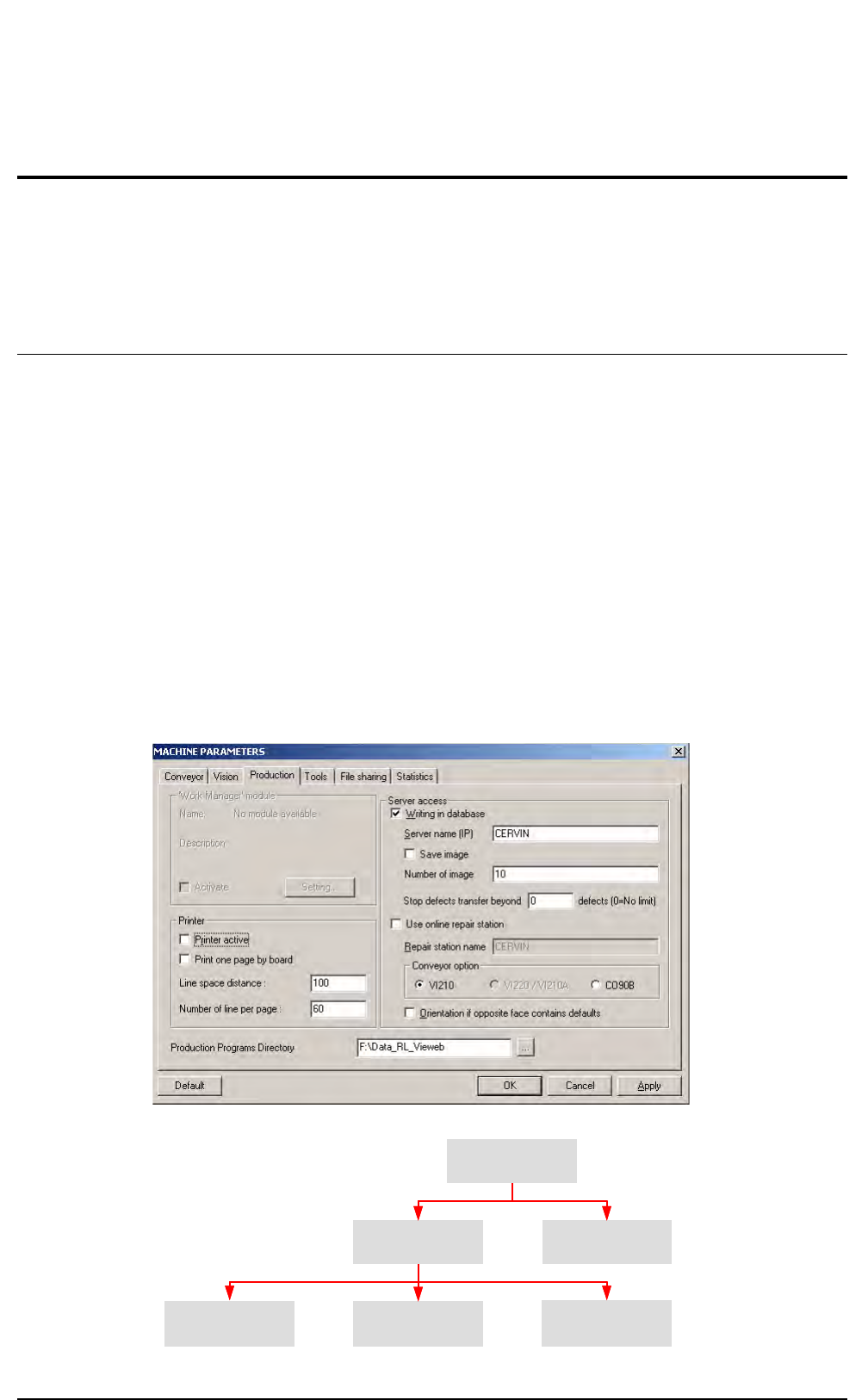
When you select the Production sub menu in Production menu, you may be prompted to enter
the production password and to select an inspection program, then the screen below appears.The
inspection of a new product starts and all the required information are sent to the supervisor.
Quick Start launches inspection of the last inspected product. The tolerances and component
number of leads are not sent to the supervisor.
Passthrough starts the Passthrough mode.
11.1.1 Line configuration
Before starting production, according to the line configuration, you have to select the options
in Maintenance mode in Parameters (Production tab).
At the bottom of the window, you must select the Production Programs Directory contain-
ing the TST files purposed when you launch the Production.
Repairing
Off-line
Simple
conveyor
Dual height
conveyor
T-conveyor
9Writing in database,
enter the Server name
in Vision Software Suite
9Use On-line repair station,
enter the Repair station name
in Vision Software Suite
Reparation software:
enter the Supervisor name
in Repair station
In blue: parameters of Vision Software Suite
In green: parameters of Reparation software
Repairing
On-line
Supervisor