VI User Manual.pdf - 第307页
Production Vision 2007 4.10 User Manua l Rev 01 11 - 7 11.1.5.4 Table chart This table char t gives a stat us of the last 9 inspected boards. Each line represents a bo ard, and the last inspected one is in the upper po s…
Production
11 - 6 Vision 2007 4.10 User Manual Rev 01
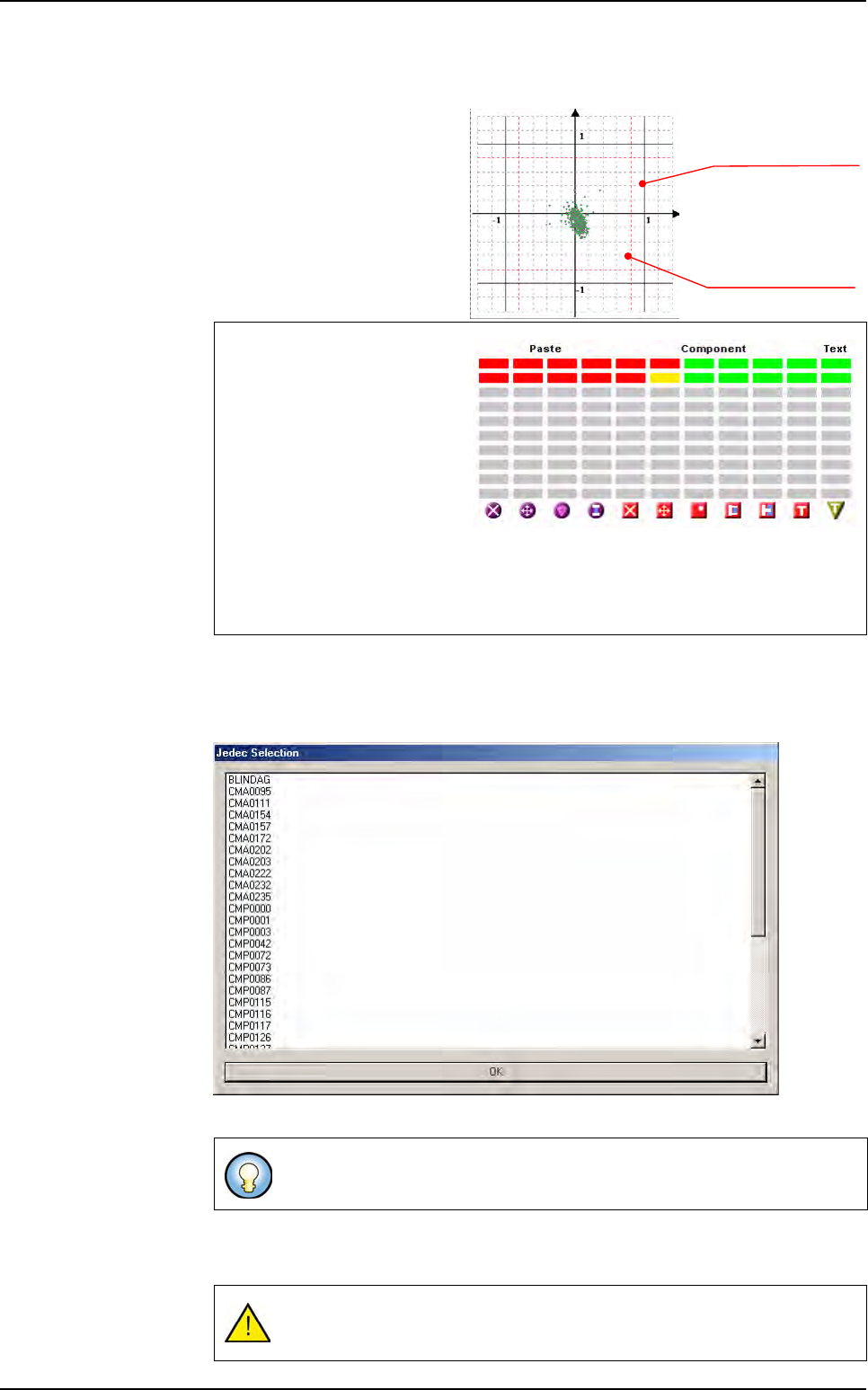
11.1.5.2 Scatter chart
This scatter chart represents
the components deviation of
the last inspected board.
Each point represents a com-
ponent.
You can click on each point to
access the component inspec-
tion result.
11.1.5.3 Display selection buttons
All points display all the components.
Jedec select among the Jedec list, the ones you want to be displayed in the scatter chart.
If you have filled the feeder information in the .tst file for some components, you can
access these information with Machine, Level 1, 2, 3, 4 buttons.
When a component is inside 80
% of the tolerances, it is well
placed. So it is associated to
the green color in the right table
chart.
When a component is between
80 % and 100 % of the position
tolerances, it is considered in
alarm. So it is associated to the
yellow color in the right table chart.
When a component is out of 100 % of the tolerances, it is considered in error. So it is
associated to the red color in the right table chart.
You can use Shift + Ctrl to select several Jedec.
If you have not feeder information, you will have a warning message when
clicking on any of these buttons.
Position tolerance (100%)
Position tolerance (80%)
X axis
Y axis
Production mode
Production
Vision 2007 4.10 User Manual Rev 01 11 - 7
11.1.5.4 Table chart
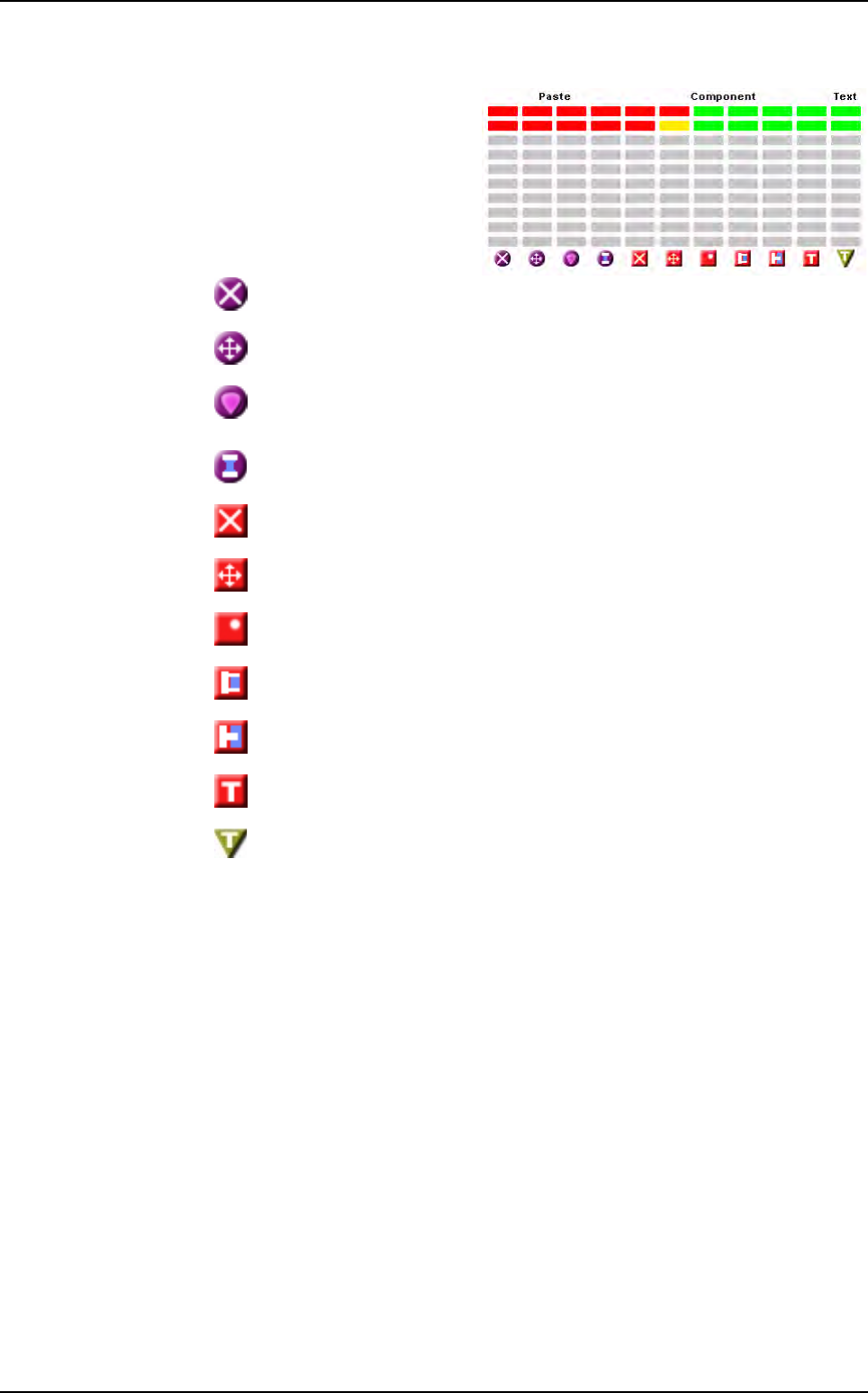
This table chart gives a status of
the last 9 inspected boards.
Each line represents a board,
and the last inspected one is in
the upper position. Each column
represents an error type.
You can have up to 9 columns
for:
Paste
missing
Paste
position
Paste
surface
Paste
bridge
Component missing
Component position
Component polarity
Solder bridge
Solder joint
Text linked to the component missing
Text missing
Production mode
Production
11 - 8 Vision 2007 4.10 User Manual Rev 01
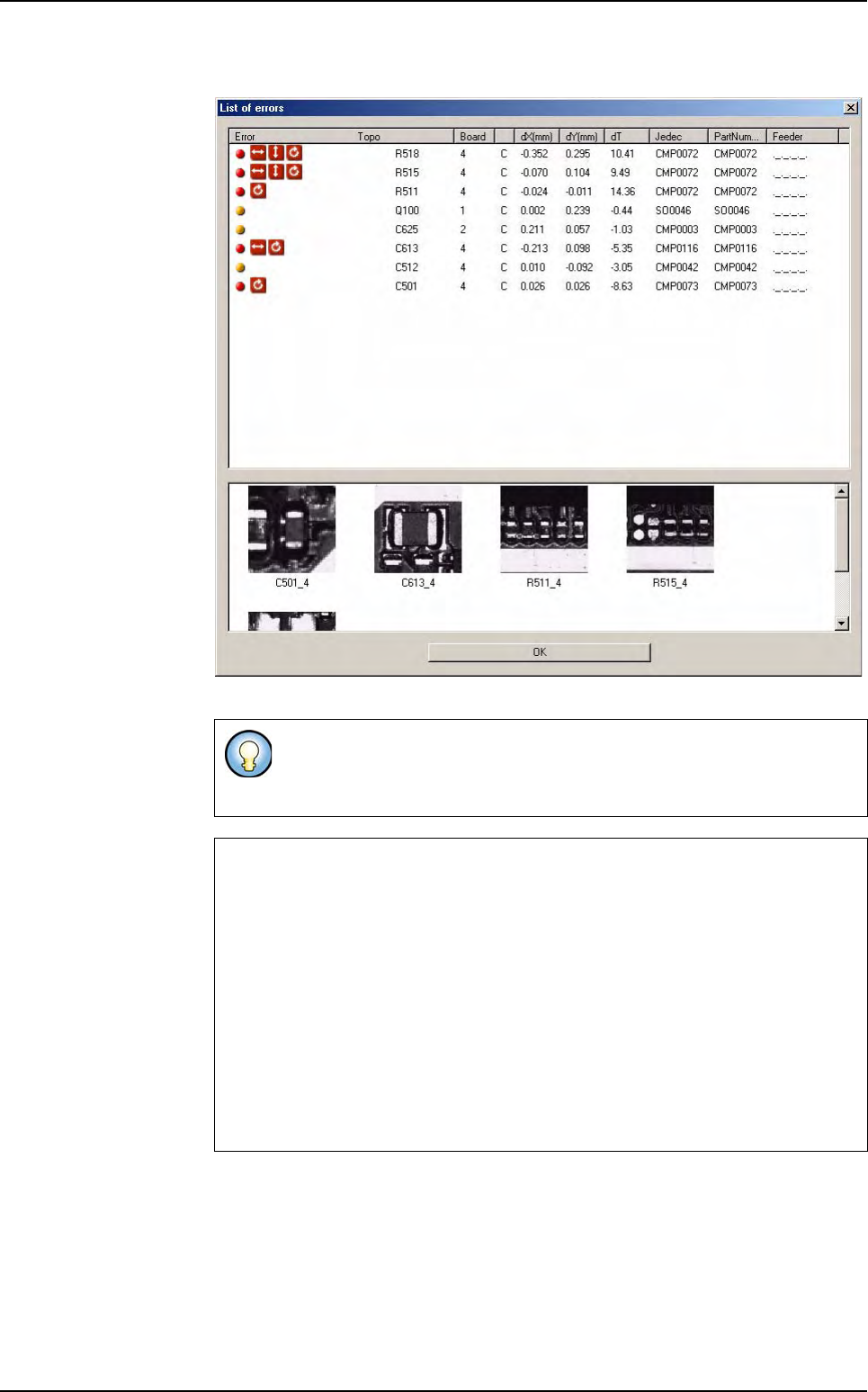
You can click on each red or yellow bar to see the list of the components.
If you do not tick Sort by error type in the .tst file configuration window,
when you click on any bar, the List of errors window appears with all de-
fault type.
Production principle
1. Press Go.
2. Machine status: waiting a board & SMEMA call.
3. A board is loaded into the machine.
4. The stopper and clamps fix the board on the conveyor.
5. The camera inspects the board.
6. The stopper and the clamps release the board.
7. The board exits from the machine.
8. The data are sent to the supervisor.
Production mode