VI User Manual.pdf - 第311页
Production Vision 2007 4.10 User Manua l Rev 01 11 - 11 11.3 Embedded SPC In order to prevent problems dur ing product ion, Vision 2 007 softwar e can analy ze the inspe ction re- sults using an optional embe dded SPC en…
Production
11 - 10 Vision 2007 4.10 User Manual Rev 01
11.2 Dual product (Vi-580 option)
This option allows to test 2 different boards in Production mode. These boards must have the same
width. Using a physical mark in the board (hole) the system is able to recognize which board is loaded
in the AOI system and chooses automartically the good .tst file to run.
To use it, add a BiProduct key as a Dword value in the registry and set it to 1 as you can see in the
opposite picture.
In Vision 2007 main menu click on Production and select Bi-product:
1. The Active cellule window appears. Select the .tst file to load when the sensor is active.
2. Then, the Inactive cellule window appears. Select the .tst file to load when sensor is inactive.
3. After this, 2 .tst files are loaded in production and the system can automatically switch from one to
the another.
You can change the .tst file display by using Ctrl + Tab keys.
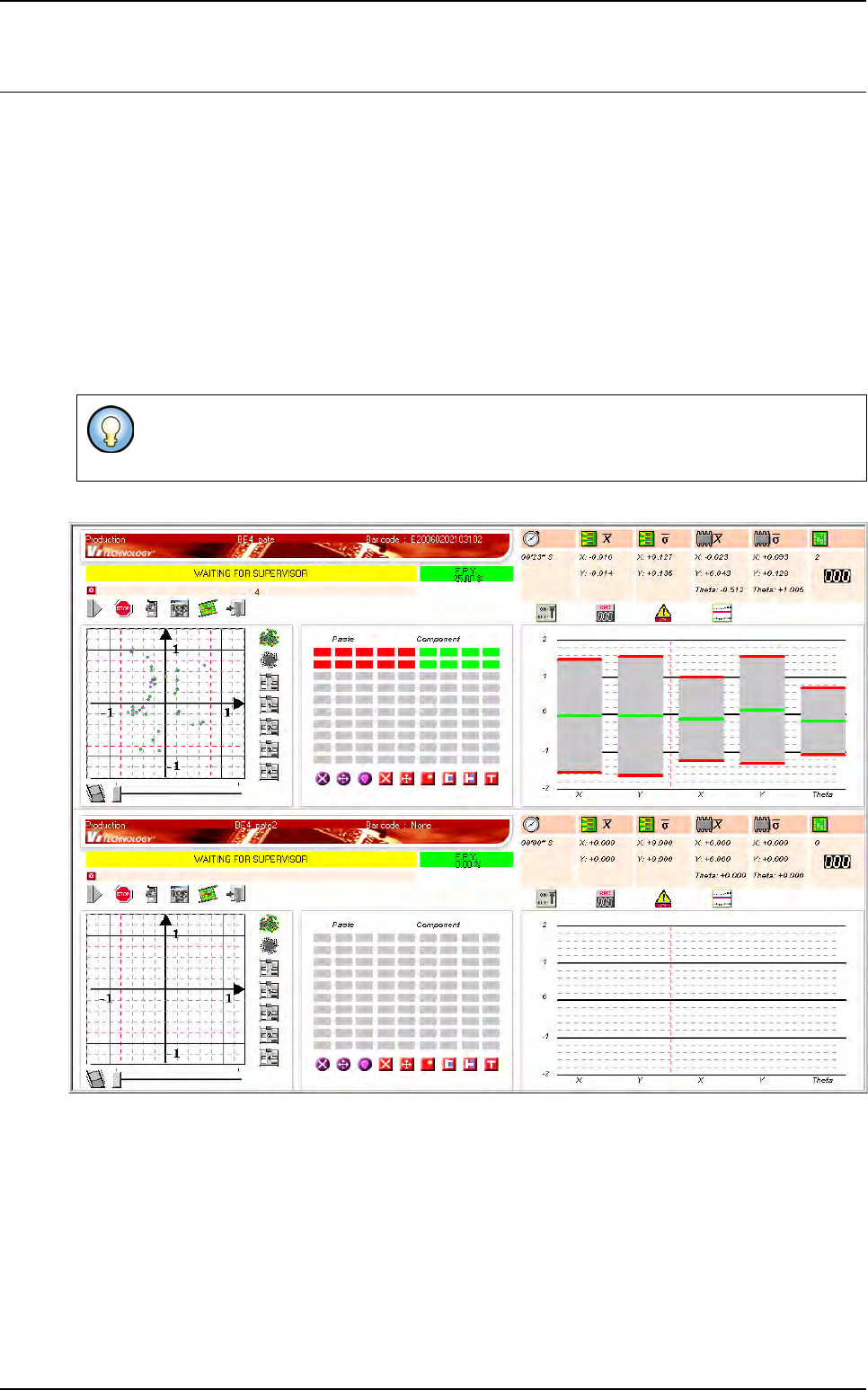
Use the F8 key to display a split view as below.
Production
Vision 2007 4.10 User Manual Rev 01 11 - 11
11.3 Embedded SPC
In order to prevent problems during production, Vision 2007 software can analyze the inspection re-
sults using an optional embedded SPC engine.
SPC is Statistical Process Control.
This SPC engine can generate, during the production, several types of warnings which will help the
operator to prevent the problems.
The analysis proposed is a short term analysis. Typically, for each followed variable, it works with 30
points which are themselves the average of 5 consecutive measures (the values 30 and 5 can be
configured). So it works with the measures concerning the last 150 inspections.
11.3.1 Installation and activation
A dongle is required for use of the SPC engine. Below, we assume that E is the CDROM
drive letter.
11.3.1.1 Installation of the SPC component and dongle
On the AOI system:
1. Log on Windows NT with the administrator rights.
2. Put the SPC dongle on the parallel port.
3. Put the Vision 2007 software installation disk into the CDROM drive.
4. Go to the directory E:\SPC.
5. Execute the tool SetupSPC.exe.
6. Restart the computer.
11.3.1.2 Activation of the embedded SPC in Vision 2007
You will have unlock the SPC Embedded VIT option key.
The presence of the DLL AVSPCControl.dll in the same directory as
Vision2007.exe is sufficient to activate the embedded SPC. This DLL is automati-
cally installed with Vision System setup.
To uninstall it, execute the tool SetupSPC.exe or go to the add/remove
program and select SPC for Vision 2007.
Production
11 - 12 Vision 2007 4.10 User Manual Rev 01
11.3.1.3 Variable selection to analyze with the SPC engine
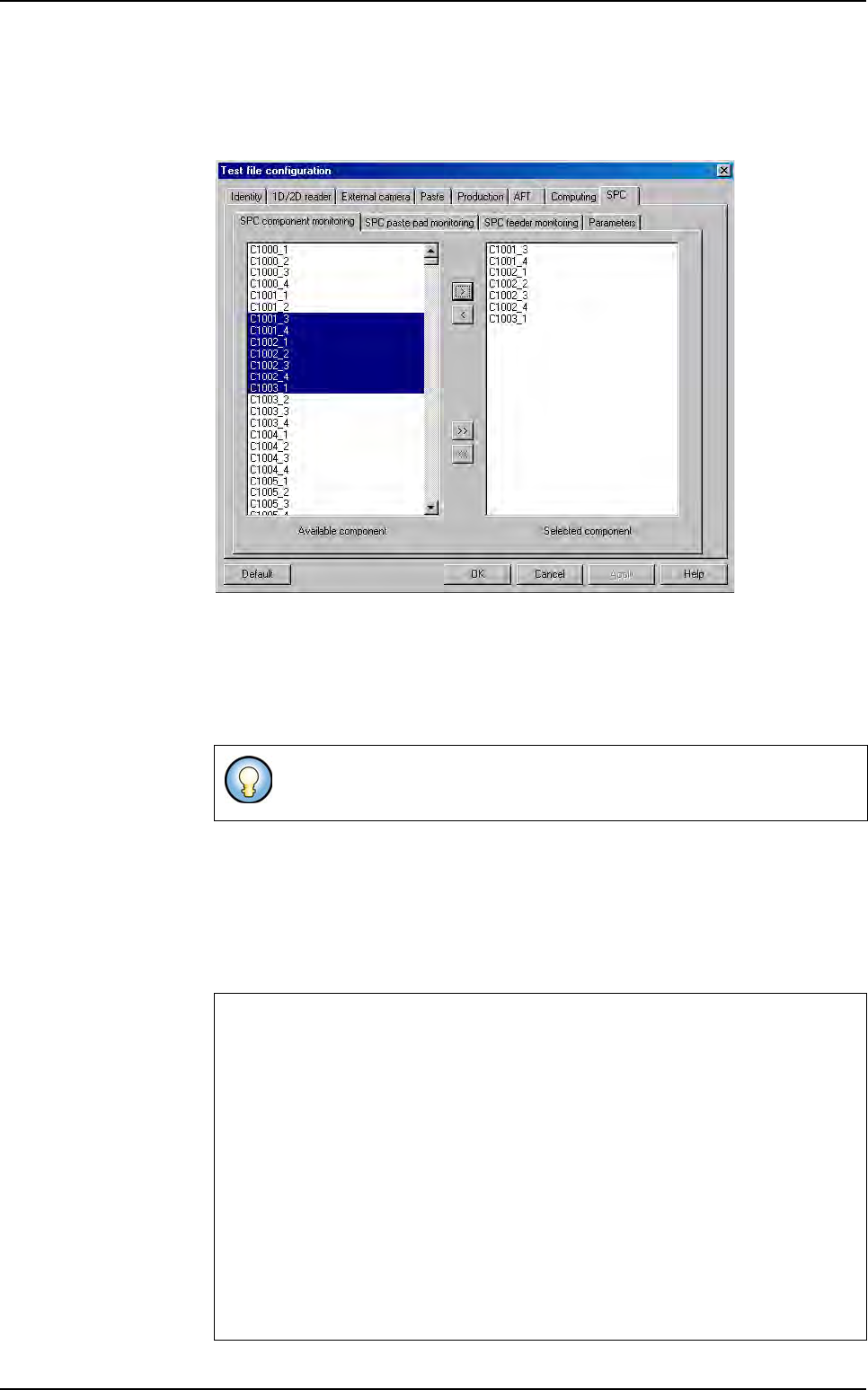
Editing the .tst file, the users can specify which component, paste or feeder they
want to study.
Selection of the components to analyze with the SPC engine.
If the user chooses a component, the SPC engine will study the evolution of its
position deviation (3 variables: X, Y, Theta).
If the user chooses a paste pad, the SPC engine will study the evolution of its
surface.
You can study the serigraphic mask evolution by selecting the X, Y and/or theta
evolution (screenshot TSTeditPaste.bmp). It calculate the general deviation off
all past pad.
If the user chooses a feeder, the SPC engine will study the evolution of the posi-
tion deviation for all the components associated to this feeder (3 variables: aver-
age X, Y, Theta of the corresponding components).
Components and paste pads are identified by their topology followed by
their board number.
The SPC engine studies each variable with the following tests (also called SPC functions).
Each of them can generate a warning.
1 point outside 3 sigma
2 out of 3 points outside 2 sigma
4 out of 5 points outside 1 sigma
8 points on the same side of the average
Trend of 7 points
15 consecutive points in the 1 sigma zone
Too few or too many runs
8 consecutive points with none in the 1 sigma zone – either side
Runs crossing the average line.
Embedded SPC