VI User Manual.pdf - 第342页
Optimization 12 - 24 Vision 2007 4.10 User Manual Re v 01 12.4.2.5 Recording data Define the number of board to put. Click on Start button. T o stop the auto settin g before the end, click on Stop button. The result of a…
Optimization
Vision 2007 4.10 User Manual Rev 01 12 - 23
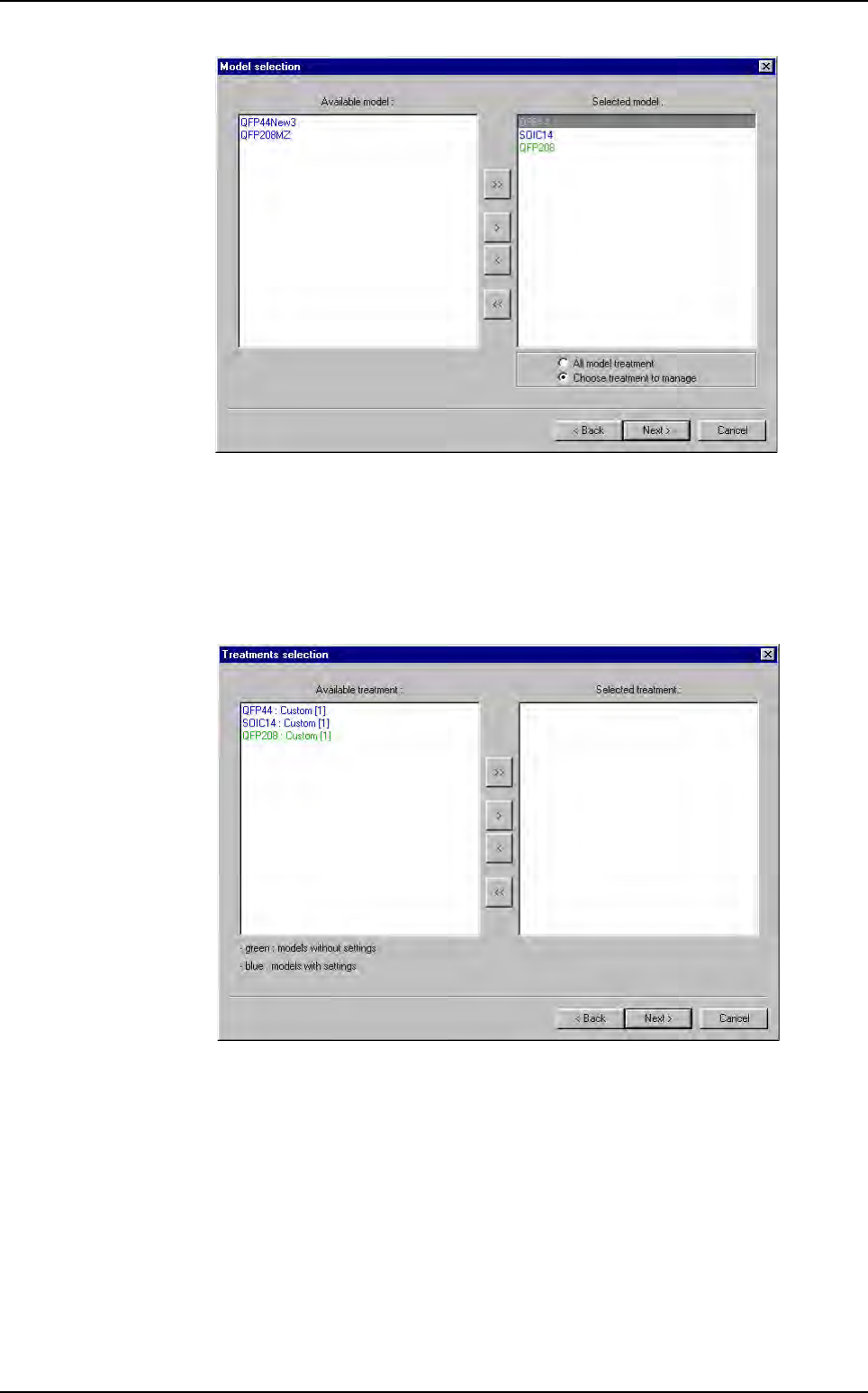
Tick All model treatment to set all model treatments.
Tick
Choose treatment to manage to select model treatments to set.
Click on
Next button.
12.4.2.4 Treatments selection
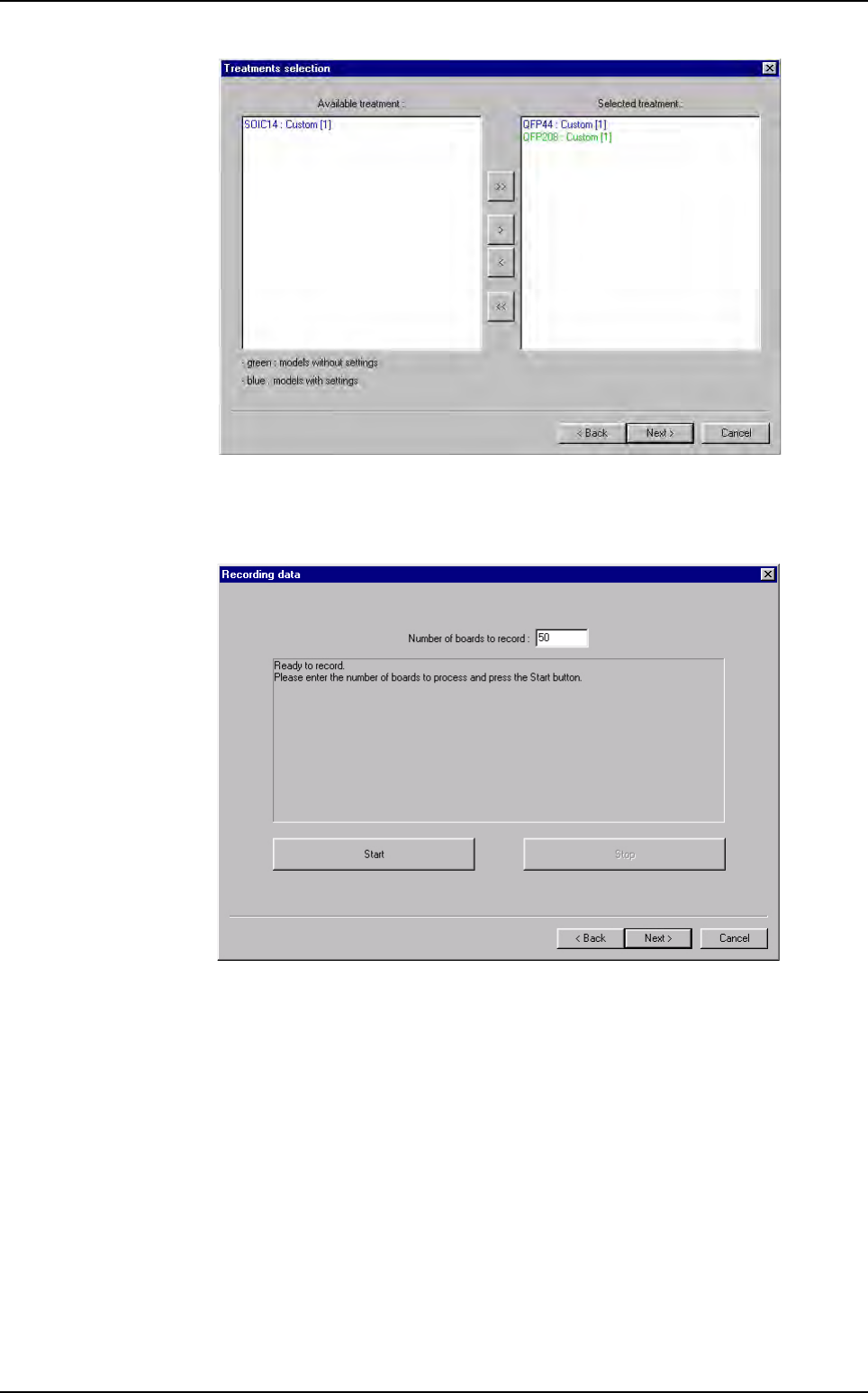
For each selected model, choose the treatments to set.
Use
>, >> and <, << buttons to select or unselect model treatments to set.
Profiler
™
Automatic Setting
Optimization
12 - 24 Vision 2007 4.10 User Manual Rev 01
12.4.2.5 Recording data
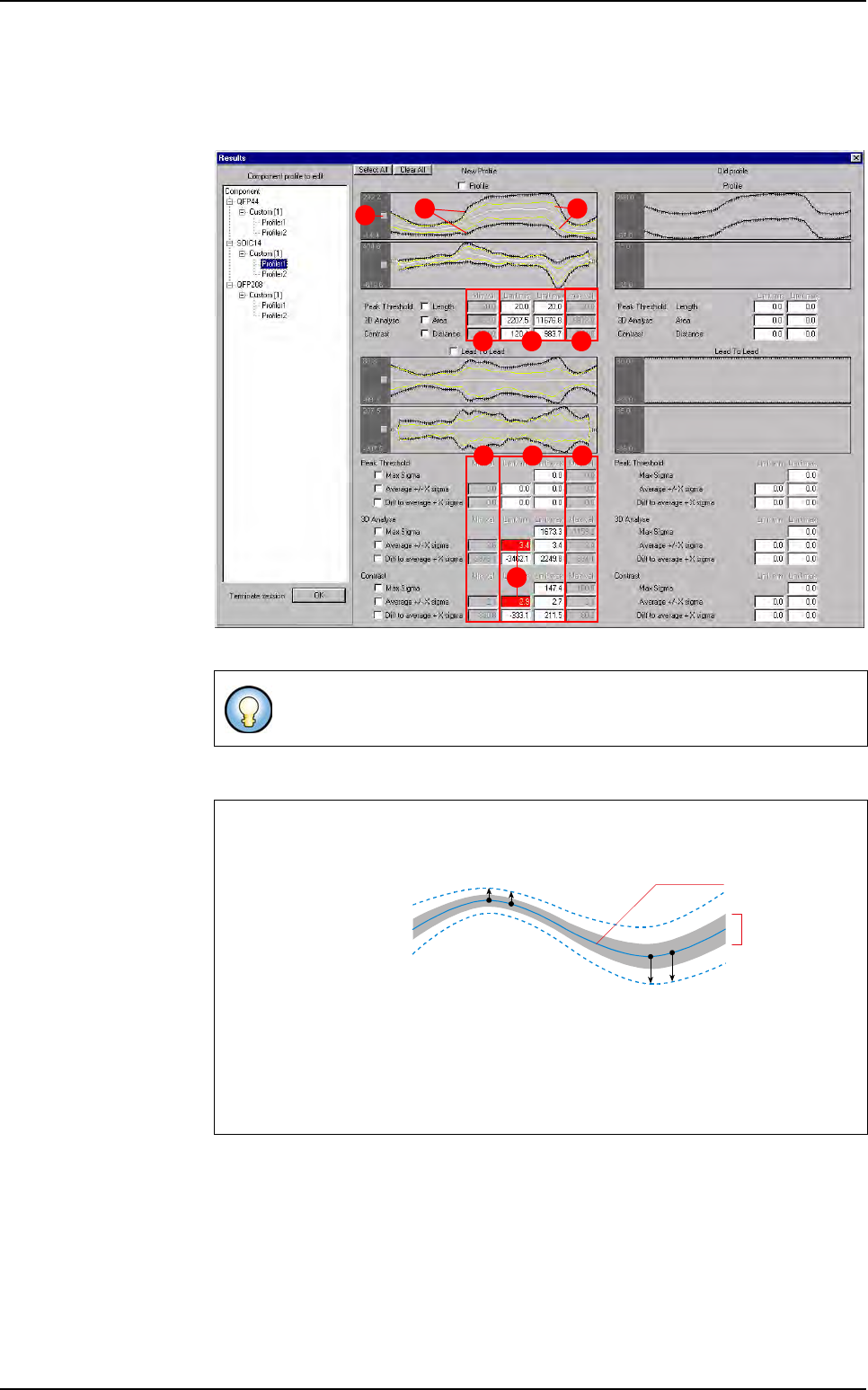
Define the number of board to put.
Click on
Start button. To stop the auto setting before the end, click on Stop button.
The result of auto setting is also calculated on board saved pass.
At the end, click on
Next > button.
Profiler
™
Automatic Setting
Optimization
Vision 2007 4.10 User Manual Rev 01 12 - 25
12.4.2.6 Computing results
On the Results window, settings calculated by the auto setting for each Profiler™
are displayed.
To put this setting in the library, tick the box near each setting.
A In black, the tolerances calculated by the auto setting.
B In yellow, the profile minimum and maximum measured during the recording.
C For each algorithm, the limits calculated by the auto setting.
D
For each algorithm, the minimum and the maximum calculated during the recording.
E When algorithm limits do not include all results, the window is colored in red. If
you want, you can change it.
To select all settings click on
Select All
button.
To unselect all settings already ticked, click on
Clear All
button.
How tolerances are calculated
For each point of the
profile, the sigma is
calculated. the toler-
ance point are calcu-
lated with the
following statistical
formula:
Average +/- X sigma
By default X = 3 to enlarge tolerances (This value can be changed in the .ini file.
If this value increased, tolerances are larger).
The same principle is apply to calculate the limit of the
Expert mode
algorithm.
CD D
CD D
E
A B
F
Average - X sigma
All profiles
average
P
n
= Average
n
+ X
σ
n
The whole
of profiles
collected during
the auto setting
P
10
P
11
Average + X sigma
P
20
P
21
Profiler™ Automatic Setting