VI User Manual.pdf - 第349页
Superviseur Vision 2007 4.10 User Manua l Rev 01 13 - 5 13.2.3 Consult the inspection results 13.2.3.1 On panels table Open the panels table (in the da- tabase menu or tools bar icon ). Then, you have the list of the pan…
Superviseur
13 - 4 Vision 2007 4.10 User Manual Rev 01
13.2 Superviseur use
13.2.1 User interface
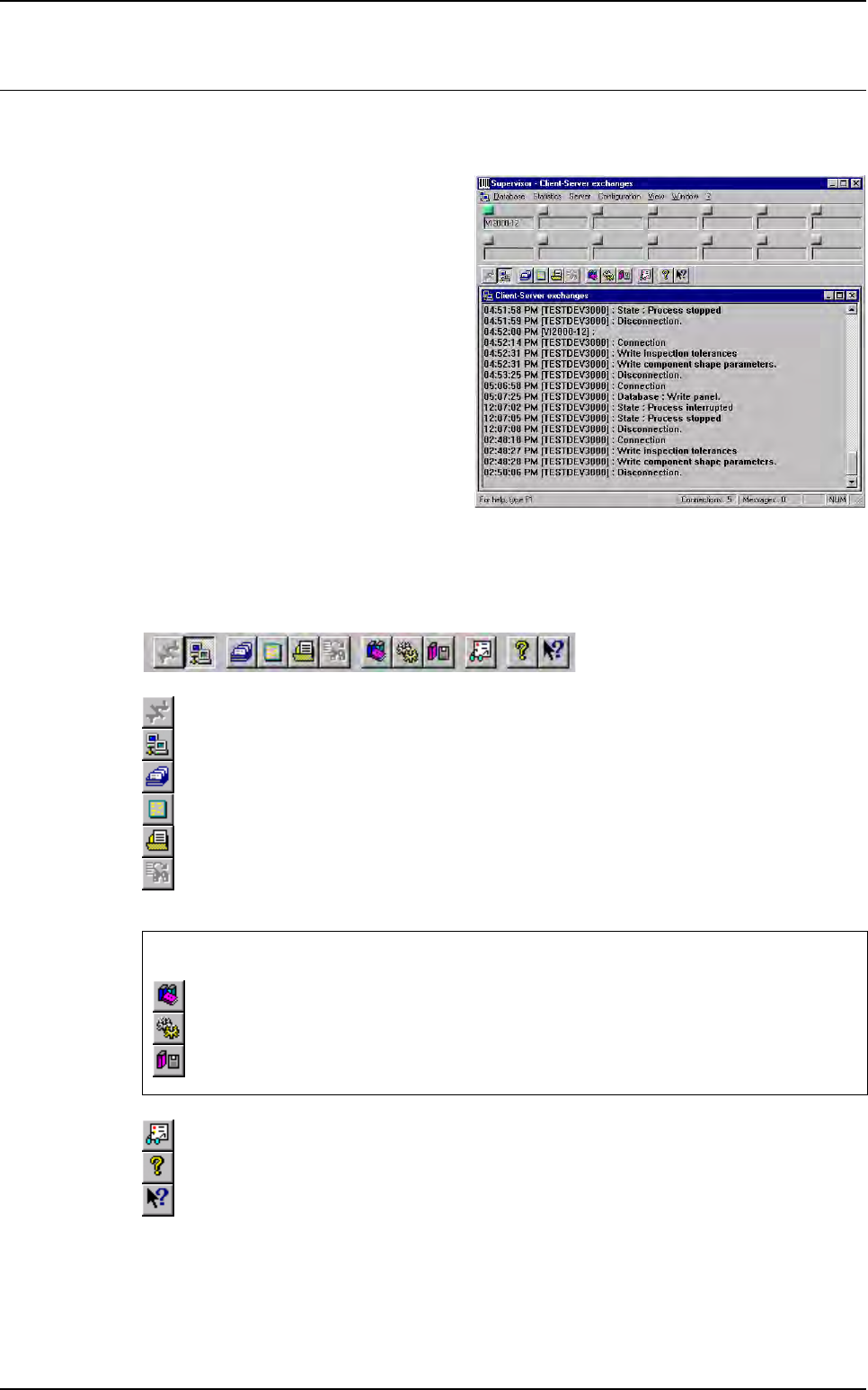
This screen is the supervisor user inter-
face.
It presents the global view of all the sys-
tems connected: AOI systems and repair
stations.
Green: running,
Red: problem.
In the exchange window, all the commu-
nication status are displayed (ex: vision
writing in database, disconnecting or
connecting, any troubles …).
13.2.2 Tool bar
The tool bar can be used to activate all the functions:
Disconnection of one system.
Network (stop the exchange window filling).
Panels table.
Boards table.
Anomalies table.
Refresh the selected table.
Not available.
About Supervisor.
Help (not available).
These 3 icons are only accessible when using an Access database:
Connection to archives (if you want to consult the archiving database).
Define the numbers of validity days to keep in the database.
Starts the database archiving.
Superviseur
Vision 2007 4.10 User Manual Rev 01 13 - 5
13.2.3 Consult the inspection results
13.2.3.1 On panels table
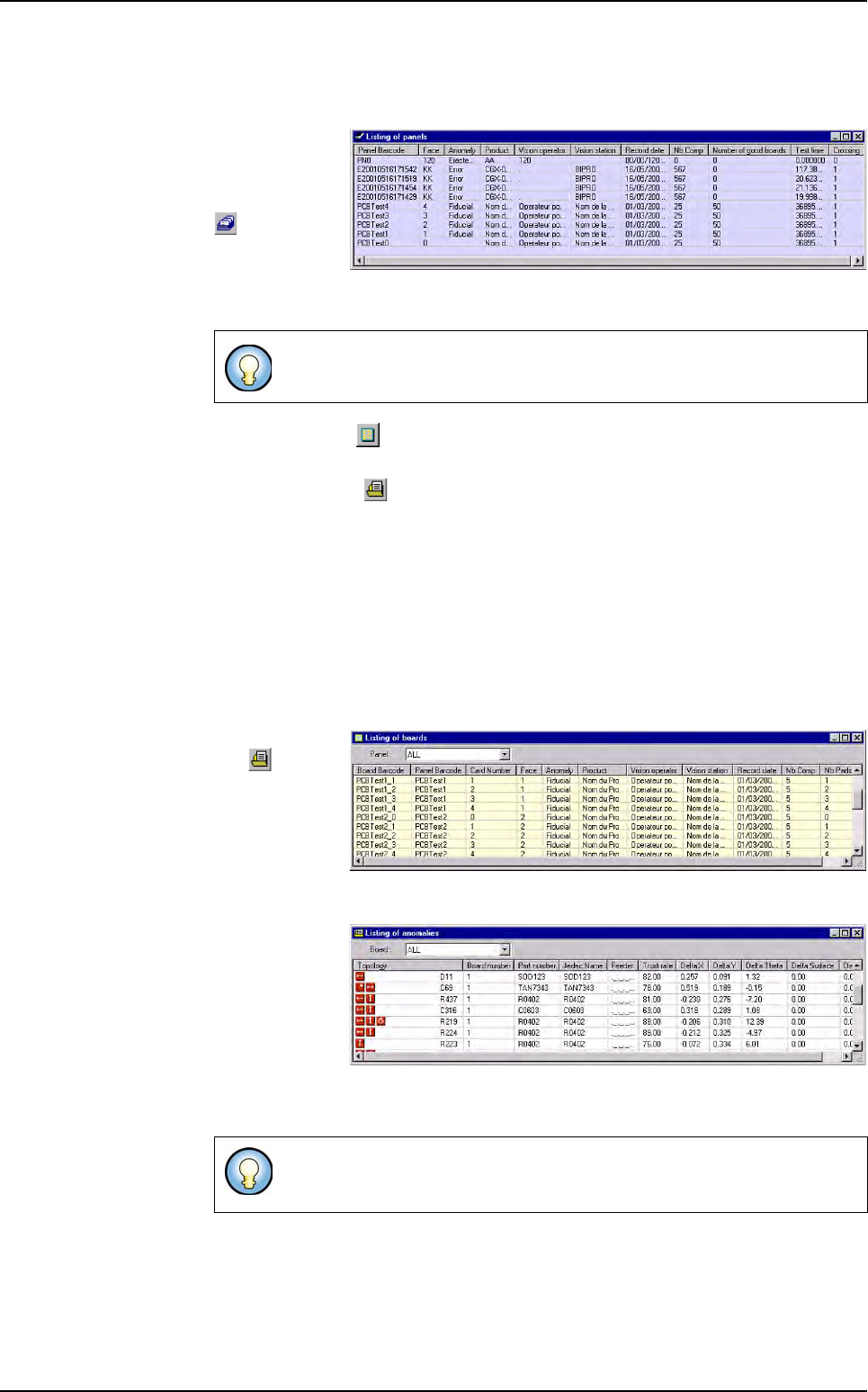
Open the panels
table (in the da-
tabase menu or
tools bar icon
).
Then, you have
the list of the
panels inspected by all the AOI systems.
If you click on the icon or the boards table menu, you will see all boards stored
in the database.
If you click on the icon or the anomalies table menu, you will see all defects
stored in the database.
If you select one panel and double click on it, you will open the boards table. Then
you can see the boards list of the selected panel.
If you run many times the same board, we record it on the same line but the crossing
parameter is incremented. The inspection time saved is the panel treatment time. It
starts from the 1st fiducial acquisition and stops when all the treatments are ended.
(before sending the results)
13.2.3.2 On boards table
If you click on
the icon or
the
anomalies
table
menu you
will see all the
defects stored in
the database.
If you select one
board and dou-
ble click on it,
you will open the
anomalies ta-
ble
, and see
only the defects
of this board.
You can click on the top of each column to sort the list.
You can click on the top of each column to sort the list. The list of the de-
fects found for each component appears with different icons.
Superviseur use
Superviseur
13 - 6 Vision 2007 4.10 User Manual Rev 01
13.2.4 Archiving (only when using an Access database)
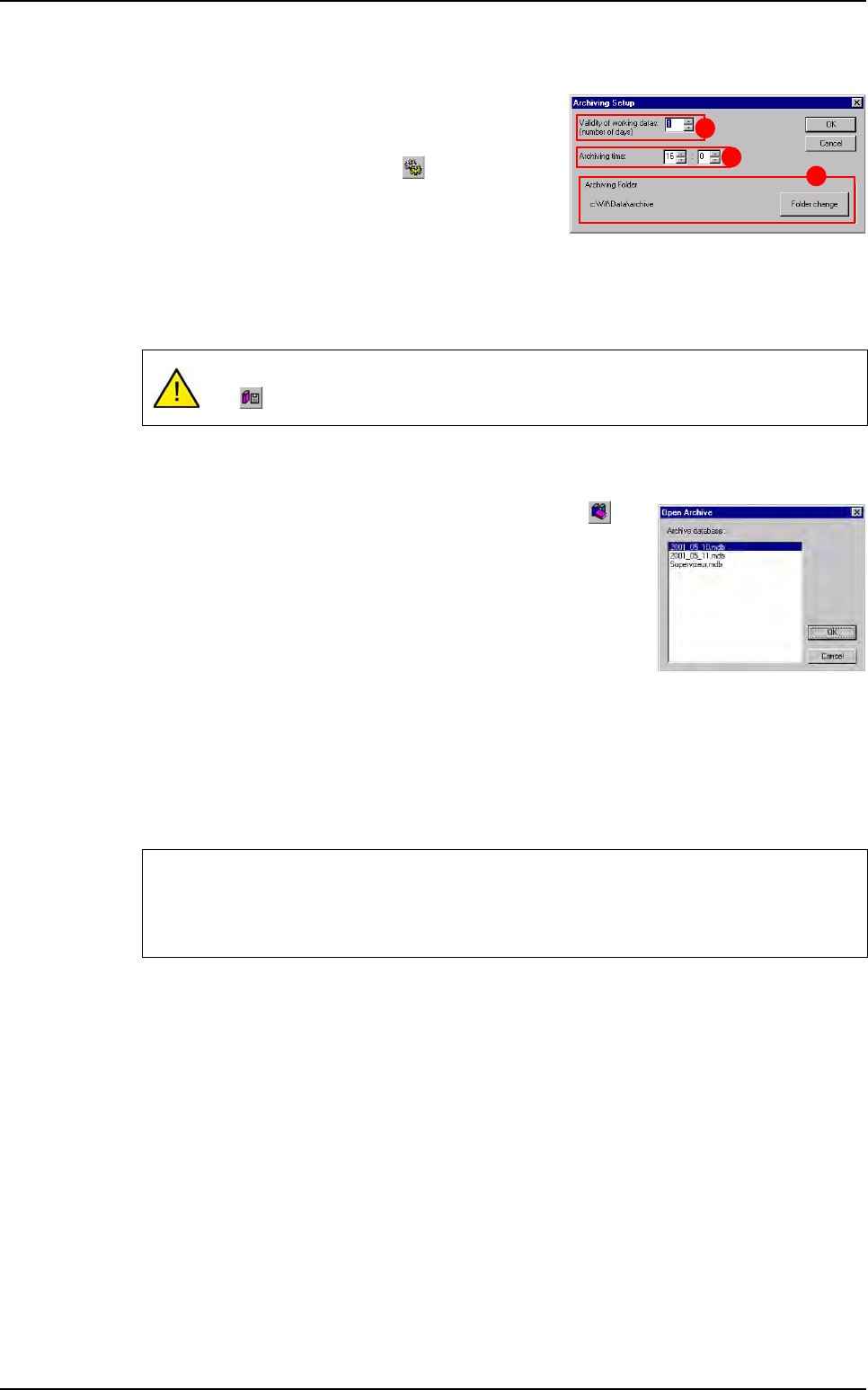
You can program the supervisor to archive the data-
base. The archive created is a .mdb file with a name
like Year_Day_Month.mdb. You can program the
archiving date by clicking on the icon.
Validity of working datas (number of days) (A):
you can deactivate the every day auto archiving by
entering 0 in this field. Otherwise, the auto archiving
will start every day at the same time and remove all repaired and good boards older than the
specific number of days.
Archiving time (B): enter the hour to archive.
Archiving folder (C): by default, the data are stored and saved in C:\Vit\Data\archive. By
clicking Folder change button, it can be possible to change the archiving folder.
You can consult the archived database by clicking on the but-
ton and select one file from the current list.
When connecting to an archive the button is pressed.
To come back to the consultation of the working database, un-
check this button.
13.2.5 Parameters settings
From the Configuration menu you retrieve the settings you had when starting the software
for the 1st time (see upper section: 13.1 Superviseur configuration).
You also access to the settings for the MSA (Measurement System Analysis) database.
This window allows to define the database used for MSA data recording (refer to chapter
MSA for full description).
It is recommended to deactivate the auto archiving, and to archive manually using
the icon, when the production is not running.
We recommend to not use the production database for MSA data recording (create a
new supervisor database for MSA purpose).
If supervisor used with other AOI system, there is no interference using MSA mode.
A
B
C
Superviseur use