VI User Manual.pdf - 第358页
Reparation 14 - 6 Vi sion 2007 4.10 User Manual Rev 01 14.2.1.3 Network window The Server name is the computer name where the database is stored. 14.2.2 Launching on-line If you repair boards o n-line, Vision 2007 is man…
Reparation
Vision 2007 4.10 User Manual Rev 01 14 - 5
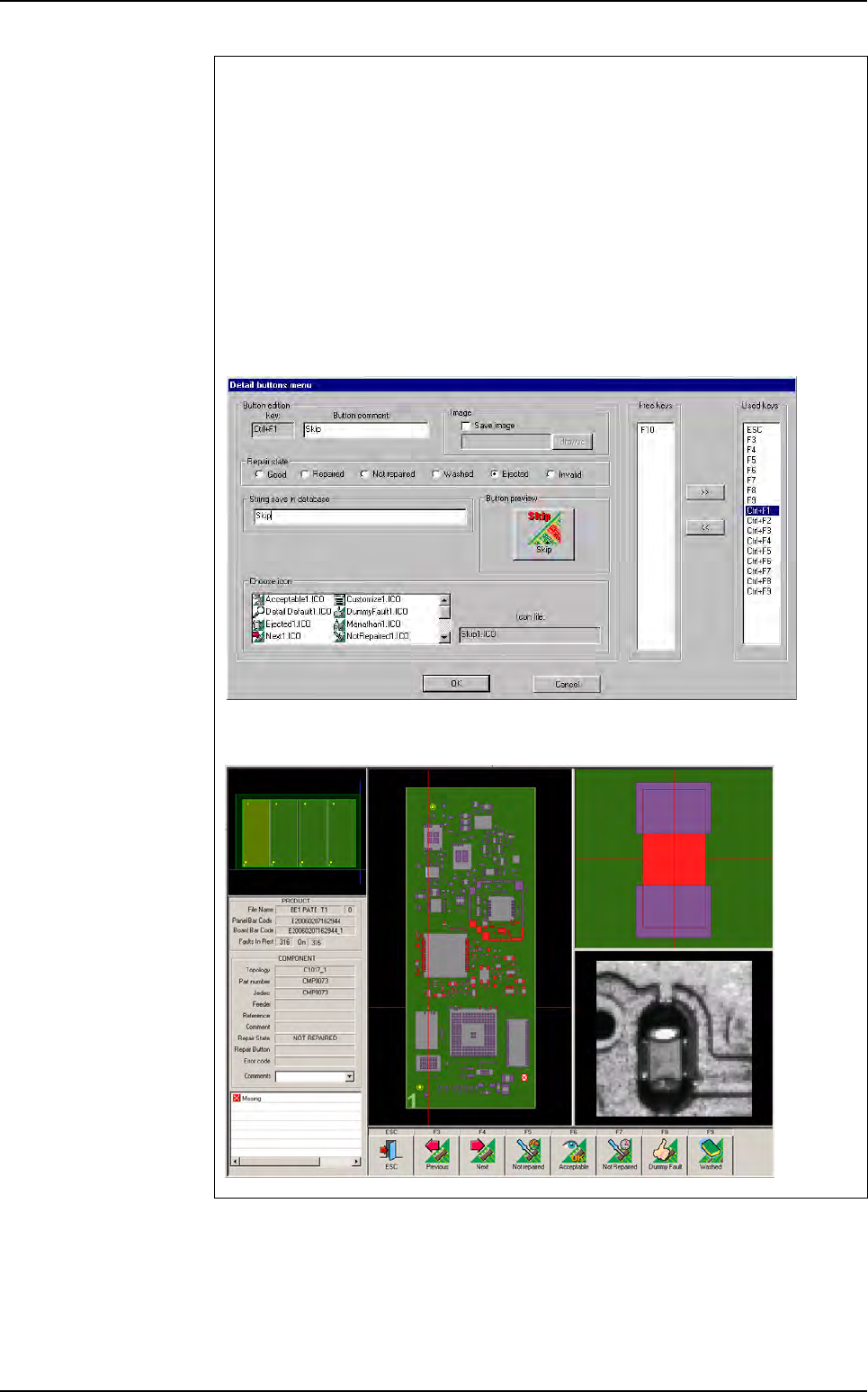
Two lines buttons option
You can add one row of buttons on the repair details screen.
1. Configuration
To configure this option, you have to change the following key on the Confi-
gReparation.ini file. Put 1 if you want two rows of buttons.
[Interface parameters]
Two lines of button=1
2. Details buttons menu
On the details buttons menu, you can now configure 18 buttons.You can con-
figure these like the buttons of the first line.
3. Repair details screen
Reparation launching
Reparation
14 - 6 Vision 2007 4.10 User Manual Rev 01
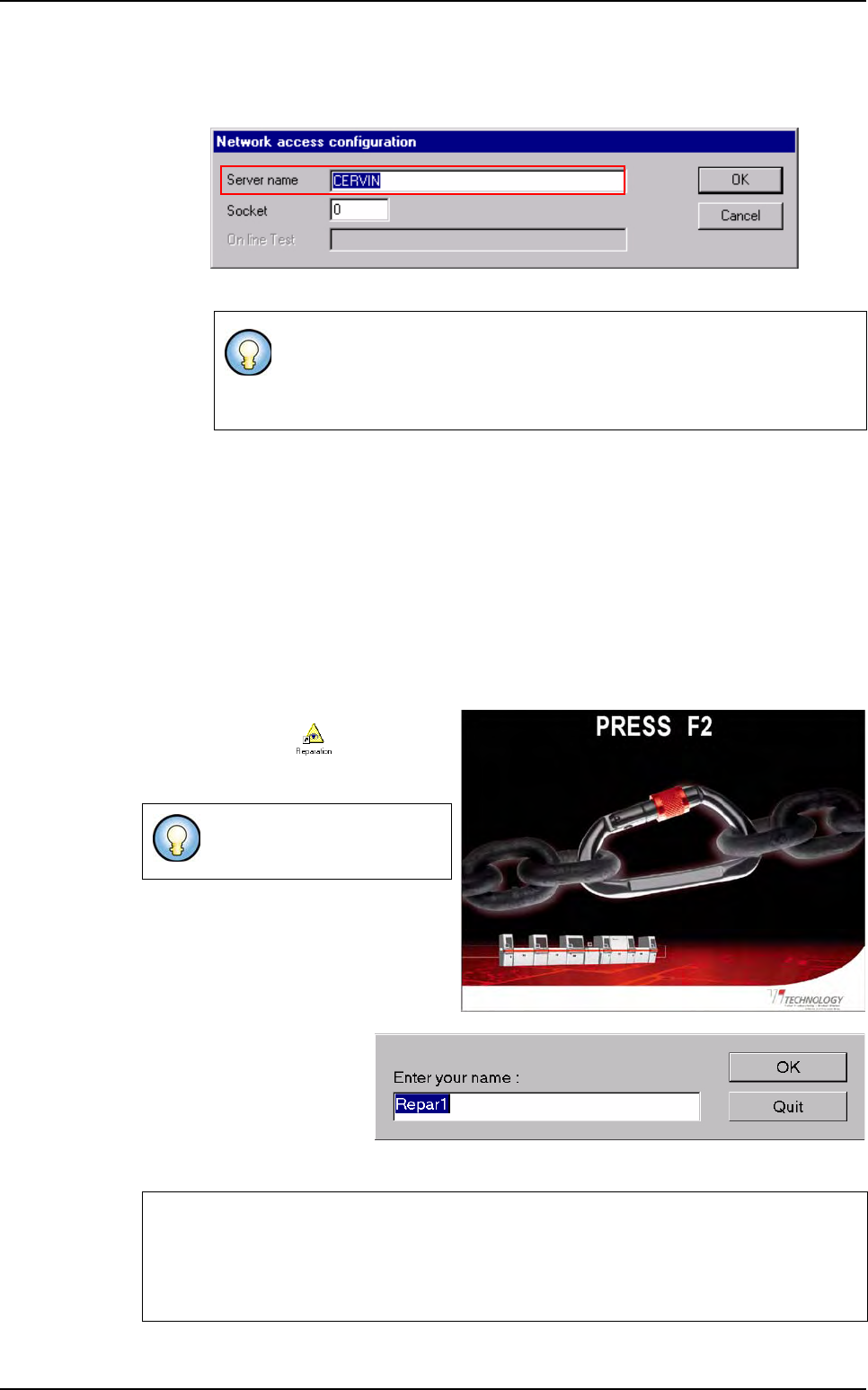
14.2.1.3 Network window
The
Server name
is the computer name where the database is stored.
14.2.2 Launching on-line
If you repair boards on-line, Vision 2007 is managing the software automatically. When you
start the production mode, Vision 2007 starts the supervisor software and the repair soft-
ware. It also copies the .tst file in the right directory, to make the repair station ready to dis-
play defects.
14.2.3 Launching off-line
If you repair boards off-line, make sure the supervisor is started.
To launch the repair station, double click
on
Reparation.exe
shortcut, avail-
able on the desktop, the screen below
appears.
Press F2 to proceed and the
opposite window appears:
Enter the name of the oper-
ator using the repair station.
If you click OK, this name
will be saved into the database.
It is only useful for off-line mode.
For on-line mode, Vision 2007 manages the communication.
To retrieve this window, go in Configuration menu and select Network.
To quit the repair system,
press Alt + F4.
Operator name modification in on-line mode
When the vision machine is in Production mode. You can change the repair operator
name by clicking on the key N on the keyboard of the repair station, when the repair is
waiting for a board to repair.
Reparation launching
Reparation
Vision 2007 4.10 User Manual Rev 01 14 - 7
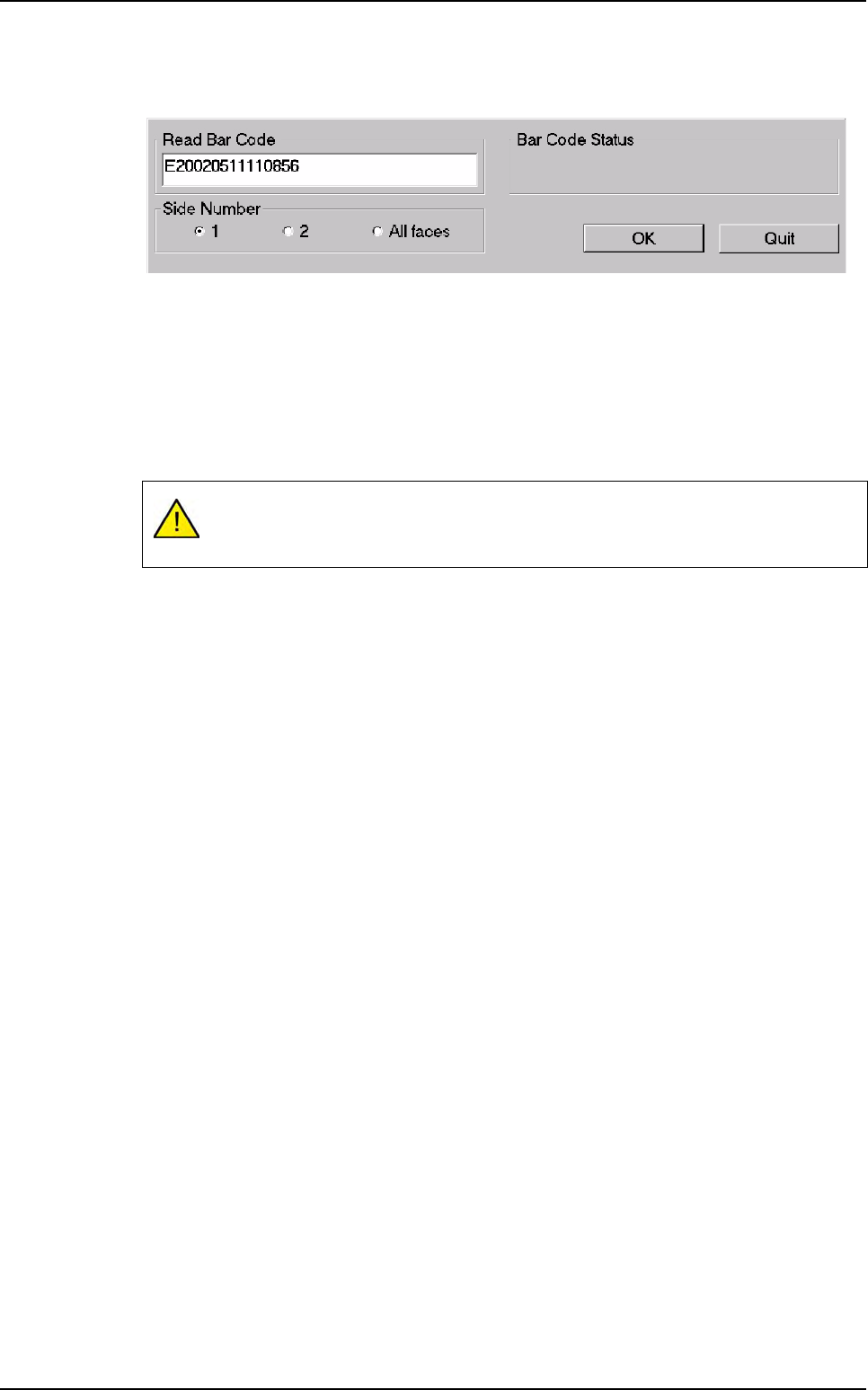
The operator requests board information by means of a scanner to read barcode information
or by using the keyboard.
14.2.4 Launching off-line FIFO (First In First Out)
The FIFO repair station is an off-line mode of the repair station. This mode works without bar-
code and the first board in error, stored in the database,will be the first repaired. When the
first board will be repaired, automatically, the software will display the 2nd board anomalies.
The Off-line FIFO mode setting up is the same as off-line mode. Select a product to repair
and the defects of the 1st board to repair are displayed.
It is forbidden to use the status: Invalid, Not repaired, Washed and Ejected.
Use only Good and Repaired status, otherwise you will lock up.
Reparation launching