VI User Manual.pdf - 第372页
Options 15 - 2 Vision 2007 4.10 User Manual Rev 01 15.1.2 Installation procedure 1. Copy the module file ViTxxxx.dll in C:\ViT 2. These modules are COM objects. So they must be registered: Open the main Windows menu Star…
Vision 2007 4.10 User Manual Rev 01 15 - 1
Chapter 15
Options
15.1 AOI communication modules
15.1.1 What is it ?
It is a way to adapt the working of the ViTechnology AOI system to the customers' need. The-
se objects are external modules that can be used by thevision or superviseur software to
adapt their working or to improve their functionality.
A module can be specific to a customer or it can include a standard option of our softwares
(proposed to all customers).
15.1.1.1 Vision 2007 side
Example of Vision 2007 optional module: Automatic Bar Code Changeover
This module allows to automatically choose the recipe corresponding to the loaded
panel. The AOI system reads the panel bar code (or data matrix), extracts some
specified characters (which define the product) and searches in a text file the name
of the associated recipe. Then it loads this recipe in production mode.
Example of customers' specific modules
Some customers' specific modules allow to verify that the current panel must be ins-
pected by the current recipe and to automatically eject the panel if it does not cor-
respond. They can make this control using files or asking the question to the
customers' system. They can also attribute the good codes to the panel and its sub-
panels using a customers' rule. Afterwards, all the panel and sub-panels are saved
and referenced in the database with the same codes as used in all the factory.
15.1.1.2 Superviseur side
The main purpose of the modules used by the Superviseur software is to send the
inspection and repair results to the customers' system. In fact, the Superviseur
software receives all the results from all the AOI systems and repair stations.
ViTechnology proposes an optional module Vi-550 IPC’s CAMX Standard Com-
munication Module which exports these results as specified by the IPC25-47 stan-
dard (based on XML). It can send this information by files, on a TCP connection or
to an Aegis CAMX server (xLink).
See next paragraph 15.2 Automatic Bar Code Changeover for more detail.
Options
15 - 2 Vision 2007 4.10 User Manual Rev 01
15.1.2 Installation procedure
1. Copy the module file ViTxxxx.dll in C:\ViT
2. These modules are COM objects. So they must be registered:
Open the main Windows menu Start.
Select Run…, type regsvr32.
Take the module file with the mouse and drop it inside the Run window. It completes the
command with the module file name: regsvr32 C:\ViT\ViTxxxx.dll.
Click OK. An acceptance message must appear.
3. Put its parameters in registry:
Double click on the associated .reg file.
Open the main Windows menu Start.
Select Run…, type regedit.
Go to [HKEY_LOCAL_MACHINE\SOFTWARE\DYAMANT Industrie\Communica-
tion\ModuleName] and adapt its parameters.
4. On the AOI system, edit the file C:\ViT\Config\DefaultValues.ini.
Search the key External Communication and add the module name after Prog_ID=.
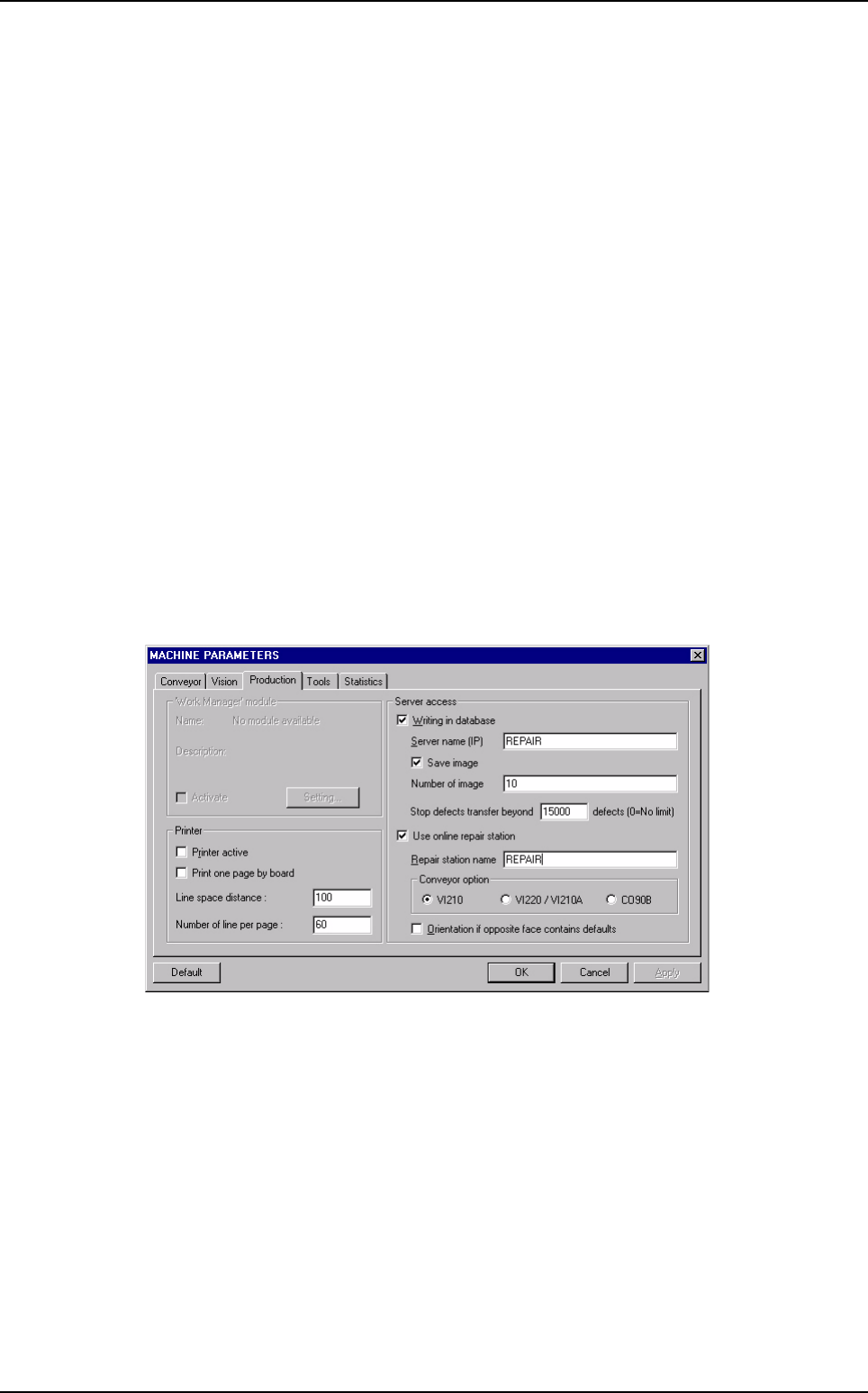
Then, Vision 2007 knows that it must use this module. However, it is necessary to go in
Maintenance mode, select Parameters then Production tab and check the Work Ma-
nager Module box in order to activate this module.
5. On the Superviseur station, edit the file C:\ViT\Config\ConfigSuperviseur.ini.
Search the key External Communication and add the module name after Prog_ID=.
Then, the Superviseur software knows that it must use this module.
AOI communication modules
Options
Vision 2007 4.10 User Manual Rev 01 15 - 3
15.2 Automatic Bar Code Changeover (ABC)
This option allows to automatically load a program according to the panel bar code reads in production.
For each board in production, the AOI system reads the panel bar code, extracts specific characters
(which define the product) and searches in a text file the name of the associated program.
The text file contains the correspondence between the bar code root and the .tst file name to load in
production.
15.2.1 Installation procedure
This option is based on AOI communication modules, to use this option, you need a licence.
To use this option, you must install the corresponding communication object on the AOI sys-
tem.
1. Copy the module file ViT_Vision_RecipeManager_BC.dll in C:\VIT.
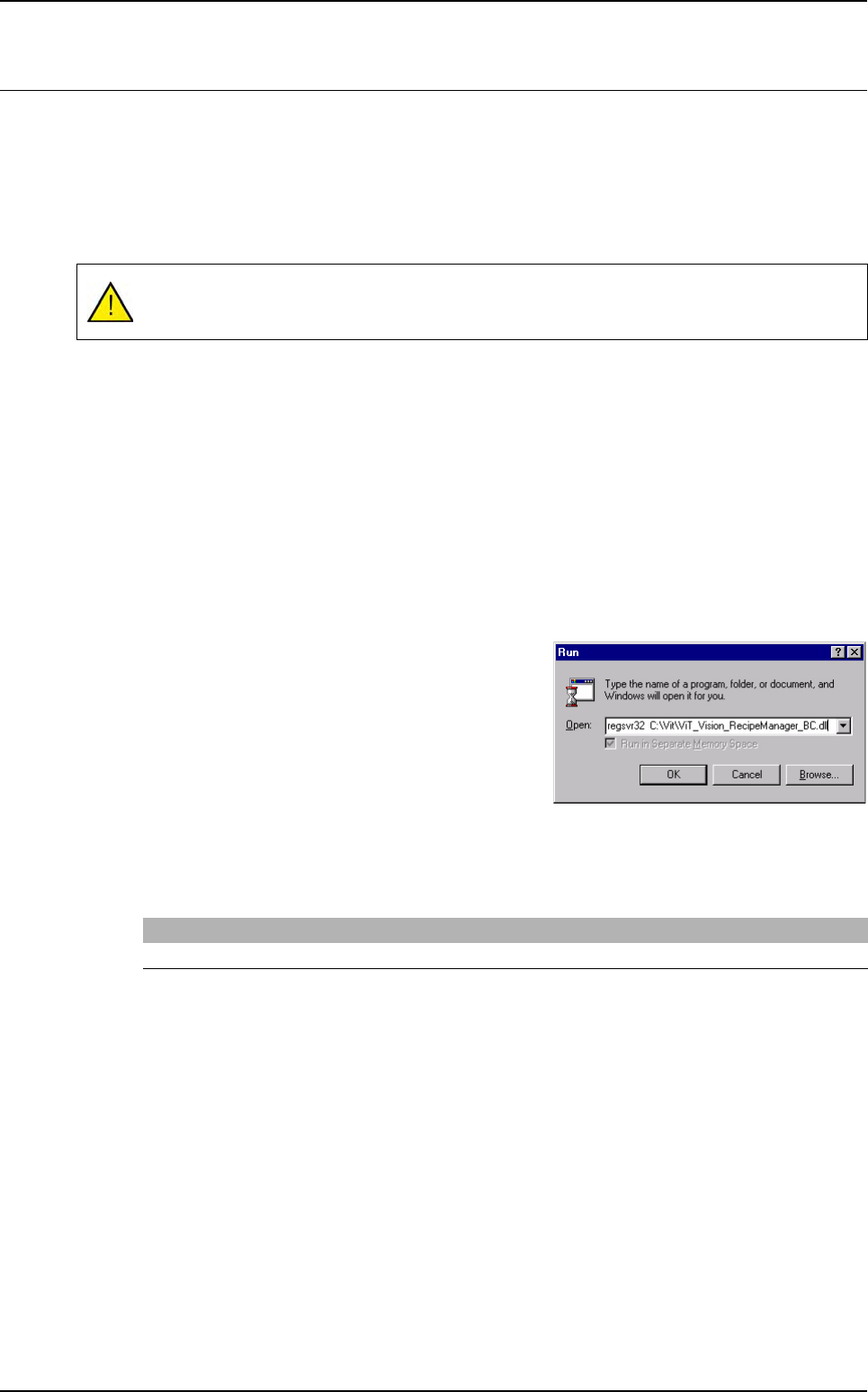
2. Register it:
Open the main windows menu Start.
Select Run.
Enter the command
regsvr32
followed of the
path of the
ViT_Vision_RecipeManager_BC.dll
Dll.
3. Then, on the DefaultValue.ini file, you must change the following key.
Put ViT_Vision_RecipeManager_BC.ViT_RecipeManager_BC.1 on the key Prog_ID.
Products must always have the same width: the bar code reader is mounted on the AOI
system and the automatic width setting is disabled when starting production.
[External communication]
Prog_ID=ViT_Vision_RecipeManager_BC.ViT_RecipeManager_BC.1