VI User Manual.pdf - 第376页
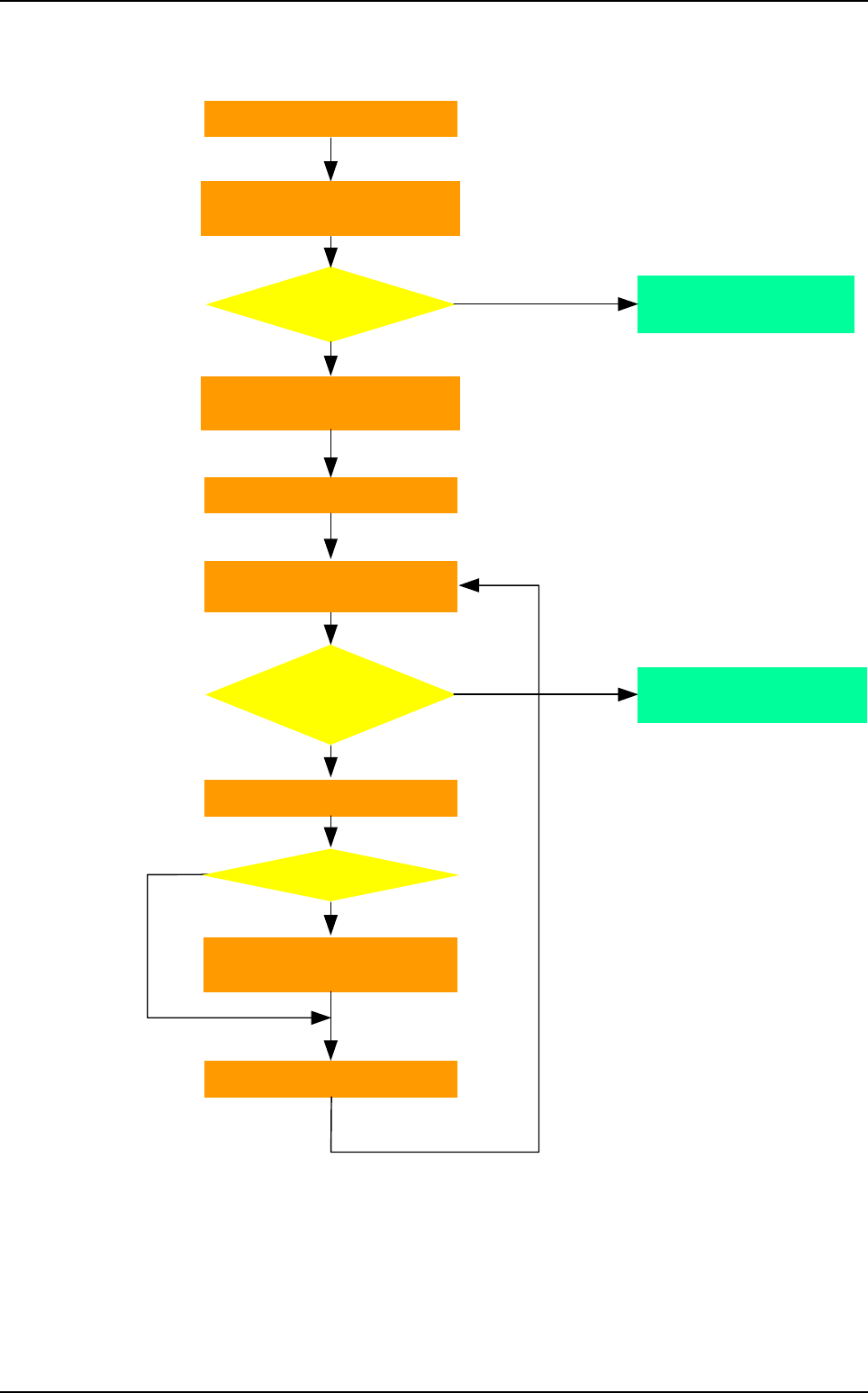
Options 15 - 6 Vision 2007 4.10 User Manual Rev 01 15.2.4 Production algorithm Barcode initi alisation Load product with ba r code ? No Standard algorit hm to start production … Yes Yes No Manual selecti on of the .tst f…
Options
Vision 2007 4.10 User Manual Rev 01 15 - 5
15.2.3 Setting
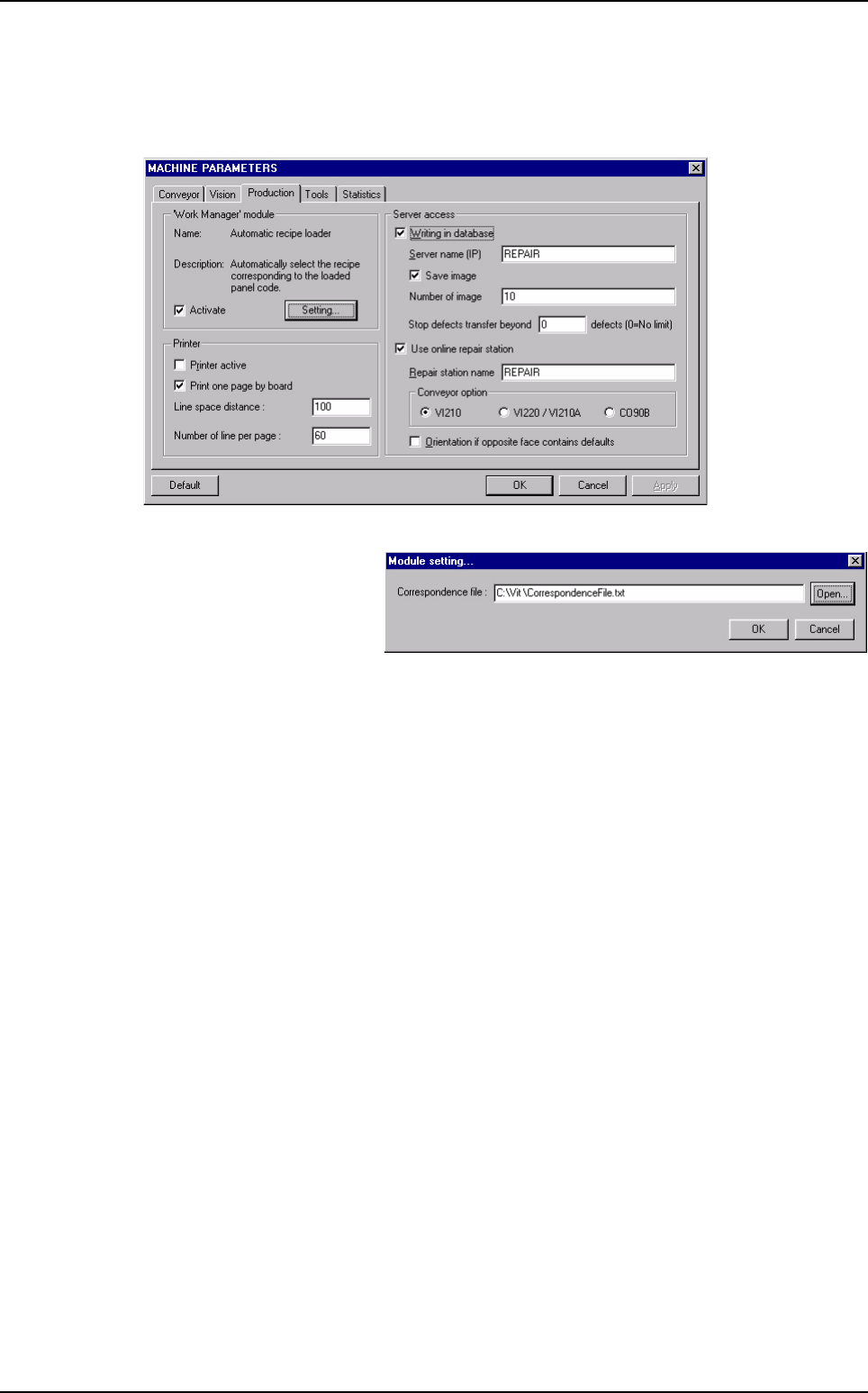
To activate the option, open MACHINE PARAMETERS, in Production tab tick Activate on
the "Work manager" module frame.
Then, click Setting to define
the path to the correspon-
dence text file.
Automatic Bar Code Changeover (ABC)
Options
15 - 6 Vision 2007 4.10 User Manual Rev 01
15.2.4 Production algorithm
Barcode initialisation
Load product with
ba
r
code
?
No
Standard algorithm
to start production …
Yes
Yes
No
Manual selection of the .tst file
(standard algorithm)
Start Supervisor
& Repair station
Load .tst file & load product
on Supervisor & Repair station
Same product ?
No
Yes
Reading of the conveyor width on
the correspondence file or .tst file
Start production
Read correspondence file
Inspect & eject board
Read
error or not found
in the correspondence
file
Load board in the vision machine
+ read barcodes
Automatic Bar Code Changeover (ABC)
Vision 2007 4.10 User Manual Rev 01 A - 1
Appendix A
.ini files
The DefaultValue.ini file contains default values of maintenance, library, .tst file and Cognex console. It is
located in Vision2007.exe folder (e.g. C:\vit\config\defaultvalue.ini). Editing this file allows you to customize
the software.
The .ini file values are also used as default parameters when you create new objects in the .tst file or in the
library for example.
The DefaultValue.ini file is divided into different sections. The sections names are bracketed. Each section
contains one or more keys that identify the default values. It is very important not to change the sections names
and the keys.
You can edit the .ini file using windows Notepad or any text editor. Each default value has a validity range. If
the value you set in the .ini file is out of this range, Vision 2007 automatically resets it to the initial default value
when it loads the file.
The values stored in the .ini file are loaded each time you start Vision 2007. If the file is not found, a new one
will be created with the initial default values of the software.
You can reload the values manually using the main frame menu.
Go in Process menu and select Load .ini file.
Units
Lengths are set in millimeters,
Angles in degrees,
Duration in seconds.
The Default button present in almost windows reloads the .ini file values for the active window.