VI User Manual.pdf - 第405页
.ini files Vision 2007 4.10 User Manua l Rev 01 A - 29 A.5.15 Custom tool: leads detection INI section : [Cust om(Lead Width)] C This value is used to compute the Edges pin detection width parameter. Width = pin width + …
.ini files
A - 28 Vision 2007 4.10 User Manual Rev 01
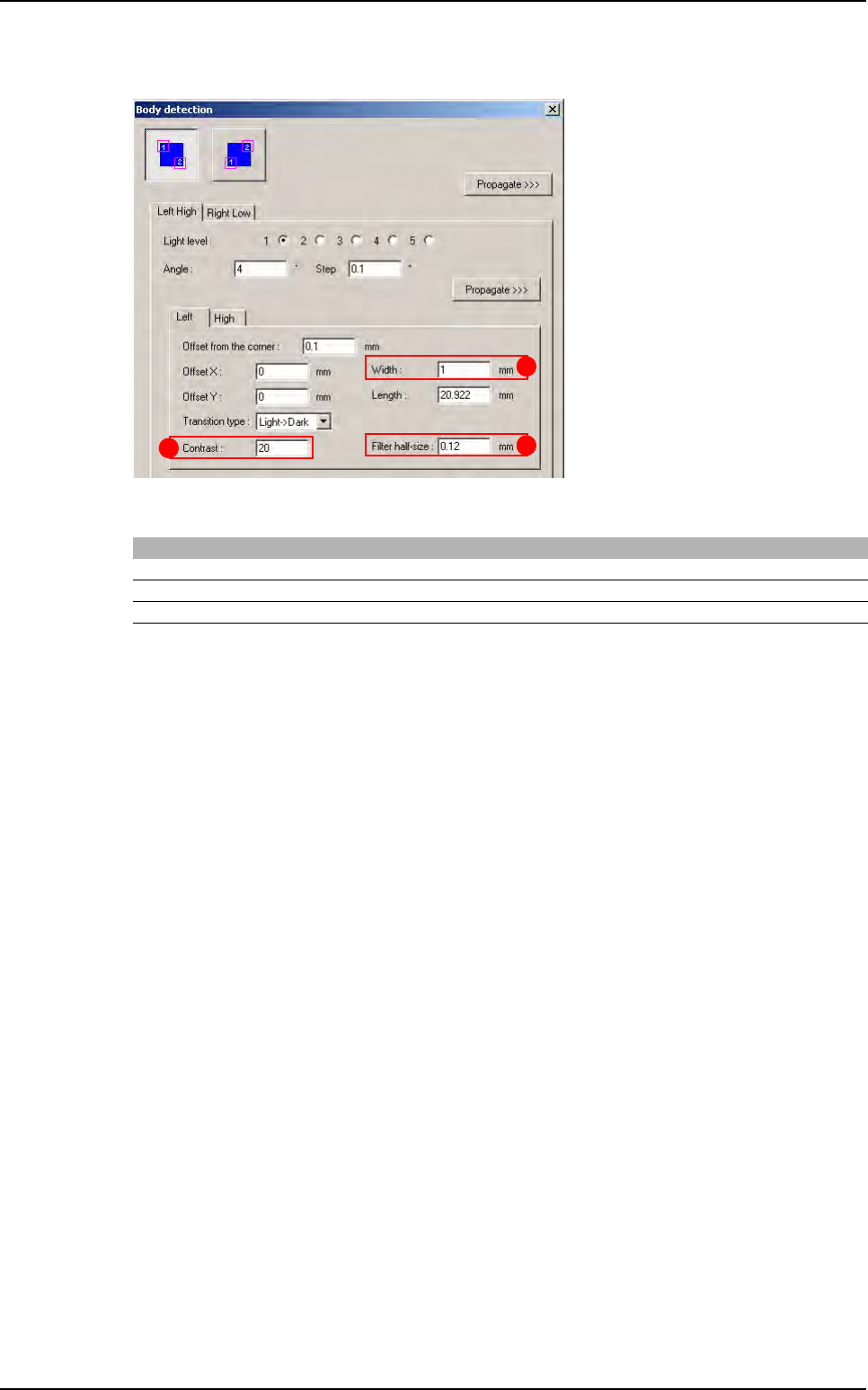
A.5.14 Custom tool: angle detection
INI section : [Custom(Angle)]
Mark Key name Initial value Min value Max value
A Width 1 0.01 10
B Contrast 20 0 255
C Filter half size 0.12 0.03 1
B
A
C
Library default values
.ini files
Vision 2007 4.10 User Manual Rev 01 A - 29
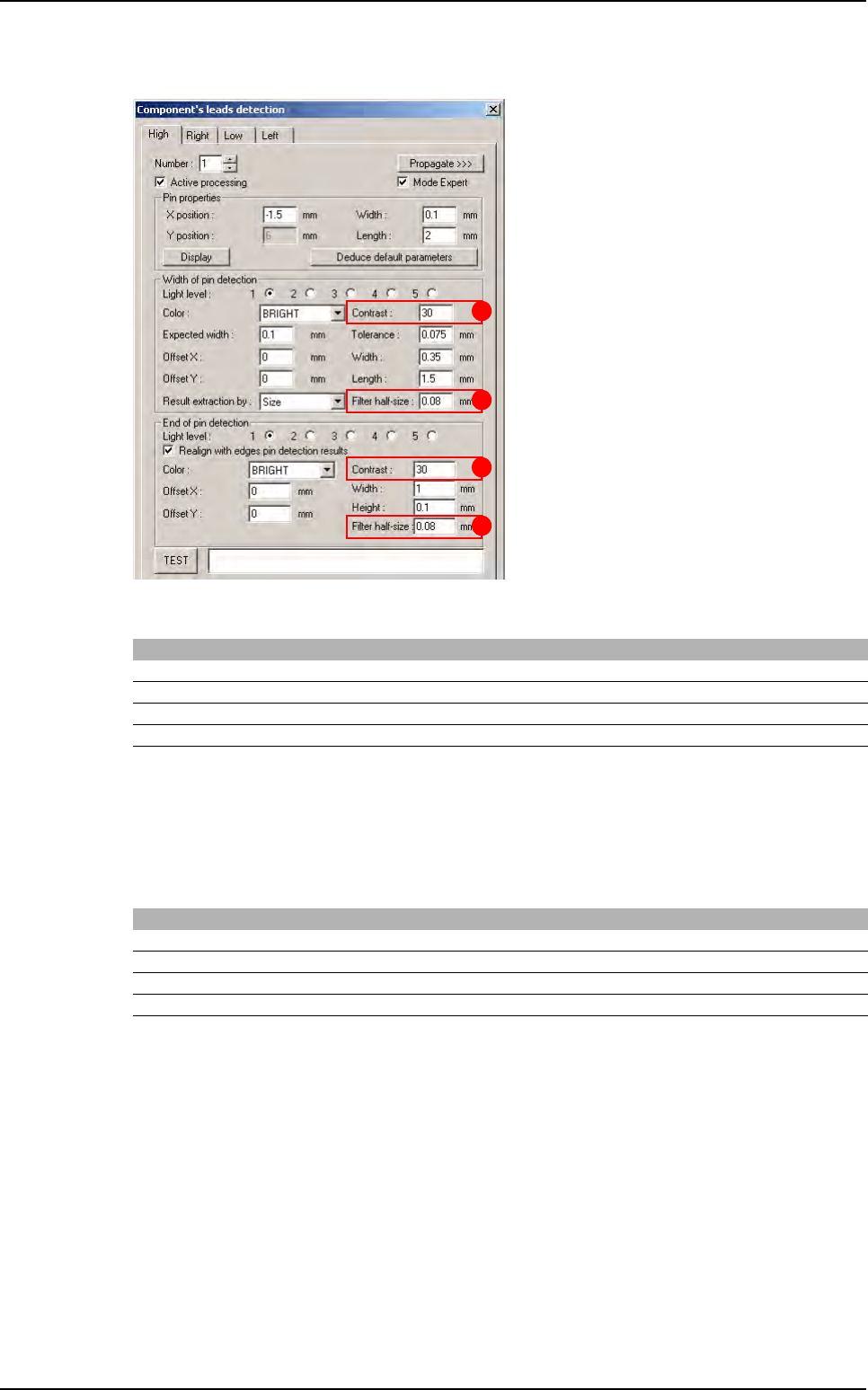
A.5.15 Custom tool: leads detection
INI section : [Custom(Lead Width)]
C
This value is used to compute the Edges pin detection width parameter. Width = pin width + C
D
This value is used to compute the Edges pin detection length parameter. Length = pin length * D
INI section : [Custom(End of Lead)]
G
This value is used to compute the End of pin detection length parameter. Length = pin width + G
H
This value is used to compute the End of pin detection width parameter. Width = pin length * H
Mark Key name Initial value Min value Max value
A Contrast 30 0 255
B Filter Half Size 0.08 0.03 1
C Add to width 0.25 0 10
D Height margin 0.75 0 5
Mark Key name Initial value Min value Max value
E Contrast 30 0 255
F Filter Half Size 0.08 0.03 1
G Add to height 0.0 0 10
H Width margin 0.5 0 5
A
F
E
B
Library default values
.ini files
A - 30 Vision 2007 4.10 User Manual Rev 01
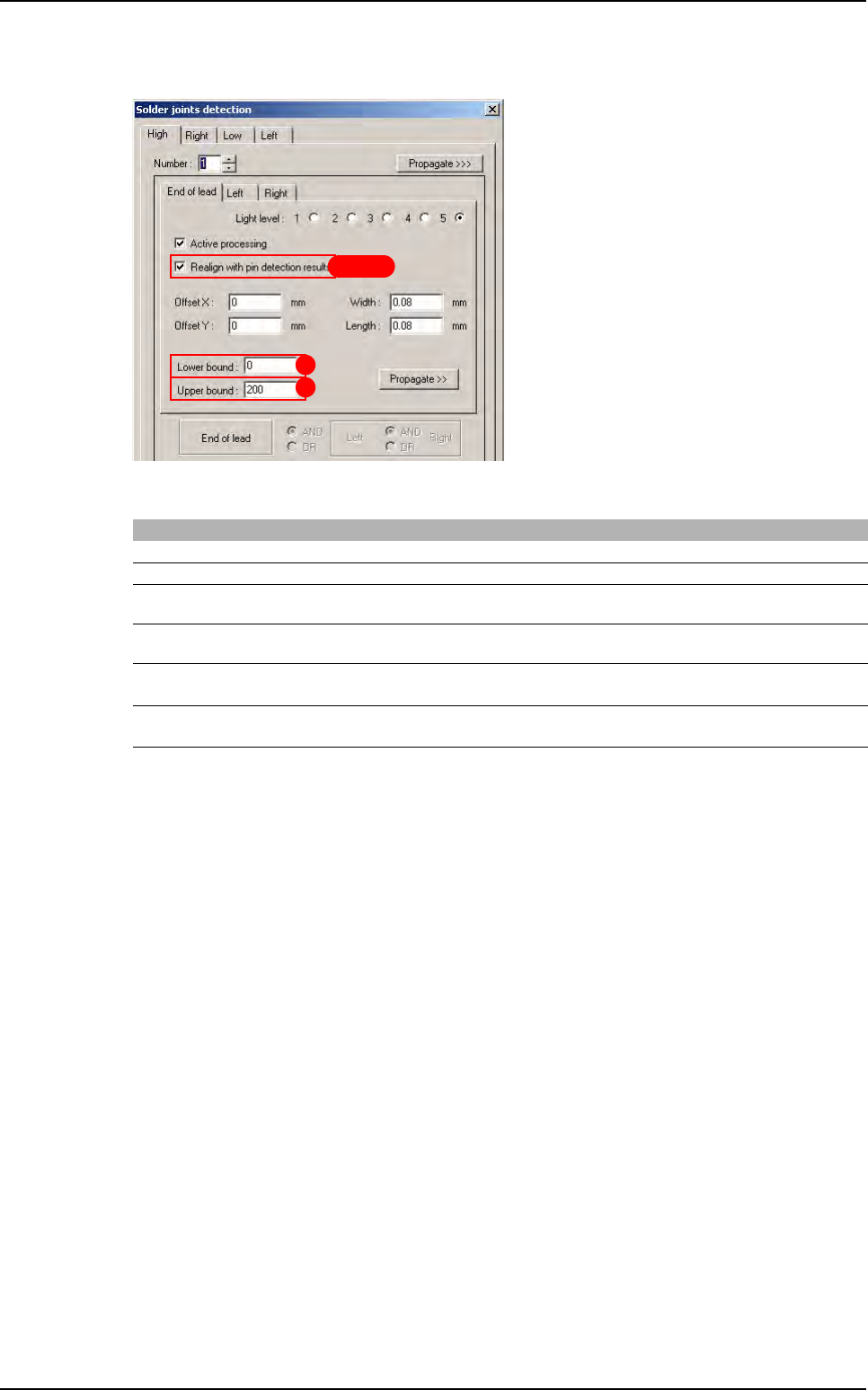
A.5.16 Custom tool: solder joints detection
INI section : [Custom(Joint)]
C, D, E and F are used to realigne joint with pin detection
Mark Key name Initial value Min value Max value
A Min Value 0 0 255
B Max Value 200 0 255
C Body Position to use
(0:CAO, 1:Body detection, 2:LeadsAverage)
002
D Body Position to use if body detection is not available
(0:CAO, 1:LeadsAverage)
001
E
Angle to use when recal is activated
(0:CAD, 1:Body Detection, 2:LeadsAverage)
102
F
Angle to use when recal is desactivated
(0:CAD, 1:Body Detection, 2:LeadsAverage)
102
B
A
C D E F
Library default values