VI User Manual.pdf - 第63页
.VIS file Vision 2007 4.10 User Manua l Rev 01 3 - 5 Step type It is used to de- scribe a panel of boards with the same shape and different arrange- ments. Matrix type It is used to de- scribe a pa nel of several ide…
.VIS file
3 - 4 Vision 2007 4.10 User Manual Rev 01
Board parameters
Board shape syntax
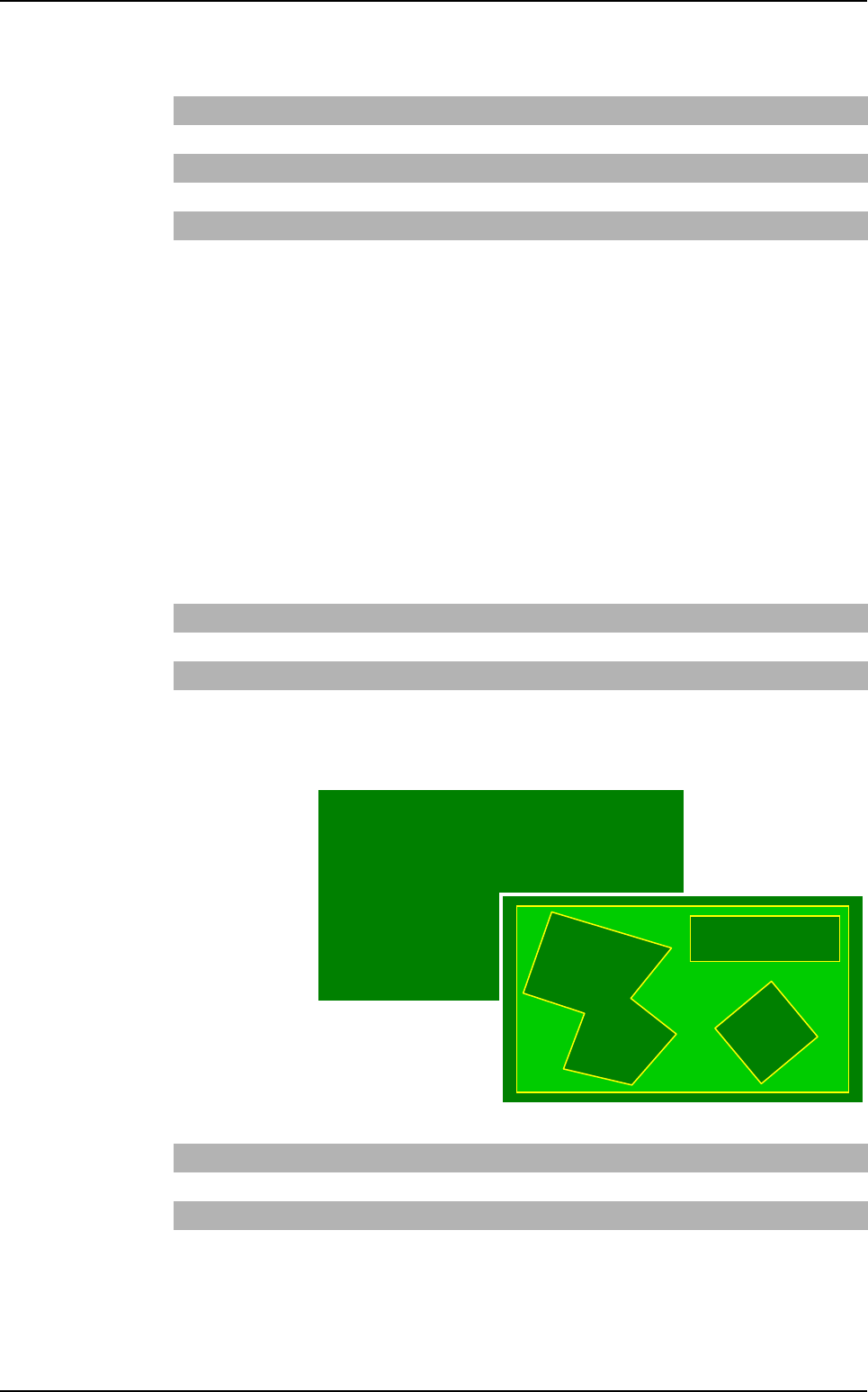
The shape is defined in 2 ways:
Board type
3 keywords are used to define the shape:
Rectangle: BOARD,
Ellipse: BOARD_ELLIPSE,
Polygon: BOARD_ POLYGON.
Step and matrix type
A new direction is used to define the shapes: SHAPE
Board arrangement
Board type
It is used to
describe a
panel with one
or several dif-
ferent boards
(shapes, di-
mensions).
The board
name is a num-
ber.
Dimx Board width
Dimy Board height
X, Y Board centrer position (origin point position for polygon board)
Xp, Yp Point position used to describe the polygonal board
Θ
Board angle
Nbpt Number of polygon points
Rectangle SHAPE RECTANGLE
Ellipse SHAPE ELLIPSE
Polygon SHAPE POLYGON Nbpti Xpi1 Ypi1 Xpi2 … XpiN YpiN
Rectangle BOARD nomi Dimxi Dimyi xi yi
Θ
i
Ellipse BOARD_ELLIPSE nomi Dimxi Dimyi xi yi
Θ
i
Polygon BOARD_POLYGON nomi Nbpti Xpi1 Ypi1…XpiN YpiN
.VIS file description
.VIS file
Vision 2007 4.10 User Manual Rev 01 3 - 5
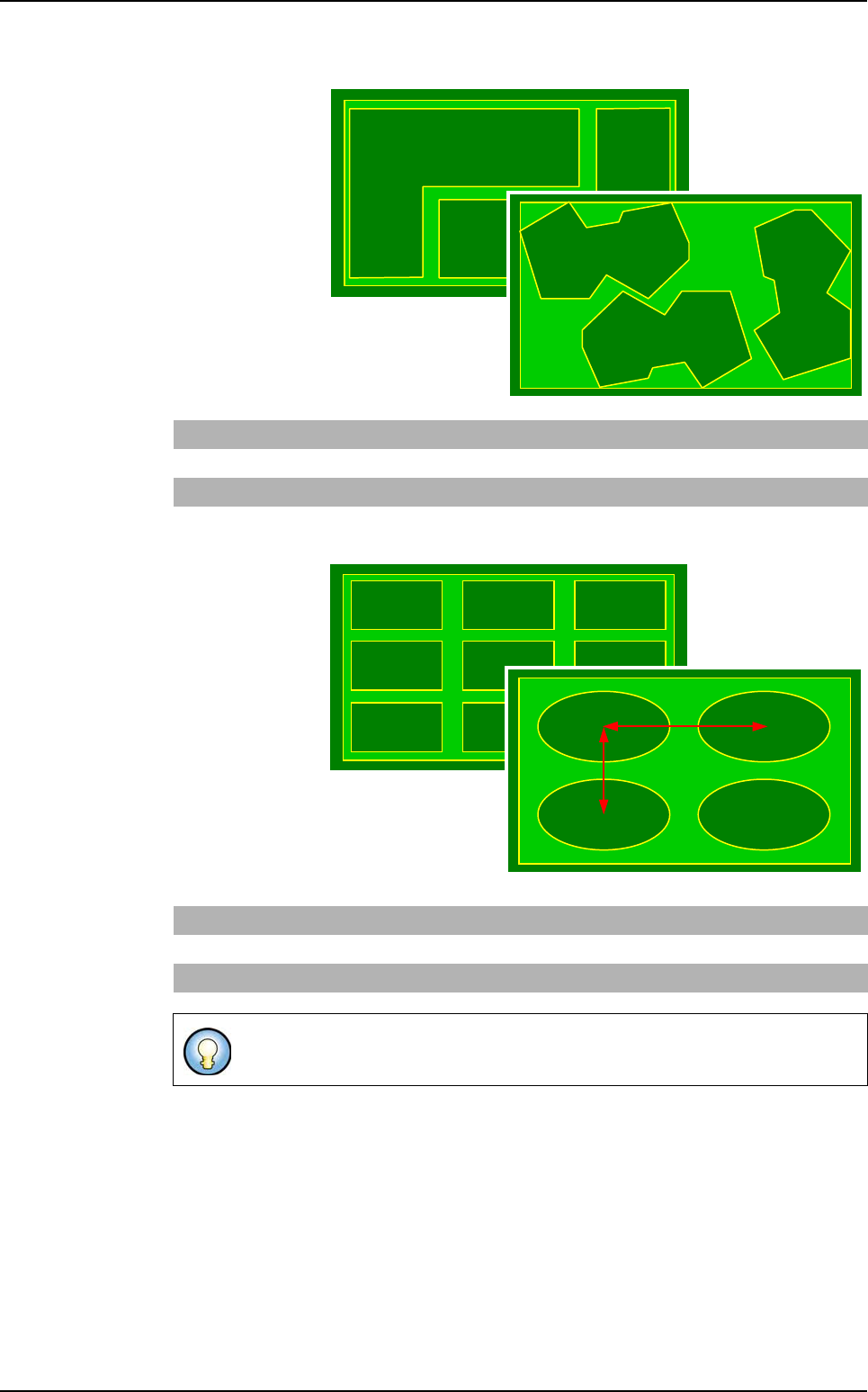
Step type
It is used to de-
scribe a panel of
boards with the
same shape and
different arrange-
ments.
Matrix type
It is used to de-
scribe a panel
of several iden-
tical boards
separated by a
constant step.
Rectangle STEP Dimx Dimy x1 y1
Θ
1x2 y2
Θ
2 … xn yn
Θ
n
Ellipse STEP Dimx Dimy x1 y1
Θ
1x2 y2
Θ
2 … xn yn
Θ
n
Polygon STEP x1 y1
Θ
1 x2 y2
Θ
2 … xn yn
Θ
n
Rectangle MATRIX Dimx Dimy Nbline Nbcol Stepx Stepy Order
Ellipse MATRIX Dimx Dimy Nbline Nbcol Stepx Stepy Order
Polygon STEP x1 y1
Θ
1 x2 y2
Θ
2 … xn yn
Θ
n
Step X, step Y: distance between 2 board centers.
Step X
Step Y
.VIS file description
.VIS file
3 - 6 Vision 2007 4.10 User Manual Rev 01
3.1.3 Description in CAD reference
3.1.3.1 Panel fiducial and skip arrangement
The panel fiducials and skip definition is the same for the 3 different types of board ar-
rangement.
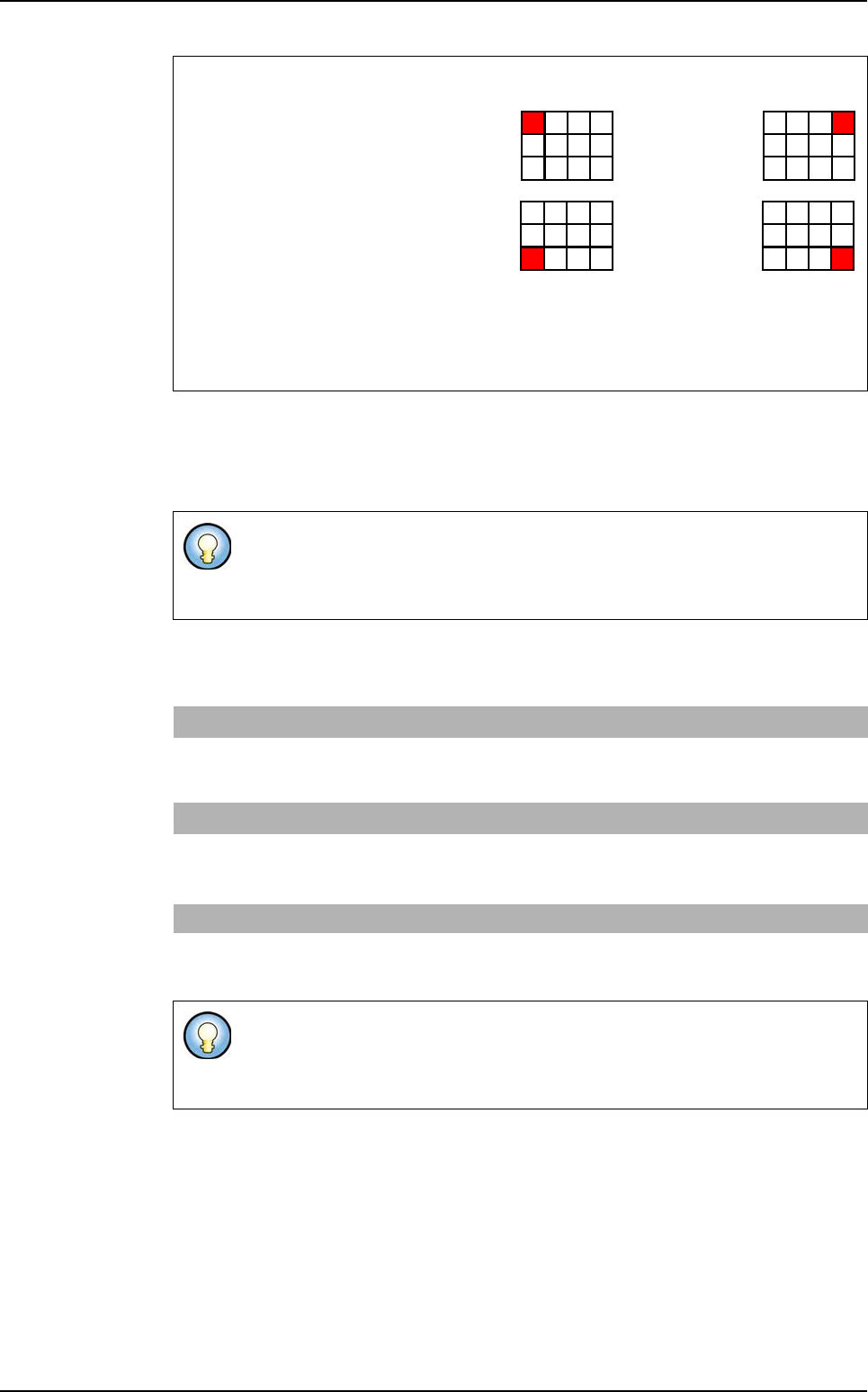
Matrix order
The two first letters give the
position of the first board:
L: Left,
R: Right,
T: Top,
B: Bottom
The third gives the scanning direction:
V: Vertical,
H: Horizontal
The fiducials used can be panel, board, or panel and board fiducials.
No limitation for fiducial number definition. But for inspection only 2 fiducials are
used.
Panel fiducials
FM n
i
, x
i
, y
i
Coordinates of panel
i
fiducial (number / position).
USED_FM
(optional)
n
1
, n
2
Number of the panel fiducials to be used. If this line is not
present, the first 2 panel fiducials declared are taken by
default.
Skip SKIP
b
i
, num
j
, x
j
, y
j
Coordinates of the num
j
skip of board
i
.
USED_SKIP
(optional)
b
i
, n Number of the skip to use for board b
i
. If this line is not
present, the first skip declared of board b
i
is taken by
default.
Data Matrix CB & Datamatrix
1D_2D_ Code
(optional)
X, Y,
Θ
Coordinates of the panel code
SKIP allows to mark the boards not to be inspected on the panel in the
production mode (not all the panel boards are OK).
You must declare as many skip as you have boards on the panel.
LT... RT...
LB... RB...
.VIS file description