VI User Manual.pdf - 第70页
.VIS file 3 - 12 Vision 2007 4.10 User Manual Re v 01 3.2.3.4 Board shape defintion Rectangle tab define the size of a rectangular board. Ellipse tab define the size of the 2 axis of an elliptic board. Polygone tab defin…
.VIS file
Vision 2007 4.10 User Manual Rev 01 3 - 11
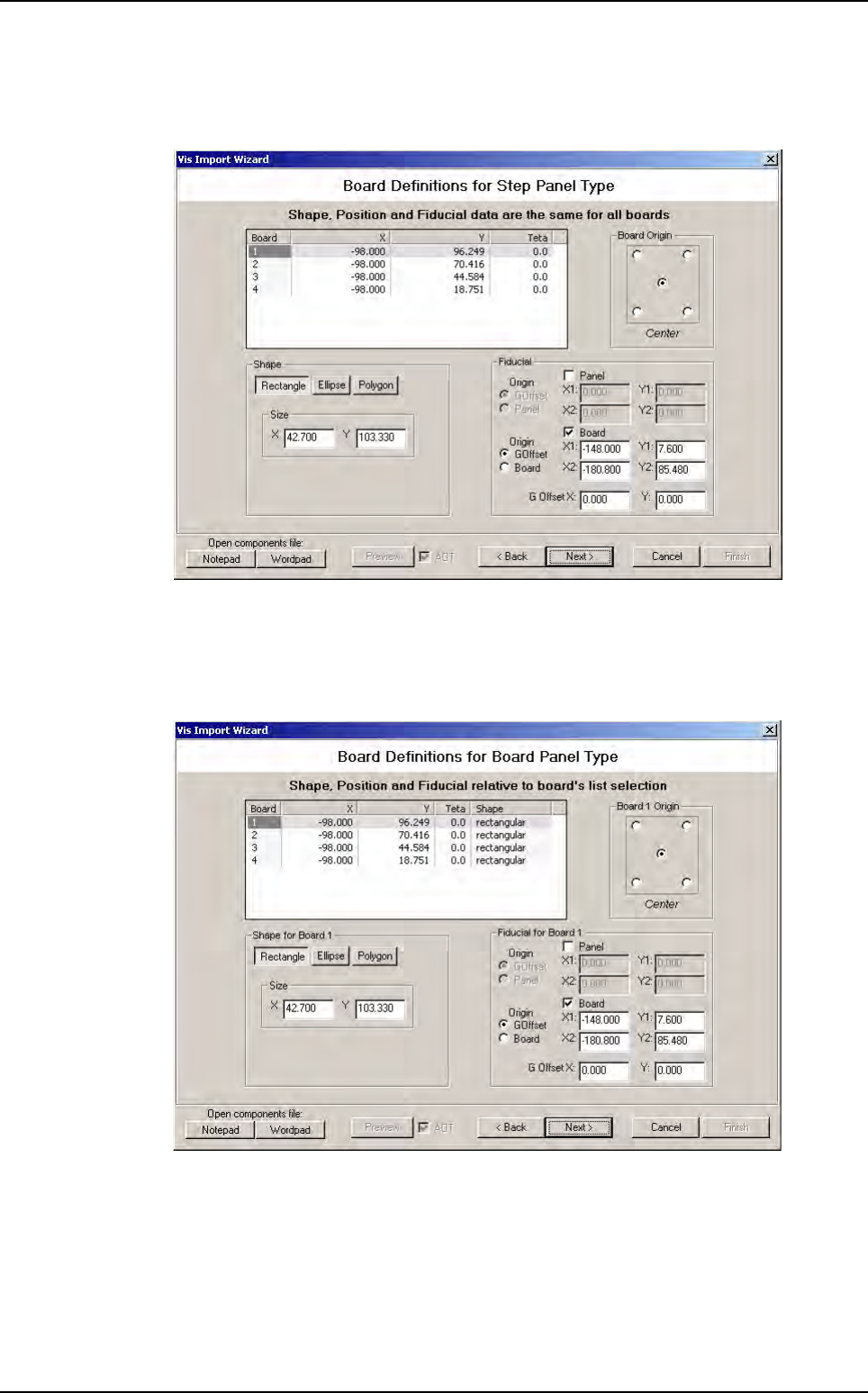
3.2.3.2 Step panel type
In Step mode you have to define 1 board shape and also boards position and orientation
in the panel.
Fiducial position must be defined too.
3.2.3.3 Board panel type
In Board mode, you have to define all board shape separately.
Click on a line in the list to select the board you want define. In this case, shape is a poly-
gon, you can define all apex position.
You must also define fiducial position for all boards if you have board fiducial.
.VIS file wizard
.VIS file
3 - 12 Vision 2007 4.10 User Manual Rev 01
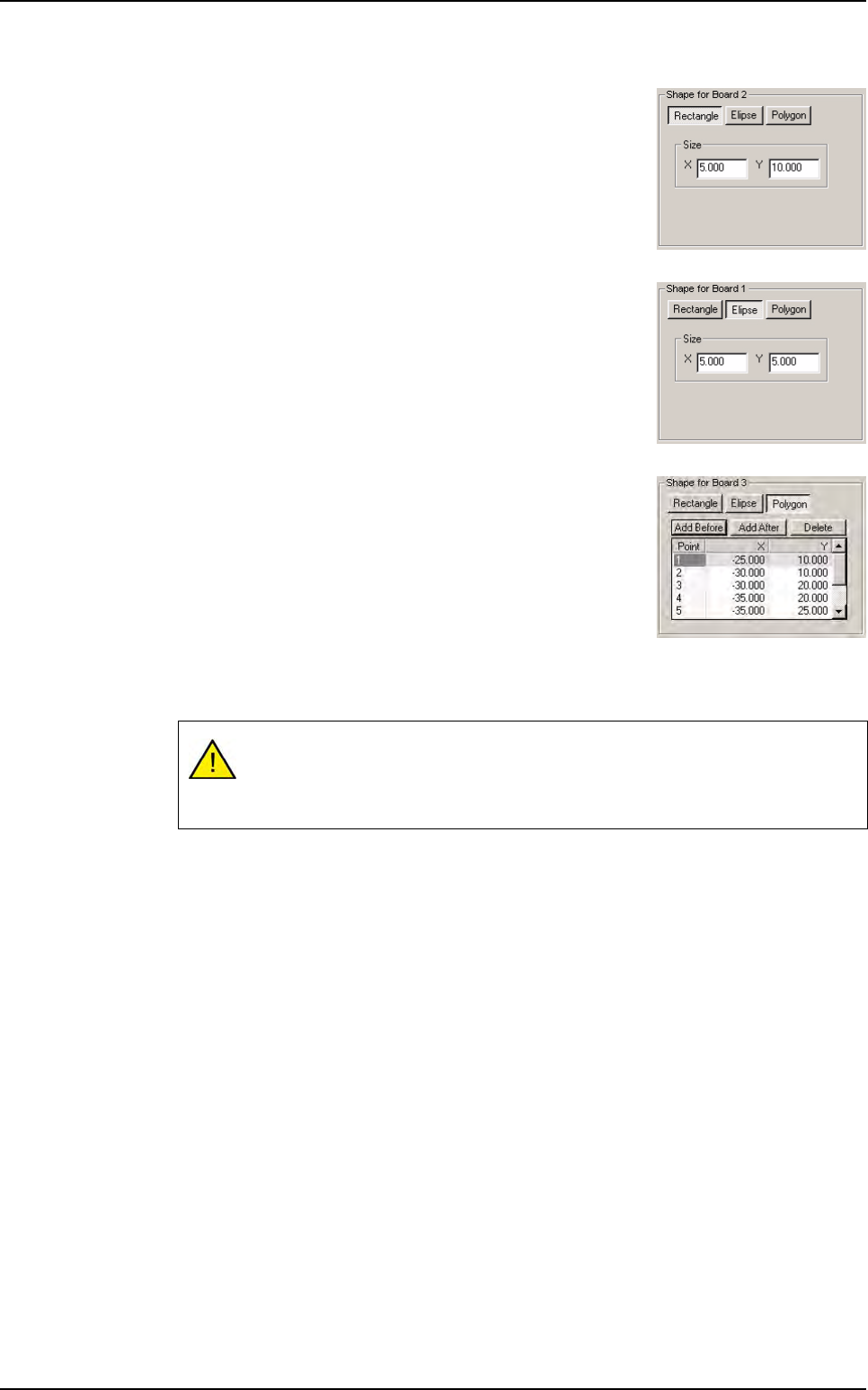
3.2.3.4 Board shape defintion
Rectangle tab define the size of a rectangular board.
Ellipse tab define the size of the 2 axis of an elliptic board.
Polygone tab define all apex position of a polygon board.
3.2.3.5 Fiducial definition
You can define fiducial board and (or) fiducial panel.
3.2.3.6 Board origin
With this part of the window, you can define where is the board origin (top left, right bottom, ...).
If you are in panel board mode, you must define fiducial board position for every
board.
There is a warning if you forget.
.VIS file wizard
.VIS file
Vision 2007 4.10 User Manual Rev 01 3 - 13
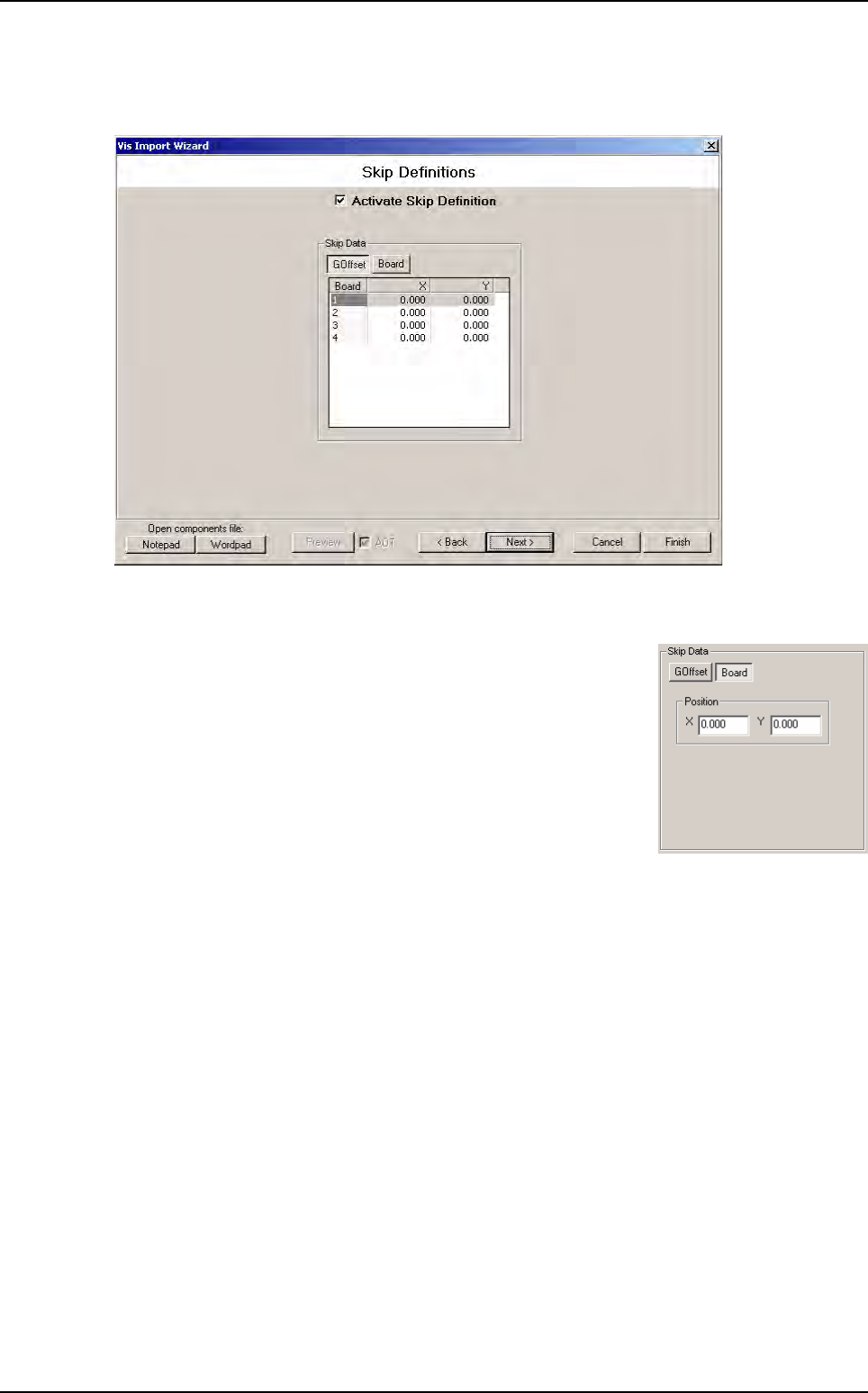
3.2.4 Skip definition window
This window will add skip object in the .vis file if you check Activate Skip Definition.
There is 2 ways to define skip position:
GOffset tab define all skips position from the panel origin (see window above).
Board tab define the skip position in the board coordinate. In this
case all skips will be at the same position on all boards.
.VIS file wizard