VI User Manual.pdf - 第83页
.TST file creation Vision 2007 4.10 User Manua l Rev 01 4 - 9 4.3.2 1D/2D reader tab Tick Use 1D/2D reader (mou nted on serial port) ( A ) to activate bar code inspection during produc- tion. Board ( B ): list of all the…
.TST file creation
4 - 8 Vision 2007 4.10 User Manual Rev 01
4.3 Configuring the .tst file
Once the .tst file created, to access the parameters that you want to view or modify, click on the icon in
the file tool bar.
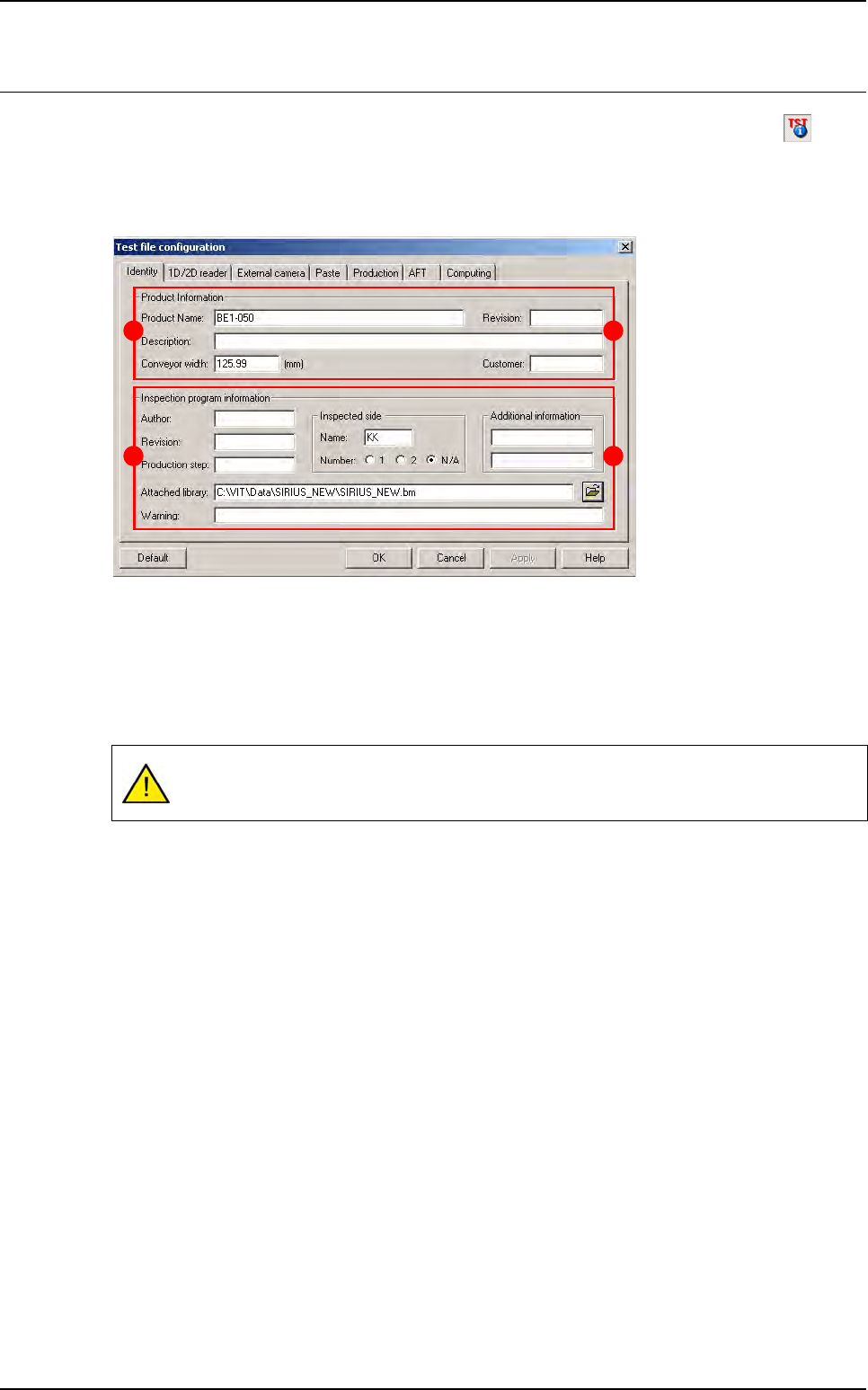
4.3.1 Identity tab
This tab is divided into 2 parts:
The
Product Information
section (
A
) contains:
Product Name
Description
of the product
Conveyor width
in millimeters (USED_DIM of the .vis file).
Revision
Customer
The
Inspection Program Information
section (
B
) contains:
Author
Revision
Production step
Attached library
: address and name of the library attached to the .tst file.
Warning
Inspected side
: side name and side number (SIDE_NUMBER of the .vis file).
Additional information
When loading a .tst file, the conveyor automatically adjusts by using the panel width gi-
ven in this window.
B
A
B
A
.TST file creation
Vision 2007 4.10 User Manual Rev 01 4 - 9
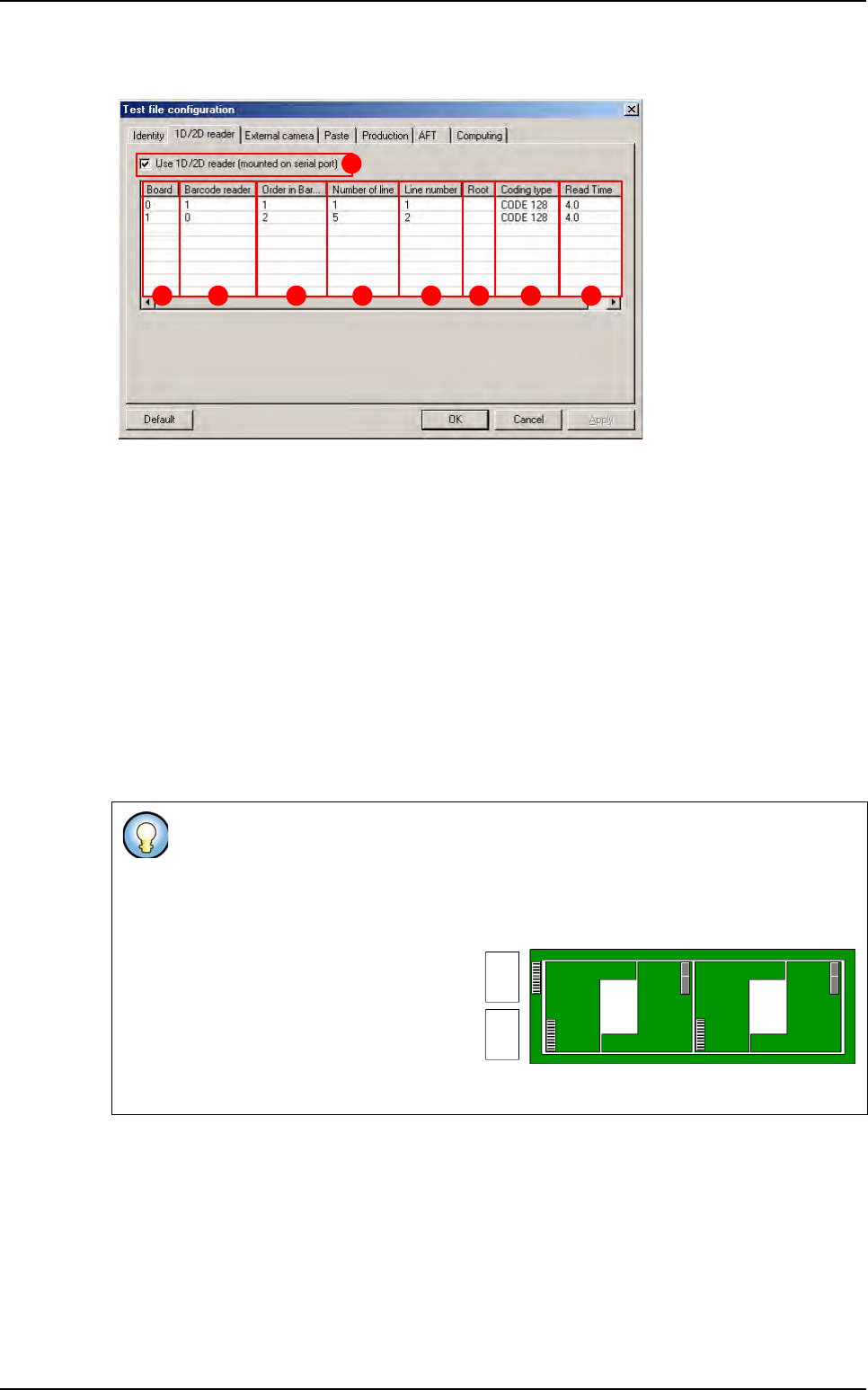
4.3.2 1D/2D reader tab
Tick
Use 1D/2D reader (mounted on serial port)
(
A
) to activate bar code inspection during produc-
tion.
Board
(
B
): list of all the boards inside the panel, 0 is for the panel label and the numbers correspond
to each board.
Bar code reader
(
C
) used to read the label. Refer to the register to check the serial port connected.
Order in bar code
(
D
): label order on the board for this reader.
Number of lines
(
E
) on the label.
Line number
(
F
): line to use from the label.
Root
(
G
) to check when starting production.
Coding type
(
H
): type of bar code available with the machine. Use the right click to see the list.
Read time
(
I
): time to read all the bar code for one reader (to let the beam switch on). This time is
only used when there is more than one code to read.
Right click to edit all list and double left click to edit fields.
Example
Line 1 = U237 - Line 2 = B4573 - Line 3 = C1236
If you enter 1 + 3 the bar code stored in the database will be: U237C1236
Possibilty to read several bar codes
with different configurations:
One bar code reader and several la-
bels in line.
Several bar code readers and sev-
eral labels.
B C D E F G H I
A
reader 1reader 2
Configuring the .tst file
.TST file creation
4 - 10 Vision 2007 4.10 User Manual Rev 01
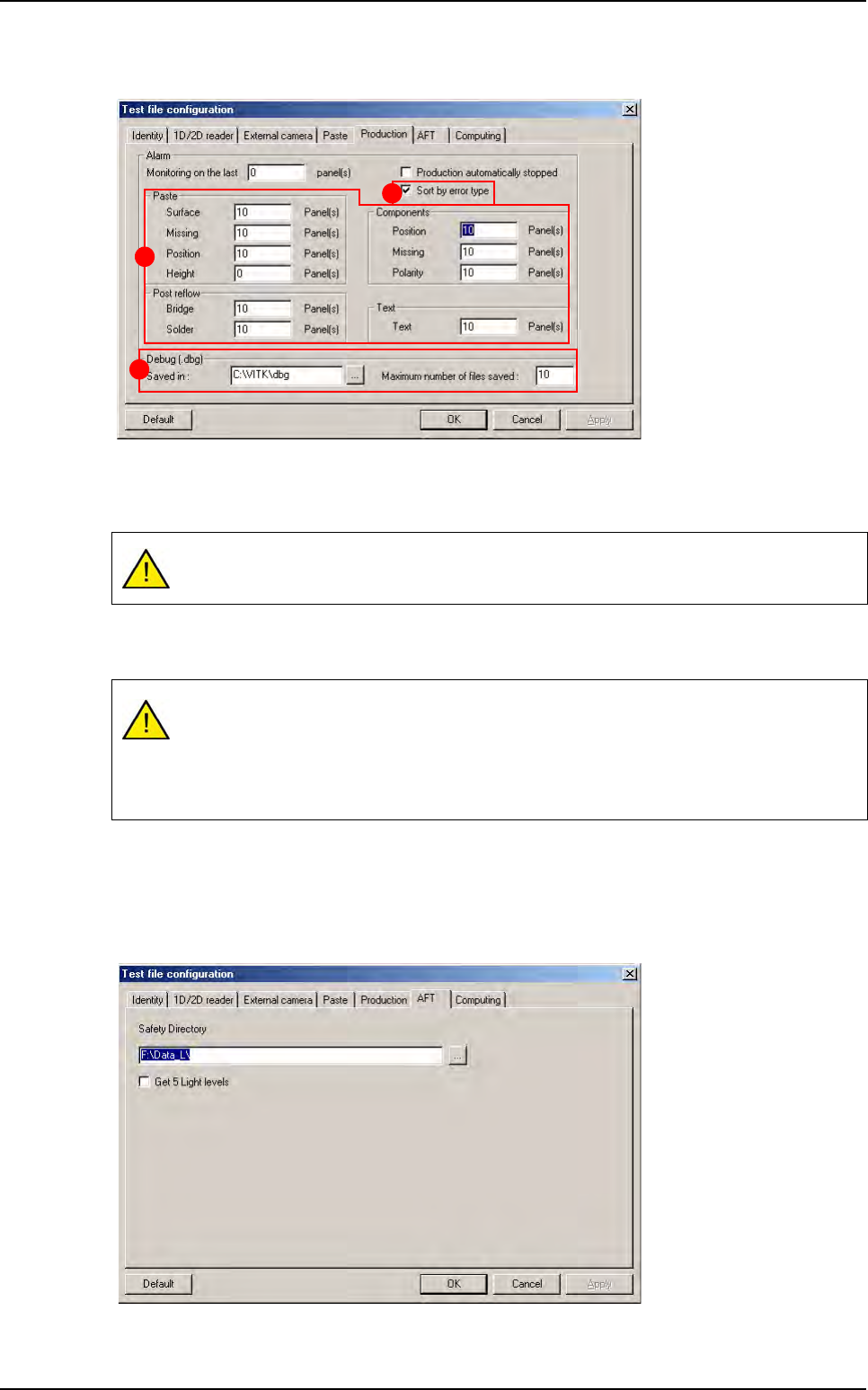
4.3.3 Production tab
The machine triggers an alarm after n boards (0 for no alarm).
The part (A) allows the operator to activate or no an alarm when there is more defects than the
autorized limit.
Tick
Sort by error type
(
B
) to sort errors by column on the table graph of the production screen.
If you deselect it, all the errors will be displayed in every columns
.
In the Debug (.dbg) section (C), enter the location to save DBG and the maximum number of
file saved.
4.3.4 AFT tab
File save address during AFT.
By default the limit of defect is fixed at 10. If it is 0, the limits are not active.
If you have 10 boards with position errors on the last 40 boards you will have an alarm
message in production. From this message box:
Select OK to stop production and reset the counter for all the limits.
Select Cancel to carry on and reset only the reached limit.
C
B
A
Configuring the .tst file