VI User Manual.pdf - 第88页
.TST file creation 4 - 14 Vision 2007 4.10 User Manual Re v 01 4.5.1.2 Select separators and prev iew data window The below window appears. This windows ask you to separate data in several columns. You have to choose or …
.TST file creation
Vision 2007 4.10 User Manual Rev 01 4 - 13
4.5 Feeder information
4.5.1 Feeder file builder
This wizard guides you through all steps to create a feeder file directly from a text file by extract-
ing relevent information.
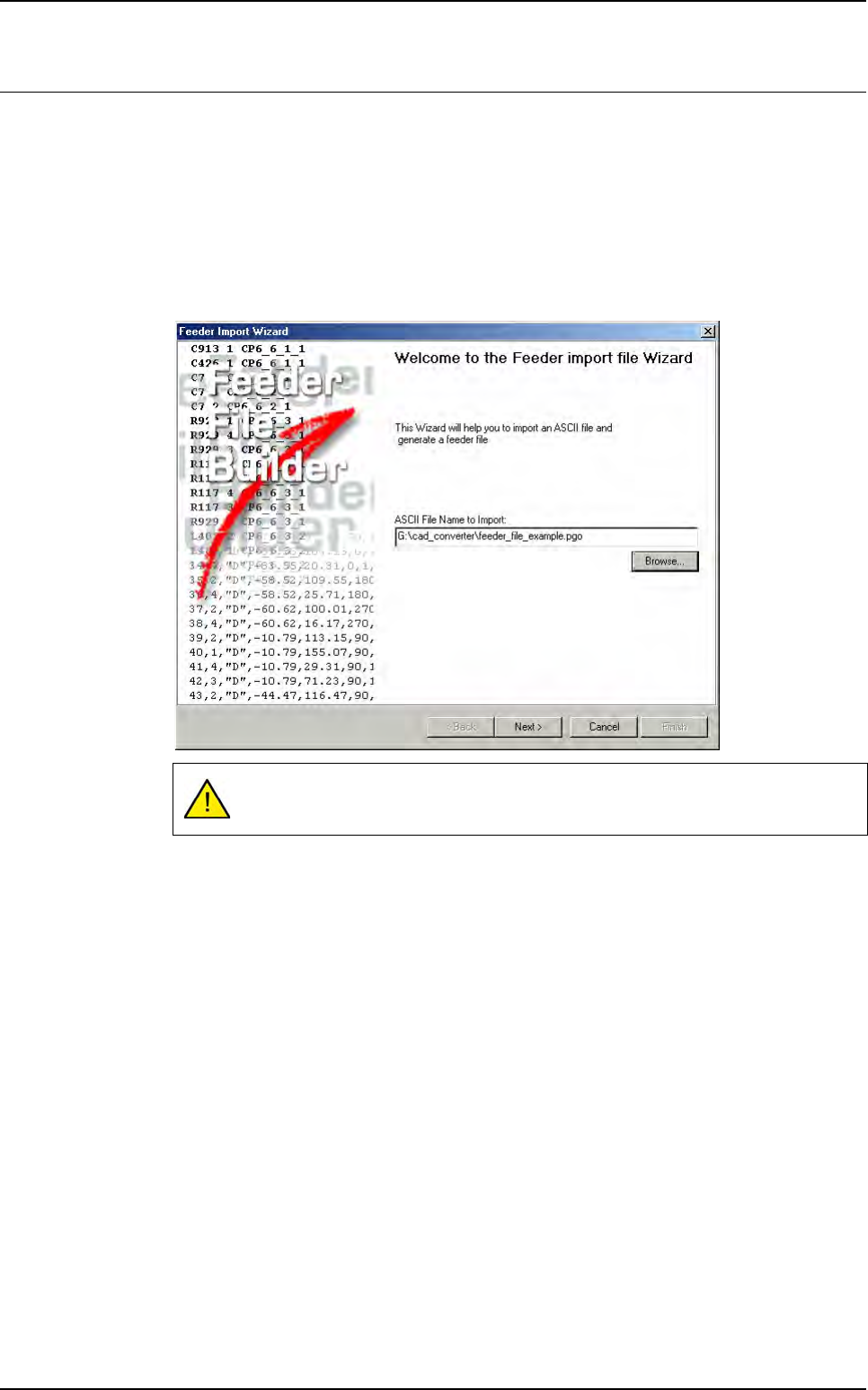
4.5.1.1 Feeder wizard starting
To run the feeder wizard go in Process menu and select Feeder Wizard (Ctrl+Shift+F).
The below window is displayed, enter a text file name to continue the wizard.
Click Next >.
This text file name should contain the feeder information.
.TST file creation
4 - 14 Vision 2007 4.10 User Manual Rev 01
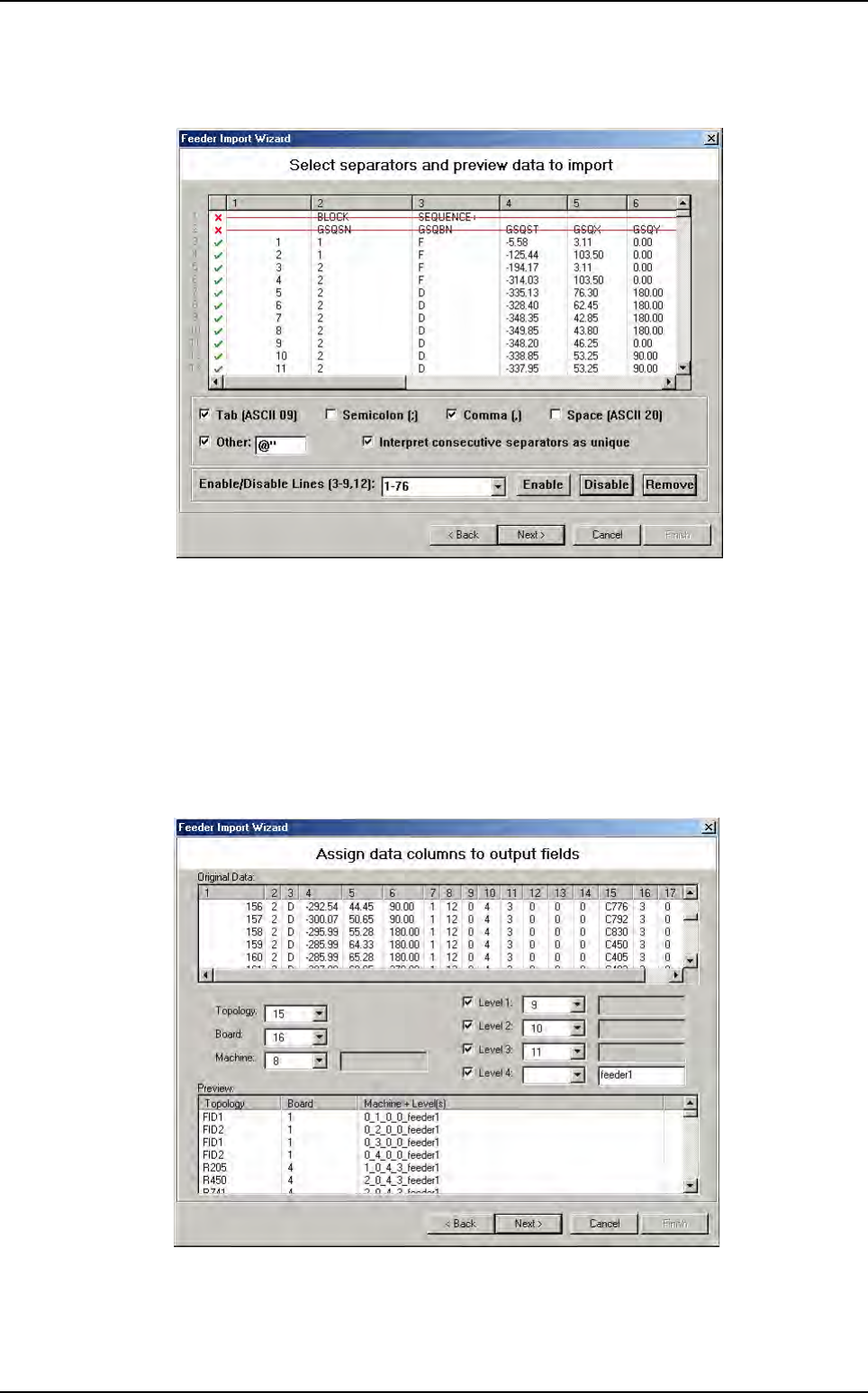
4.5.1.2 Select separators and preview data window
The below window appears.
This windows ask you to separate data in several columns.
You have to choose or enter which characters are columns separators. You can also re-
move lines if there is no feeder information in them. Just a mouse click and the line be-
come red.
When all feeder data are separated, click
Next >
.
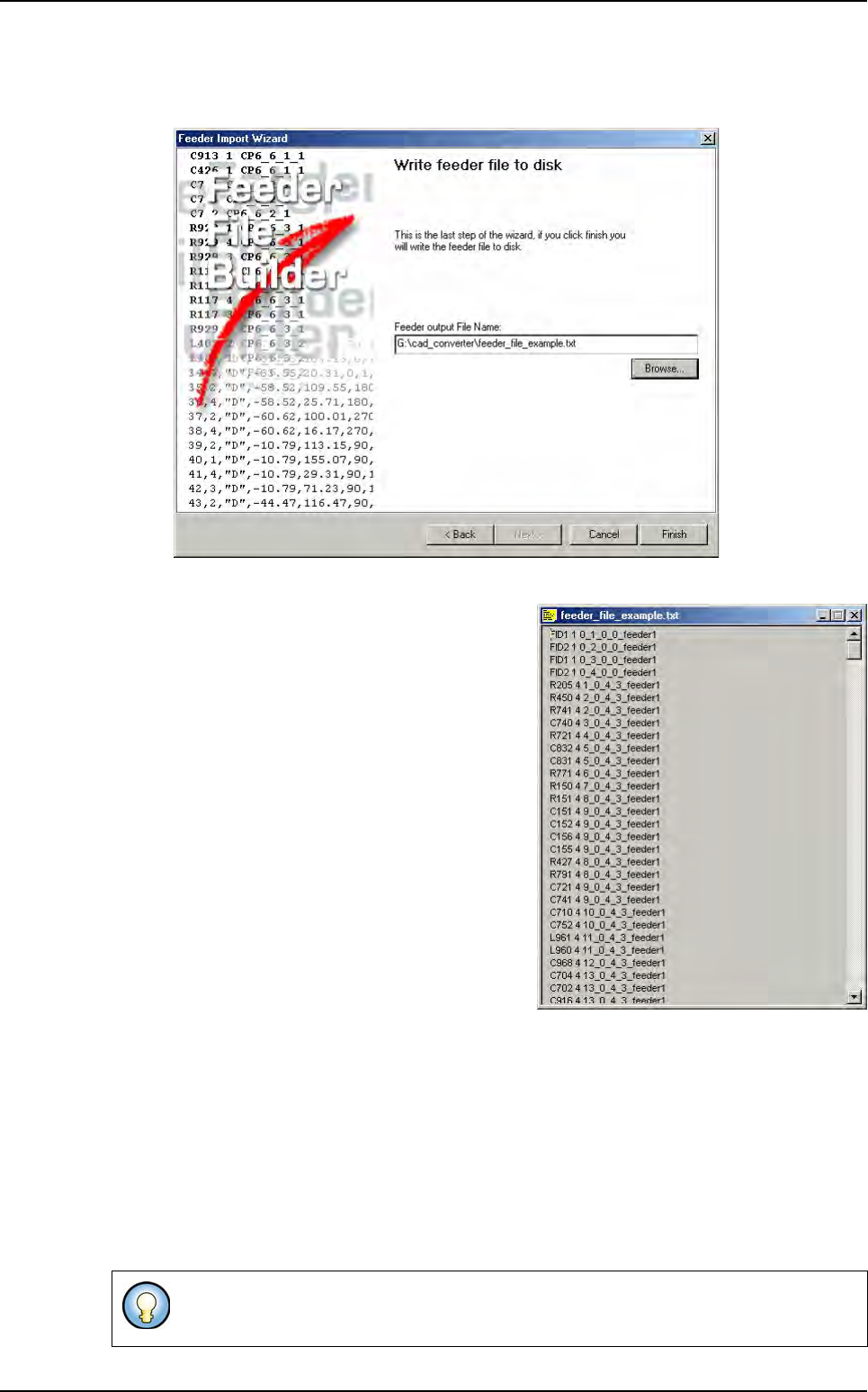
4.5.1.3 Assign data column window
The Original Data list show the different column created when you choose the separator
characters in previous windows.
The central part ask which column contain required information (Topology, board, ma-
chine, level 1, level 2, level 3, level 4).
The Preview lists show the feeder file result.
When all important column are selected, click Next >.
Feeder information
.TST file creation
Vision 2007 4.10 User Manual Rev 01 4 - 15
4.5.1.4 Write feeder file to disk window
This last window ask to enter a feeder file result name.
Click finish.
The feeder file is created.
4.5.2 Test file importation
At anytime, you can import the feeder information on your program.
For this, in the Test file menu, go to Import sub menu and select Feeder Information.
The Open a feeder file window appears.
Select the text file containing your feeder information.
Double click on the selected .txt file or click Open to load it.
A feeder file is a text file (ASCII format) containing information on placement machine
for each Reference Designator.
Feeder information