00198705-01_AI_Portalmodularität_SX12_V3_DE_EN.pdf - 第112页
3 Fitting the Gantry 3.6 Final Work 112 Assembly Instructions / Montageanleitung SIPLACE SX1/SX2 V3 Gantry Modularity Portalmodularität 05/2020 Fig.49: Service menu ► Select Automatic Calibration . Fig.50: Calibration …
3 Fitting the Gantry
3.6 Final Work
Assembly Instructions / Montageanleitung SIPLACE SX1/SX2 V3 Gantry Modularity Portalmodularität 05/2020 111
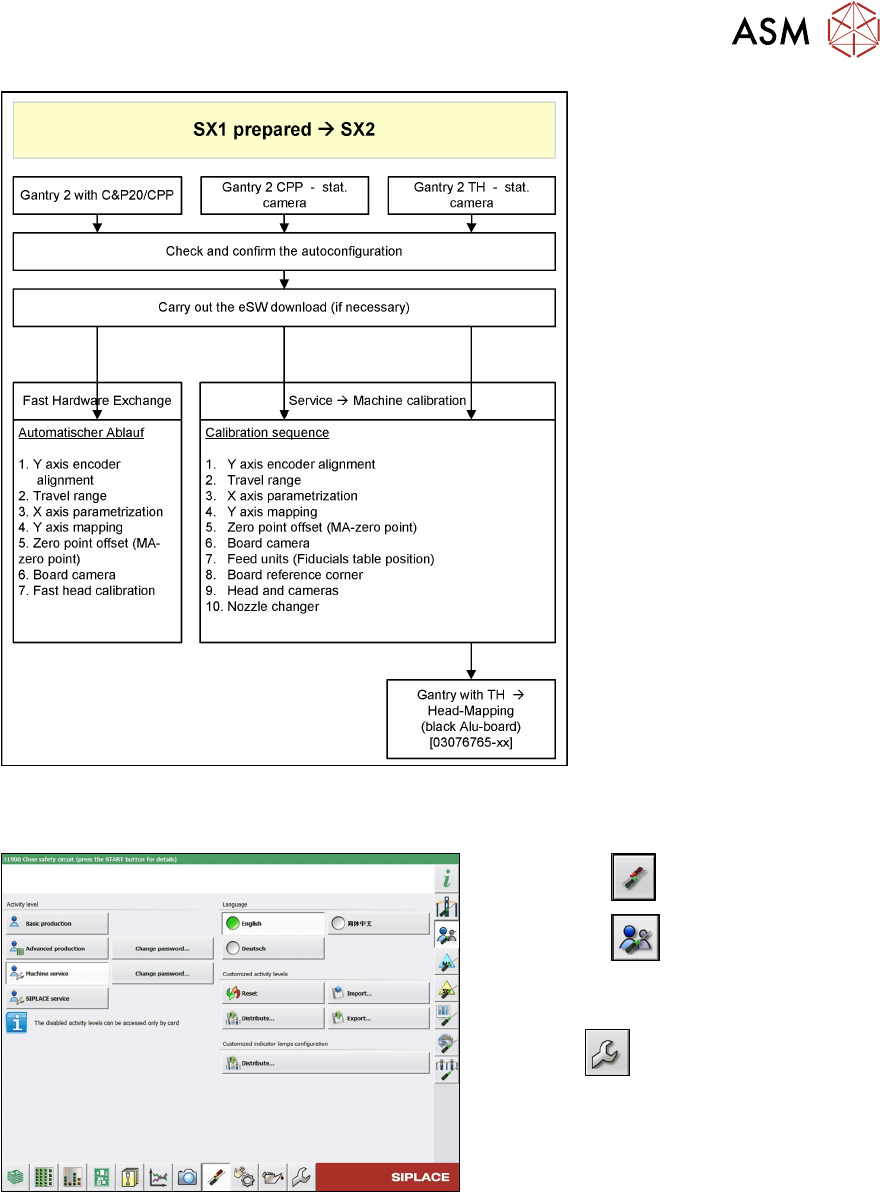
Fig.47: Gantry with TH->component mapping
Confirming the autoconfiguration (SW 713.x)
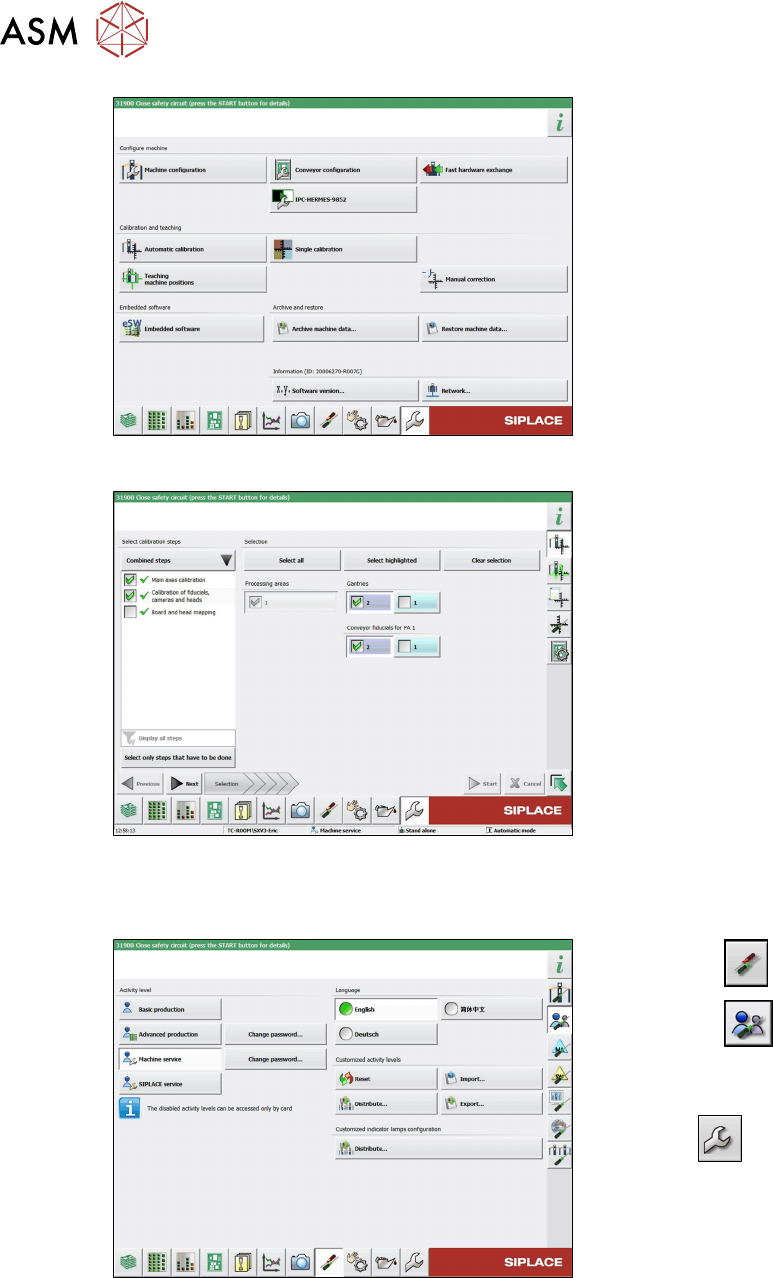
Fig.48: Select operator level
► Select the button.
► Select the button.
► Switch over to the operator level Ma-
chine service.
ð The button will be shown.
3 Fitting the Gantry
3.6 Final Work
112 Assembly Instructions / Montageanleitung SIPLACE SX1/SX2 V3 Gantry Modularity Portalmodularität 05/2020
Fig.49: Service menu
► Select Automatic Calibration.
Fig.50: Calibration
► Go to Combined steps and select the
items Main axes calibration and Cali-
bration of fiducials, cameras and
heads.
► Select the gantry.
► Select Next and follow the instruction
on the screen.
3.6.6.1 eSW Download (SW 70x)
Fig.51: Select operator level
► Select the button.
► Select the button.
► Switch over to the operator level Ma-
chine service.
ð The button will be shown.
3 Fitting the Gantry
3.6 Final Work
Assembly Instructions / Montageanleitung SIPLACE SX1/SX2 V3 Gantry Modularity Portalmodularität 05/2020 113
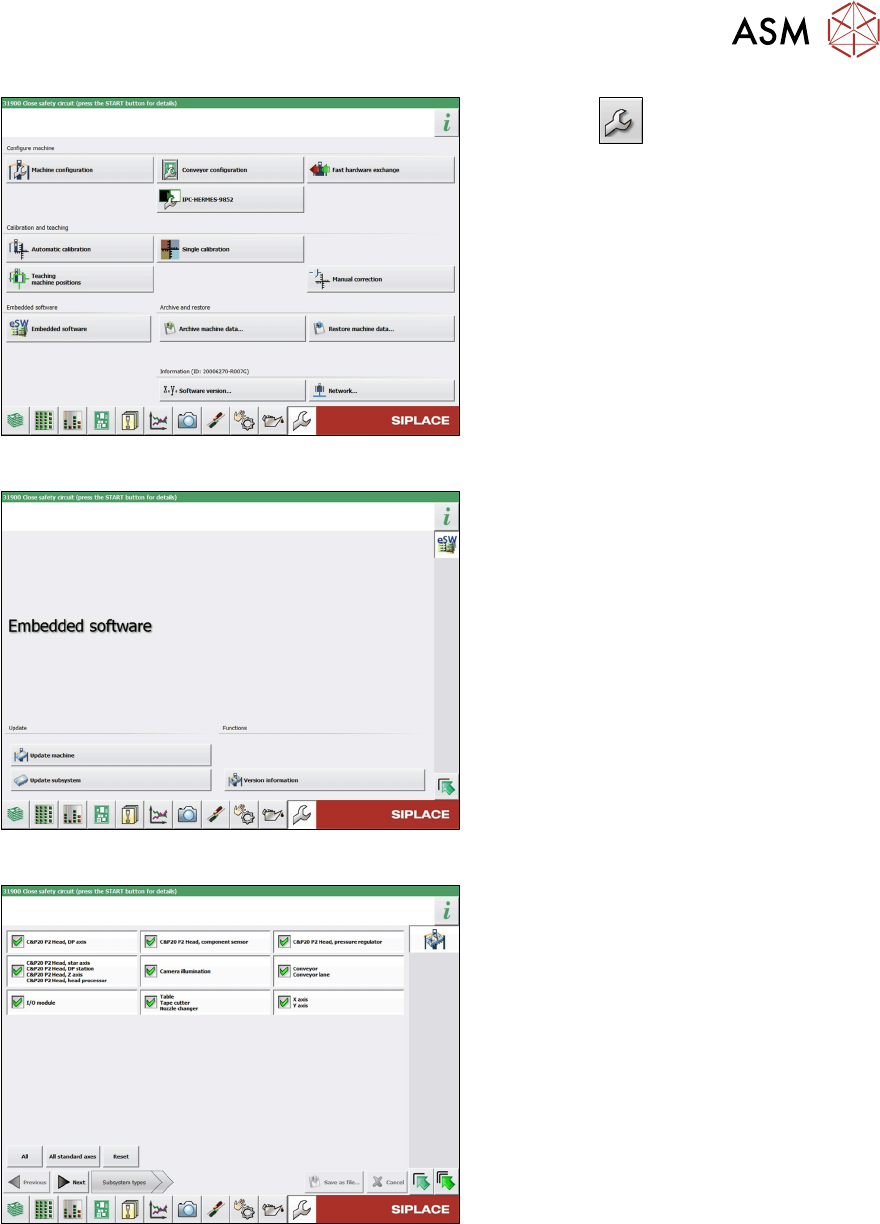
Fig.52: Service menu
► Click the button to enter the Ser-
vice menu.
► Click on the Embedded software but-
ton.
Fig.53: Embedded software menu
Select the required function:
► Click on Update machine… to check
the entire machine and to perform an
eSW download for multiple subsystems
(see next picture).
► Click on Update subsystem… to se-
lect one subsystem, check and to per-
form an eSW download.
► Click on the button Version informa-
tion…, to view all versions of the sub-
systems, BIOS, application 1/2/3/5.
Fig.54: Select subsystem
► Select the subsystem for the eSW
download.
► Click on the Continue button.