00198705-01_AI_Portalmodularität_SX12_V3_DE_EN.pdf - 第85页
2 Brief Description 2.1 Overview Assembly Instructions / Montageanleitung SIPLACE SX1/SX2 V3 Gantry Modularity Portalmodularität 05/2020 85 2.1.5 Additional Work 2.1.5.1 Buffer Stopper When upgrading a SIPLACE SX1 to a S…
2 Brief Description
2.1 Overview
84 Assembly Instructions / Montageanleitung SIPLACE SX1/SX2 V3 Gantry Modularity Portalmodularität 05/2020
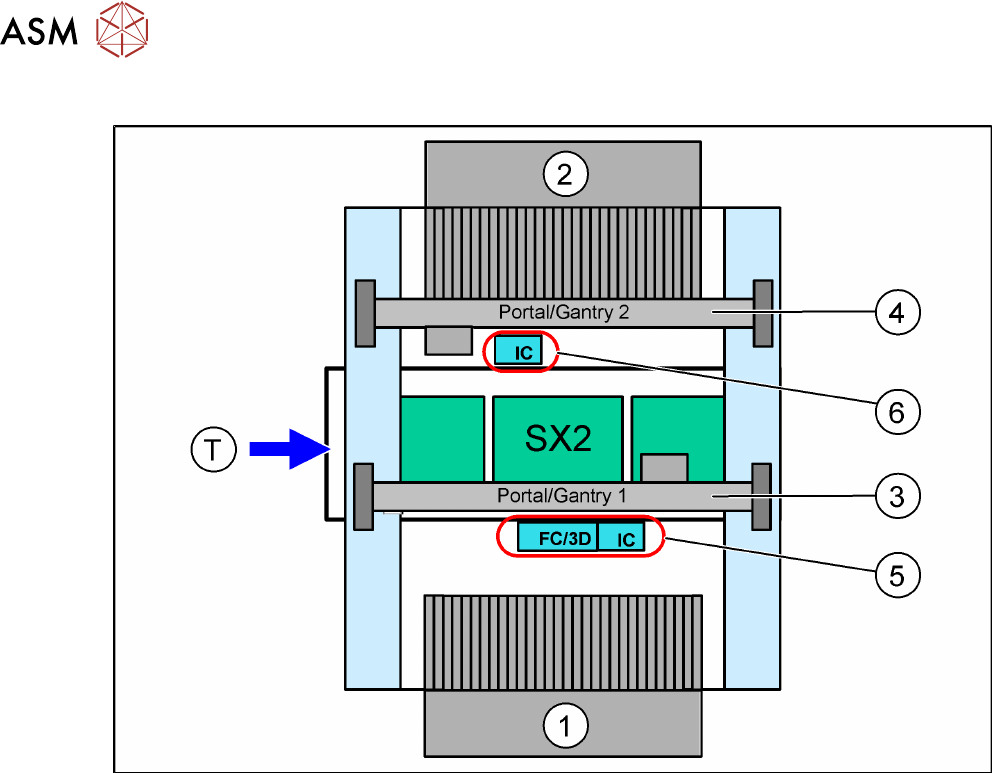
SIPLACE SX2
Fig.8: Stationary cameras on the SIPLACE SX2
1. Location 1 in outer position
2. Location 2 in outer position
3. Gantry 1
4. Gantry 2
5. IC camera and/or FC camera/3D coplanarity module (location1)
You can only install either an FC camera or a 3D coplanarity module!
6. IC camera (location2)
2 Brief Description
2.1 Overview
Assembly Instructions / Montageanleitung SIPLACE SX1/SX2 V3 Gantry Modularity Portalmodularität 05/2020 85
2.1.5 Additional Work
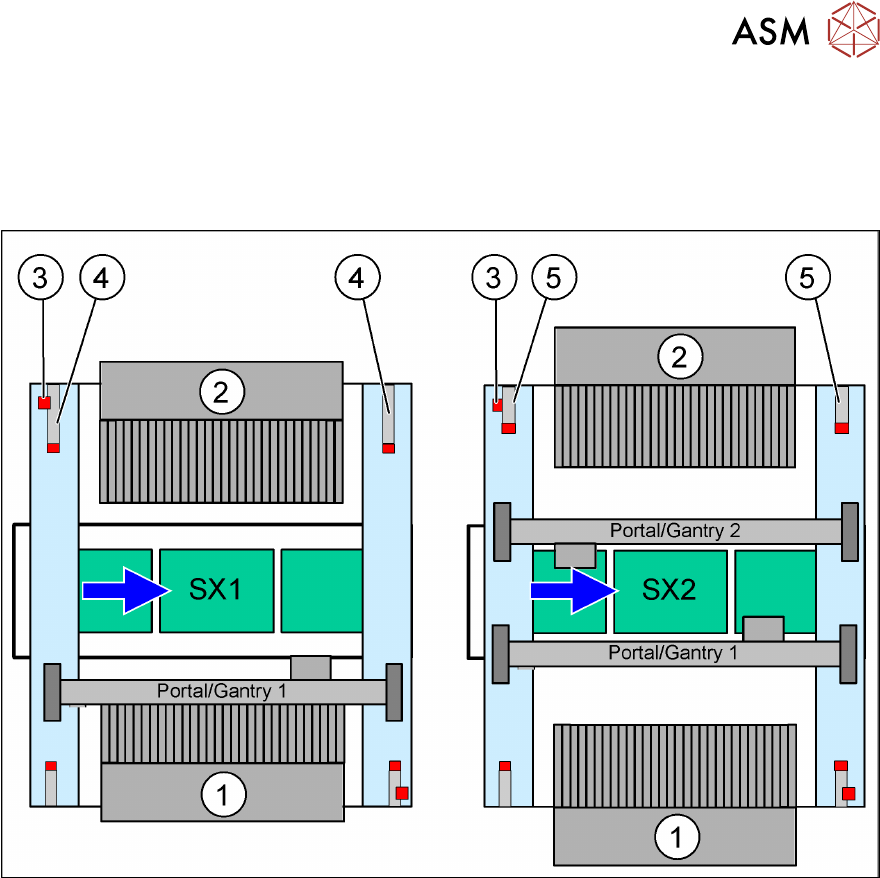
2.1.5.1 Buffer Stopper
When upgrading a SIPLACE SX1 to a SIPLACE SX2 or downgrading to a SIPLACE SX1, always
replace the buffer stopper.
Fig.9: Buffer stopper
1. Location 1
2. Location 2
3. Safety switch
4. Long buffer on a SIPLACE SX1
5. Short buffer on a SIPLACE SX2
2 Brief Description
2.1 Overview
86 Assembly Instructions / Montageanleitung SIPLACE SX1/SX2 V3 Gantry Modularity Portalmodularität 05/2020
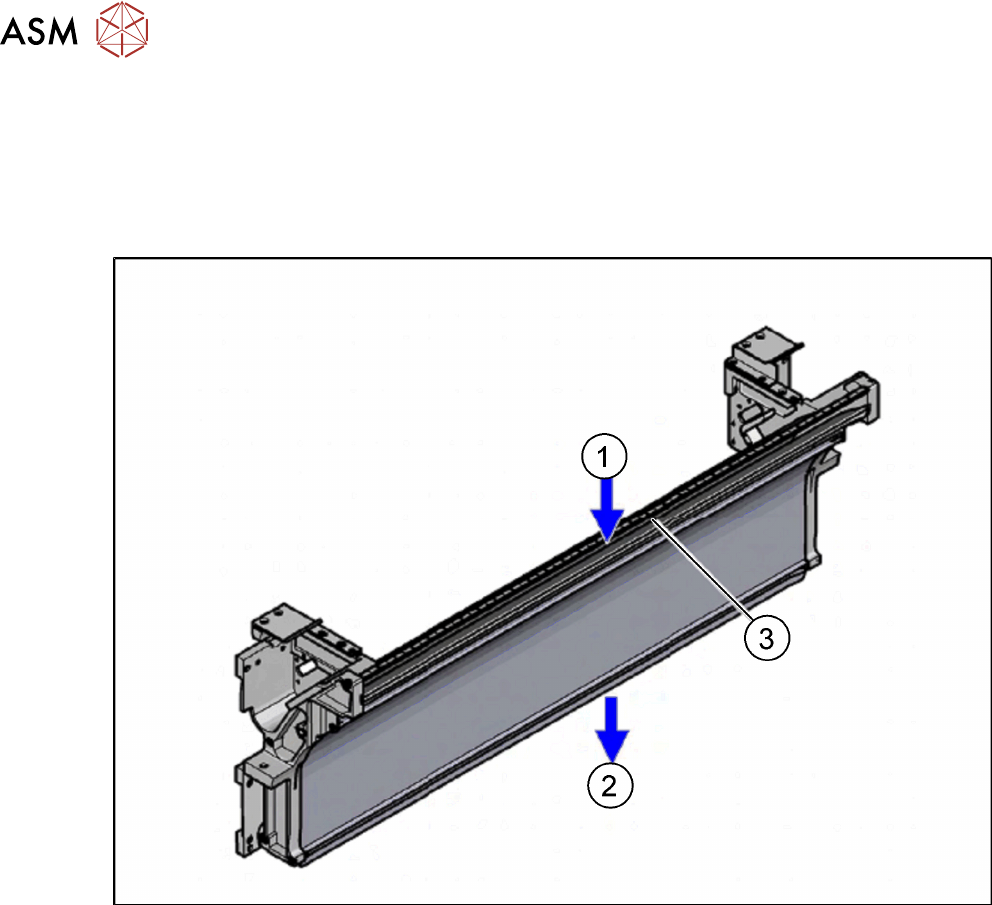
2.1.5.2 Empty Tape Duct Intermediate Plate
If tapes with high components are processed, you will need to remove the empty tape duct interme-
diate plate when upgrading a gantry with SIPLACE Twin or SIPLACE CPP head and stationary
camera.
If you are only using component with tapes up to 12mm, keep the intermediate plate in the empty
tape duct.
Fig.10: Tape duct
1. Inlet slot for empty tapes
2. Outlet slot for the empty tapes above the pneumatic tape cutter
3. Partition plate for tapes < 12 mm (can be removed for tapes > 12 mm)