'操作说明 Hotflow THREE_26_zh.pdf - 第507页
1 1. OPERA TION ENGLISH T ranslation of the original 50 451820.66.03_EN 2020-05-05 1 1.3.2 Lamps Diagnostic lamps 1 2 3 4 5 6 7 1: Collective alarm 2: T emperature alarm 3: W ater shortage/dry run 4: Motor/pump 5: Motor/…
Translation of the original ENGLISH 11. OPERATION
451820.66.03_EN
2020-05-05
49
Operation with display
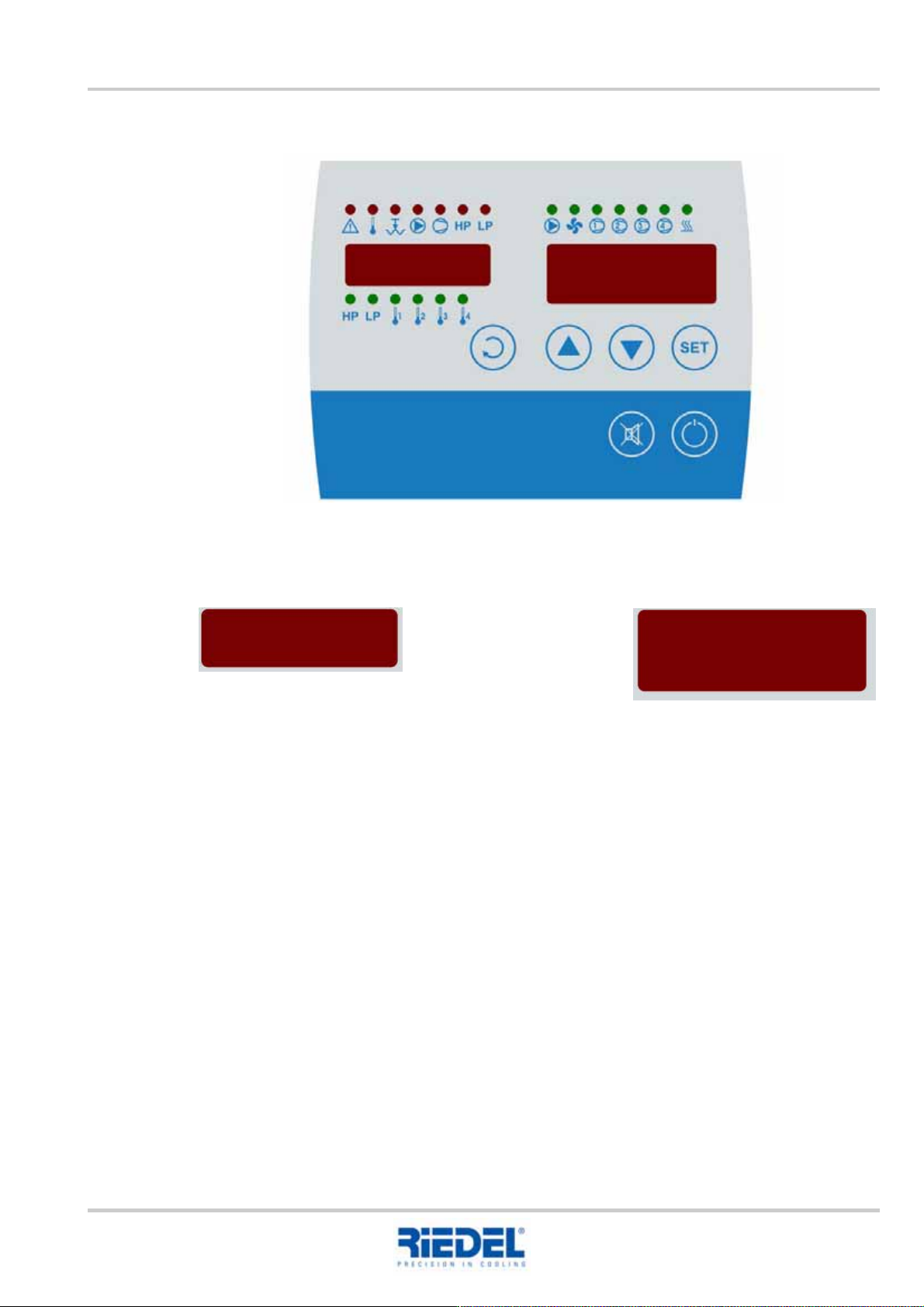
11.3.1 Displays
Setting the setpoint value
To configure the setpoint value, press the SET key as well as the UP or DOWN key.
Display 1: Various measured values Display 2: Main actual value
Set setpoint value
11. OPERATION ENGLISH Translation of the original
50
451820.66.03_EN
2020-05-05
11.3.2 Lamps
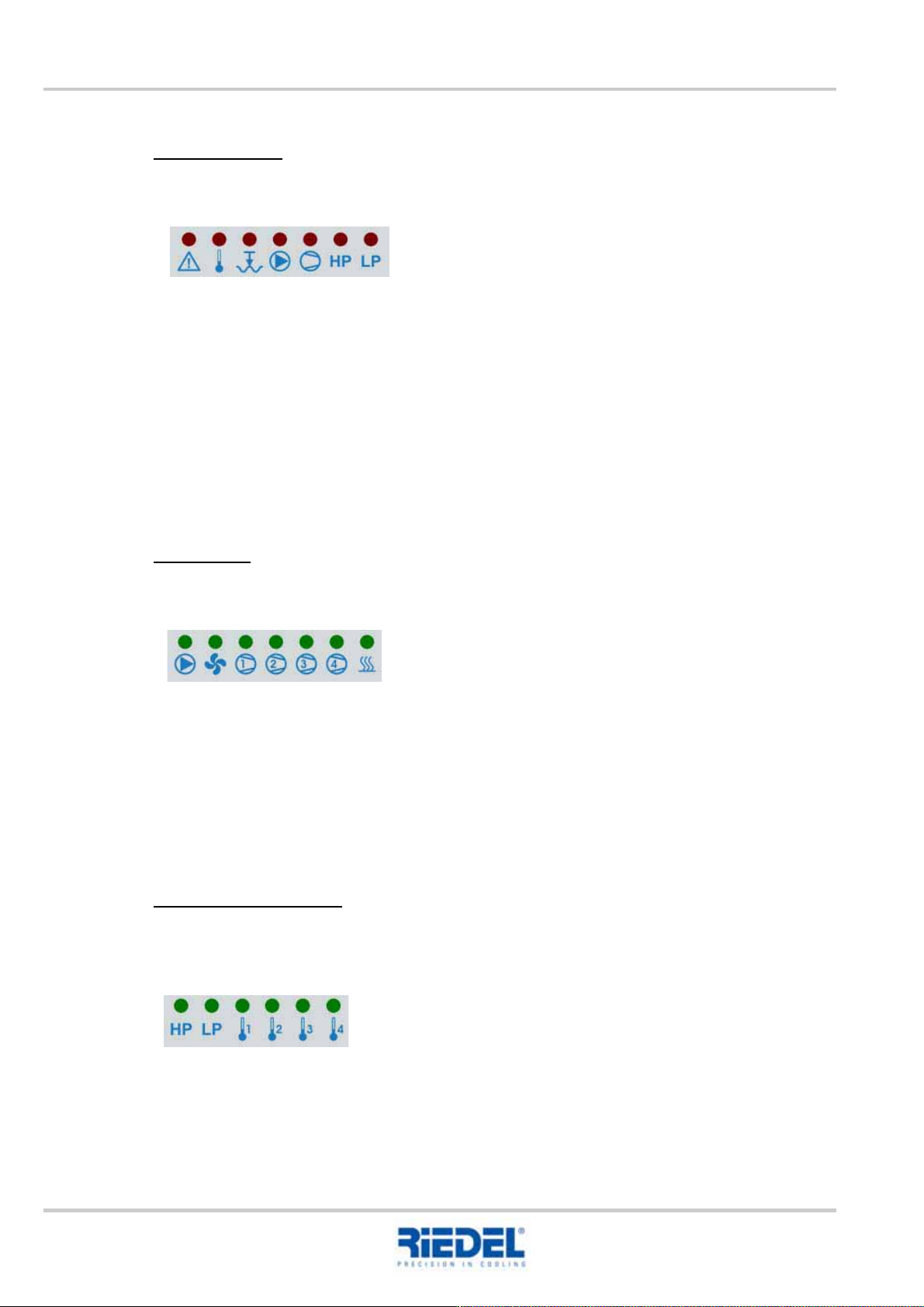
Diagnostic lamps
1 2 3 4 5 6 7
1: Collective alarm
2: Temperature alarm
3: Water shortage/dry run
4: Motor/pump
5: Motor/compressor (one of the 4 compressors)
6: High-pressure alarm (HP1 or HP2)
7: Low-pressure alarm
The diagnostic code is displayed on the digital display of the controller circuit board in the control
cabinet.
Status lamps
8 9 10 11 12 13 14
8: Pump(s)
9: Fan
10: Compressor 1
11: Compressor 2
12: Compressor 3
13: Compressor 4 or bypass valve
14: Electric heating
Measured value selection
Button 1 is used to select which measured value appears in the display.
15 16 17 18 19 20
15: Measured value high pressure HP (Sensor F2)
16: Measured value low pressure LP (Sensor F2)
17: Measured value temperature 1 (Pt 100 F5 KK2R or KK1V)
18: Measured value temperature 2 (Pt 100 F6 KK1V)
19: Measured value temperature 3 (Pt 100 F8 KK4V)
20: Measured value temperature 4 (Pt 100 F9 KK4R)
Translation of the original ENGLISH 11. OPERATION
451820.66.03_EN
2020-05-05
51
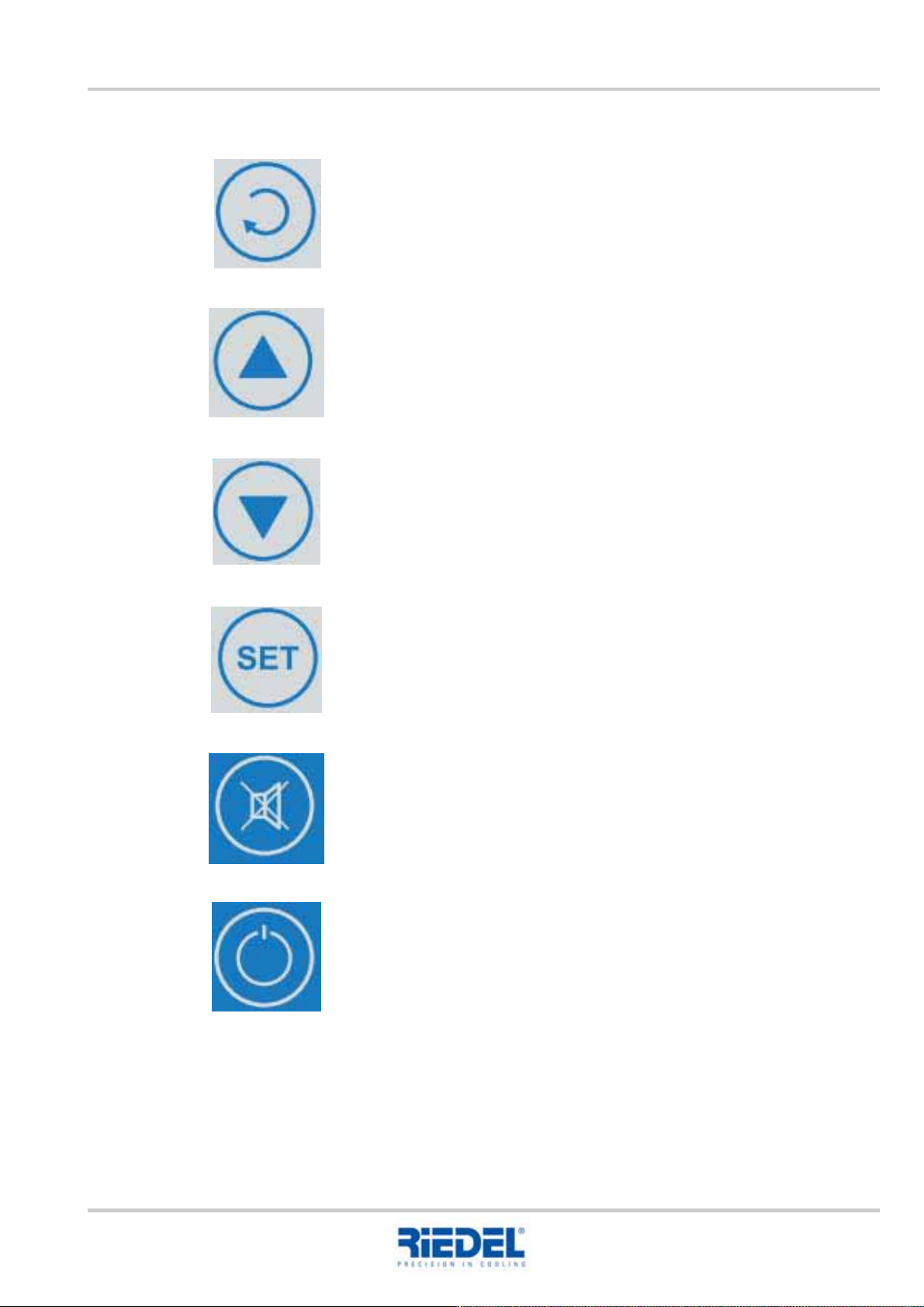
11.3.3 Buttons
Selection of a measured value for the display
(cycles between pre-defined measured variables)
UP
DOWN
SET
Pressing this button displays the setpoint value
Simultaneous pressing of UP increases the setpoint value
Simultaneous pressing of DOWN reduces the setpoint value
Acknowledge alarm, silence buzzer
No function