YS12P_YS12F_Mainte_E.pdf - 第64页
Chapter 3 Periodic maintenance items Contents 1. W eekly inspection 3-1 1.1 Inspecting and cleaning the nozzles 3-1 1.1.1 Inspecting and cleaning the slide section 3-1 1.1.2 Checking the nozzle leaf springs 3-3 1.1.3 Cle…
2-7
2
Daily maintenance items
3. Cleaning Multi-view camera protective glass
Multi-view camera is equipped with YS12F as standard. (YS12P : Option)
Adhered dust, etc., on the multi-camera lighting's protective glass can cause component recognition errors.
To prevent this, it is recommended to inspect and clean the cover in a periodic manner.
e
1
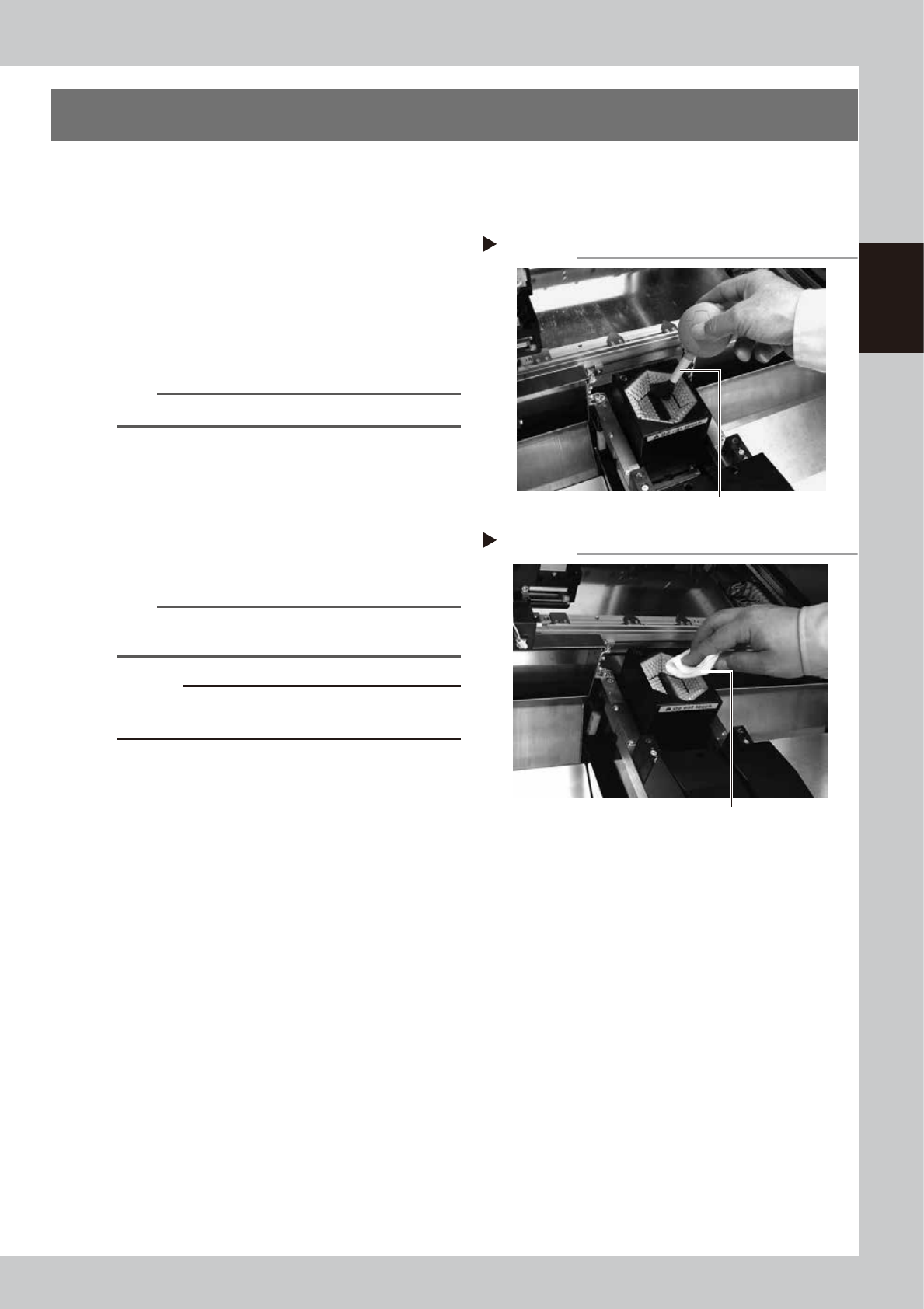
Blow off dust on the lighting's
protective glass.
1. Press the emergency stop button to open
the machine safety cover.
2. Remove the dust on the lighting's
protective glass with a blower brush.
53207-L6-00
TIP
A lens blower brush is an optional purchase part.
2
Wipe the protective glass with a
cloth or cleaning paper.
Apply a few drops of lens cleaner to a
lint-free cleaning cloth or cleaning paper
that does not raise dust, and wipe the
protective glass.
53209-L6-10
n
NOTE
A lens cleaner and cleaning paper are optional
purchase parts.
c
CAUTION
Do not use other than the lens cleaner optionally
supplied, such as IPA or acetone.
Blowing off dust with blower brush
Step 1
Lens blower brush
Wiping the protective glass
Step 2
Lent-free cleaning cloth

Chapter 3 Periodic maintenance items
Contents
1. Weekly inspection 3-1
1.1 Inspecting and cleaning the nozzles 3-1
1.1.1 Inspecting and cleaning the slide section 3-1
1.1.2 Checking the nozzle leaf springs 3-3
1.1.3 Cleaning the nozzle tip 3-4
1.2 Cleaning and lubricating the gripper nozzle (option) 3-6
1.2.1 Inspecting the gripper nozzle 3-6
1.2.2 Cleaning and lubricating the gripper nozzle 3-6
1.3 Checking the conveyor sensor condition and operation 3-8
1.4 Checking the board clamp condition and operation 3-10
1.4.1 Checking the board clamp condition 3-10
1.4.2 Checking the board clamp operation 3-10
2. Monthly inspection 3-11
2.1 Cleaning the nozzle air path 3-11
2.2 Inspecting ball screws and guides of each axis 3-12
3. Two-month inspection 3-13
3.1 Cleaning and greasing the X and Y axis 3-13
3.1.1 Cleaning and greasing the X and Y axis ball screws 3-13
3.1.2 Cleaning and greasing the X, Y and W axes guides 3-15
3.2 Cleaning and greasing the push-up axis (PU axis) 3-16
3.3 Inspecting the board conveyor unit 3-18
3.3.1 Inspecting the conveyor belt and cleaning the guide pulley 3-18
4. Three-month inspection 3-22
4.1 Cleaning and replacing the ejector filter 3-22
4.2 Inspecting the ejector vacuum pressure 3-23
4.3
Operation check of head blow valve and cleaning blow valve
3-24
4.4 Cleaning the inside of the spline shaft 3-26
4.4.1 Cleaning the inside of the spline shaft 3-26
4.4.2 Checking the negative pressure 3-29
4.5 Checking spline shaft operation 3-30
4.5.1 Checking spline shaft Z-axis operation 3-30
4.5.2 Checking and cleaning around spline shaft 3-30
4.5.3 Lubricating the spline shaft (as needed) 3-31
4.6 Checking the SC-axis flex cable (YS12P) 3-32
4.7 Inspecting and replacing the air and oil mist filter 3-33

5. Six-month inspection 3-35
5.1 Cleaning the fiducial camera 3-35
5.2 Cleaning the scan camera (YS12P) 3-36
5.3 Cleaning and lubricating the W-axis 3-37
6. One-year inspection 3-39
6.1 Checking the R-axis spline belt condition 3-39
6.2 Cleaning and replacing the blow station filter (option) 3-40
6.3 Checking the nozzle station sensor condition (option) 3-41