DECAN_S1_Maintenance(Eng_Ver1.1)_Print.pdf - 第64页
Mon thly Inspe ction chapt er 5 Nex t Generation, Multi- Functi onal Placer DE CAN S1 M ain ten anc e Ha nd boo k 5-9 Cleaning and Lubricating Head Spindle, Mirror CAM T ool for M aintenanc e Ultra-fine fiber cloth, Flat…
Monthly Inspection
chapter 5
Next Generation, Multi-Functional Placer
DECAN S1 Maintenance Handbook
5-8
Checking and Cleaning Control Rack Cooling Fan
Monthly Inspection
Step 4.
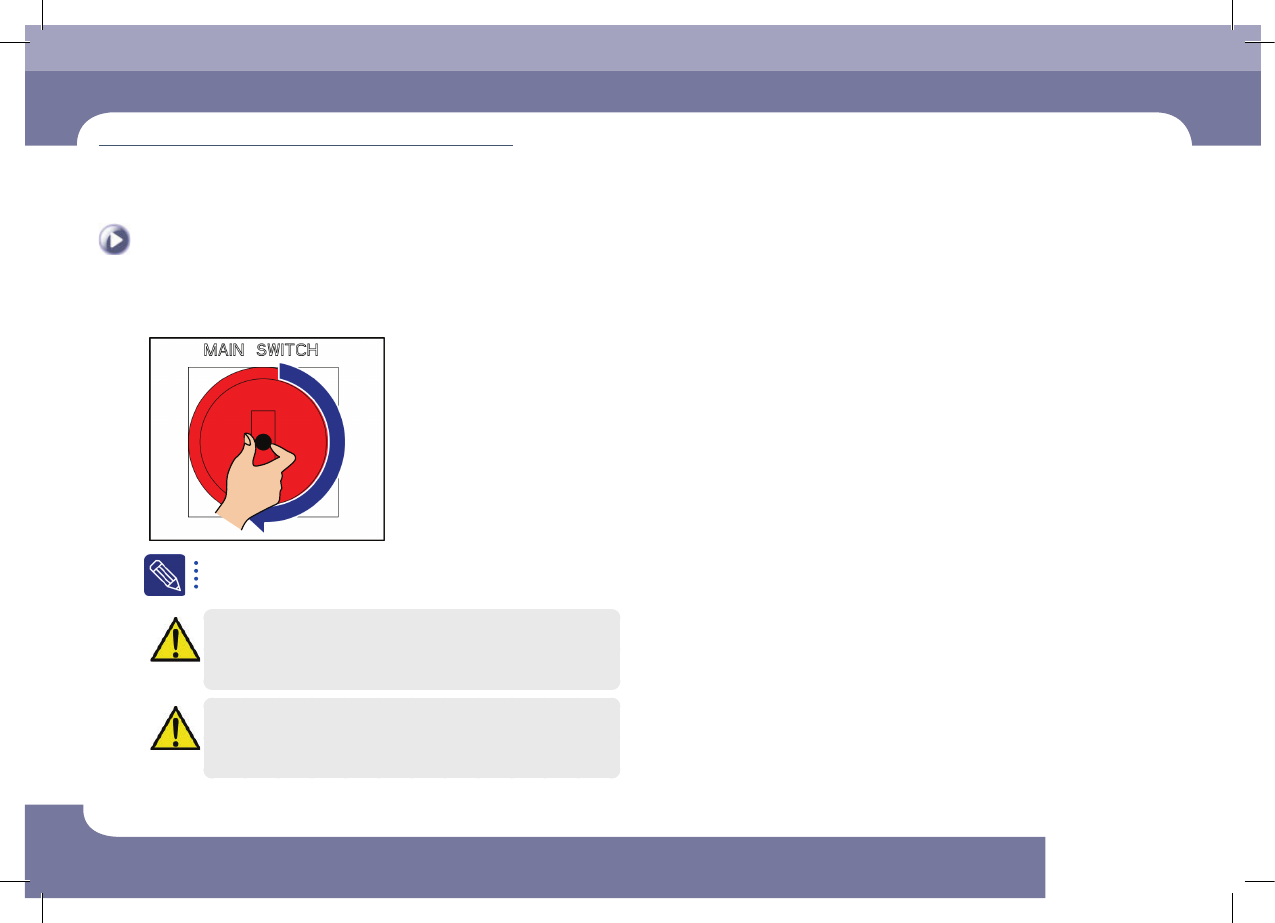
Turn on the main switch after cleaning.
If the cooling fan generates noise and operates abnormally, turn off
the main switch of the machine and replace it.
Caution
Since the replacement of the cooling fan accompanies a danger,
contact our C/S Company or local agent when replacing a cooling
fan.
Caution
A hand may get injured by the cooling fan when turning on the
main switch of the machine, and touching the cable, etc. may cause
electric shock. Therefore, special care must be exercised.
Monthly Inspection
chapter 5
Next Generation, Multi-Functional Placer
DECAN S1 Maintenance Handbook
5-9
Cleaning and Lubricating Head Spindle, Mirror CAM
Tool for Maintenance
Ultra-fine fiber cloth, Flat Brush, syringe, GREASE GADUS S2 V220-2
Measures
Step 1.
Move the X Frame to front by referring to "Forward
movement of the X-frame" on page 1-3.
Step 2.
Press the 'STOP' and 'RESET' buttons in order after
pressing the 'EMG' button on the OP panel to stop
operation.
For more details, refer to "How to perform emergency stop" on page
1-2.
Step 3.
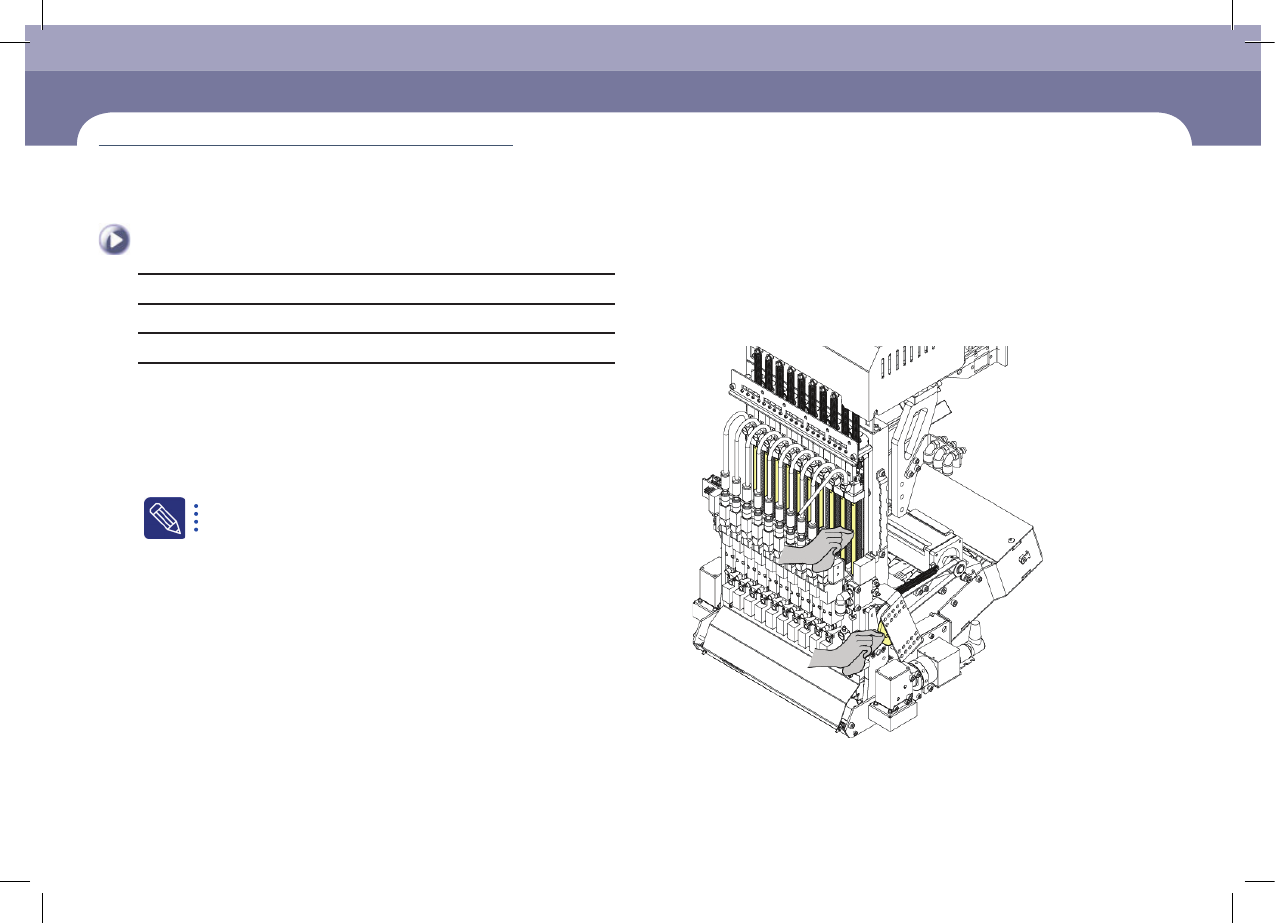
Clean the LM guide rail, ball screw and mirror CAM
Cleaning and Lubricating Head Spindle, Mirror CAM
(Time required: 30min / No. M-7)
Monthly Inspection
chapter 5
Next Generation, Multi-Functional Placer
DECAN S1 Maintenance Handbook
5-10
Cleaning and Lubricating Head Spindle, Mirror CAM
Monthly Inspection
Step 4.
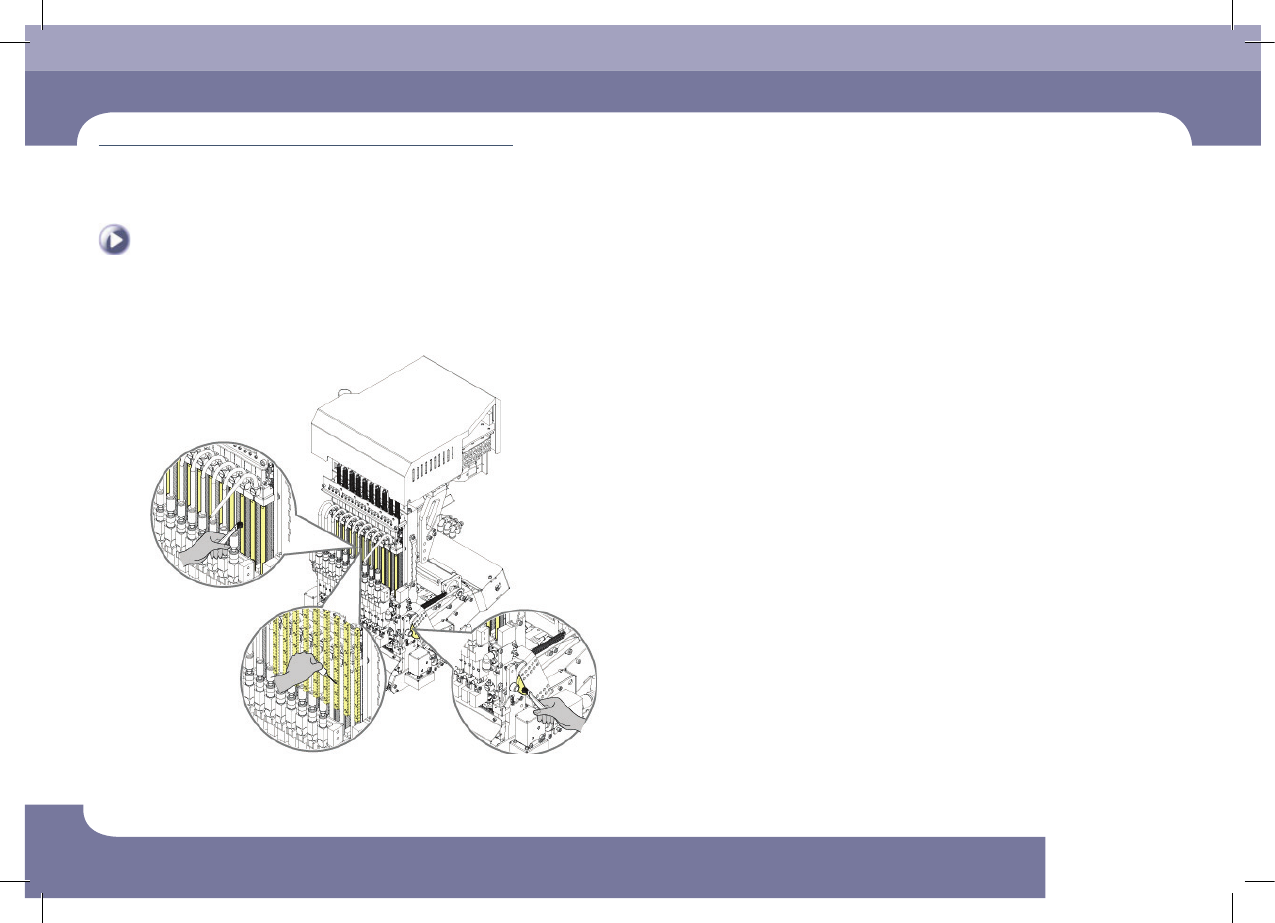
Apply grease to the LM guide rail using a syringe and
apply grease to the ball spline and the Mirror CAM.