PSV5000_OwnersManual.pdf - 第121页
Pick and Place Prob e R eplacing a PNP P rob e Assembly PSV5000 O wner ’s M anual - 117 - Figure 73: Rear v iew of m otor with t wo connect ors (arro ws). Note that the yellow wire is on t he bottom of the small conn…
Maintenance ■ Pick and Place Probe
- 116 - Data I/O ■ 096-0465-001C
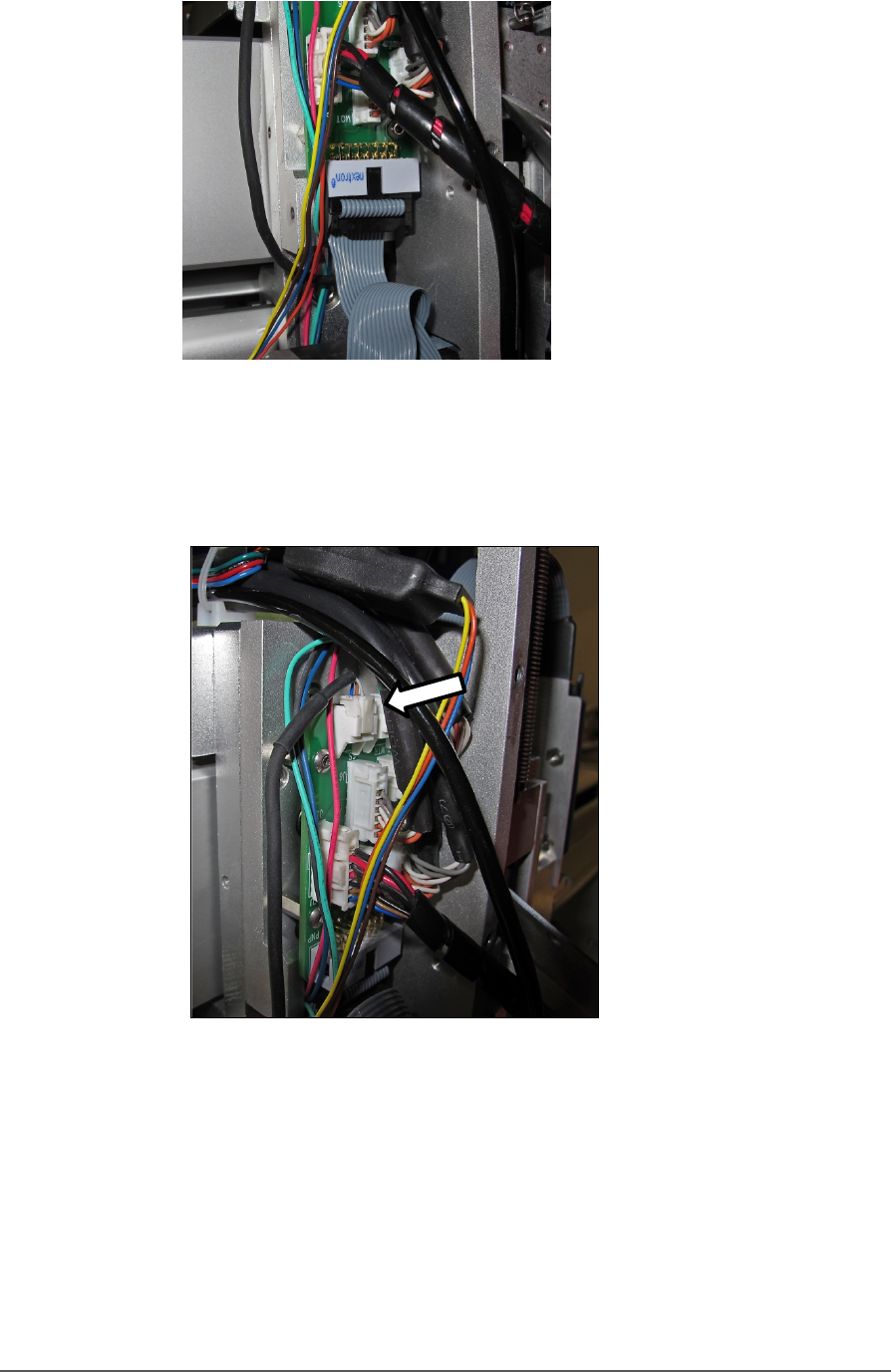
Figure 71: Unplug the ribbon cable from the back.
7. Disconnect the small connect at the top of the assemble by pinching
the clip and pulling up.
Figure 72: Top connector on the P robe Assembly.
8. Remove the four fasteners that hold the Probe Assembly to the PNP
head. Refer to Figure 71: (A long 2.5 mm hex key is required.)
9. Disconnect and remove the Z-axis retention spring (front side of
assembly).
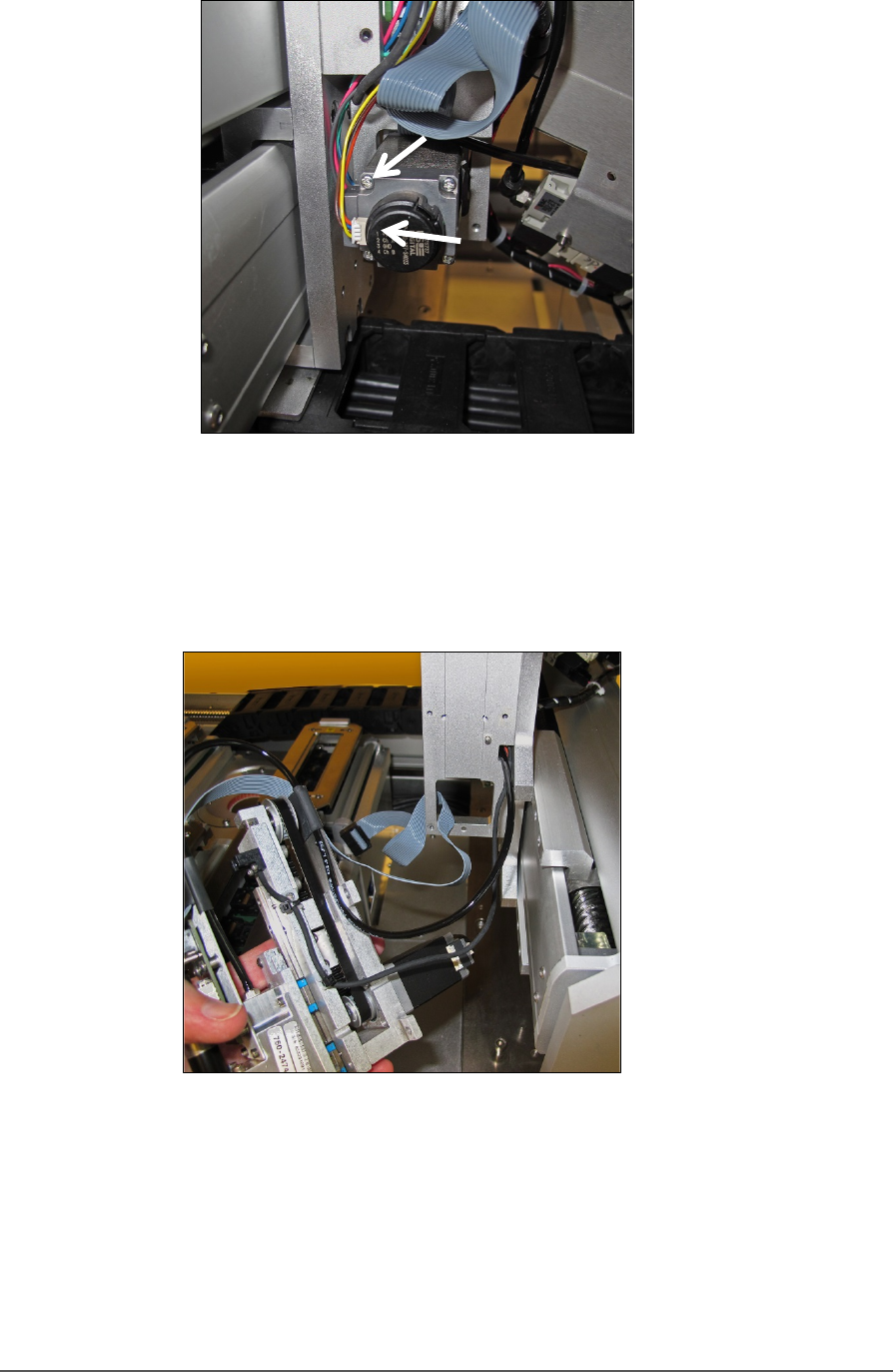
10. Remove two wire connectors from the back of the motor. See Figure
74: .
Pick and Place Probe Replacing a PNP Probe Assembly
PSV5000 Owner’s Manual - 117 -
Figure 73: Rear view of motor with two connectors (arrows). Note
that the yellow wire is on the bottom of the small connector.
11. Carefully pull the Probe Assembly with air tubing and wiring toward
the front of the machine.
Figure 74: Probe Assembly is removed with the tubing and wires
still through the head mount.
REINSTALLING THE PROBE ASSEMBLY
Generally, the reinstallation is in the reverse order of removal with these
precautions:
• Remember to thread the cables/tube through the head bracket.

Maintenance ■ Pick and Place Probe
- 118 - Data I/O ■ 096-0465-001C
• Ensure the ribbon cable doesn’t get pinched behind the probe
assembly.
• Make sure the Probe Assembly mates up to the locating pin on the head
bracket.
• It’s easiest to connect the two motor wires after putting the head onto
the bracket but before screwing it in place.
• Make sure tubes and wires are securely stowed and fixed to avoid being
rubbed by any moving parts.
• Remember to re-install the retention spring.