PSV5000_OwnersManual.pdf - 第132页
Maint enance ■ The Laser Mod ule and Shuttl e - 128 - Data I/O ■ 096 - 046 5 - 00 1C Figure 77: The Fume Extra ctor insi de the fron t of the PS V5000. 4. To continu e, see the replacem ent instr uctions and part n umber…
The Laser Module and Shuttle Laser Marking Fume Extractor
PSV5000 Owner’s Manual - 127 -
Perform the following procedure only if you have training regarding laser
etching processes or handling hazardous materials.
Wear safety goggles and disposable protective gloves..
For both these procedures contact Data I/O Customer Support or a local
Data I/O approved service representative.
REPLACING THE FUME EXTRACTOR FILT E RS
TOOLS REQUIRED
• sealable plastic bag (approximately .06 M3 [2 cu. ft.])
• protective gloves and goggles
• a particle (dust) mask
• access door key that came with your PSV5000
• UpperHand Fume Extractor Operation Manual
To replace the Fume Extractor Filters:
1. Properly shut off the PSV5000 sub-systems and machine power. See
Shutting Down the PSV5000 System on page 38.
WARNING: Possible health hazard! Lased materials can
contain hazardous toxins in the dust that cause eye and skin damage! DO
NOT use compressed air to remove laser dust or any method that allows the
particulate to be released into the work environment.
Some device material may be carcinogenic.
Wear safety goggles and disposable protective gloves.
WARNING: Health hazard! Failure to replace the laser vacuum filters
at the required intervals could create a hazardous operating environment.
2. Wear eye protection and put on disposable protective gloves.
3. Open the front access door.
Maintenance ■ The Laser Module and Shuttle
- 128 - Data I/O ■ 096-0465-001C
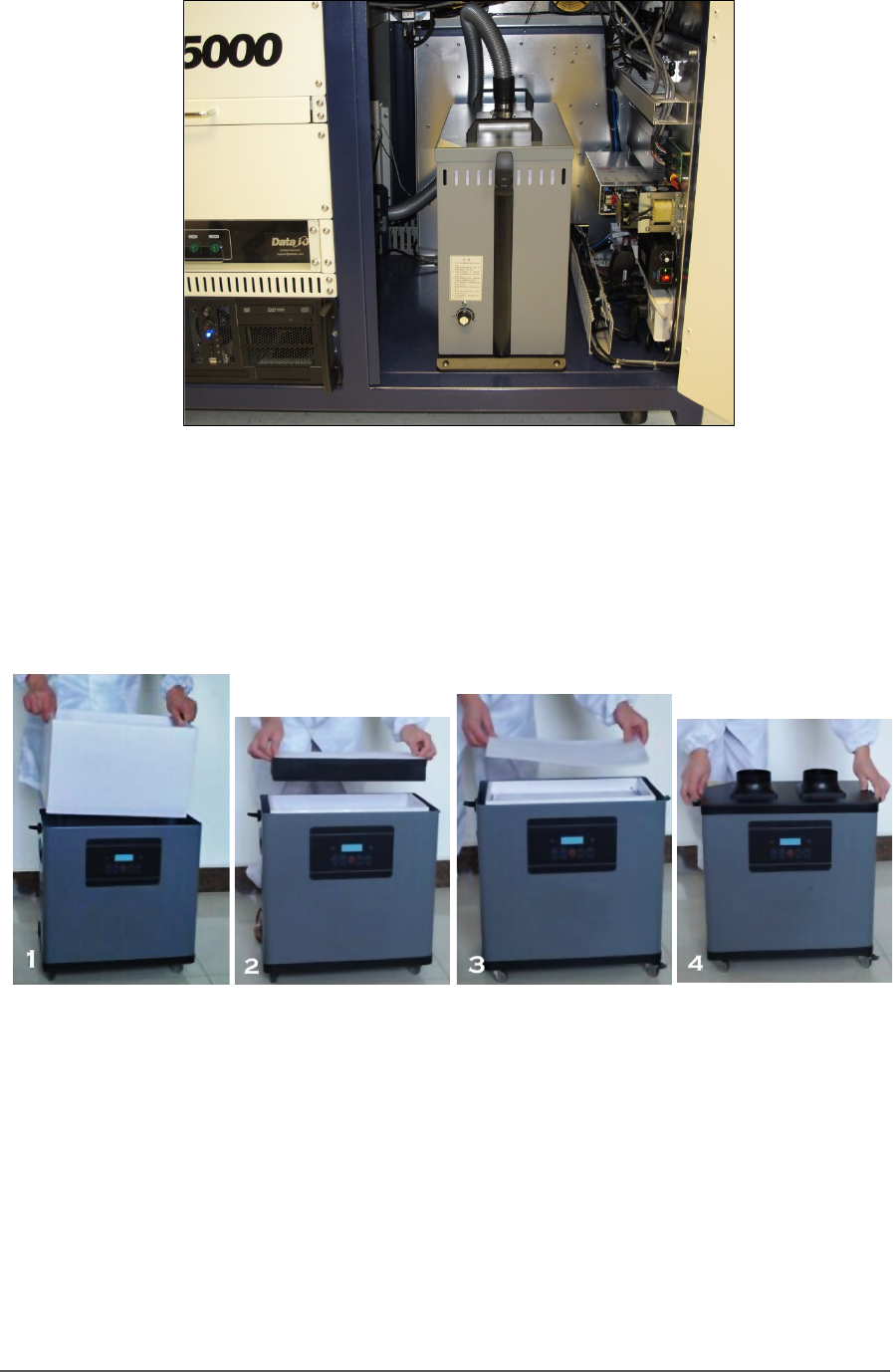
Figure 77: The Fume Extractor inside the front of the PSV5000.
4. To continue, see the replacement instructions and part numbers of
the UpperHand pre-filter and main filter in the UpperHand Fume
Extractor Operation Manual (that came with PSV5000).
Figure 78: These four steps show filter replacement. Refer to the
Fume Extractor Operation Manual.
To finish, place the filters and your gloves in the bag and seal the bag and
dispose of as hazardous waste. Close the access door.
Handler Computer Handler Computer Air Filter
PSV5000 Owner’s Manual - 129 -
Handler Computer
The main PSV5000 Machine computer, or Handler Computer, is at the
left side of the machine and requires little maintenance.
Handler Computer Air Filter
The Handler Computer has an air filter that requires periodic cleaning or
replacing.
To remove the air filter:
1. Properly shut off the PSV5000 sub-systems and machine power. See
Shutting Down the PSV5000 System on page 38.
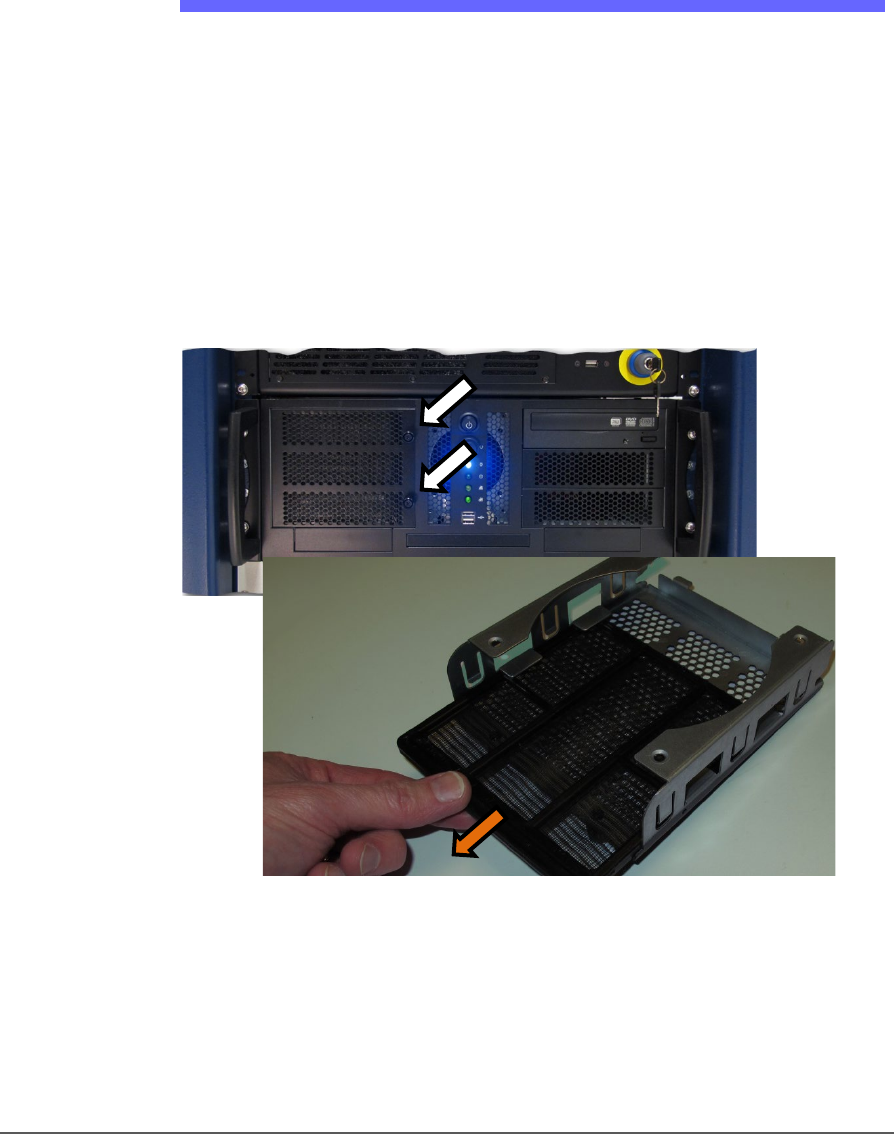
2. Open the filter door by unscrewing the two knurled knobs. The
Handler Computer filter door has two knurled knobs (white arrows).
The filter (screen) slides out.
Figure 79: The Handler Computer filter door has two knurled knobs
(white arrows). The filter (screen) slides out.
3. Open the filter door or lift it out.
4. Pull out the filter tray out of the door.
5. Clean filter as necessary such as with a light-duty vacuum.